

What this workflow does
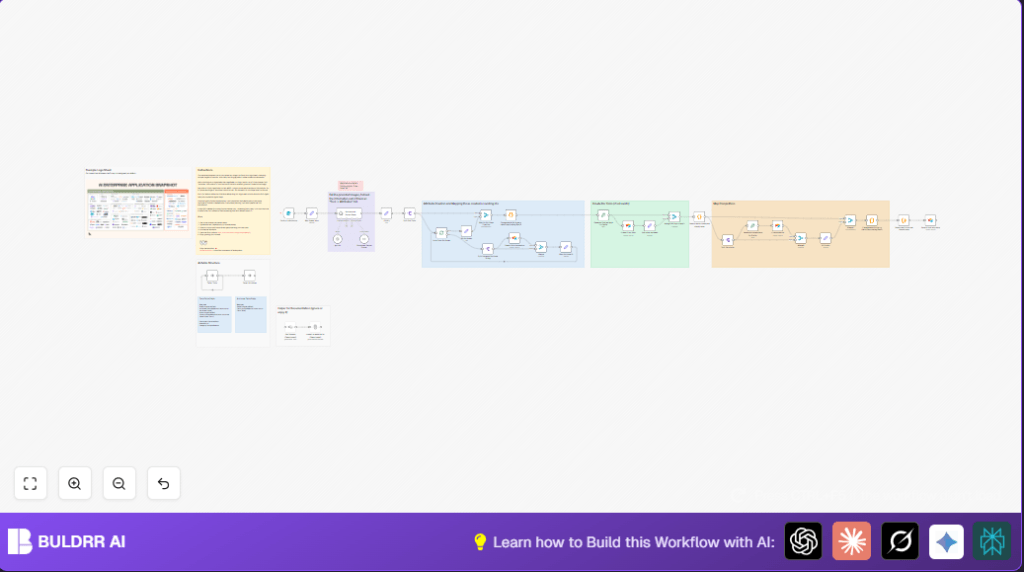
This workflow takes an image with many AI tool logos and reads it using AI to find the tools’ names and details.
It then matches or creates these tool entries in Airtable with attributes and similar tools linked properly.
This saves hours of manual work and avoids mistakes in keeping an AI tool database up to date.
Who should use this workflow
This workflow fits product analysts or database managers with many AI tools tracked in Airtable.
Anyone needing fast, automatic updates from logo images without typing names manually can use this.
Tools and services used
- n8n: Automates the workflow triggers and data flow.
- Airtable: Stores tool records and attributes in linked tables.
- OpenAI / LangChain AI agent: Reads images and extracts structured JSON data.
- Crypto node in n8n: Creates unique hashes to identify tool records.
Inputs, Processing and Output
Inputs
- An image file with AI tool logos uploaded via a form in n8n.
- An optional text prompt to guide the AI extraction.
Processing Steps
The workflow triggers on the form submission.
The AI agent reads the image, finds tool names, their attributes, and similar tools.
Structured JSON data is parsed.
Each tool and attribute is checked or created in Airtable.
Unique hashes keep record identification consistent.
Similar tools are linked too.
Output
Airtable holds updated tools records with full details and relations.
Beginner step-by-step: How to build this in n8n
Download and import workflow
- Download the workflow file using the Download button on this page.
- Open n8n editor where you work.
- Use the option “Import from File” to load the downloaded workflow.
Configure credentials and IDs
- Set your Airtable Personal Access Token and check the Tools and Attributes table IDs.
- Add your OpenAI API Key or LangChain credentials for the AI agent node.
- Update any email, Slack channel, or folder IDs if these appear (this workflow does not include Slack but can be added).
Check code and prompt nodes
- Review the AI agent prompt and confirm it fits your logo sheet context (copy below if needed).
- Confirm any Code nodes mapping attribute names to Airtable record IDs are correct.
Testing and activation
- Test the workflow using the form URL provided after import.
- Upload a sample logo sheet image and check if Airtable updates properly.
- Activate the workflow toggle to run it live in production.
If self hosting n8n, consult self-host n8n for deployment help before activating.
Relevant AI prompt example
Below is an example AI prompt used to instruct the LangChain Agent node.
System message:
You will receive an image containing multiple AI tool logos.
Extract a JSON array of tool objects with these keys:
- name (text)
- attributes (array of texts)
- similar (array of competitor tool names)
Ensure correct spelling.
Give only JSON output.
Common edge cases and troubleshooting
If image upload is empty, the AI gets nothing and extraction fails.
Make sure the file upload form field is required to avoid empty inputs.
Airtable errors can happen if the hash generation misses or attribute IDs don’t match.
Verify Crypto node inputs and Code node mappings carefully.
Sometimes AI misses tools if the image is unclear or the prompt is too vague.
Improve image quality or adjust the AI prompt for better clarity.
Customization ideas
- Change AI prompt wording to get different attributes or output styles.
- Add extra fields like website or description in Airtable and update the upsert nodes.
- Add Slack node after upload to send alerts to teams.
- Replace GPT-4o with other OpenAI or LangChain models as needed.
- Include multiple AI agents to verify extractions before saving.
Summary of benefits
✓ Saves many tedious hours updating AI tool data from images.
✓ Removes human typing errors for more accurate databases.
✓ Keeps Airtable consistently updated with tools, attributes, and similar relations.
✓ Scales well for ongoing new logo sheets and expanding AI tool sets.
