
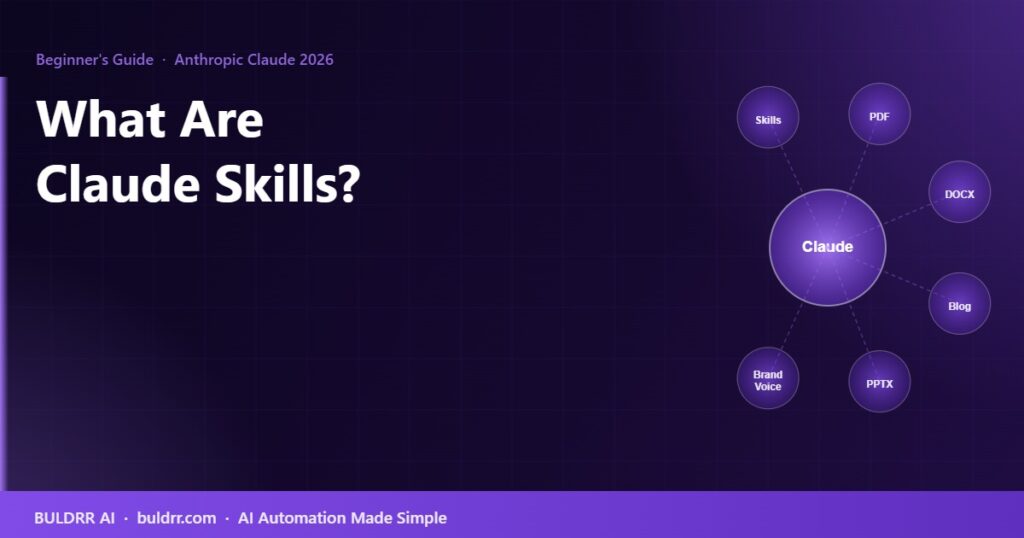
What Are Claude Skills? A Beginner’s Guide to AI Skills in 2026

Every time you start a new conversation with Claude, it forgets everything from the last one. Your preferences, your writing style, your workflows, your project rules — gone. You paste them back in every single time.

Claude Skills solve this problem. They let you teach Claude exactly how you work, save that as a reusable package, and have it load automatically every time you start a session.

This guide explains what Claude Skills are, how they work, the two types available, and how to install your first one in under 5 minutes.

What Is a Claude Skill?

Think of a Claude Skill like a training manual for a new employee.

When you hire someone new, you do not explain your company’s standards and workflows from scratch every single morning. You write it down once in a training manual, hand them the manual, and they follow it every day. Claude Skills work the same way. You write your instructions, preferences, and workflows once, save them as a skill, and Claude reads that skill at the start of every session automatically.

Technically, a skill is a folder on your computer containing a single file called SKILL.md. That file contains your instructions in plain text. Claude reads it and applies everything inside it to your conversation without you having to paste anything manually.

Skills launched in October 2025 and have become the primary way to give Claude domain-specific knowledge in Claude.ai, Claude Code, and the Claude API. As of mid-2026, Anthropic’s official skills repository on GitHub has over 141,000 stars, making it one of the most-watched AI tool repositories in the world.

The Two Types of Claude Skills

Not all skills do the same job. There are two clearly different types:

Type 1: Capability Uplift Skills

These skills give Claude abilities it does not have on its own.

Claude by default cannot create a properly formatted PDF file. It cannot read and edit a .docx Word document with real formatting. It cannot generate a proper .xlsx spreadsheet with formulas and styled columns. These are technical limitations of the base model.

Capability Uplift skills change that. When you install the PDF skill, Claude can now generate real, downloadable PDF files. When you install the Word Document skill, it can create properly formatted .docx files. The skill provides the technical instructions that give Claude the capability it previously lacked.

Examples of Capability Uplift skills in 2026:

  • PDF skill: Creates real PDF documents with proper formatting, not just text blocks
  • Word Document (docx) skill: Generates .docx files with headers, styles, tables, and structure
  • Excel (xlsx) skill: Builds spreadsheets with formulas, column styles, and data tables
  • PowerPoint (pptx) skill: Creates real slide decks you can open and edit
  • Frontend Design skill: The most-installed skill with over 277,000 installs as of early 2026. Builds production-ready HTML, CSS, and React components

Type 2: Encoded Preference Skills

These skills do not give Claude a new capability. They teach Claude your specific way of doing something it can already do.

Claude already knows how to write blog posts. But it does not know that your blog targets complete beginners, uses a Grade 5 reading level, never uses emojis, avoids corporate buzzwords, and always ends with a specific type of call to action. Without a skill, you paste those instructions into every conversation. With a skill, Claude reads them automatically at the start of each session.

Examples of Encoded Preference skills:

  • Brand voice and writing style guide for your blog or social media
  • Company-specific code review standards and naming conventions
  • Personal email writing style and tone preferences
  • Workflow procedures for recurring business processes
  • Meeting summary format and follow-up email templates

Encoded Preference skills turn Claude from a general assistant into one that already knows how your team works.

Where Claude Skills Work

One of the best things about skills is that they work identically across all Claude surfaces. You build a skill once and it runs in all three places without modification:

Claude SurfaceWho It Is ForSkill Location
Claude.aiEveryday users, writers, business owners, non-developersSettings → Capabilities → Skills (upload the folder)
Claude CodeDevelopers using Claude in their terminal or IDEDrop skill folder into .claude/skills/ in your project directory
Claude APIDevelopers building Claude-powered apps and agentsIncluded as part of the system prompt via code

What Anthropic’s Official Skills Include

Anthropic publishes 17 official skills in a public GitHub repository called anthropics/skills. All of them are free and open-source. The most-used categories in mid-2026 are:

Document Skills

  • pdf
  • docx (Word)
  • xlsx (Excel)
  • pptx (PowerPoint)

Design Skills

  • brand-guidelines
  • canvas-design
  • theme-factory
  • frontend-design

Engineering Skills

  • claude-api
  • mcp-builder
  • webapp-testing

Beyond Anthropic’s official list, the broader community has published thousands of skills. As of June 2026, searches for “claude skills” on GitHub return over 12,000 public repositories. Skills exist for everything from legal contract review to personal nutrition planning to e-commerce product description writing.

How to Install Your First Claude Skill

Option 1: Install in Claude.ai (Easiest for Most People)

  1. Find or download a skill folder. Anthropic’s official skills are at github.com/anthropics/skills. Each skill is a folder with a SKILL.md file inside it.
  2. Open Claude.ai in your browser
  3. Click your profile icon, then go to Settings
  4. Click “Capabilities” in the left sidebar
  5. Click “Skills” and then “Upload Skill”
  6. Upload the skill folder
  7. The skill activates immediately. Claude reads it at the start of your next conversation

You need a Claude Pro, Max, Team, or Enterprise plan to use skills. Skills are not available on the free Claude plan as of mid-2026.

Option 2: Install in Claude Code (For Developers)

  1. Download the skill folder from GitHub
  2. In your project directory, create a .claude/skills/ folder if it does not already exist
  3. Drop the skill folder inside .claude/skills/
  4. Claude Code reads all skills in that directory automatically on the next session

How Claude Uses Skills Automatically

Claude does not ask you “should I use the PDF skill?” every time. It reads the skill’s description and triggers it automatically when your request matches what the skill does.

For example: if you have the PDF skill installed and you say “create a two-page report on our Q2 results,” Claude recognizes that the request calls for a PDF, loads the skill’s instructions, and generates a properly formatted downloadable PDF file.

If you have a brand voice skill installed and you say “write a LinkedIn caption about our new product,” Claude reads your brand voice rules and applies them automatically without you having to specify the tone, format, or style.

This is what makes skills fundamentally different from just pasting instructions into every chat. The skill loads when relevant and stays invisible when it is not needed.

Skills Are Composable: Use Multiple at Once

One of the most powerful features of the skills system is composability. You can have multiple skills installed at the same time, and Claude loads whichever ones are relevant to your current request.

For example, you could have installed:

  • A brand voice skill (your company’s writing style)
  • A PDF skill (for creating formatted documents)
  • A blog writing skill (specific to your blog’s format)

If you ask Claude to write a blog post, it loads the brand voice and blog writing skills. If you ask it to generate a report PDF, it loads the brand voice and PDF skills. The right tools activate for the right task automatically.

Before and After: What Changes When You Use Skills

SituationWithout SkillsWith Skills
Starting a new conversationPaste in your instructions and preferences every time (5 to 15 minutes)Claude already knows your preferences. Start asking immediately
Generating a PDFClaude produces formatted text only. You convert it to PDF manuallyClaude creates a real downloadable .pdf file directly
Writing content in your styleDescribe your style rules each time. Results are inconsistentClaude applies your style automatically. Results are consistent across all sessions
Onboarding Claude to a new projectExplain the project context, tech stack, and rules every sessionThe project skill has all context. Claude knows it before you say anything

How to Build Your Own Skill

Building a custom skill does not require coding knowledge. A skill is a plain text document. Here is the minimal structure:

  1. Create a folder with a name that describes your skill (example: my-blog-writer)
  2. Inside that folder, create a file called SKILL.md
  3. In SKILL.md, write your instructions in plain English. Explain what Claude should do, what rules to follow, what format to use, and what to avoid
  4. Upload the folder to Claude.ai via Settings → Capabilities → Skills

The single most useful tip from Anthropic’s official skill-building guide: start with one specific, difficult task. Make Claude handle that one task perfectly with your instructions. Then expand the skill from there. Do not try to cover everything at once.

Frequently Asked Questions About Claude Skills

Do Claude Skills work on the free Claude plan?

No. Skills require a paid Claude plan: Pro, Max, Team, or Enterprise. As of June 2026, the free Claude plan does not include the Skills feature. If you are on the free plan, you would need to upgrade to use skills.

How is a skill different from a Project in Claude?

Claude Projects give you a persistent conversation with saved files and context for a specific project. Skills are a technical layer that gives Claude new capabilities or encoded preferences. You can use skills inside a Project. They are not competing features.

Can I share my skill with other people?

Yes. A skill is just a folder with a text file. You can zip it and send it to anyone. They upload it to their own Claude account. Many creators share custom skills publicly on GitHub or X.

Will a skill slow down Claude’s responses?

Not noticeably. A skill is just additional text in the system prompt. The impact on response speed is minimal unless the skill file is extremely long (over 50,000 words, which would be unusual).

What happens if two skills conflict with each other?

Claude tries to follow both. If the instructions genuinely conflict (one skill says use formal language, another says use casual language), Claude will usually follow whichever instruction it encounters first. The best practice is to design skills with specific, non-overlapping scope so conflicts do not arise.

How many skills can I have installed at once?

Anthropic has not published a hard limit. In practice, most users install 3 to 10 skills covering their main use cases. Having too many skills with overlapping instructions can cause Claude to behave inconsistently.

The Right Way to Start

Install one official Anthropic skill to see how the system works before building your own. The PDF skill or the Word Document skill are good starting points because the results are immediately visible and easy to verify.

Once you understand how skills activate and what they change in Claude’s behavior, you will have a clear mental model for what your own custom skill should contain. From there, building one for your specific use case takes about 30 minutes of writing plain text instructions.

Claude Skills turn a general-purpose AI assistant into one that already knows how you work. That is the difference between starting from zero every conversation and picking up exactly where you left off.

Every time you start a new conversation with Claude, it forgets everything from the last one. Your preferences, your writing style, your workflows, your project rules — gone. You paste them back in every single time.

Claude Skills solve this problem. They let you teach Claude exactly how you work, save that as a reusable package, and have it load automatically every time you start a session.

This guide explains what Claude Skills are, how they work, the two types available, and how to install your first one in under 5 minutes.

What Is a Claude Skill?

Think of a Claude Skill like a training manual for a new employee.

When you hire someone new, you do not explain your company’s standards and workflows from scratch every single morning. You write it down once in a training manual, hand them the manual, and they follow it every day. Claude Skills work the same way. You write your instructions, preferences, and workflows once, save them as a skill, and Claude reads that skill at the start of every session automatically.

Technically, a skill is a folder on your computer containing a single file called SKILL.md. That file contains your instructions in plain text. Claude reads it and applies everything inside it to your conversation without you having to paste anything manually.

Skills launched in October 2025 and have become the primary way to give Claude domain-specific knowledge in Claude.ai, Claude Code, and the Claude API. As of mid-2026, Anthropic’s official skills repository on GitHub has over 141,000 stars, making it one of the most-watched AI tool repositories in the world.

The Two Types of Claude Skills

Not all skills do the same job. There are two clearly different types:

Type 1: Capability Uplift Skills

These skills give Claude abilities it does not have on its own.

Claude by default cannot create a properly formatted PDF file. It cannot read and edit a .docx Word document with real formatting. It cannot generate a proper .xlsx spreadsheet with formulas and styled columns. These are technical limitations of the base model.

Capability Uplift skills change that. When you install the PDF skill, Claude can now generate real, downloadable PDF files. When you install the Word Document skill, it can create properly formatted .docx files. The skill provides the technical instructions that give Claude the capability it previously lacked.

Examples of Capability Uplift skills in 2026:

  • PDF skill: Creates real PDF documents with proper formatting, not just text blocks
  • Word Document (docx) skill: Generates .docx files with headers, styles, tables, and structure
  • Excel (xlsx) skill: Builds spreadsheets with formulas, column styles, and data tables
  • PowerPoint (pptx) skill: Creates real slide decks you can open and edit
  • Frontend Design skill: The most-installed skill with over 277,000 installs as of early 2026. Builds production-ready HTML, CSS, and React components

Type 2: Encoded Preference Skills

These skills do not give Claude a new capability. They teach Claude your specific way of doing something it can already do.

Claude already knows how to write blog posts. But it does not know that your blog targets complete beginners, uses a Grade 5 reading level, never uses emojis, avoids corporate buzzwords, and always ends with a specific type of call to action. Without a skill, you paste those instructions into every conversation. With a skill, Claude reads them automatically at the start of each session.

Examples of Encoded Preference skills:

  • Brand voice and writing style guide for your blog or social media
  • Company-specific code review standards and naming conventions
  • Personal email writing style and tone preferences
  • Workflow procedures for recurring business processes
  • Meeting summary format and follow-up email templates

Encoded Preference skills turn Claude from a general assistant into one that already knows how your team works.

Where Claude Skills Work

One of the best things about skills is that they work identically across all Claude surfaces. You build a skill once and it runs in all three places without modification:

Claude SurfaceWho It Is ForSkill Location
Claude.aiEveryday users, writers, business owners, non-developersSettings → Capabilities → Skills (upload the folder)
Claude CodeDevelopers using Claude in their terminal or IDEDrop skill folder into .claude/skills/ in your project directory
Claude APIDevelopers building Claude-powered apps and agentsIncluded as part of the system prompt via code

What Anthropic’s Official Skills Include

Anthropic publishes 17 official skills in a public GitHub repository called anthropics/skills. All of them are free and open-source. The most-used categories in mid-2026 are:

Document Skills

  • pdf
  • docx (Word)
  • xlsx (Excel)
  • pptx (PowerPoint)

Design Skills

  • brand-guidelines
  • canvas-design
  • theme-factory
  • frontend-design

Engineering Skills

  • claude-api
  • mcp-builder
  • webapp-testing

Beyond Anthropic’s official list, the broader community has published thousands of skills. As of June 2026, searches for “claude skills” on GitHub return over 12,000 public repositories. Skills exist for everything from legal contract review to personal nutrition planning to e-commerce product description writing.

How to Install Your First Claude Skill

Option 1: Install in Claude.ai (Easiest for Most People)

  1. Find or download a skill folder. Anthropic’s official skills are at github.com/anthropics/skills. Each skill is a folder with a SKILL.md file inside it.
  2. Open Claude.ai in your browser
  3. Click your profile icon, then go to Settings
  4. Click “Capabilities” in the left sidebar
  5. Click “Skills” and then “Upload Skill”
  6. Upload the skill folder
  7. The skill activates immediately. Claude reads it at the start of your next conversation

You need a Claude Pro, Max, Team, or Enterprise plan to use skills. Skills are not available on the free Claude plan as of mid-2026.

Option 2: Install in Claude Code (For Developers)

  1. Download the skill folder from GitHub
  2. In your project directory, create a .claude/skills/ folder if it does not already exist
  3. Drop the skill folder inside .claude/skills/
  4. Claude Code reads all skills in that directory automatically on the next session

How Claude Uses Skills Automatically

Claude does not ask you “should I use the PDF skill?” every time. It reads the skill’s description and triggers it automatically when your request matches what the skill does.

For example: if you have the PDF skill installed and you say “create a two-page report on our Q2 results,” Claude recognizes that the request calls for a PDF, loads the skill’s instructions, and generates a properly formatted downloadable PDF file.

If you have a brand voice skill installed and you say “write a LinkedIn caption about our new product,” Claude reads your brand voice rules and applies them automatically without you having to specify the tone, format, or style.

This is what makes skills fundamentally different from just pasting instructions into every chat. The skill loads when relevant and stays invisible when it is not needed.

Skills Are Composable: Use Multiple at Once

One of the most powerful features of the skills system is composability. You can have multiple skills installed at the same time, and Claude loads whichever ones are relevant to your current request.

For example, you could have installed:

  • A brand voice skill (your company’s writing style)
  • A PDF skill (for creating formatted documents)
  • A blog writing skill (specific to your blog’s format)

If you ask Claude to write a blog post, it loads the brand voice and blog writing skills. If you ask it to generate a report PDF, it loads the brand voice and PDF skills. The right tools activate for the right task automatically.

Before and After: What Changes When You Use Skills

SituationWithout SkillsWith Skills
Starting a new conversationPaste in your instructions and preferences every time (5 to 15 minutes)Claude already knows your preferences. Start asking immediately
Generating a PDFClaude produces formatted text only. You convert it to PDF manuallyClaude creates a real downloadable .pdf file directly
Writing content in your styleDescribe your style rules each time. Results are inconsistentClaude applies your style automatically. Results are consistent across all sessions
Onboarding Claude to a new projectExplain the project context, tech stack, and rules every sessionThe project skill has all context. Claude knows it before you say anything

How to Build Your Own Skill

Building a custom skill does not require coding knowledge. A skill is a plain text document. Here is the minimal structure:

  1. Create a folder with a name that describes your skill (example: my-blog-writer)
  2. Inside that folder, create a file called SKILL.md
  3. In SKILL.md, write your instructions in plain English. Explain what Claude should do, what rules to follow, what format to use, and what to avoid
  4. Upload the folder to Claude.ai via Settings → Capabilities → Skills

The single most useful tip from Anthropic’s official skill-building guide: start with one specific, difficult task. Make Claude handle that one task perfectly with your instructions. Then expand the skill from there. Do not try to cover everything at once.

Frequently Asked Questions About Claude Skills

Do Claude Skills work on the free Claude plan?

No. Skills require a paid Claude plan: Pro, Max, Team, or Enterprise. As of June 2026, the free Claude plan does not include the Skills feature. If you are on the free plan, you would need to upgrade to use skills.

How is a skill different from a Project in Claude?

Claude Projects give you a persistent conversation with saved files and context for a specific project. Skills are a technical layer that gives Claude new capabilities or encoded preferences. You can use skills inside a Project. They are not competing features.

Can I share my skill with other people?

Yes. A skill is just a folder with a text file. You can zip it and send it to anyone. They upload it to their own Claude account. Many creators share custom skills publicly on GitHub or X.

Will a skill slow down Claude’s responses?

Not noticeably. A skill is just additional text in the system prompt. The impact on response speed is minimal unless the skill file is extremely long (over 50,000 words, which would be unusual).

What happens if two skills conflict with each other?

Claude tries to follow both. If the instructions genuinely conflict (one skill says use formal language, another says use casual language), Claude will usually follow whichever instruction it encounters first. The best practice is to design skills with specific, non-overlapping scope so conflicts do not arise.

How many skills can I have installed at once?

Anthropic has not published a hard limit. In practice, most users install 3 to 10 skills covering their main use cases. Having too many skills with overlapping instructions can cause Claude to behave inconsistently.

The Right Way to Start

Install one official Anthropic skill to see how the system works before building your own. The PDF skill or the Word Document skill are good starting points because the results are immediately visible and easy to verify.

Once you understand how skills activate and what they change in Claude’s behavior, you will have a clear mental model for what your own custom skill should contain. From there, building one for your specific use case takes about 30 minutes of writing plain text instructions.

Claude Skills turn a general-purpose AI assistant into one that already knows how you work. That is the difference between starting from zero every conversation and picking up exactly where you left off.

Author
Written By
Vikash Kumar
Building AI agents, n8n workflows and end-to-end automation for 30+ Brands across India, the US, Europe, Dubai & Australia. 7+ years of Experience saving founders real hours every week - no code required.
Author
Written By
Vikash Kumar
Building AI agents, n8n workflows and end-to-end automation for 30+ Brands across India, the US, Europe, Dubai & Australia. 7+ years of Experience saving founders real hours every week - no code required.
Ask more Questions about this Blog with AI:

Our AI Articles

Learn from our AI Articles to excel in your profession ;)

n8n AI Agent Node: Build Your First AI Agent in 15 Minutes

Learn how the n8n AI Agent node works and build your first AI agent in 15 minutes. Step-by-step beginner guide...

Best Free OpenRouter Models in 2026: Which One Should You Use?

OpenRouter has 29 free AI models as of June 2026. Picking the wrong one for your task wastes your daily...

ClawdBot Tutorial 2026: Complete Beginner Guide to Install, Configure & Run Your First AI Agent

The complete beginner guide to Clawdbot in 2026 — from installation to your first running AI agent, with config templates,...

Claude vs ChatGPT in 2026: I Tested Both on the Same 10 Real Tasks

You’re probably paying $20 a month for one of these tools and quietly wondering if the other one is better....

HOW TO GET CLAUDE TO TEACH YOU STEP BY STEP

This framework turns any “I want to do X with Claude but have no idea where to start” into a...

Claude Code Without a Subscription: 3 Free Ways to Run It in 2026

Claude Code is Anthropic’s terminal-based AI coding assistant. It edits files, runs commands, plans projects, and debugs errors — entirely...

Best Claude Prompts 2026: 75 Templates That Actually Work

If your Claude outputs feel generic, the fix isn’t switching models — it’s fixing the prompt. Most people send a...

Build n8n Workflows Without Coding Using Claude Code: Step-by-Step (2026)

For years, building an n8n automation meant dragging nodes around a canvas, guessing field names, and bouncing between docs and...

7 Claude Code prompts

7 simple Claude Code prompts to get you started...

How to Actually Grow on LinkedIn

The real strategy behind 500,000+ impressions in two months — no fluff, just what works. Most people think LinkedIn growth...

1:1 Free Strategy Session
Your competitors are already automating. Are you still paying for it manually?

Do you want to adopt AI Automation?

Every hour your team does repetitive work, you're burning real money.
While you wait, faster businesses are cutting costs and moving quicker.
AI and automations aren't the future anymore — they're the present.

Book a live 1-on-1 session where we show you exactly which of your daily tasks can be automated — and what it’s costing you not to.