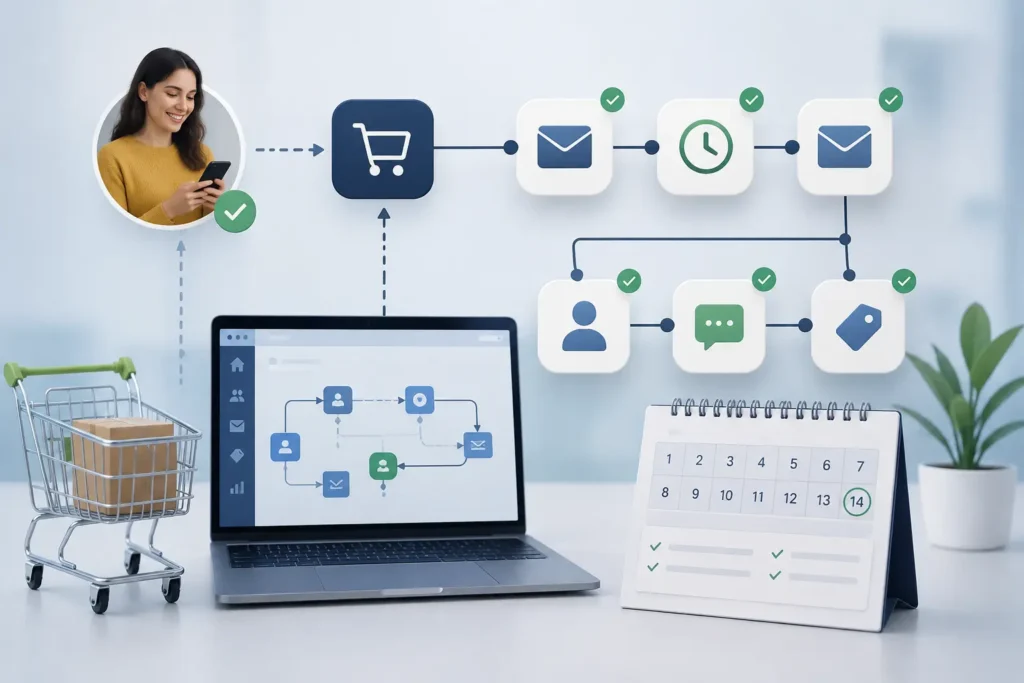
Most small businesses have no structured process for the first 14 days after a sale — no automatic welcome message, no scheduled check-in, just hope that the customer figures things out on their own. That window is where a new customer quietly decides whether to stick around, and most of it is repetitive enough to run itself without anyone lifting a finger after the deal closes.
The short answer
Most of the first 14 days after a sale — the welcome message, account or paperwork setup, a kickoff booking link, a progress check-in — can be triggered automatically the moment a deal closes, using tools like n8n connected to your CRM, email, and calendar. You don’t need new headcount to fix a shaky onboarding window; you need the handoff to stop depending on someone remembering to do it.
The 14 days, manual vs. automated
Before and after automating the post-sale window
Manual (typical)
Day 0: sale closes, no immediate follow-up.
Day 2-3: someone remembers to send a welcome email.
Day 7: no check-in unless the customer reaches out first.
Day 14: silence, unless something’s gone wrong.
Automated
Day 0: welcome message and setup materials sent instantly.
Day 1: kickoff call auto-booked on your calendar.
Day 7: automatic check-in if no activity is detected.
Day 14: satisfaction check triggers a human follow-up only when needed.
What actually gets automated
This isn’t about replacing the relationship — it’s about making sure the predictable, repetitive parts happen every single time, so your team’s attention goes to the customers who actually need it. A typical build wires together: an instant welcome sequence the moment a deal is marked won in your CRM, auto-generated account or paperwork setup so nobody’s retyping the same information, a calendar link for the kickoff call that books itself instead of a back-and-forth email chain, and a day-7 nudge that only fires if the customer hasn’t engaged — so you’re not spamming people who are already off to a good start.
The part most businesses skip: the day-14 check
A simple automated check-in at day 14 — “how’s it going so far?” — catches the quiet strugglers before they become a cancellation instead of after. It costs nothing to send and it’s the single easiest early-warning signal most small businesses aren’t using.
47%
Companies without structured onboarding automation face 47% higher support costs per customer than those with it — the cost of a shaky first two weeks shows up later as support tickets. (Source: Contrast, “Automated Customer Onboarding: Strategy, Tools & ROI,” 2025)
Where to draw the line between automated and human
The goal isn’t zero human involvement — it’s placing the human touch where it actually changes the outcome. Automate the account setup, the reminders, the paperwork. Keep a real person on the kickoff call and on anything that looks like a struggling customer at day 7 or day 14. The automation’s job is making sure those human moments actually happen on schedule, instead of depending on someone’s memory on a busy Tuesday.
Getting started without overbuilding
A realistic first build
1. Map what actually happens today in the first 14 days, including the steps nobody talks about
2. Pick the two or three steps eating the most time or causing the most inconsistency
3. Wire the trigger to the moment the deal closes in your CRM, not a manual “remember to start this”
4. Add one human checkpoint around day 7, not just at the end
5. Measure whether customers are actually using what they bought, not just whether the emails went out
Frequently asked questions
Isn’t onboarding automation only for big SaaS companies?
No — any small business with a repeatable first-two-weeks process benefits, whether that’s a service business, a local shop, or a B2B vendor. The mechanics (trigger, sequence, check-in) work the same regardless of size.
How much of this can I build without hiring a developer?
A meaningful first version — welcome sequence, calendar booking, a day-7 nudge — is realistic to build with existing tools like n8n connected to your CRM and calendar, without a custom engineering hire.
What happens when the automation gets something wrong?
Build an escalation path from day one — if a customer replies with a question or a problem, it should route to a real person immediately rather than continuing down the automated sequence.
The first 14 days aren’t glamorous, which is exactly why they’re easy to neglect and exactly why automating them pays off. Get the predictable part running itself, and your team’s time goes to the customers who actually need a human.
Want your first-14-days sequence built for you?
 Let’s Talk →
Most small businesses have no structured process for the first 14 days after a sale — no automatic welcome message, no scheduled check-in, just hope that the customer figures things out on their own. That window is where a new customer quietly decides whether to stick around, and most of it is repetitive enough to run itself without anyone lifting a finger after the deal closes.
The short answer
Most of the first 14 days after a sale — the welcome message, account or paperwork setup, a kickoff booking link, a progress check-in — can be triggered automatically the moment a deal closes, using tools like n8n connected to your CRM, email, and calendar. You don’t need new headcount to fix a shaky onboarding window; you need the handoff to stop depending on someone remembering to do it.
The 14 days, manual vs. automated
Before and after automating the post-sale window
Manual (typical)
Day 0: sale closes, no immediate follow-up.
Day 2-3: someone remembers to send a welcome email.
Day 7: no check-in unless the customer reaches out first.
Day 14: silence, unless something’s gone wrong.
Automated
Day 0: welcome message and setup materials sent instantly.
Day 1: kickoff call auto-booked on your calendar.
Day 7: automatic check-in if no activity is detected.
Day 14: satisfaction check triggers a human follow-up only when needed.
What actually gets automated
This isn’t about replacing the relationship — it’s about making sure the predictable, repetitive parts happen every single time, so your team’s attention goes to the customers who actually need it. A typical build wires together: an instant welcome sequence the moment a deal is marked won in your CRM, auto-generated account or paperwork setup so nobody’s retyping the same information, a calendar link for the kickoff call that books itself instead of a back-and-forth email chain, and a day-7 nudge that only fires if the customer hasn’t engaged — so you’re not spamming people who are already off to a good start.
The part most businesses skip: the day-14 check
A simple automated check-in at day 14 — “how’s it going so far?” — catches the quiet strugglers before they become a cancellation instead of after. It costs nothing to send and it’s the single easiest early-warning signal most small businesses aren’t using.
47%
Companies without structured onboarding automation face 47% higher support costs per customer than those with it — the cost of a shaky first two weeks shows up later as support tickets. (Source: Contrast, “Automated Customer Onboarding: Strategy, Tools & ROI,” 2025)
Where to draw the line between automated and human
The goal isn’t zero human involvement — it’s placing the human touch where it actually changes the outcome. Automate the account setup, the reminders, the paperwork. Keep a real person on the kickoff call and on anything that looks like a struggling customer at day 7 or day 14. The automation’s job is making sure those human moments actually happen on schedule, instead of depending on someone’s memory on a busy Tuesday.
Getting started without overbuilding
A realistic first build
1. Map what actually happens today in the first 14 days, including the steps nobody talks about
2. Pick the two or three steps eating the most time or causing the most inconsistency
3. Wire the trigger to the moment the deal closes in your CRM, not a manual “remember to start this”
4. Add one human checkpoint around day 7, not just at the end
5. Measure whether customers are actually using what they bought, not just whether the emails went out
Frequently asked questions
Isn’t onboarding automation only for big SaaS companies?
No — any small business with a repeatable first-two-weeks process benefits, whether that’s a service business, a local shop, or a B2B vendor. The mechanics (trigger, sequence, check-in) work the same regardless of size.
How much of this can I build without hiring a developer?
A meaningful first version — welcome sequence, calendar booking, a day-7 nudge — is realistic to build with existing tools like n8n connected to your CRM and calendar, without a custom engineering hire.
What happens when the automation gets something wrong?
Build an escalation path from day one — if a customer replies with a question or a problem, it should route to a real person immediately rather than continuing down the automated sequence.
The first 14 days aren’t glamorous, which is exactly why they’re easy to neglect and exactly why automating them pays off. Get the predictable part running itself, and your team’s time goes to the customers who actually need a human.
Want your first-14-days sequence built for you?
Let’s Talk →