
n8n Pricing 2026: Free Self-Hosted vs Cloud Costs Explained

n8n Pricing 2026: Free Self-Hosted vs Cloud Costs Explained
Updated: August 24, 2026

Trying to figure out what n8n actually costs? You are not alone. One page says $20 a month. Another says $50. A forum post says you can run it for under $5. All of these can be true at the same time, and that is exactly why n8n pricing confuses so many beginners.

The truth is simple once you see it laid out clearly. n8n gives you two paths: a paid Cloud plan that n8n manages for you, or a free version you host yourself. This guide breaks down every real cost for 2026, so you can pick the option that fits your budget without any guessing.

What You’ll Learn

  • Every n8n Cloud plan and what each one actually costs in 2026
  • Why self-hosted n8n can cost less than a cup of coffee each month
  • What an “execution” is, and why it changes your real bill
  • A quick price snapshot of n8n against Zapier and Make
  • How to pick the plan that fits your budget without overpaying

What Does n8n Pricing Actually Cost? The Quick Answer

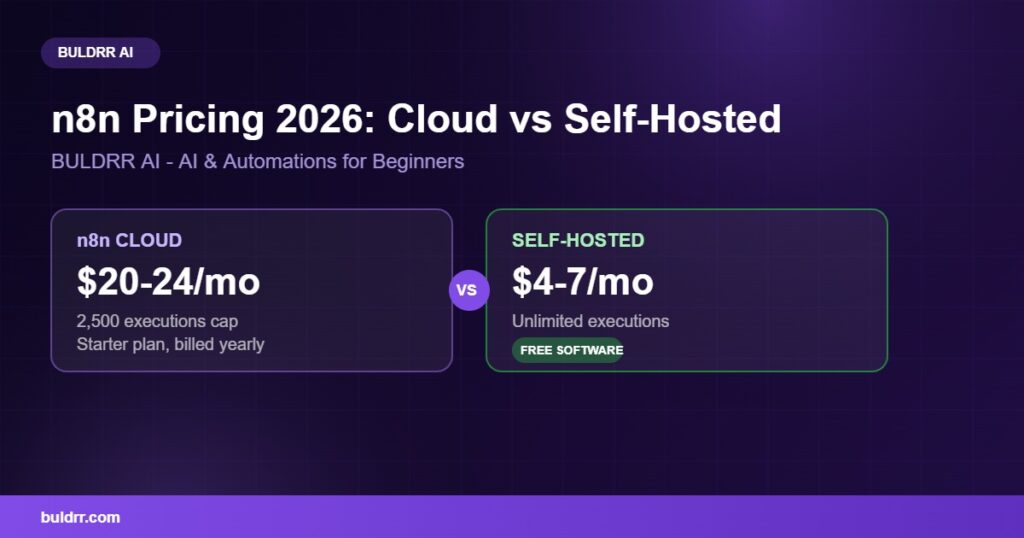
n8n Cloud starts at around 20 euros a month for the Starter plan, billed yearly. Most guides round that to about $20 to $24 a month, since n8n bills in euros and the dollar amount shifts a little with the exchange rate.

The free path is self-hosting the Community Edition. The software itself costs nothing. You only pay for a small server to run it on, often $4 to $7 a month. Both paths run the exact same n8n software. The real difference is who manages the server and how many workflow runs you get each month.

Think of it like renting a furnished apartment versus buying a small house. Cloud is the furnished apartment. You pay every month, and n8n handles the plumbing, the paint, and the repairs. Self-hosting is the small house. It costs less every month, but you are the one fixing the leaky faucet when something breaks.

As of 2026, n8n no longer offers a permanent free tier on Cloud. If you want n8n without a monthly bill, self-hosting is your only real option, and it is a solid one.

n8n Pricing Plans in 2026: Cloud Tiers Explained

n8n Cloud has four tiers. Every tier includes unlimited users, unlimited workflows, and every integration. The only thing that changes as you move up is how many workflow executions you get each month, plus a few team and security features.

PlanPrice (billed yearly)Executions per monthBest for
Starter~$20/mo (20 euros)2,500Trying n8n or light, webhook-based work
Pro~$50/mo (50 euros)10,000Solo builders and small teams in production
Business~$667/mo (667 euros)40,000Small companies needing SSO and team environments
EnterpriseCustom pricingUnlimitedLarger companies with compliance needs

Billing yearly saves you about 17% compared to paying month to month. Both Starter and Pro come with a 14-day free trial, and n8n does not ask for a card to start it. Companies with under 20 employees can also apply for a startup discount that cuts the Business plan roughly in half.

Tip: These figures come straight from n8n’s own official pricing page, checked while writing this guide. Prices and exchange rates can shift, so it is worth a quick look there before you commit.

How n8n Pricing Counts Your Usage: Executions, Not Steps

One execution equals one full workflow run, no matter how many steps sit inside that workflow. That single rule is the key to understanding your real n8n bill.

Picture a toll road with one flat toll for the whole trip. That is n8n. Now picture a different road with a toll booth at every single exit. That is closer to how Zapier and Make charge you, since Zapier bills per step (called a “task”) and Make bills per module (called an “operation”).

Say you build a workflow with 10 steps, and it runs 1,000 times in a month. On n8n, that is 1,000 executions. On Zapier, that same workflow burns through 10,000 tasks. Okay so this is the part that trips up most beginners, and it is worth slowing down for. The gap gets bigger the more steps your workflow has.

This is also why a workflow that checks your email or Slack every few minutes can eat through a Cloud plan fast. A check that runs every 10 minutes adds up to thousands of executions a month from that single workflow alone, according to n8n’s own execution pricing explainer.

The Free Way: Self-Hosting n8n Yourself

Self-hosted n8n, called the Community Edition, is free software with no cap on workflows or executions. You can run as many automations as you want, as often as you want, at no extra charge from n8n.

What you get: hundreds of integrations, the full drag-and-drop workflow builder, and no per-run charges ever. What you do not get: single sign-on, advanced audit logs, and dedicated support with a guaranteed response time. Those are business and enterprise features that most beginners never touch anyway.

The only real cost is the server that runs n8n, usually $4 to $7 a month on a small VPS. A popular starting point for beginners is a hosting plan like Hostinger’s VPS, which can run n8n through Docker without much fuss.

At BULDRR AI, we keep this guide updated against n8n’s own pricing page, since Cloud costs and euro-to-dollar conversions shift over the year. If you want the exact setup steps, our guide on how to self-host n8n for free walks through the whole process from picking a server to your first login.

Real Cost Comparison: Cloud vs Self-Hosted

Numbers make this easier to picture, so here is a side-by-side look at the entry-level Cloud plan against a typical self-hosted setup.

n8n Cloud StarterSelf-hosted n8n
Monthly cost~$20-24~$4-7 (server only)
Executions2,500 per monthUnlimited
Who manages the servern8nYou, or a managed host
First-time setupA few minutes30-60 minutes

Here is where it gets real. A single automation that checks your inbox every 10 minutes can use up most of a 2,500-execution cap in under two weeks. Add a Slack check and a CRM sync, and a Starter plan often cannot keep up.

Self-hosting removes that ceiling completely for a fraction of the monthly price. The trade-off is time. You are the one who updates n8n, renews the SSL certificate, and keeps backups running.

n8n vs Zapier vs Make: A Quick Price Snapshot

ToolStarting priceFree optionBilling unit
n8n Cloud~$20/mo14-day trial onlyPer workflow run
n8n self-hosted$4-7/mo (server only)Yes, free softwareUnlimited
Zapier~$19.99/moYes, 100 tasks/moPer step
Make~$9-11/moYes, 1,000 ops/moPer module

Zapier and Make both have a permanent free tier, which n8n Cloud no longer offers. But once your workflows have more than a few steps, n8n’s per-run pricing usually wins on cost, especially if you self-host.

This table only covers price. If you are still deciding whether n8n itself is the right fit, our complete n8n guide for 2026 covers what it does and how to build your first workflow, and our n8n AI Agent node tutorial is a great next step once you have a plan picked.

Real-World Before and After

Meet Daniel. He runs a small online coaching business and used n8n Cloud Starter at $24 a month to send client reminders and update his spreadsheet automatically.

By the 20th of most months, he kept hitting the 2,500 execution cap. His automations paused, and clients stopped getting reminders until the next billing cycle kicked in. He assumed that was just the price of automation.

After switching the same workflows to a self-hosted setup on a small VPS for about $5 a month, the cap disappeared completely. Daniel now pays roughly $19 less every month and has never hit a limit since. Same workflows, same n8n, a completely different bill.

Common Questions

Is n8n pricing the same everywhere?

No. n8n sets official prices in euros on its Cloud plans, so the dollar amount you see can shift with the exchange rate. Self-hosting costs depend entirely on which server or hosting provider you pick.

Why does n8n charge based on executions instead of a flat fee?

n8n says this makes usage predictable and rewards complex workflows, since one execution covers the entire run no matter how many steps it contains. This is very different from tools that charge per step.

Can I move from Cloud to self-hosted later?

Yes. Your workflows export cleanly, so you can start on Cloud to learn n8n, then move to a self-hosted server once you are comfortable. Plenty of users make this exact switch.

Does self-hosting mean no support at all?

You lose n8n’s dedicated support with guaranteed response times, but the community forum has tens of thousands of members. Most beginner questions already have an answer posted there.

Feeling Unsure Which One to Pick? That Is Completely Normal

Picking between Cloud and self-hosted can feel like a big decision, especially with money attached to it. Here is the good news: this choice is not permanent.

You can start on a free Cloud trial, test a few workflows, and switch later without losing your work. Nobody gets this exactly right on the first try, and that is fine. Start small, watch your execution count for a few weeks, and let real usage guide your next step.

Quick Recap

  • n8n Cloud starts around $20-24 a month for the Starter plan, billed in euros
  • Self-hosted n8n is free software, with server costs usually landing at $4-7 a month
  • One execution equals one full workflow run, not one step, which is why n8n often costs less than Zapier for complex automations
  • n8n Cloud no longer has a permanent free tier as of 2026
  • You can switch between Cloud and self-hosted at any time without losing your workflows

What to Do Next

Add up how many times your planned workflows would run in a typical month, then compare that number against the 2,500-execution Starter cap. That single number tells you instantly whether Cloud or self-hosting fits your budget better.

FAQ

Is n8n free to use?

Yes, if you self-host it. The Community Edition is free software with unlimited workflows and executions. n8n Cloud is paid only, starting around $20 a month, with no permanent free tier in 2026.

How much does n8n Cloud cost per month?

Starter costs around $20-24 a month for 2,500 executions. Pro runs about $50-60 a month for 10,000 executions. Business is roughly $667-800 a month for 40,000 executions, and Enterprise is custom priced.

What counts as one execution in n8n?

One execution is one complete run of a workflow, from start to finish, no matter how many steps it contains. A 3-step workflow and a 30-step workflow both use exactly one execution each time they run.

Is self-hosted n8n really unlimited?

Yes. The Community Edition has no execution cap and no workflow limit. Your only real constraint is the resources of the server you run it on, which most beginners can manage on a small VPS.

Is n8n cheaper than Zapier?

Usually, yes, especially for workflows with several steps, since n8n charges per full run and Zapier charges per step. A 10-step workflow running often costs far less on n8n than the same workflow on Zapier.

Can I try n8n before paying anything?

Yes. Cloud Starter and Pro both include a 14-day free trial with no credit card required. You can also install the free self-hosted Community Edition and never pay n8n directly at all.

Trying to figure out what n8n actually costs? You are not alone. One page says $20 a month. Another says $50. A forum post says you can run it for under $5. All of these can be true at the same time, and that is exactly why n8n pricing confuses so many beginners.

The truth is simple once you see it laid out clearly. n8n gives you two paths: a paid Cloud plan that n8n manages for you, or a free version you host yourself. This guide breaks down every real cost for 2026, so you can pick the option that fits your budget without any guessing.

What You’ll Learn

  • Every n8n Cloud plan and what each one actually costs in 2026
  • Why self-hosted n8n can cost less than a cup of coffee each month
  • What an “execution” is, and why it changes your real bill
  • A quick price snapshot of n8n against Zapier and Make
  • How to pick the plan that fits your budget without overpaying

What Does n8n Pricing Actually Cost? The Quick Answer

n8n Cloud starts at around 20 euros a month for the Starter plan, billed yearly. Most guides round that to about $20 to $24 a month, since n8n bills in euros and the dollar amount shifts a little with the exchange rate.

The free path is self-hosting the Community Edition. The software itself costs nothing. You only pay for a small server to run it on, often $4 to $7 a month. Both paths run the exact same n8n software. The real difference is who manages the server and how many workflow runs you get each month.

Think of it like renting a furnished apartment versus buying a small house. Cloud is the furnished apartment. You pay every month, and n8n handles the plumbing, the paint, and the repairs. Self-hosting is the small house. It costs less every month, but you are the one fixing the leaky faucet when something breaks.

As of 2026, n8n no longer offers a permanent free tier on Cloud. If you want n8n without a monthly bill, self-hosting is your only real option, and it is a solid one.

n8n Pricing Plans in 2026: Cloud Tiers Explained

n8n Cloud has four tiers. Every tier includes unlimited users, unlimited workflows, and every integration. The only thing that changes as you move up is how many workflow executions you get each month, plus a few team and security features.

PlanPrice (billed yearly)Executions per monthBest for
Starter~$20/mo (20 euros)2,500Trying n8n or light, webhook-based work
Pro~$50/mo (50 euros)10,000Solo builders and small teams in production
Business~$667/mo (667 euros)40,000Small companies needing SSO and team environments
EnterpriseCustom pricingUnlimitedLarger companies with compliance needs

Billing yearly saves you about 17% compared to paying month to month. Both Starter and Pro come with a 14-day free trial, and n8n does not ask for a card to start it. Companies with under 20 employees can also apply for a startup discount that cuts the Business plan roughly in half.

Tip: These figures come straight from n8n’s own official pricing page, checked while writing this guide. Prices and exchange rates can shift, so it is worth a quick look there before you commit.

How n8n Pricing Counts Your Usage: Executions, Not Steps

One execution equals one full workflow run, no matter how many steps sit inside that workflow. That single rule is the key to understanding your real n8n bill.

Picture a toll road with one flat toll for the whole trip. That is n8n. Now picture a different road with a toll booth at every single exit. That is closer to how Zapier and Make charge you, since Zapier bills per step (called a “task”) and Make bills per module (called an “operation”).

Say you build a workflow with 10 steps, and it runs 1,000 times in a month. On n8n, that is 1,000 executions. On Zapier, that same workflow burns through 10,000 tasks. Okay so this is the part that trips up most beginners, and it is worth slowing down for. The gap gets bigger the more steps your workflow has.

This is also why a workflow that checks your email or Slack every few minutes can eat through a Cloud plan fast. A check that runs every 10 minutes adds up to thousands of executions a month from that single workflow alone, according to n8n’s own execution pricing explainer.

The Free Way: Self-Hosting n8n Yourself

Self-hosted n8n, called the Community Edition, is free software with no cap on workflows or executions. You can run as many automations as you want, as often as you want, at no extra charge from n8n.

What you get: hundreds of integrations, the full drag-and-drop workflow builder, and no per-run charges ever. What you do not get: single sign-on, advanced audit logs, and dedicated support with a guaranteed response time. Those are business and enterprise features that most beginners never touch anyway.

The only real cost is the server that runs n8n, usually $4 to $7 a month on a small VPS. A popular starting point for beginners is a hosting plan like Hostinger’s VPS, which can run n8n through Docker without much fuss.

At BULDRR AI, we keep this guide updated against n8n’s own pricing page, since Cloud costs and euro-to-dollar conversions shift over the year. If you want the exact setup steps, our guide on how to self-host n8n for free walks through the whole process from picking a server to your first login.

Real Cost Comparison: Cloud vs Self-Hosted

Numbers make this easier to picture, so here is a side-by-side look at the entry-level Cloud plan against a typical self-hosted setup.

n8n Cloud StarterSelf-hosted n8n
Monthly cost~$20-24~$4-7 (server only)
Executions2,500 per monthUnlimited
Who manages the servern8nYou, or a managed host
First-time setupA few minutes30-60 minutes

Here is where it gets real. A single automation that checks your inbox every 10 minutes can use up most of a 2,500-execution cap in under two weeks. Add a Slack check and a CRM sync, and a Starter plan often cannot keep up.

Self-hosting removes that ceiling completely for a fraction of the monthly price. The trade-off is time. You are the one who updates n8n, renews the SSL certificate, and keeps backups running.

n8n vs Zapier vs Make: A Quick Price Snapshot

ToolStarting priceFree optionBilling unit
n8n Cloud~$20/mo14-day trial onlyPer workflow run
n8n self-hosted$4-7/mo (server only)Yes, free softwareUnlimited
Zapier~$19.99/moYes, 100 tasks/moPer step
Make~$9-11/moYes, 1,000 ops/moPer module

Zapier and Make both have a permanent free tier, which n8n Cloud no longer offers. But once your workflows have more than a few steps, n8n’s per-run pricing usually wins on cost, especially if you self-host.

This table only covers price. If you are still deciding whether n8n itself is the right fit, our complete n8n guide for 2026 covers what it does and how to build your first workflow, and our n8n AI Agent node tutorial is a great next step once you have a plan picked.

Real-World Before and After

Meet Daniel. He runs a small online coaching business and used n8n Cloud Starter at $24 a month to send client reminders and update his spreadsheet automatically.

By the 20th of most months, he kept hitting the 2,500 execution cap. His automations paused, and clients stopped getting reminders until the next billing cycle kicked in. He assumed that was just the price of automation.

After switching the same workflows to a self-hosted setup on a small VPS for about $5 a month, the cap disappeared completely. Daniel now pays roughly $19 less every month and has never hit a limit since. Same workflows, same n8n, a completely different bill.

Common Questions

Is n8n pricing the same everywhere?

No. n8n sets official prices in euros on its Cloud plans, so the dollar amount you see can shift with the exchange rate. Self-hosting costs depend entirely on which server or hosting provider you pick.

Why does n8n charge based on executions instead of a flat fee?

n8n says this makes usage predictable and rewards complex workflows, since one execution covers the entire run no matter how many steps it contains. This is very different from tools that charge per step.

Can I move from Cloud to self-hosted later?

Yes. Your workflows export cleanly, so you can start on Cloud to learn n8n, then move to a self-hosted server once you are comfortable. Plenty of users make this exact switch.

Does self-hosting mean no support at all?

You lose n8n’s dedicated support with guaranteed response times, but the community forum has tens of thousands of members. Most beginner questions already have an answer posted there.

Feeling Unsure Which One to Pick? That Is Completely Normal

Picking between Cloud and self-hosted can feel like a big decision, especially with money attached to it. Here is the good news: this choice is not permanent.

You can start on a free Cloud trial, test a few workflows, and switch later without losing your work. Nobody gets this exactly right on the first try, and that is fine. Start small, watch your execution count for a few weeks, and let real usage guide your next step.

Quick Recap

  • n8n Cloud starts around $20-24 a month for the Starter plan, billed in euros
  • Self-hosted n8n is free software, with server costs usually landing at $4-7 a month
  • One execution equals one full workflow run, not one step, which is why n8n often costs less than Zapier for complex automations
  • n8n Cloud no longer has a permanent free tier as of 2026
  • You can switch between Cloud and self-hosted at any time without losing your workflows

What to Do Next

Add up how many times your planned workflows would run in a typical month, then compare that number against the 2,500-execution Starter cap. That single number tells you instantly whether Cloud or self-hosting fits your budget better.

FAQ

Is n8n free to use?

Yes, if you self-host it. The Community Edition is free software with unlimited workflows and executions. n8n Cloud is paid only, starting around $20 a month, with no permanent free tier in 2026.

How much does n8n Cloud cost per month?

Starter costs around $20-24 a month for 2,500 executions. Pro runs about $50-60 a month for 10,000 executions. Business is roughly $667-800 a month for 40,000 executions, and Enterprise is custom priced.

What counts as one execution in n8n?

One execution is one complete run of a workflow, from start to finish, no matter how many steps it contains. A 3-step workflow and a 30-step workflow both use exactly one execution each time they run.

Is self-hosted n8n really unlimited?

Yes. The Community Edition has no execution cap and no workflow limit. Your only real constraint is the resources of the server you run it on, which most beginners can manage on a small VPS.

Is n8n cheaper than Zapier?

Usually, yes, especially for workflows with several steps, since n8n charges per full run and Zapier charges per step. A 10-step workflow running often costs far less on n8n than the same workflow on Zapier.

Can I try n8n before paying anything?

Yes. Cloud Starter and Pro both include a 14-day free trial with no credit card required. You can also install the free self-hosted Community Edition and never pay n8n directly at all.

Author
Written By
Vikash Kumar
Building AI agents, n8n workflows and end-to-end automation for 30+ Brands across India, the US, Europe, Dubai & Australia. 7+ years of Experience saving founders real hours every week - no code required.
Ask more Questions about this Blog with AI:

Our AI Articles

Learn from our AI Articles to excel in your profession ;)

n8n MCP: How to Connect AI Agents to Any Tool (2026)

n8n MCP lets your AI agent connect to any tool through one shared standard, no custom code needed. Here is...

Lara Acosta LinkedIn Templates and Hooks (2026 Examples)

Copy Lara Acosta LinkedIn templates and hook examples, plus the SLAY framework, to write posts that get read. A simple...

n8n Docker Setup: Install n8n the Easy Way (2026 Guide)

Learn how to install n8n with Docker step by step. A beginner-friendly 2026 guide to run n8n on your own...

How to Self Host n8n for Free: The Beginner VPS Setup Guide (2026)

The n8n cloud version has a free trial that runs out. After that, you pay a monthly fee for every...

10 Best n8n Workflows Every Business Should Automate

Manual work is killing business speed. In 2026, companies that still copy-paste data between apps are already behind. This is...

Automating the First 14 Days After Someone Buys From You

How to automate the first 14 days after a sale closes — welcome messages, account setup, kickoff booking, and day-7/day-14...

10 Questions to Ask Before Hiring an n8n Automation Agency

Before hiring an n8n automation agency, ask about their pricing model (per-workflow vs retainer), who owns the finished workflows, how...

n8n vs Zapier vs Make: Which Automation Tool is Best for Business

n8n is the best fit for businesses that want self-hosting, unlimited executions, and deep AI-agent capability and have some technical...

How to Use OpenRouter with n8n: Free AI Workflows (No Card Needed)

You keep hearing about AI automation but every option seems to cost money. ChatGPT Plus is $20 a month. Claude...

How to Automate Lead Follow-Up Calls with AI: A Step-by-Step Guide

Here is a number that should worry every business owner: leads that are called within five minutes of showing interest...

10 Claude Tips: From Using 10% of Claude to Actually Using It

A practical guide to getting more out of Claude, this post shares 10 tips from beginner to advanced, including choosing...

How Claude Killed Prompt Engineering (And What To Do Instead)

Anthropic’s latest Claude updates suggest a shift away from long, rule-heavy prompts toward minimal, goal-first context. This post explains Record...
1:1 Free Strategy Session
Your competitors are already automating. Are you still paying for it manually?

Do you want to adopt AI Automation?

Every hour your team does repetitive work, you're burning real money.
While you wait, faster businesses are cutting costs and moving quicker.
AI and automations aren't the future anymore — they're the present.

Book a live 1-on-1 session where we show you exactly which of your daily tasks can be automated — and what it’s costing you not to.