
Why Pay $20/month, When you can Self Host n8n @ $3.99 only

50+ InMails. Advanced Lead search. First 2 Users only

Promoted by BULDRR AI

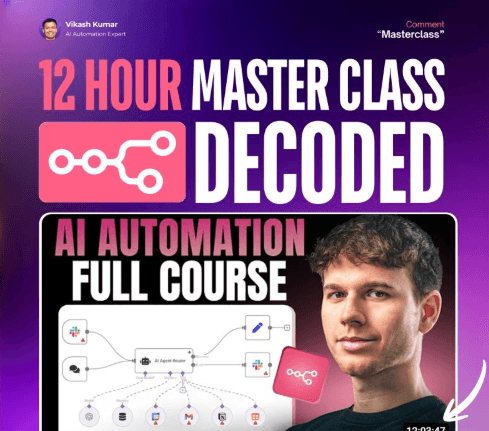
N8N MASTERCLASS — The Complete Guide (Everything You Need to Build Real Systems)

A full breakdown of scraping, looping, agents, prompts, OpenAI assistants, workflows, debugging, and scaling.


01 — The Real Mindset Behind Automation

Most beginners fail because they treat n8n like “another tool.”

It isn’t.

n8n forces you to think in systems:

  • Inputs → Processes → Outputs
  • Workflows → Data → Logic → State
  • APIs → Triggers → Actions
  • Scalability → Loops → Error Handling

If you understand these fundamentals, every workflow becomes easier.


02 — Scraping Data with Apify + n8n

The first major system in the masterclass is a LinkedIn lead-generation scraper.

How it works

  1. Use Apify to run an actor (scraper).
  2. The actor produces a default dataset ID.
  3. You pass that dataset ID into the dataset-items node.
  4. n8n extracts:
    • First name
    • Last name
    • LinkedIn URL
    • Titles
    • Work history
    • Emails (if available)
    • Profile photos
    • Company data
  5. Results are processed and used downstream.

Key learning

Apify isn’t the scraper — it’s the actor runner.

The actual data comes from the dataset endpoint, not the “run actor” step.


03 — Looping for Scalability (Most Important Skill)

Processing 100 leads at once = failure.

AI breaks, APIs rate-limit, runs crash.

Solution?

Use “Loop Over Items”

  • Send 20 items at a time
  • Process them
  • Feed them to AI
  • Append results to Google Sheets
  • Loop back for the next 20
  • Works whether you have 100 or 5,000 items

This single node makes workflows scalable and stable.


04 — Building Perfect AI Prompts Inside n8n

The video teaches the exact prompting structure that professionals use:

Structure:

  • System Prompt Sets identity → “You are a helpful writing assistant…”
  • User Prompt #1 Explains task → “Create a personalized connection message…”
  • User Prompt #2 Gives examples → (User + Assistant sample)
  • User Prompt #3 Injects real data → (Name, job title, company, LinkedIn URL)

Key rule

Never let AI copy info directly — always paraphrase so it feels human.


05 — Writing Outputs to Google Sheets Automatically

Once AI generates a connection message:

  1. Use Google Sheets → Append Row
  2. Map fields manually:
    • ID
    • First name
    • Last name
    • LinkedIn URL
    • Title
    • Photo
    • Connection message
  3. Loop ensures every batch of 20 gets added properly.

This is the “CRM” part of n8n.


06 — Full LinkedIn Outreach Automation (Complete Pipeline)

The whole system:

  1. Scrape leads with Apify
  2. Extract dataset
  3. Batch through n8n loops
  4. Generate personalized messages using OpenAI
  5. Store results in Sheets
  6. Use outreach tools to send 30 connection requests per day
  7. System repeats daily

The workflow turns raw data → filtered leads → hyper-personalized messages → outreach.


07 — Sales Coach AI (Advanced Agent System)

Next big system in the masterclass:

An AI that listens to your call, analyzes it, and delivers actionable feedback.

Pipeline

  1. Fireflies joins your call → Creates a transcript → Automatically sends data via webhook to n8n
  2. n8n receives meeting ID → Uses Fireflies API to fetch transcript
  3. Transcript arrives in 400+ sentences → Use Edit Fields + Map + Join to merge into one clean text block → This transforms the transcript for AI consumption
  4. Create a custom OpenAI Assistant (GPT)
    • Upload a sales framework PDF
    • Generate embeddings
    • Vector search: assistant pulls relevant parts of the doc
    • Gives feedback using your sales rules
  5. n8n → OpenAI Assistant → Slack → AI analyzes call → Extracts quotes → Suggests improvements → Sends a structured breakdown to a Slack channel

This is a real $3,000 automation people sell right now.


08 — Differences Between Model Types & Why It Matters

From the masterclass:

  • GPT-4.1 / GPT-5-mini Use for short writing, personalization, summarisation
  • Claude Sonnet 3.7 Best for deep reasoning + long context
  • Perplexity / Tavily Use for research agents
  • Model selection via Data Tables Lets clients control prompts & models without touching workflows

09 — Data Tables (The Most Important Feature Released)

The masterclass goes deep on Data Tables.

Use-cases shown:

  1. Store prompts & models → Change model or prompt without editing workflow → Perfect for clients
  2. Store agent logs → Actions taken → Tools called → Token usage → Success/failure data
  3. Store errors → Error workflow → error log table
  4. Run evaluations (Evals) → Input → Expected output → Actual output → Score Helps improve AI agents over time.

Bonus

Sync tables both ways using Google Sheets.


10 — The Google Maps → Emails Scraper (Full System #3)

Another major workflow:

Pipeline

  1. User pastes Google Maps URL
  2. n8n scrapes HTML
  3. Code node extracts all website URLs using regex
  4. Filters invalid ones (Google, GStatic, Schema.org, etc.)
  5. Removes duplicates
  6. Loops through each website
  7. Scrapes page HTML
  8. Extracts emails using regex
  9. Removes duplicates
  10. Writes all emails to Google Sheets

Key learning

This system creates 25–100+ verified emails per run.

Add an email sequencing tool → fully automated cold outreach.


11 — Updating Workflows Dynamically

The masterclass teaches a brilliant trick:

Use Google Sheets as your “front-end dashboard.”

Let users add:

  • new cities
  • new industries
  • new business types
  • new search keywords

n8n automatically reads the sheet → feeds it into Google Maps scraper → runs the entire pipeline.

No technical skills required.


12 — Testing, Debugging, Logs, Errors

You learned:

  • How to use Postman for simulating webhook calls
  • How to use Run History to inspect data
  • How to pin nodes for faster testing
  • How to retry failed nodes
  • How to use IF + Continue on Fail to avoid broken runs
  • How to isolate errors across workflows

This is how real automation engineers work.


13 — Costs & Limitations (From the Masterclass)

Costs

  • n8n → You pay per workflow execution, not per node
  • Apify → Scraping costs scale with results
  • Fireflies → Limited free plan
  • OpenAI → Token cost depending on model
  • Google Sheets → Free
  • Slack → Free with limits

Limitations

  • Data Tables → no dropdowns, limited input types
  • Some websites block scraping
  • LinkedIn → connection request limit = 30/day
  • Long transcripts → must be cleaned before sending to AI
  • Need to add waits to avoid rate limiting

14 — The Real Lesson: Systems > Skills

This entire masterclass builds one theme:

“Automation is not about tools. It’s about designing scalable systems.”

Once you understand pipelines, loops, filters, prompts, data tables, and logs…

you can automate any business.


15 — What You Can Build After This Masterclass

You now have everything needed to build:

  • Lead gen engines
  • Email scrapers
  • LinkedIn outreach systems
  • Sales coach agents
  • Research agents
  • Content workflows
  • CRM automations
  • Data pipelines
  • AI-powered dashboards
  • Full automation agencies

This is why people pay thousands for these systems.

Learn how to Build this Workflow with AI:

Follow us:

There’s no automation you can’t learn to build with BULDRR AI.

I'll show how you can implement AI AGENTS to take over repetitive tasks.

Promoted by BULDRR AI

N8N MASTERCLASS — The Complete Guide (Everything You Need to Build Real Systems)

A full breakdown of scraping, looping, agents, prompts, OpenAI assistants, workflows, debugging, and scaling.


01 — The Real Mindset Behind Automation

Most beginners fail because they treat n8n like “another tool.”

It isn’t.

n8n forces you to think in systems:

  • Inputs → Processes → Outputs
  • Workflows → Data → Logic → State
  • APIs → Triggers → Actions
  • Scalability → Loops → Error Handling

If you understand these fundamentals, every workflow becomes easier.


02 — Scraping Data with Apify + n8n

The first major system in the masterclass is a LinkedIn lead-generation scraper.

How it works

  1. Use Apify to run an actor (scraper).
  2. The actor produces a default dataset ID.
  3. You pass that dataset ID into the dataset-items node.
  4. n8n extracts:
    • First name
    • Last name
    • LinkedIn URL
    • Titles
    • Work history
    • Emails (if available)
    • Profile photos
    • Company data
  5. Results are processed and used downstream.

Key learning

Apify isn’t the scraper — it’s the actor runner.

The actual data comes from the dataset endpoint, not the “run actor” step.


03 — Looping for Scalability (Most Important Skill)

Processing 100 leads at once = failure.

AI breaks, APIs rate-limit, runs crash.

Solution?

Use “Loop Over Items”

  • Send 20 items at a time
  • Process them
  • Feed them to AI
  • Append results to Google Sheets
  • Loop back for the next 20
  • Works whether you have 100 or 5,000 items

This single node makes workflows scalable and stable.


04 — Building Perfect AI Prompts Inside n8n

The video teaches the exact prompting structure that professionals use:

Structure:

  • System Prompt Sets identity → “You are a helpful writing assistant…”
  • User Prompt #1 Explains task → “Create a personalized connection message…”
  • User Prompt #2 Gives examples → (User + Assistant sample)
  • User Prompt #3 Injects real data → (Name, job title, company, LinkedIn URL)

Key rule

Never let AI copy info directly — always paraphrase so it feels human.


05 — Writing Outputs to Google Sheets Automatically

Once AI generates a connection message:

  1. Use Google Sheets → Append Row
  2. Map fields manually:
    • ID
    • First name
    • Last name
    • LinkedIn URL
    • Title
    • Photo
    • Connection message
  3. Loop ensures every batch of 20 gets added properly.

This is the “CRM” part of n8n.


06 — Full LinkedIn Outreach Automation (Complete Pipeline)

The whole system:

  1. Scrape leads with Apify
  2. Extract dataset
  3. Batch through n8n loops
  4. Generate personalized messages using OpenAI
  5. Store results in Sheets
  6. Use outreach tools to send 30 connection requests per day
  7. System repeats daily

The workflow turns raw data → filtered leads → hyper-personalized messages → outreach.


07 — Sales Coach AI (Advanced Agent System)

Next big system in the masterclass:

An AI that listens to your call, analyzes it, and delivers actionable feedback.

Pipeline

  1. Fireflies joins your call → Creates a transcript → Automatically sends data via webhook to n8n
  2. n8n receives meeting ID → Uses Fireflies API to fetch transcript
  3. Transcript arrives in 400+ sentences → Use Edit Fields + Map + Join to merge into one clean text block → This transforms the transcript for AI consumption
  4. Create a custom OpenAI Assistant (GPT)
    • Upload a sales framework PDF
    • Generate embeddings
    • Vector search: assistant pulls relevant parts of the doc
    • Gives feedback using your sales rules
  5. n8n → OpenAI Assistant → Slack → AI analyzes call → Extracts quotes → Suggests improvements → Sends a structured breakdown to a Slack channel

This is a real $3,000 automation people sell right now.


08 — Differences Between Model Types & Why It Matters

From the masterclass:

  • GPT-4.1 / GPT-5-mini Use for short writing, personalization, summarisation
  • Claude Sonnet 3.7 Best for deep reasoning + long context
  • Perplexity / Tavily Use for research agents
  • Model selection via Data Tables Lets clients control prompts & models without touching workflows

09 — Data Tables (The Most Important Feature Released)

The masterclass goes deep on Data Tables.

Use-cases shown:

  1. Store prompts & models → Change model or prompt without editing workflow → Perfect for clients
  2. Store agent logs → Actions taken → Tools called → Token usage → Success/failure data
  3. Store errors → Error workflow → error log table
  4. Run evaluations (Evals) → Input → Expected output → Actual output → Score Helps improve AI agents over time.

Bonus

Sync tables both ways using Google Sheets.


10 — The Google Maps → Emails Scraper (Full System #3)

Another major workflow:

Pipeline

  1. User pastes Google Maps URL
  2. n8n scrapes HTML
  3. Code node extracts all website URLs using regex
  4. Filters invalid ones (Google, GStatic, Schema.org, etc.)
  5. Removes duplicates
  6. Loops through each website
  7. Scrapes page HTML
  8. Extracts emails using regex
  9. Removes duplicates
  10. Writes all emails to Google Sheets

Key learning

This system creates 25–100+ verified emails per run.

Add an email sequencing tool → fully automated cold outreach.


11 — Updating Workflows Dynamically

The masterclass teaches a brilliant trick:

Use Google Sheets as your “front-end dashboard.”

Let users add:

  • new cities
  • new industries
  • new business types
  • new search keywords

n8n automatically reads the sheet → feeds it into Google Maps scraper → runs the entire pipeline.

No technical skills required.


12 — Testing, Debugging, Logs, Errors

You learned:

  • How to use Postman for simulating webhook calls
  • How to use Run History to inspect data
  • How to pin nodes for faster testing
  • How to retry failed nodes
  • How to use IF + Continue on Fail to avoid broken runs
  • How to isolate errors across workflows

This is how real automation engineers work.


13 — Costs & Limitations (From the Masterclass)

Costs

  • n8n → You pay per workflow execution, not per node
  • Apify → Scraping costs scale with results
  • Fireflies → Limited free plan
  • OpenAI → Token cost depending on model
  • Google Sheets → Free
  • Slack → Free with limits

Limitations

  • Data Tables → no dropdowns, limited input types
  • Some websites block scraping
  • LinkedIn → connection request limit = 30/day
  • Long transcripts → must be cleaned before sending to AI
  • Need to add waits to avoid rate limiting

14 — The Real Lesson: Systems > Skills

This entire masterclass builds one theme:

“Automation is not about tools. It’s about designing scalable systems.”

Once you understand pipelines, loops, filters, prompts, data tables, and logs…

you can automate any business.


15 — What You Can Build After This Masterclass

You now have everything needed to build:

  • Lead gen engines
  • Email scrapers
  • LinkedIn outreach systems
  • Sales coach agents
  • Research agents
  • Content workflows
  • CRM automations
  • Data pipelines
  • AI-powered dashboards
  • Full automation agencies

This is why people pay thousands for these systems.

Learn how to Build this Workflow with AI:

Follow us:

Promoted by BULDRR AI

Our AI Articles

Learn from our AI Articles to excel in your profession ;)

How to Use OpenClaw Skills — A Complete Beginner’s Guide

What is OpenClaw? OpenClaw is an open-source AI assistant designed as “AI that actually does things.” It doesn’t just chat....

Build a $10,000 RAG system using Gemini + Claude Code

This ‘$10,000 RAG system’ isn’t about expensive infrastructure—it’s about how you structure retrieval....

Free OpenRouter API Keys & Free Models List [Updated April 2026]

Get a free OpenRouter API key in minutes. See all free models available in 2026, rate limits, and how to...

7 AI Agents Clients Are Paying $2,000+/Month For in 2026 [Real Examples]

Discover the 7 AI agents businesses are actively buying in 2026 — with real pricing, use cases, and how to...

Comprehensive Channel Analysis: Alex Hormozi

Alex Hormozi gives away what others sell for $10K—not to make money from content, but to manufacture million-dollar businesses at...

Beginner to Pro Guide: Using the Agentic SEO Claude Skill

This isn’t just an SEO audit—it’s a feedback loop where your system analyzes, prioritizes, and answers based on your data,...

Top 60 Claude Skills, Workflows & GitHub Repos for AI

This isn’t just a list. It’s a full-stack AI toolkit: from coding agents → to frameworks → to workflows →...

How to Use Claude Code for Free in 2026 (No Subscription Needed)

Yes, you can use Claude Code for free. This guide shows exactly how — free tier limits, local model workarounds,...

The Billion-Dollar AI Board: Build Your Free AI Board of Directors with 8 Business Legends

What if you could ask Alex Hormozi about your pricing, Grant Cardone about your sales volume, and Gary Vee about...

ChatGPT Image Model 1.5 Prompting Guide: Get Better Images Every Time [2026]

The complete guide to prompting ChatGPT Image Model 1.5. Learn prompt structures, style controls, and advanced techniques to generate better...

Frequently Asked Questions

We share all our insights and resources for free, but building them isn’t cheap. Ads help us recover those costs so we can keep offering everything at no charge forever.

Yes, Ofcourse. Contact us and we’ll set it up. We also offer 100+ hours of free visibility to select brands.

No, nothing at all. In fact, many ads come with extra discounts for you.

Yes, sometimes. If you buy through our links, we may earn a small commission at no extra cost to you.

1:1 Free Strategy Session
Your competitors are already automating. Are you still paying for it manually?

Do you want to adopt AI Automation?

Every hour your team does repetitive work, you're burning real money.
While you wait, faster businesses are cutting costs and moving quicker.
AI and automations aren't the future anymore — they're the present.

Book a live 1-on-1 session where we show you exactly which of your daily tasks can be automated — and what it’s costing you not to.