ChatGPT Image Generation Prompting Guide 2026: 50+ Proven Prompt Formulas

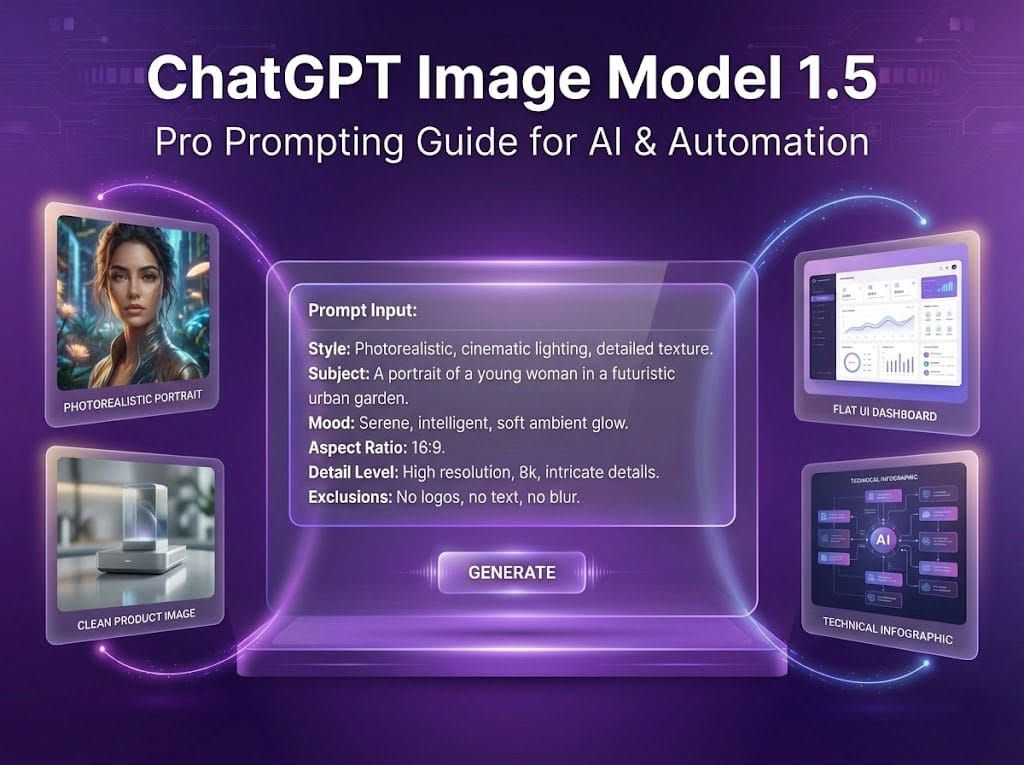
Mastering ChatGPT Image Model 1.5

Most people type a vague description and hope for something usable.
This guide gives you 50+ proven prompt formulas — tested, structured,
and ready to copy — for every image type professionals actually need.

Photo portraits. Product shots. Illustrations. Logos. UI mockups.
Thumbnails. Diagrams. Backgrounds. Each formula tells Image Model 1.5
exactly what to produce — no guessing, no wasted credits, no
re-prompting 10 times to get one usable result.

With ChatGPT Image Model 1.5, the real power is control.
These formulas give you that control — from your very first prompt.


How Image Model 1.5 Actually Works

Image Model 1.5 does not “imagine”.

It executes instructions.

Think of it as a:

very skilled designer
who follows your brief exactly
but never asks questions

Clear brief → great output
Vague brief → strange output


The Golden Prompt Structure (Always Use This)

Mentally follow this order:

  1. Type of image
  2. Main subject
  3. Physical details
  4. Environment
  5. Camera setup
  6. Lighting setup
  7. Style & quality
  8. Constraints (what NOT to do)

You don’t need to write headings.
Just think clearly.


Which Style Are You Generating? Start Here.

Before writing a single word, decide which of these 4 style
categories your image falls into. Each needs a different
approach in your prompt:

Photo / Photorealistic
For portraits, product shots, lifestyle images, office interiors.
Key words to include: “photorealistic”, lens size (35mm/85mm),
aperture (f/1.8), lighting source, skin texture detail.
Constraint to always add: “no beauty smoothing, no watermark”

Illustration / Flat Design
For blog images, SaaS hero sections, onboarding flows, diagrams.
Key words to include: “flat illustration”, “vector style”,
“minimalist”, color palette, “white background, no text”
Constraint to always add: “no realism, no gradients unless specified”

Logo / Icon
For brand marks, app icons, favicon-style graphics.
Key words to include: “logo design”, “minimal”, “single color”
or “two-color”, “clean lines”, “scalable icon style”
Constraint to always add: “no text, no gradients, no shadows”

UI / Mockup
For dashboards, app screens, landing page wireframes.
Key words to include: “UI mockup”, “flat UI style”, specific
layout description (sidebar, header, cards), accent color
Constraint to always add: “no lorem ipsum, no placeholder text”

Identify your category first → then use the matching prompt
formulas from the examples below.


25+ Hyper-Practical Prompt Examples

All examples below are ready to use.

1. Professional Portrait (Photorealistic)

A photorealistic portrait of a middle-aged man, medium build, short black hair, light beard stubble, natural skin texture with visible pores and wrinkles.
Camera: 50mm lens, eye-level shot, aperture f/1.8.
Lighting: soft daylight from front-left, gentle fill light on right.
Background softly blurred, neutral tones.
No watermark, no text, no beauty smoothing.

Image generated by Chat GPT Image Model 1.5

2. Cinematic Lifestyle Shot

A cinematic photorealistic image of a woman working on a laptop in a café.
Camera: 35mm lens, eye-level angle, shallow depth of field.
Lighting: warm sunlight from window, soft indoor ambient light.
Natural colors, subtle film grain.
No logos, no text.

Image generated by Chat GPT Image Model 1.5

3. LinkedIn Profile Image

A professional headshot of a startup founder wearing a dark blazer and plain t-shirt.
Camera: 85mm lens, eye-level, sharp focus.
Lighting: studio softbox from front, clean shadows.
Plain light gray background.
Corporate but friendly look, no watermark.

Image generated by Chat GPT Image Model 1.5

4. Product Shot (E-commerce)

A high-resolution photorealistic product image of a smartwatch on a matte white surface.
Camera: 85mm lens, aperture f/8 for full sharpness.
Lighting: studio softbox from top, rim light from back.
Clean shadows, accurate reflections.
No branding, no text.

Image generated by Chat GPT Image Model 1.5

5. SaaS Landing Page Hero Image

A modern illustration showing people using an AI automation platform on laptops.
Flat vector style, clean shapes, blue and white color palette.
Minimalist design, balanced spacing.
No text, no logos.

Image generated by Chat GPT Image Model 1.5

6. AI Dashboard UI Mockup

A modern SaaS dashboard UI design.
Layout: left sidebar, top header, main content cards.
White background, blue accents, rounded corners.
Flat UI style, soft shadows.
No lorem ipsum text.

Image generated by Chat GPT Image Model 1.5

7. Automation Workflow Diagram

A clean technical diagram showing an automation workflow.
Steps: trigger → data processing → AI decision → action output.
Flat illustration style, arrows connecting steps.
White background, readable labels.

Image generated by Chat GPT Image Model 1.5

8. Infographic (Educational)

A technical infographic explaining how email automation works.
Include steps: trigger event, segmentation, email send, tracking, follow-up.
Flat style, white background, simple icons.
No decoration.

Image generated by Chat GPT Image Model 1.5

9. YouTube Thumbnail

A bold YouTube thumbnail with dark background.
Large text “AI AUTOMATION MADE EASY” in bold sans-serif font.
High contrast colors, clean layout.
No extra text.

Image generated by Chat GPT Image Model 1.5

10. Website Banner (Wide)

A wide website banner showing abstract AI data flow.
Blue and purple gradient background, soft glow effects.
Clean futuristic style.
No text, no logo.

Image generated by Chat GPT Image Model 1.5

11. Startup Office Interior

A photorealistic modern startup office interior.
Camera: wide-angle 24mm lens, straight perspective.
Lighting: natural daylight from windows, soft shadows.
Minimal furniture, clean design.

Image generated by Chat GPT Image Model 1.5

12. App Onboarding Illustration

A friendly flat illustration showing app onboarding steps.
Simple characters, soft colors, rounded shapes.
Minimalist style, white background.

Image generated by Chat GPT Image Model 1.5

13. Blog Featured Image (AI Topic)

A conceptual illustration representing artificial intelligence and automation.
Abstract shapes, glowing nodes, clean tech style.
Blue color palette, modern look.

Image generated by Chat GPT Image Model 1.5

14. Product Explainer Visual

A clean illustration explaining how an AI chatbot works.
User → chatbot → AI engine → response flow.
Flat style, arrows, white background.

Image generated by Chat GPT Image Model 1.5

15. Technical Hardware Diagram

A labeled technical diagram of a server rack.
Clear labels, flat schematic style.
White background, thin outlines.

Image generated by Chat GPT Image Model 1.5

16. Change Color Only (Image Edit)

Change the background color to dark blue.
Keep the subject, lighting, shadows, and composition exactly the same.

Image generated by Chat GPT Image Model 1.5

17. Outpainting (Extend Image)

Extend the image on the left and right sides.
Continue the same background, lighting, and style.
Do not modify the original subject.

Image generated by Chat GPT Image Model 1.5

18. Mobile App Screen Mockup

A modern mobile app screen design.
Clean layout, large buttons, blue accent color.
Flat UI style, no realism.

Image generated by Chat GPT Image Model 1.5

19. AI Concept Art (Clean)

A clean conceptual illustration representing machine learning.
Abstract brain-like structure, glowing connections.
Minimalist tech style, dark background.

Image generated by Chat GPT Image Model 1.5

20. Marketing Automation Visual

A flat illustration showing marketing automation flow.
Lead capture → CRM → email automation → conversion.
Simple icons, arrows, white background.

Image generated by Chat GPT Image Model 1.5

21. Corporate Team Illustration

A flat illustration of a diverse corporate team working together.
Friendly style, simple shapes, neutral colors.

Image generated by Chat GPT Image Model 1.5

22. Website Section Background

A subtle abstract background image for a website section.
Soft gradients, light texture.
Minimal and clean, no objects.

Image generated by Chat GPT Image Model 1.5

23. AI Agent Concept Image

A futuristic illustration representing an AI agent.
Clean humanoid silhouette, glowing interface elements.
Blue tech theme, minimal background.

Image generated by Chat GPT Image Model 1.5

24. E-learning Course Cover

A professional course cover image for an AI automation course.
Clean layout, abstract tech elements.
Blue and white color scheme, no text.

Image generated by Chat GPT Image Model 1.5

25. CRM System Illustration

A flat illustration showing a CRM system dashboard with connected data points.
Clean UI elements, simple icons, white background.

Image generated by Chat GPT Image Model 1.5

Always Use Constraints (Important)

Add when needed:

  • no watermark
  • no logo
  • no extra text
  • no blur
  • no distortion
  • no fantasy elements

Constraints = fewer surprises.


Final Takeaway

ChatGPT Image Model 1.5 is not luck-based.

It is instruction-based.

If you:

  • speak clearly
  • use structure
  • add camera & lighting when needed
  • give constraints

You will get repeatable, professional visuals suitable for real AI & automation products.

You are not “prompting”.

You are directing a visual system.

Mastering ChatGPT Image Model 1.5

Most people type a vague description and hope for something usable.
This guide gives you 50+ proven prompt formulas — tested, structured,
and ready to copy — for every image type professionals actually need.

Photo portraits. Product shots. Illustrations. Logos. UI mockups.
Thumbnails. Diagrams. Backgrounds. Each formula tells Image Model 1.5
exactly what to produce — no guessing, no wasted credits, no
re-prompting 10 times to get one usable result.

With ChatGPT Image Model 1.5, the real power is control.
These formulas give you that control — from your very first prompt.


How Image Model 1.5 Actually Works

Image Model 1.5 does not “imagine”.

It executes instructions.

Think of it as a:

very skilled designer
who follows your brief exactly
but never asks questions

Clear brief → great output
Vague brief → strange output


The Golden Prompt Structure (Always Use This)

Mentally follow this order:

  1. Type of image
  2. Main subject
  3. Physical details
  4. Environment
  5. Camera setup
  6. Lighting setup
  7. Style & quality
  8. Constraints (what NOT to do)

You don’t need to write headings.
Just think clearly.


Which Style Are You Generating? Start Here.

Before writing a single word, decide which of these 4 style
categories your image falls into. Each needs a different
approach in your prompt:

Photo / Photorealistic
For portraits, product shots, lifestyle images, office interiors.
Key words to include: “photorealistic”, lens size (35mm/85mm),
aperture (f/1.8), lighting source, skin texture detail.
Constraint to always add: “no beauty smoothing, no watermark”

Illustration / Flat Design
For blog images, SaaS hero sections, onboarding flows, diagrams.
Key words to include: “flat illustration”, “vector style”,
“minimalist”, color palette, “white background, no text”
Constraint to always add: “no realism, no gradients unless specified”

Logo / Icon
For brand marks, app icons, favicon-style graphics.
Key words to include: “logo design”, “minimal”, “single color”
or “two-color”, “clean lines”, “scalable icon style”
Constraint to always add: “no text, no gradients, no shadows”

UI / Mockup
For dashboards, app screens, landing page wireframes.
Key words to include: “UI mockup”, “flat UI style”, specific
layout description (sidebar, header, cards), accent color
Constraint to always add: “no lorem ipsum, no placeholder text”

Identify your category first → then use the matching prompt
formulas from the examples below.


25+ Hyper-Practical Prompt Examples

All examples below are ready to use.

1. Professional Portrait (Photorealistic)

A photorealistic portrait of a middle-aged man, medium build, short black hair, light beard stubble, natural skin texture with visible pores and wrinkles.
Camera: 50mm lens, eye-level shot, aperture f/1.8.
Lighting: soft daylight from front-left, gentle fill light on right.
Background softly blurred, neutral tones.
No watermark, no text, no beauty smoothing.

Image generated by Chat GPT Image Model 1.5

2. Cinematic Lifestyle Shot

A cinematic photorealistic image of a woman working on a laptop in a café.
Camera: 35mm lens, eye-level angle, shallow depth of field.
Lighting: warm sunlight from window, soft indoor ambient light.
Natural colors, subtle film grain.
No logos, no text.

Image generated by Chat GPT Image Model 1.5

3. LinkedIn Profile Image

A professional headshot of a startup founder wearing a dark blazer and plain t-shirt.
Camera: 85mm lens, eye-level, sharp focus.
Lighting: studio softbox from front, clean shadows.
Plain light gray background.
Corporate but friendly look, no watermark.

Image generated by Chat GPT Image Model 1.5

4. Product Shot (E-commerce)

A high-resolution photorealistic product image of a smartwatch on a matte white surface.
Camera: 85mm lens, aperture f/8 for full sharpness.
Lighting: studio softbox from top, rim light from back.
Clean shadows, accurate reflections.
No branding, no text.

Image generated by Chat GPT Image Model 1.5

5. SaaS Landing Page Hero Image

A modern illustration showing people using an AI automation platform on laptops.
Flat vector style, clean shapes, blue and white color palette.
Minimalist design, balanced spacing.
No text, no logos.

Image generated by Chat GPT Image Model 1.5

6. AI Dashboard UI Mockup

A modern SaaS dashboard UI design.
Layout: left sidebar, top header, main content cards.
White background, blue accents, rounded corners.
Flat UI style, soft shadows.
No lorem ipsum text.

Image generated by Chat GPT Image Model 1.5

7. Automation Workflow Diagram

A clean technical diagram showing an automation workflow.
Steps: trigger → data processing → AI decision → action output.
Flat illustration style, arrows connecting steps.
White background, readable labels.

Image generated by Chat GPT Image Model 1.5

8. Infographic (Educational)

A technical infographic explaining how email automation works.
Include steps: trigger event, segmentation, email send, tracking, follow-up.
Flat style, white background, simple icons.
No decoration.

Image generated by Chat GPT Image Model 1.5

9. YouTube Thumbnail

A bold YouTube thumbnail with dark background.
Large text “AI AUTOMATION MADE EASY” in bold sans-serif font.
High contrast colors, clean layout.
No extra text.

Image generated by Chat GPT Image Model 1.5

10. Website Banner (Wide)

A wide website banner showing abstract AI data flow.
Blue and purple gradient background, soft glow effects.
Clean futuristic style.
No text, no logo.

Image generated by Chat GPT Image Model 1.5

11. Startup Office Interior

A photorealistic modern startup office interior.
Camera: wide-angle 24mm lens, straight perspective.
Lighting: natural daylight from windows, soft shadows.
Minimal furniture, clean design.

Image generated by Chat GPT Image Model 1.5

12. App Onboarding Illustration

A friendly flat illustration showing app onboarding steps.
Simple characters, soft colors, rounded shapes.
Minimalist style, white background.

Image generated by Chat GPT Image Model 1.5

13. Blog Featured Image (AI Topic)

A conceptual illustration representing artificial intelligence and automation.
Abstract shapes, glowing nodes, clean tech style.
Blue color palette, modern look.

Image generated by Chat GPT Image Model 1.5

14. Product Explainer Visual

A clean illustration explaining how an AI chatbot works.
User → chatbot → AI engine → response flow.
Flat style, arrows, white background.

Image generated by Chat GPT Image Model 1.5

15. Technical Hardware Diagram

A labeled technical diagram of a server rack.
Clear labels, flat schematic style.
White background, thin outlines.

Image generated by Chat GPT Image Model 1.5

16. Change Color Only (Image Edit)

Change the background color to dark blue.
Keep the subject, lighting, shadows, and composition exactly the same.

Image generated by Chat GPT Image Model 1.5

17. Outpainting (Extend Image)

Extend the image on the left and right sides.
Continue the same background, lighting, and style.
Do not modify the original subject.

Image generated by Chat GPT Image Model 1.5

18. Mobile App Screen Mockup

A modern mobile app screen design.
Clean layout, large buttons, blue accent color.
Flat UI style, no realism.

Image generated by Chat GPT Image Model 1.5

19. AI Concept Art (Clean)

A clean conceptual illustration representing machine learning.
Abstract brain-like structure, glowing connections.
Minimalist tech style, dark background.

Image generated by Chat GPT Image Model 1.5

20. Marketing Automation Visual

A flat illustration showing marketing automation flow.
Lead capture → CRM → email automation → conversion.
Simple icons, arrows, white background.

Image generated by Chat GPT Image Model 1.5

21. Corporate Team Illustration

A flat illustration of a diverse corporate team working together.
Friendly style, simple shapes, neutral colors.

Image generated by Chat GPT Image Model 1.5

22. Website Section Background

A subtle abstract background image for a website section.
Soft gradients, light texture.
Minimal and clean, no objects.

Image generated by Chat GPT Image Model 1.5

23. AI Agent Concept Image

A futuristic illustration representing an AI agent.
Clean humanoid silhouette, glowing interface elements.
Blue tech theme, minimal background.

Image generated by Chat GPT Image Model 1.5

24. E-learning Course Cover

A professional course cover image for an AI automation course.
Clean layout, abstract tech elements.
Blue and white color scheme, no text.

Image generated by Chat GPT Image Model 1.5

25. CRM System Illustration

A flat illustration showing a CRM system dashboard with connected data points.
Clean UI elements, simple icons, white background.

Image generated by Chat GPT Image Model 1.5

Always Use Constraints (Important)

Add when needed:

  • no watermark
  • no logo
  • no extra text
  • no blur
  • no distortion
  • no fantasy elements

Constraints = fewer surprises.


Final Takeaway

ChatGPT Image Model 1.5 is not luck-based.

It is instruction-based.

If you:

  • speak clearly
  • use structure
  • add camera & lighting when needed
  • give constraints

You will get repeatable, professional visuals suitable for real AI & automation products.

You are not “prompting”.

You are directing a visual system.

Author

Written By

Vikash Kumar

Building AI agents, n8n workflows and end-to-end automation for 30+ Brands across India, the US, Europe, Dubai & Australia. 7+ years of Experience saving founders real hours every week - no code required.

Ask more Questions about this Blog with AI:

Our AI Articles

Learn from our AI Articles to excel in your profession ;)

The Complete Claude Mastery Guide

This roadmap breaks Claude mastery into 10 stages. Follow them in order....

Complete Guide To Claude Code Agent Teams

Agent Teams are one of the most advanced features inside Claude Code. Instead of using one AI agent to complete...

How To Build Realistic AI Voice Agents With 11Labs + Make.com

How Agent Teams turn Claude Code into a collaborative AI workforce for building complex systems....

100 SECRET CLAUDE PROMPT CODES

Practical Claude prompt systems that improve writing, research, strategy, automation, and workflows....

The Real Claude AI Business Guide for 2026

5 Claude AI business models solving expensive problems businesses already pay for in 2026....

Complete Guide: How To Build A Claude Skill For SEO Content Writing

Reusable Claude workflows that turn generic AI writing into personalized, scalable SEO systems....

Complete Breakdown: How To Build AI Backlink Systems Using Claude Skills + Automation

Complete Breakdown: How To Build AI Backlink Systems Using Claude Skills + Automation...

Claude AI SEO Automation Guide

This AI SEO workflow automates content creation, optimization, publishing, and indexing at scale....

Complete AI Lead Generation Workflow Using Claude AI + ChatGPT

AI workflow to automate lead generation, outreach emails, and scalable client acquisition....

Use Amazon Bedrock To Try Claude, OpenAI, DeepSeek, And More

Beginner guide to using Amazon Bedrock with Claude, OpenAI, DeepSeek, APIs, and AI workflows....
1:1 Free Strategy Session
Your competitors are already automating. Are you still paying for it manually?

Do you want to adopt AI Automation?

Every hour your team does repetitive work, you're burning real money.
While you wait, faster businesses are cutting costs and moving quicker.
AI and automations aren't the future anymore — they're the present.

Book a live 1-on-1 session where we show you exactly which of your daily tasks can be automated — and what it’s costing you not to.