
Why Pay $20/month, When you can Self Host n8n @ $3.99 only

50+ InMails. Advanced Lead search. First 2 Users only

Promoted by BULDRR AI

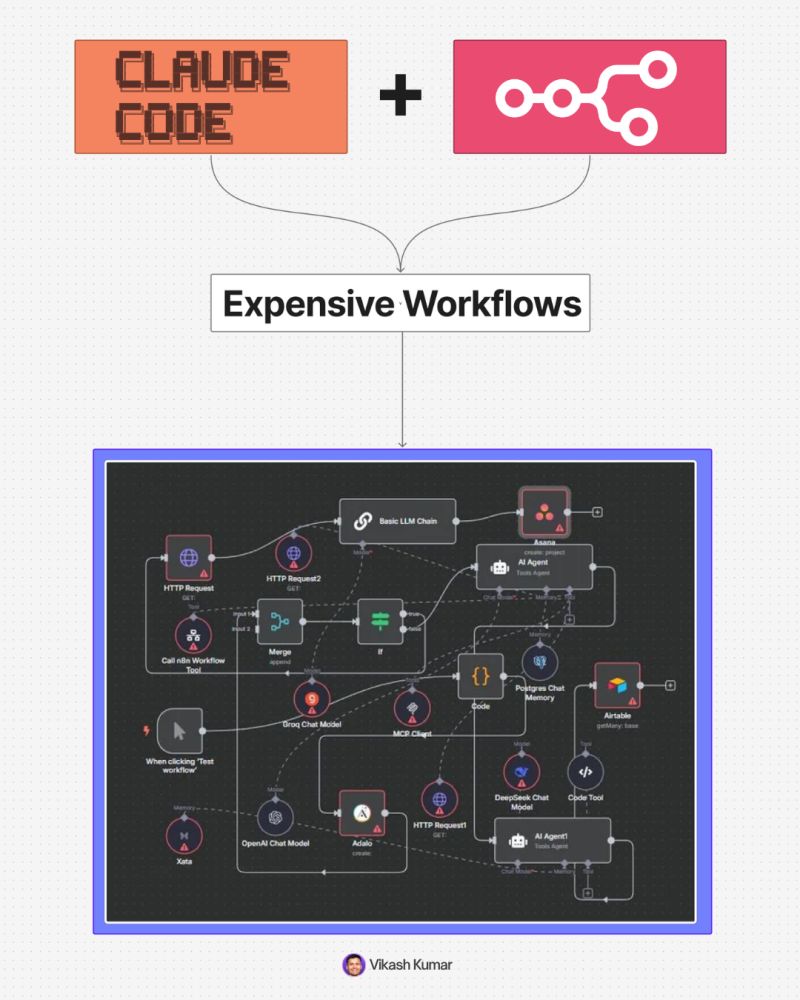
Build n8n Automations With Claude Code

This setup helps you build automation systems using:

  • Cursor

• Claude Code

• n8n

• MCP

• AI agents

The goal is simple:

→ You describe the workflow

→ Claude Code builds the structure

→ n8n runs the automation


What This Means

n8n is an automation tool.

It connects apps like:

  • Gmail

• Google Sheets

• Slack

• Notion

• CRMs

• Forms

• Webhooks

• AI tools

Claude Code helps you create and manage these workflows faster.

MCP acts like the bridge between Claude Code and n8n.


Step 1, Download Cursor

Go to Cursor and install it on your laptop.

Cursor is the workspace where you will run Claude Code and manage the setup.


Step 2, Install Claude Code

Open Cursor.

Go to extensions.

Search for Claude Code.

Install it.

Sign in or connect your Claude account if required.


Step 3, Clone the GitHub Repo

Open the GitHub repo shared in the full guide.

Copy the repo link.

In Cursor:

→ Open command palette

→ Select clone repository

→ Paste the GitHub repo link

→ Open the cloned folder

This repo contains the setup files needed to connect Claude Code with n8n.


Step 4, Open n8n

Create or open your n8n account.

You can use:

  • n8n cloud

• self hosted n8n

For beginners, n8n cloud is easier.


Step 5, Copy Your n8n API Key

Inside n8n:

→ Go to settings

→ Find API section

→ Create or copy your API key

Keep this key private.

Do not share it publicly.


Step 6, Paste API Key Into Claude Code Setup

Go back to Cursor.

Find the config or environment file from the repo.

Paste your n8n API key where required.

This allows Claude Code to talk to your n8n account.


Step 7, Check MCP Status

After setup, check if MCP shows a green check.

Green check means:

✓ Claude Code is connected

✓ n8n is reachable

✓ Your automation setup is ready

If MCP is not green, check:

  • API key

• repo setup

• n8n URL

• permissions

• missing install steps


Step 8, Describe What You Want To Build

Now you give Claude Code a clear workflow prompt.

Example:

“Create an n8n workflow for lead generation.

When a new lead fills a form, add the lead to Google Sheets, enrich the company data, send a Slack alert, and draft a follow up email.”

Claude Code will help create the automation structure.


Good Beginner Workflows To Build

  1. Lead generation system → Form submission → Save lead in Google Sheets → Send Slack alert → Draft email follow up
  2. Client onboarding system → New client form → Create Notion page → Send welcome email → Create internal task list
  3. Content workflow → Add topic to Google Sheet → Generate content ideas → Create drafts with AI → Send for review
  4. Sales follow up system → New prospect added → Wait 2 days → Send follow up email → Update CRM
  5. Support ticket system → New support request → Classify issue with AI → Send to correct team → Log status in database

Beginner Prompt Template

Use this:

“Build an n8n workflow for [goal].

Trigger: [What starts the workflow]

Inputs: [What data comes in]

Steps:

  1. [First action]
  2. [Second action]
  3. [Third action]

Tools: [List apps like Gmail, Sheets, Slack, Notion, CRM]

Output: [What should happen at the end]

Add error handling and explain how I should test it.”


Example Prompt

“Build an n8n workflow for client onboarding.

Trigger: A new client fills a Typeform.

Steps:

  1. Add client details to Google Sheets.
  2. Create a Notion client page.
  3. Send a welcome email through Gmail.
  4. Send an internal Slack alert.
  5. Create a task for the team.

Output: A complete onboarding system ready to test.

Add error handling and explain every n8n node in simple language.”


How To Turn This Into A Business

Start with simple offers.

Do not sell “AI automation.”

Sell a clear business outcome.

Examples:

  • I will automate your lead follow up

• I will build your client onboarding system

• I will connect your form, CRM, and email workflow

• I will automate your weekly reporting

• I will build an AI lead qualification system

Businesses pay for saved time and fewer manual tasks.


Best First Clients

Start with businesses that repeat the same admin work every week.

Good targets:

  • coaches

• agencies

• real estate teams

• clinics

• consultants

• recruiters

• local service businesses

• education businesses

Ask them:

→ What task do you repeat every day?

→ Where do leads get lost?

→ What do you copy paste often?

→ What follow ups do you forget?

→ Which reports take too much time?

Their answers become automation ideas.


Important Rule

Do not launch any automation without testing.

Test with fake data first.

Check:

  • trigger works

• data goes to the right place

• emails look correct

• Slack alerts fire

• errors are handled

• no private data leaks


Simple Learning Path

Day 1: Set up Cursor, Claude Code, n8n, and MCP.

Day 2: Build a simple form to Google Sheets workflow.

Day 3: Add Gmail or Slack.

Day 4: Add AI summarization or lead scoring.

Day 5: Build one complete client onboarding workflow.

Day 6: Record a demo.

Day 7: Pitch it to 5 businesses.


Final Takeaway

You do not need to start with complex AI agents.

Start with boring workflows.

Lead capture.

Follow ups.

Onboarding.

Reports.

Internal alerts.

That is where businesses feel pain, and that is where n8n plus Claude Code becomes useful fast.

Ask more Questions about this Blog with AI:

Follow us:

There’s no automation you can’t learn to build with BULDRR AI.

I'll show how you can implement AI AGENTS to take over repetitive tasks.

Promoted by BULDRR AI

Build n8n Automations With Claude Code

This setup helps you build automation systems using:

  • Cursor

• Claude Code

• n8n

• MCP

• AI agents

The goal is simple:

→ You describe the workflow

→ Claude Code builds the structure

→ n8n runs the automation


What This Means

n8n is an automation tool.

It connects apps like:

  • Gmail

• Google Sheets

• Slack

• Notion

• CRMs

• Forms

• Webhooks

• AI tools

Claude Code helps you create and manage these workflows faster.

MCP acts like the bridge between Claude Code and n8n.


Step 1, Download Cursor

Go to Cursor and install it on your laptop.

Cursor is the workspace where you will run Claude Code and manage the setup.


Step 2, Install Claude Code

Open Cursor.

Go to extensions.

Search for Claude Code.

Install it.

Sign in or connect your Claude account if required.


Step 3, Clone the GitHub Repo

Open the GitHub repo shared in the full guide.

Copy the repo link.

In Cursor:

→ Open command palette

→ Select clone repository

→ Paste the GitHub repo link

→ Open the cloned folder

This repo contains the setup files needed to connect Claude Code with n8n.


Step 4, Open n8n

Create or open your n8n account.

You can use:

  • n8n cloud

• self hosted n8n

For beginners, n8n cloud is easier.


Step 5, Copy Your n8n API Key

Inside n8n:

→ Go to settings

→ Find API section

→ Create or copy your API key

Keep this key private.

Do not share it publicly.


Step 6, Paste API Key Into Claude Code Setup

Go back to Cursor.

Find the config or environment file from the repo.

Paste your n8n API key where required.

This allows Claude Code to talk to your n8n account.


Step 7, Check MCP Status

After setup, check if MCP shows a green check.

Green check means:

✓ Claude Code is connected

✓ n8n is reachable

✓ Your automation setup is ready

If MCP is not green, check:

  • API key

• repo setup

• n8n URL

• permissions

• missing install steps


Step 8, Describe What You Want To Build

Now you give Claude Code a clear workflow prompt.

Example:

“Create an n8n workflow for lead generation.

When a new lead fills a form, add the lead to Google Sheets, enrich the company data, send a Slack alert, and draft a follow up email.”

Claude Code will help create the automation structure.


Good Beginner Workflows To Build

  1. Lead generation system → Form submission → Save lead in Google Sheets → Send Slack alert → Draft email follow up
  2. Client onboarding system → New client form → Create Notion page → Send welcome email → Create internal task list
  3. Content workflow → Add topic to Google Sheet → Generate content ideas → Create drafts with AI → Send for review
  4. Sales follow up system → New prospect added → Wait 2 days → Send follow up email → Update CRM
  5. Support ticket system → New support request → Classify issue with AI → Send to correct team → Log status in database

Beginner Prompt Template

Use this:

“Build an n8n workflow for [goal].

Trigger: [What starts the workflow]

Inputs: [What data comes in]

Steps:

  1. [First action]
  2. [Second action]
  3. [Third action]

Tools: [List apps like Gmail, Sheets, Slack, Notion, CRM]

Output: [What should happen at the end]

Add error handling and explain how I should test it.”


Example Prompt

“Build an n8n workflow for client onboarding.

Trigger: A new client fills a Typeform.

Steps:

  1. Add client details to Google Sheets.
  2. Create a Notion client page.
  3. Send a welcome email through Gmail.
  4. Send an internal Slack alert.
  5. Create a task for the team.

Output: A complete onboarding system ready to test.

Add error handling and explain every n8n node in simple language.”


How To Turn This Into A Business

Start with simple offers.

Do not sell “AI automation.”

Sell a clear business outcome.

Examples:

  • I will automate your lead follow up

• I will build your client onboarding system

• I will connect your form, CRM, and email workflow

• I will automate your weekly reporting

• I will build an AI lead qualification system

Businesses pay for saved time and fewer manual tasks.


Best First Clients

Start with businesses that repeat the same admin work every week.

Good targets:

  • coaches

• agencies

• real estate teams

• clinics

• consultants

• recruiters

• local service businesses

• education businesses

Ask them:

→ What task do you repeat every day?

→ Where do leads get lost?

→ What do you copy paste often?

→ What follow ups do you forget?

→ Which reports take too much time?

Their answers become automation ideas.


Important Rule

Do not launch any automation without testing.

Test with fake data first.

Check:

  • trigger works

• data goes to the right place

• emails look correct

• Slack alerts fire

• errors are handled

• no private data leaks


Simple Learning Path

Day 1: Set up Cursor, Claude Code, n8n, and MCP.

Day 2: Build a simple form to Google Sheets workflow.

Day 3: Add Gmail or Slack.

Day 4: Add AI summarization or lead scoring.

Day 5: Build one complete client onboarding workflow.

Day 6: Record a demo.

Day 7: Pitch it to 5 businesses.


Final Takeaway

You do not need to start with complex AI agents.

Start with boring workflows.

Lead capture.

Follow ups.

Onboarding.

Reports.

Internal alerts.

That is where businesses feel pain, and that is where n8n plus Claude Code becomes useful fast.

Ask more Questions about this Blog with AI:

Follow us:

Promoted by BULDRR AI

Our AI Articles

Learn from our AI Articles to excel in your profession ;)

Use Amazon Bedrock To Try Claude, OpenAI, DeepSeek, And More

Beginner guide to using Amazon Bedrock with Claude, OpenAI, DeepSeek, APIs, and AI workflows....

Build n8n Automations With Claude Code

This guide shows how to build AI automation systems using Cursor, Claude Code, n8n, MCP, and agents....

Anthropic’s Prompt Engineering Guide, Explained Simply

Anthropic’s workshop reveals prompt engineering is about context, structure, and iteration — not magic words....

Building Effective AI Agents

A practical breakdown of Barry’s Anthropic talk on AI agents, workflows, orchestration systems, and production deployment....

Tools Stack

A curated AI tools stack covering research, coding, automation, creativity, sales, and learning workflows....

Claude Code MBA

A complete beginner-to-operator guide for mastering [Claude Code](https://www.anthropic.com/claude-code?utm_source=chatgpt.com) without needing a technical background. Learn how to think like an AI...

OpenRouter Free Models 2026: Full API Key Setup + 15+ Free Model IDs Listed

The complete OpenRouter free tier guide for 2026. Get your API key, see all 15+ free models with their exact...

CLAUDE Viral Content Machine

Complete Setup Guide Important Note: Unlike ChatGPT custom GPTs, Claude Projects cannot be shared directly via links. That’s why I’m...

Create motion graphic videos using Codex + Remotion

Create motion graphic videos using Codex and Remotion by turning prompts into code-driven animations, building scenes, adding assets, and rendering...

7 AI Agents Businesses Pay $3,000–$15,000/Month For in 2026 (With Real Pricing)

These 7 AI agents are generating $3K–$15K/month for automation agencies in 2026. We cover the build cost, time to deploy,...

Frequently Asked Questions

We share all our insights and resources for free, but building them isn’t cheap. Ads help us recover those costs so we can keep offering everything at no charge forever.

Yes, Ofcourse. Contact us and we’ll set it up. We also offer 100+ hours of free visibility to select brands.

No, nothing at all. In fact, many ads come with extra discounts for you.

Yes, sometimes. If you buy through our links, we may earn a small commission at no extra cost to you.

1:1 Free Strategy Session
Your competitors are already automating. Are you still paying for it manually?

Do you want to adopt AI Automation?

Every hour your team does repetitive work, you're burning real money.
While you wait, faster businesses are cutting costs and moving quicker.
AI and automations aren't the future anymore — they're the present.

Book a live 1-on-1 session where we show you exactly which of your daily tasks can be automated — and what it’s costing you not to.