
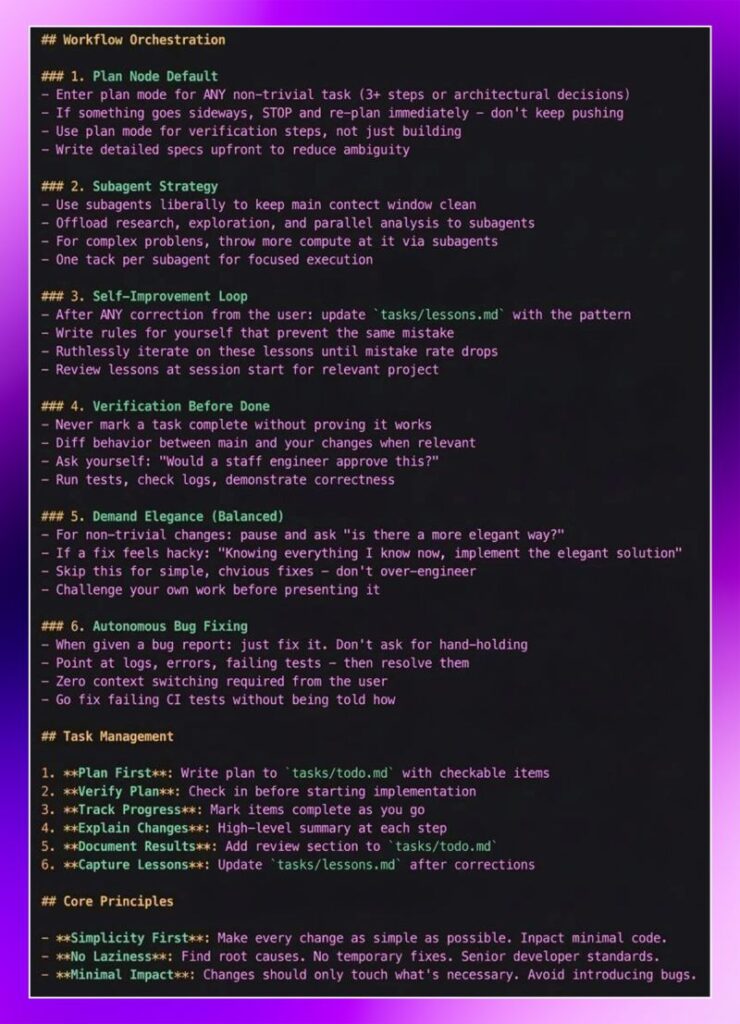
Workflow Orchestration

Workflow Orchestration

1. Plan Node Default

  • Enter plan mode for ANY non-trivial task (3+ steps or architectural decisions)
  • If something goes sideways, STOP and re-plan immediately – don’t keep pushing
  • Use plan mode for verification steps, not just building
  • Write detailed specs upfront to reduce ambiguity

2. Subagent Strategy

  • Use subagents liberally to keep main contect window clean
  • Offload research, exploration, and parallel analysis to subagents
  • For complex problens, throw more compute at it via subagents
  • One tack per subagent for focused execution

3. Self-Improvement Loop

  • After ANY correction from the user: update “tasks/lessons.md with the pattern
  • Write rules for yourself that prevent the same mistake
  • Ruthlessly iterate on these lessons until mistake rate drops
  • Review lessons at session start for relevant project

4. Verification Before Done

  • Never mark a task complete without proving it works
  • Diff behavior between main and your changes when relevant
  • Ask yourself: “Would a staff engineer approve this?”
  • Run tests, check Logs, demonstrate correctness

5. Demand Elegance (Balanced)

  • For non-trivial changes: pause and ask “is there a more elegant way?”
  • If a fix feels hacky: “Knowing everything I know now, implement the elegant solution”
  • Skip this for simple, chvious fixes – don’t over-engineer
  • Challenge your own work before presenting it

6. Autonomous Bug Fixing

  • When given a bug report: just fix it. Don’t ask for hand-holding
  • Point at logs, errors, failing tests – then resolve them
  • Zero context switching required from the user
  • Go fix failing CI tests without being told how

Task Management

  1. Plan First: Write plan to tasks/todo.md with checkable items
  2. Verify Plan: Check in before starting implementation
  3. Track Progress: Mark items complete as you go
  4. Explain Changes: High-Level summary at each step
  5. Document Results: Add review section to ‘tasks/todo.md”
  6. Capture Lessons: Update tasks/lessons, md after corrections

Core Principles

  • Simplicity First: Make every change as simple as possible. Inpact minimal code.
  • No Laziness:

Find root causes. No temporary fixes. Senior developer standards.

– Minimal Impact: Changes should only touch what’s necessary. Avoid introducing bugs.

1. Plan Node Default

  • Enter plan mode for ANY non-trivial task (3+ steps or architectural decisions)
  • If something goes sideways, STOP and re-plan immediately – don’t keep pushing
  • Use plan mode for verification steps, not just building
  • Write detailed specs upfront to reduce ambiguity

2. Subagent Strategy

  • Use subagents liberally to keep main contect window clean
  • Offload research, exploration, and parallel analysis to subagents
  • For complex problens, throw more compute at it via subagents
  • One tack per subagent for focused execution

3. Self-Improvement Loop

  • After ANY correction from the user: update “tasks/lessons.md with the pattern
  • Write rules for yourself that prevent the same mistake
  • Ruthlessly iterate on these lessons until mistake rate drops
  • Review lessons at session start for relevant project

4. Verification Before Done

  • Never mark a task complete without proving it works
  • Diff behavior between main and your changes when relevant
  • Ask yourself: “Would a staff engineer approve this?”
  • Run tests, check Logs, demonstrate correctness

5. Demand Elegance (Balanced)

  • For non-trivial changes: pause and ask “is there a more elegant way?”
  • If a fix feels hacky: “Knowing everything I know now, implement the elegant solution”
  • Skip this for simple, chvious fixes – don’t over-engineer
  • Challenge your own work before presenting it

6. Autonomous Bug Fixing

  • When given a bug report: just fix it. Don’t ask for hand-holding
  • Point at logs, errors, failing tests – then resolve them
  • Zero context switching required from the user
  • Go fix failing CI tests without being told how

Task Management

  1. Plan First: Write plan to tasks/todo.md with checkable items
  2. Verify Plan: Check in before starting implementation
  3. Track Progress: Mark items complete as you go
  4. Explain Changes: High-Level summary at each step
  5. Document Results: Add review section to ‘tasks/todo.md”
  6. Capture Lessons: Update tasks/lessons, md after corrections

Core Principles

  • Simplicity First: Make every change as simple as possible. Inpact minimal code.
  • No Laziness:

Find root causes. No temporary fixes. Senior developer standards.

– Minimal Impact: Changes should only touch what’s necessary. Avoid introducing bugs.

Author
Written By
Vikash Kumar
Building AI agents, n8n workflows and end-to-end automation for 30+ Brands across India, the US, Europe, Dubai & Australia. 7+ years of Experience saving founders real hours every week - no code required.
Author
Written By
Vikash Kumar
Building AI agents, n8n workflows and end-to-end automation for 30+ Brands across India, the US, Europe, Dubai & Australia. 7+ years of Experience saving founders real hours every week - no code required.
Ask more Questions about this Blog with AI:

Our AI Articles

Learn from our AI Articles to excel in your profession ;)

n8n AI Agent Node: Build Your First AI Agent in 15 Minutes

Learn how the n8n AI Agent node works and build your first AI agent in 15 minutes. Step-by-step beginner guide...

Best Free OpenRouter Models in 2026: Which One Should You Use?

OpenRouter has 29 free AI models as of June 2026. Picking the wrong one for your task wastes your daily...

ClawdBot Tutorial 2026: Complete Beginner Guide to Install, Configure & Run Your First AI Agent

The complete beginner guide to Clawdbot in 2026 — from installation to your first running AI agent, with config templates,...

What Are Claude Skills? A Beginner’s Guide to AI Skills in 2026

Every time you start a new conversation with Claude, it forgets everything from the last one. Your preferences, your writing...

Claude vs ChatGPT in 2026: I Tested Both on the Same 10 Real Tasks

You’re probably paying $20 a month for one of these tools and quietly wondering if the other one is better....

HOW TO GET CLAUDE TO TEACH YOU STEP BY STEP

This framework turns any “I want to do X with Claude but have no idea where to start” into a...

Claude Code Without a Subscription: 3 Free Ways to Run It in 2026

Claude Code is Anthropic’s terminal-based AI coding assistant. It edits files, runs commands, plans projects, and debugs errors — entirely...

Best Claude Prompts 2026: 75 Templates That Actually Work

If your Claude outputs feel generic, the fix isn’t switching models — it’s fixing the prompt. Most people send a...

Build n8n Workflows Without Coding Using Claude Code: Step-by-Step (2026)

For years, building an n8n automation meant dragging nodes around a canvas, guessing field names, and bouncing between docs and...

7 Claude Code prompts

7 simple Claude Code prompts to get you started...
1:1 Free Strategy Session
Your competitors are already automating. Are you still paying for it manually?

Do you want to adopt AI Automation?

Every hour your team does repetitive work, you're burning real money.
While you wait, faster businesses are cutting costs and moving quicker.
AI and automations aren't the future anymore — they're the present.

Book a live 1-on-1 session where we show you exactly which of your daily tasks can be automated — and what it’s costing you not to.