
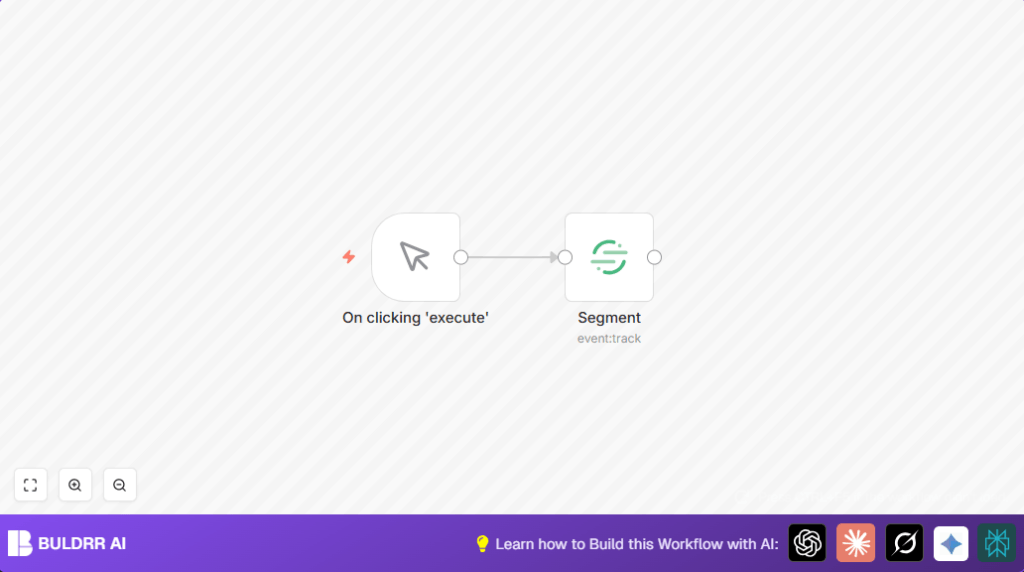

How to Track an Event in Segment Using n8n

Struggling to manually track user events in Segment? This n8n workflow automates event tracking with a simple trigger, ensuring precise and timely data capture for better analytics without any coding hassle.
manualTrigger
segment
Workflow Identifier: 2373
NODES in Use: Manual Trigger, Segment
Track events in Segment with n8n

Press CTRL+F5 if the workflow didn't load.

Learn how to Build this Workflow with AI:

What this workflow does

This workflow sends event data to Segment when you manually start it.

It helps avoid coding and manual errors by tracking events like button clicks automatically.

The result is clear, consistent user event data inside Segment that you can use for marketing analysis.


Who should use this workflow

This is made for marketers or anyone who wants easy event tracking without writing code.

It fits well for those who use Segment to track user actions but want simple control over when events fire.


Tools and services used

  • n8n: Automation platform to build and run the workflow.
  • Segment API: Receives event tracking data via an API key.

Inputs, processing steps, and outputs

Inputs

A manual trigger from n8n to start the event tracking.

Processing steps

  • The manual trigger node starts the workflow when you click execute.
  • The Segment node sends the event data to Segment using provided API credentials.

Outputs

The event is recorded inside Segment for later analysis and marketing use.


Beginner step-by-step: How to use this workflow in n8n

Import the workflow

  1. Download the workflow file using the Download button on this page.
  2. Open the n8n editor where you want to use this automation.
  3. Use the menu option “Import from File” to add the workflow to n8n.

Configure credentials

  1. Open the Segment node in the imported workflow.
  2. Add or select the Segment API Key credential in n8n’s credential manager.

Update workflow data (if needed)

  1. Change the event name in the Segment node to match your desired event, like “ButtonClicked”.
  2. Update any IDs, emails, or other fields if your tracking setup requires it.

Test and activate

  1. Click the Execute button on the manual trigger node to test sending an event to Segment.
  2. Check Segment’s dashboard to confirm your event shows up.
  3. Switch the workflow active toggle on to run it automatically when triggered.

If self hosting n8n, learn more about self-host n8n to keep the automation online.


Customization ideas

  • Change event names in the Segment node to track different user actions.
  • Add nodes like Set or Code to include extra data like user info or metadata.
  • Replace the manual trigger with a Webhook node to start tracking events automatically from apps.

Common issues and solutions

  • Authentication failed: Make sure Segment API Key is correct and saved in n8n credentials.
  • No events in Segment: Confirm the event name is entered and the right credentials are attached.

Tips before going live

  • Check Segment API keys are valid and active.
  • Run a test trigger and verify Segment receives the event.
  • Ensure event names match exactly with what Segment expects.
  • Keep a backup of the workflow in case rollback is needed.

Summary of the workflow benefits

✓ Track Segment events quickly without coding.

✓ Manual control over when events are sent.

✓ Avoid human tracking mistakes.

✓ Save time for marketing tasks.

→ Simple to set up and test inside n8n.

→ Can be extended with more data or triggers.


Track events in Segment with n8n

Visit through Desktop to Interact with the Workflow.

Promoted by BULDRR AI

Related Workflows

Automate Twist Channel Creation and Messaging with n8n

This workflow automates creating and updating a channel in Twist and sending a personalized message to specific users. It eliminates manual setup errors and saves time managing Twist communications.
manualTrigger
twist
twist
Free

Automate Ideogram Image Generation with Google Sheets & Gmail

This workflow automates graphic design image generation via Ideogram AI, storing image data in Google Sheets and Google Drive, with email alerts via Gmail. It saves designers hours by automating image creation, remixing, review, and record-keeping.
googleSheets
httpRequest
chainLlm
+8
Free

Automate IT Support with Slack and OpenAI in n8n

Streamline IT support by automating Slack message handling using n8n and OpenAI. This workflow handles Slack DMs, filters bots, queries a Confluence knowledge base, and delivers AI-generated responses, improving support efficiency and response time.
RespondToWebhook
If
Slack
+5
Free

Automate Crypto Analysis with CoinMarketCap & n8n AI Agent

Discover how this unique n8n workflow leverages CoinMarketCap’s multi-agent AI to deliver precise, real-time cryptocurrency insights directly via Telegram. Manage crypto data analysis efficiently with automated multi-source API integration.
agent
lmChatOpenAi
toolWorkflow
+3
Free

Automate Gumroad to Beehiiv Subscriber Sync with n8n

Learn how to automatically add new Gumroad sales customers as Beehiiv newsletter subscribers using n8n automation. This workflow saves time by syncing sales data to Google Sheets CRM and notifying your Telegram channel instantly.
gumroadTrigger
googleSheets
httpRequest
+3
Free

Generate On-Brand Blog Articles Using n8n and OpenAI

This workflow automates the creation of on-brand blog articles by analyzing existing company content using n8n and OpenAI. It extracts article structures and brand voice to produce consistent draft articles, saving significant content creation time.
httpRequest
informationExtractor
wordpress
+9
Free
1:1 Free Strategy Session
Your competitors are already automating. Are you still paying for it manually?

Do you want to adopt AI Automation?

Every hour your team does repetitive work, you're burning real money.
While you wait, faster businesses are cutting costs and moving quicker.
AI and automations aren't the future anymore — they're the present.

Book a live 1-on-1 session where we show you exactly which of your daily tasks can be automated — and what it’s costing you not to.