
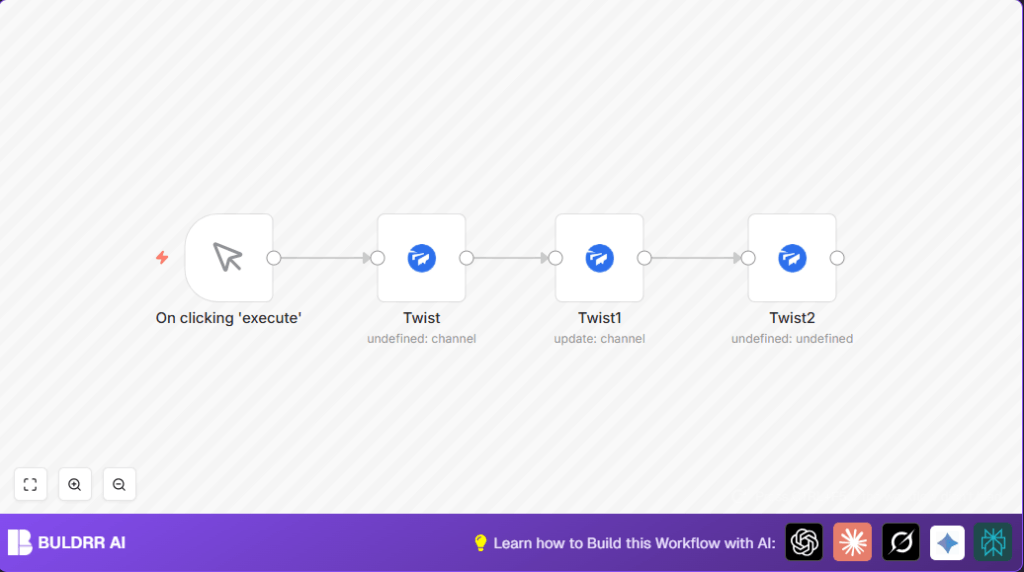

What This Automation Does
This n8n workflow automatically creates a new Twist channel, adds specific users, updates channel description, and sends a message with buttons.
It solves the problem of manual, repetitive setup which causes mistakes and wastes time.
After running, a ready-to-use Twist channel with correct members and info is created in seconds.
Tools and Services Used
- n8n: Automation platform where workflow runs.
- Twist API: Manages channels, members, and messages.
- OAuth2 credentials for Twist: Secure access to Twist workspace.
Inputs → Processing Steps → Output
Inputs
- Workspace ID of Twist where channel will be created.
- User IDs of team members to add.
- Channel name and description text.
- Message content with mentions and button actions.
Processing Steps
- Create new Twist channel in workspace with user IDs.
- Use returned channel ID to update its description.
- Send a personalized message mentioning users with interactive buttons.
Output
A fully configured Twist channel with members, description, and message containing action buttons ready for team use.
Beginner Step-by-Step: How to Use This Workflow in n8n
1. Import the Workflow
- Download the workflow file using the “Download” button on this page.
- In your n8n editor, click on the settings menu and select “Import from File”.
- Choose the downloaded file to import the workflow.
2. Configure Required Settings
- Open each Twist node and add your valid Twist OAuth2 credentials.
- Update workspace ID, user IDs, channel name, and conversation IDs to match your Twist workspace and team.
- Adjust message text or button URLs if needed, using the provided markdown and JSON format.
3. Test the Workflow
- Click on the Manual Trigger node and execute the workflow to test it.
- Confirm the Twist channel is created, description updated, and the message with buttons appears correctly.
4. Activate for Production
- Once testing succeeds, toggle the workflow to active mode.
- Use manual trigger or connect to other triggers to automate channel setup on demand.
- For running at scale or on a server, consider self-host n8n.
Customizations
- Change channel name in creation node using expressions based on input or project data.
- Add multiple user IDs by listing them separated by commas in creation node.
- Modify message markdown to personalize text or add multiple action buttons.
- Use other Twist workspace IDs if managing multiple teams.
Troubleshooting
Invalid OAuth credentials error
Check that Twist OAuth2 credentials are correct and not expired.
Re-authenticate in n8n credentials manager and test API connection.
Channel ID missing during update step
Ensure the channel creation succeeds and the update node references channel ID with the exact expression:
{{$node["Twist"].json["id"]}Double check node names and connections.
Pre-Production Checklist
- Verify manual trigger starts the workflow.
- Confirm Twist OAuth2 credentials work for create, update, and send message operations.
- Make sure channel creation node returns valid channel ID.
- Check message posts in desired Twist channel with correct mentions and buttons.
- Back up workflow configuration before making big changes.
Summary
✓ Automates creation of Twist channels with correct members.
✓ Updates channel descriptions automatically.
✓ Sends messages with user mentions and clickable buttons.
✓ Saves time and avoids manual setup errors.
→ Users get new Twist channels ready in seconds.
→ Team communication starts clearly and fast.