 Schedule a Call

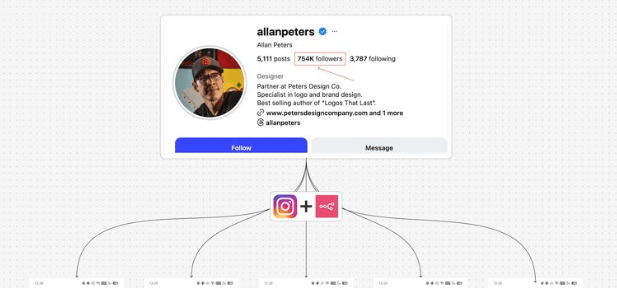
This n8n workflow analyzes your Instagram competitors’ Reels for you: it scrapes each creator’s latest Reels with Apify, picks the top performers by views, transcribes them, and uses AI to pull out hooks, power words and content patterns. The results land in Google Sheets and an email summary, so you can see what is working for competitors in minutes instead of scrolling for hours.
What this system does (in simple terms)
Once triggered, the automation:
- Pulls competitor Instagram usernames from Google Sheets
- Scrapes their latest Reels
- Filters, sorts, and selects top-performing videos
- Transcribes video audio
- Uses AI to extract hooks, power words, summaries, and patterns
- Saves results into structured Google Sheets
- Sends you an email summary automatically
You get clarity, not content overload.
Step 1: Prepare your Google Sheet
Create a Google Sheet with these columns:
- Username
- Status (Pending / Completed)
- Followers
- Posts count
- Reels analysis (summary)
Only the username is required to start.
Set status to Pending for creators you want analyzed.
Tip: This allows the system to skip already-processed creators later.
Step 2: Set up the trigger
Start with a simple trigger:
- Manual trigger (for testing)
- Or scheduled trigger (weekly / daily)
Once tested, switch to a weekly schedule to track competitors consistently.
Step 3: Fetch competitors from Google Sheets
Use a Google Sheets node to:
- Read all rows
- Filter creators with status = Pending
- Loop over each creator one by one
This prevents re-analyzing the same profiles repeatedly.
Step 4: Scrape Instagram data (Apify)
Use Apify’s Instagram Profile Scraper actor. It returns the profile data plus the latest 12 posts, with each video’s type, URL and view count. If you want to look further back than 12 posts, swap in Apify’s Instagram Reel Scraper, which also takes usernames as input.
Configuration basics:
- Input: Instagram username
- Output: Profile data + latest 12 posts
Best practice:
Pin the scraper output while building to avoid wasting credits.
Step 5: Clean old analysis data (optional but recommended)
Before inserting new analysis:
- Batch old Reels data
- Delete previous records from Sheets
This keeps your research clean and avoids duplication.
(Version 2 improvement: skip Reels already analyzed using Reel ID.)
Step 6: Filter Reels only
Instagram profiles include:
- Reels
- Image posts
- Carousels
Add a filter to keep video/Reels only (posts where type is Video).
Then:
- Sort by view count (videoViewCount, descending)
- Limit results (e.g., top 5 of the 12 most recent posts)
This focuses analysis on what actually performs.
Step 7: Download videos safely
For each Reel:
- Download video
- Add a wait node (5–10 seconds)
Why this matters:
Avoid API rate limits when transcribing or analyzing content.
Step 8: Transcribe Reel audio
Use an AI transcription service. In n8n, the simplest option is the OpenAI node’s Transcribe a Recording operation: pass it the downloaded video file.
Output:
- Full transcript of each Reel
This transcript becomes the base for all analysis.
Step 9: Extract hooks, power words, and summary (AI Agent)
Configure an AI Agent with:
- System prompt defining what to extract
- User prompt passing transcript
Attach a Structured Output Parser (set to “Define using JSON Schema”) to enforce structure:
- Hook (string)
- Power words (array, max 3)
- Summary (short text)
This prevents messy AI outputs.
Step 10: Analyze creator patterns (second AI Agent)
Send all Reel analyses from one creator into another AI Agent.
It answers questions like:
- What topics does this creator focus on?
- What hooks repeat?
- What audience are they targeting?
- What content angle is emerging?
This step converts individual videos into strategy-level insight.
Step 11: Save results to Google Sheets
Store data in two places:
- Top Reels Sheet: best-performing Reels, with hook, summary and transcript
- Competitor Overview Sheet: overall creator strategy, content patterns and audience focus
Mark the creator’s status as Completed.
Step 12: Send email summary
At the end of each loop:
- Compile creator insights
- Send a clean email summary to yourself
Optional:
Add CC/BCC for team members.
This means you don’t even need to open Sheets.
How to use this system effectively
Use it to:
- Study competitor hooks before creating content
- Spot content shifts early
- Avoid copying—focus on patterns instead
- Build ideas from insight, not guesswork
Run it weekly. Review patterns. Decide what to test.
FAQ
- How many Reels per competitor does this analyze?
- Apify’s Instagram Profile Scraper returns each profile’s latest 12 posts, so the workflow ranks the videos among those 12 and keeps the top ones (5 by default). To analyze older Reels, use Apify’s Instagram Reel Scraper instead.
- What does the Apify scraping cost?
- Apify lists the Instagram Profile Scraper from $1.60 per 1,000 profiles on paid plans and $2.60 per 1,000 results on the free plan, so a weekly run over a few dozen competitors costs cents. Check the actor page for current pricing.
- Can I use Claude instead of OpenAI for the analysis?
- Yes. Swap the chat model under both AI Agents for n8n’s Anthropic Chat Model node. You still need a speech-to-text step for the transcripts, such as the OpenAI node’s Transcribe a Recording operation.
Want more ready-made automations like this? Browse all BULDRR AI workflows.
Each button opens the assistant with the prompt already written, asking it to teach this article step by step, in simple words.
 ChatGPT
 Claude
 Grok
Grok Perplexity
 Add as a preferred source