
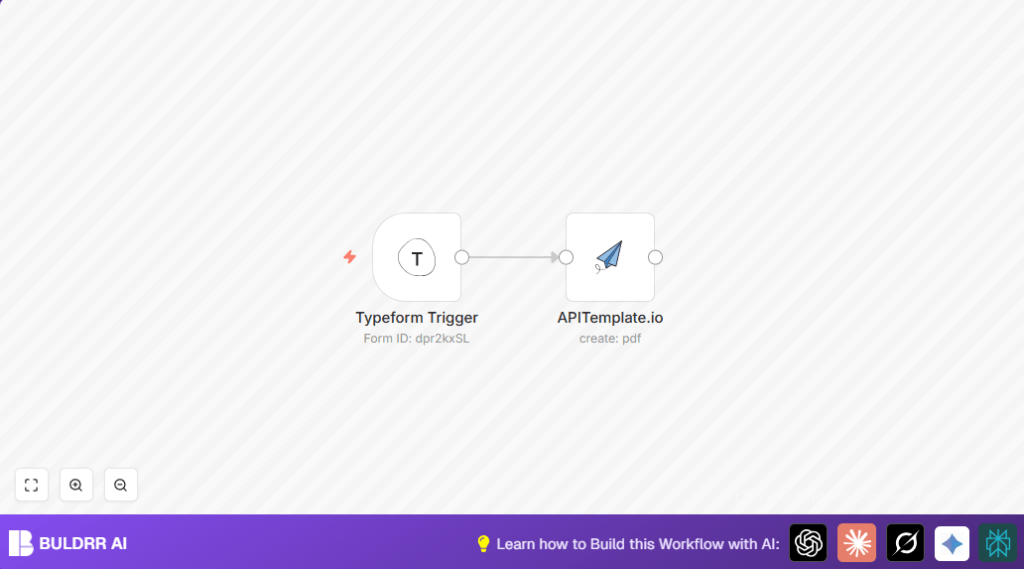

What this workflow does
This workflow watches for new submissions on a Typeform order form.
It takes the client and order information from those submissions.
Then it builds a PDF invoice using the APITemplate.io service.
The final output is a ready-to-send invoice PDF that downloads automatically.
This saves time and removes mistakes from manual invoice creation.
Who should use this workflow
This is useful for small business owners who collect orders with Typeform surveys.
Anyone who spends too much time manually making invoices can benefit.
No coding skills are needed to run this once set up.
Tools and services used
- n8n Account: runs the automation workflow.
- Typeform Account with API access: collects client and order details.
- APITemplate.io Account with API key: generates customized PDF invoices.
- Optional: self-host n8n if preferred for running workflows on your own server.
Inputs, processing steps, and output
Inputs
- New form responses from a specific Typeform survey with order and client info.
Processing Steps
- Typeform Trigger waits and detects each new form submission.
- Extracts answers like client name, email, items ordered, prices, and dates.
- Formats extracted data into JSON matching the template API expects.
- APITemplate.io uses that JSON to create a polished invoice PDF.
- Automatically downloads the invoice file, ready for sending or saving.
Output
A professional invoice PDF customized per client order.
Beginner step-by-step: How to run this workflow in n8n
Import the workflow
- Download the workflow file using the Download button on this page.
- In your n8n editor, click the menu and choose Import from File.
- Select the downloaded file to load the workflow into n8n.
Configure credentials
- Add Typeform API credentials in n8n’s credential manager.
- Add your APITemplate.io API key the same way.
Update workflow settings
- In the Typeform Trigger node, enter your Typeform form ID.
- In the APITemplate.io node, update the PDF template ID if needed.
- Check
propertiesJsoncontains the correct expressions to pull fields from Typeform answers.
Test and activate
- Submit a test form entry to see the workflow run and generate a PDF download.
- If the PDF downloads correctly, turn on the workflow toggle to run it automatically in production.
Common issues and fixes
- No submissions detected: Check Typeform form ID and API credentials in the Typeform Trigger.
- PDF not generated: Verify the JSON data mapping inside
propertiesJsonmatches required fields and is valid JSON. - Download not working: Make sure the
downloadoption is enabled in the APITemplate.io node and browser permissions allow automatic downloads.
Customization ideas
- Use different APITemplate.io invoice templates by changing the template ID.
- Add extra fields like discounts or notes in the JSON data sent to APITemplate.io.
- Upload invoices to cloud storage like Dropbox or Google Drive by adding those nodes after PDF creation.
- Send invoices automatically by adding an email node, for example Gmail, after the PDF generates.
Summary of results
✓ Automates invoice creation from form responses.
✓ Saves hours each week by removing manual work.
✓ Reduces errors in billing details.
→ Produces professional PDF invoices automatically downloaded.
→ Allows scaling invoicing without extra effort.
