

What This Automation Does
This workflow reads many RSS feeds from a Google Sheet.
It removes articles already processed to skip repeats.
It uses OpenAI GPT-4o-mini to decide if articles are about AI and data science.
For relevant articles, it scrapes full content using Jina AI.
Then it makes short summaries for Slack and posts them there.
Finally, it logs all article details back to Google Sheets.
This saves time and helps teams read only needed news.
Tools and Services Used
- Google Sheets: Stores RSS feed URLs and article records.
- OpenAI GPT-4o-mini: Classifies article relevance and summarizes content.
- Jina AI: Scrapes full content from article web pages.
- Slack: Receives formatted summary posts in a team channel.
- n8n Automation Platform: Runs and connects all the above services.
Inputs, Processing Steps, and Outputs
Inputs
- List of RSS feed URLs from Google Sheets “rss_feed” tab.
- Previously processed article URLs from Google Sheets “article_database” tab.
Processing Steps
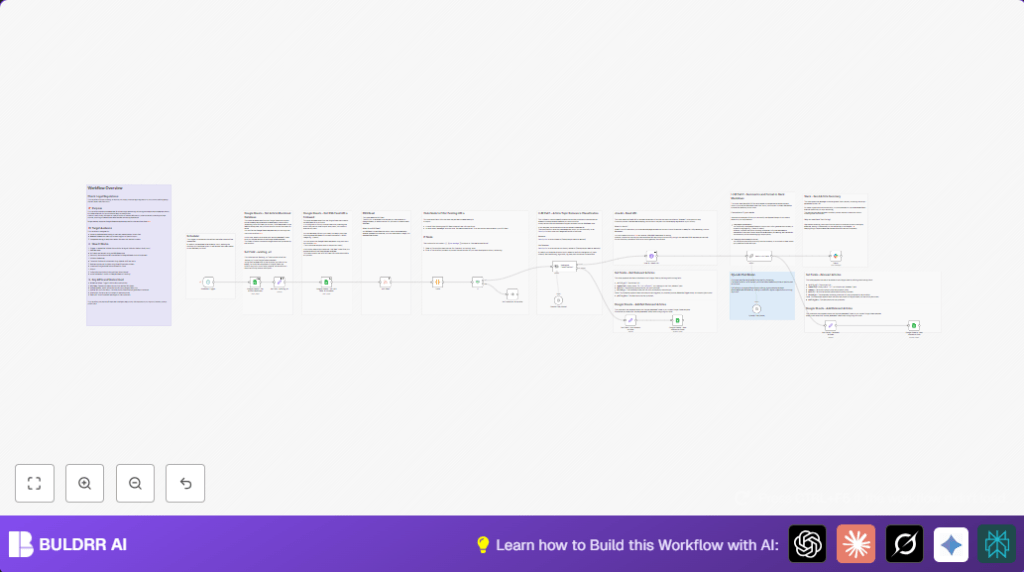
- The Schedule Trigger starts the workflow regularly (e.g., every 15 minutes).
- Google Sheets – Get RSS Feed url followed pulls feed URLs.
- RSS Read fetches new articles from feeds.
- Google Sheets – Get article monitored database retrieves processed articles.
- Set field – existing_url extracts existing URLs for filtering.
- Code node filters out articles already processed using JavaScript.
- If node checks if new articles are found.
- OpenAI Chat Model1 classifies each new article’s relevance to AI and data science.
- For articles labeled relevant, Jina AI – Read URL scrapes the full article content from the web.
- OpenAI Chat Model generates short, Slack-friendly summaries from article content.
- Slack1 posts these summaries to a designated Slack channel.
- Two Set Fields prepare metadata: one for relevant, one for non-relevant articles.
- Google Sheets Add relevant articles and Add not relevant articles append logs back to the article database sheet.
Outputs
- Slack messages with summarized AI and data science articles.
- Updated Google Sheets records for tracking article processing state.
Beginner Step-by-Step: How to Use This Workflow in n8n
Download and Import
- Download the workflow file using the Download button on this page.
- Open the n8n editor where the workflow will run.
- Use the Import from File function to load the downloaded workflow.
Configuration After Import
- Add required API keys and credentials for Google Sheets, OpenAI, Slack, and optionally Jina AI.
- Check and update IDs, emails, Slack channels, Google Sheets document IDs or tabs if needed.
- Copy and paste any provided Code or Prompt texts in the relevant nodes exactly as is.
Testing and Activation
- Run a manual test to ensure the workflow works without errors and sends Slack messages properly.
- Activate the workflow in n8n and make sure the Schedule Trigger is enabled for regular runs.
- Once activated, the workflow will run on schedule and process articles automatically.
For users running self-host n8n, make sure network settings allow API access for all services.
Follow these steps to use production smoothly and keep the system running.
Common Issues and Solutions
- “No new articles found” message: The RSS feeds might have no fresh posts. Check feed URLs and update the Code node filter if needed.
- Slack messages do not appear: Refresh OAuth credentials for Slack. Confirm channel access and permission scopes are correct.
- Jina AI scraping fails: Verify website permission for scraping. Use API keys and watch request limits carefully.
Customization Ideas
- Change topic categories in the OpenAI classification node to monitor other subjects like finance or health technology.
- Modify the summary prompt to change language or writing style to better fit your team’s preference.
- Add another LLM node to translate summaries for multilingual teams.
- Edit the Google Sheets “rss_feed” sheet to add or remove RSS feed URLs, adjusting monitoring scope.
- Set the schedule trigger to run more or less often based on how quickly news needs to be shared.
Pre-Production Checklist
- Make sure OAuth credentials are valid for Google Sheets, OpenAI, and Slack integration.
- Check RSS feed URLs in Google Sheets to make sure they are correct and active.
- Confirm the Google Sheets “article_database” sheet has proper columns for data logging.
- Test the workflow manually once to verify Slack messages and other steps work as intended.
- Backup existing Google Sheets data before running to prevent data loss if something is wrong.
Conclusion
✓ The workflow saves hours of manual reading by automating news monitoring.
✓ It filters and summarizes only relevant AI and data science content.
✓ Slack posts keep teams updated fast without noise or overload.
✓ Logging back to Google Sheets ensures tracking of all article histories.
✓ Easy to customize, test, and use inside n8n with minimal setup.
→ After you import and set up, just activate the workflow to get automated article updates in Slack.
→ Consider adding translations or new data sources for more powerful monitoring.
→ This workflow helps teams focus on important news quickly and reliably.
