
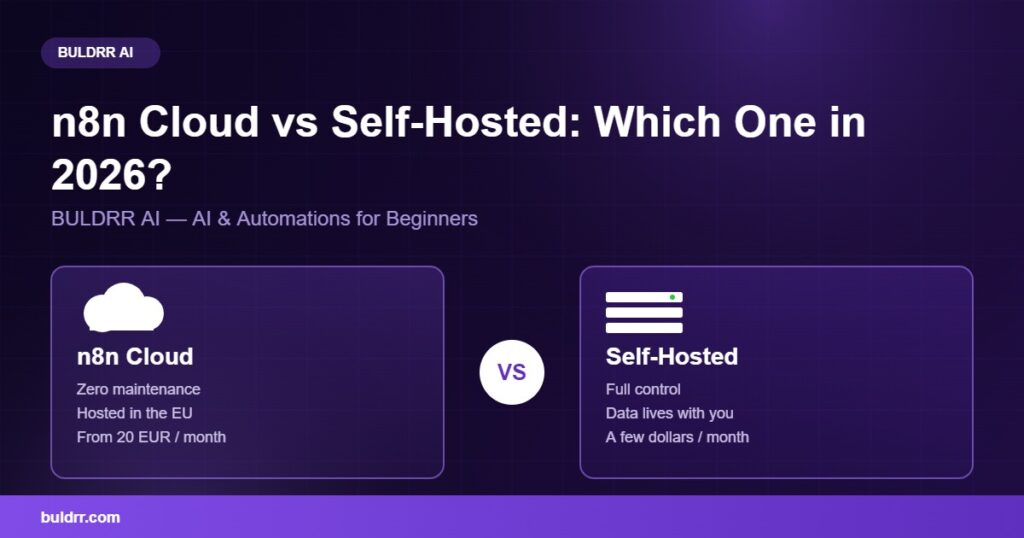
n8n Cloud vs Self-Hosted: Which One Should You Pick in 2026?

n8n Cloud vs self-hosted comparison
Updated: July 15, 2026

You just signed up for n8n and got stuck on the first choice. Cloud or self-hosted? The page does not explain what that even means. You do not want to pick wrong and redo everything next month. Good news: this decision is simpler than it looks once you strip away the jargon. It really comes down to three things. How much control do you want? Where does your data need to live? And how much setup time can you spend? In this guide, you will see the real differences between n8n Cloud and self-hosted n8n. You will also learn exactly who should pick each one in 2026.

What You’ll Learn

  • The real difference between n8n Cloud and self-hosted, in plain English
  • Where your data actually lives with each option
  • Who should pick Cloud, and who should self-host
  • How to switch later if you change your mind
  • A quick cost snapshot, with a link to the full price breakdown

What Is Actually Different Between n8n Cloud and Self-Hosted?

n8n Cloud means n8n runs the software for you on their servers. Self-hosted means you run the exact same software on your own server. Same n8n, same features, different owner of the machine underneath.

Think of it like leasing a car versus buying one. With a lease, the dealer handles maintenance, and you just drive. With self-hosted n8n, you own the car instead. You handle repairs yourself, but you also decide what goes under the hood.

Both options run the same workflows, the same nodes, and the same automations. The only real difference is who manages the server, and who can see what happens on it.

On n8n Cloud, updates happen automatically. Uptime is n8n’s job, not yours. On self-hosted n8n, you decide when to update. Uptime becomes your job too, unless BULDRR AI or another team sets it up for you. n8n also publishes its own comparison of hosting options. Check it out if you want the technical details straight from the source.

Where Does Your Data Actually Live?

This is the question most beginners skip, and it matters more than price. On n8n Cloud, your workflow data sits on n8n’s own servers. According to n8n’s documentation on privacy and security, those hosted servers sit in Frankfurt, Germany. That is inside the EU.

On self-hosted n8n, your data stays wherever you put your server. That could be your own country or your own office. It could even be a private network with no public internet access at all.

Picture it like renting a desk in a shared coworking space versus having your own private office. The coworking space is professional and well run, but you share the building with other companies. Your own office means only you hold the keys.

For most beginners, this will not matter much. But say you handle health records, financial data, or legal files. If any of that is GDPR or HIPAA-sensitive, data location becomes a real decision, not a nice-to-have.

How Much Does Each Option Cost?

Here is the short version. n8n Cloud starts at 20€ a month for the Starter plan, billed yearly. That is according to n8n’s official pricing page. Self-hosted n8n is free software. You only pay for a small server to run it on, often just a few dollars a month.

Pricing is not the focus of this guide, since BULDRR AI already covers it in detail elsewhere. For the full breakdown of every Cloud plan and real self-hosting costs, read our n8n pricing guide. This article focuses on the decision itself: control, data, and setup time.

Who Should Choose n8n Cloud?

Choose n8n Cloud if you want zero maintenance and do not mind paying for that convenience.

Cloud fits you well if:

  • You are brand new to n8n and just want to test it out first
  • You do not have a server, and do not want to learn how to manage one
  • Your team wants official support directly from n8n
  • You would rather pay monthly than spend a weekend on setup

Honestly, there is nothing wrong with paying for convenience. Plenty of successful businesses run entirely on n8n Cloud and never touch a server. If you are completely new, start with BULDRR AI’s n8n guide to learn the basics first, then decide.

Who Should Choose Self-Hosted n8n?

Choose self-hosted n8n if you want full control, lower long-term cost, or you must keep data in-house.

Self-hosting fits you well if:

  • You run high volumes of automations and would blow past Cloud execution limits
  • Your business must keep data in a specific country or off shared servers
  • You want to install custom nodes or connect tools inside a private network
  • You are comfortable following a step-by-step setup guide once, then leaving it running

By the way, self-hosting sounds harder than it is in 2026. Most beginners finish setup in under an hour. They use BULDRR AI’s beginner guide to self-hosting n8n, even with zero server experience.

How to Switch From Cloud to Self-Hosted Later

Picked Cloud for now but want the option to switch later? Good news, nothing here is permanent. Here is exactly how to move.

  1. Export every workflow as JSON. Open each workflow in n8n and download it. This file holds your entire automation. Tip: export everything, even workflows you rarely use.
  2. Set up a small VPS. Rent a beginner-friendly hosting plan built for first-timers. Most cost just a few dollars a month. Confirm: pick a provider with a one-click n8n install if you can.
  3. Install n8n Community Edition. Follow BULDRR AI’s self-hosting guide to get n8n running on your new server. Tip: test with one simple workflow first.
  4. Import your workflows. Upload each JSON file into your self-hosted n8n. Confirm: every node and connection should look exactly the same.
  5. Re-add your credentials. Credentials do not transfer automatically for security reasons. Add each API key and login again by hand. Tip: keep your old Cloud account active until everything is tested.
  6. Run both side by side for a week. Do not cancel Cloud right away. Let both versions run in parallel first. Confirm: once self-hosted runs clean for a week, you can cancel Cloud.

Real Example: Before and After

A small recruiting agency used n8n Cloud to automatically sort resumes and message candidates. It worked well, until a client asked exactly where their applicants’ personal data was stored.

Before: The agency ran everything on n8n Cloud. Data sat on shared servers in the EU. That was fine for most clients. But one healthcare client required data to stay on a private, dedicated server, as part of their contract. The agency could not meet that request on Cloud alone.

okay so here is what changed. After: At BULDRR AI, we moved their workflows to self-hosted n8n on a private VPS. The agency now fully controls it. Same automations, same candidate messages, zero missed steps. Now the agency can tell any client exactly which server their data sits on, because they own it.

The side effect nobody expected: their server bill dropped too. It went from a Cloud Pro plan down to a small VPS costing a fraction of that.

Common Questions

Can you switch between Cloud and self-hosted later?

Yes, anytime. Export your workflows as JSON files first. Then import them into whichever option you move to next. Nothing locks you in permanently.

Does self-hosting mean losing n8n’s official support?

Mostly yes, unless you pay for a Business or Enterprise license key on your own server. Free self-hosted users rely on the community forum instead. Many find it just as helpful for common questions.

Is self-hosted n8n less secure than Cloud?

Not by default. Security depends on how well you set up and update your server, not which option you pick. A well-maintained self-hosted server can be just as secure as Cloud.

Do you need coding skills to self-host n8n?

No. Modern setup guides use simple, copy-paste commands. You do not need to write code to get n8n running on your own server. Basic comfort with a terminal helps, though.

You Do Not Need to Get This Perfect on Day One

A lot of beginners freeze up here, worried that picking wrong will waste weeks of work. It will not. Both options run the same n8n, and switching later takes an afternoon, not a rebuild. Start with whichever option removes the most fear for you right now. That might be Cloud for zero setup, or self-hosted for full control. You can always change your mind once you know more.

Quick Recap

  • n8n Cloud and self-hosted run the exact same software, just on different servers
  • Cloud data lives on n8n’s EU servers; self-hosted data lives wherever you choose
  • Cloud costs more but needs zero maintenance; self-hosting costs less but needs setup
  • You can switch between the two later without losing any workflows
  • Choose based on control and data needs first, price second

What to Do Next

Right now, write down one thing: where are you legally or contractually required to keep your data? That single answer decides Cloud or self-hosted faster than any comparison chart, including this one.

FAQ

What is the main difference between n8n Cloud and self-hosted?

n8n Cloud runs on n8n’s own servers, and n8n handles maintenance. Self-hosted n8n runs on your own server, and you handle maintenance. Both use identical software and features.

Is n8n Cloud or self-hosted cheaper?

Self-hosted is almost always cheaper long-term. It costs a few dollars a month for server hosting. n8n Cloud starts near 20€ monthly and rises with higher execution limits.

Where does n8n Cloud store data?

n8n Cloud stores hosted data on servers in Frankfurt, Germany, inside the EU. That is according to n8n’s own documentation. Self-hosted data stays on whichever server you choose yourself.

Can you move from n8n Cloud to self-hosted later?

Yes. Export every workflow as a JSON file, set up a self-hosted server, then import those files. Credentials must be re-added manually for security reasons.

Is self-hosted n8n harder to set up than Cloud?

Slightly, but not by much in 2026. Most beginners finish self-hosted setup in under an hour using a step-by-step guide. Cloud setup takes minutes since there is no server involved.

Which one does BULDRR AI recommend for beginners?

Start with the free n8n Cloud trial to learn the interface with zero risk. Once workflows feel comfortable, self-hosting is worth it for the lower cost and full data control.

You just signed up for n8n and got stuck on the first choice. Cloud or self-hosted? The page does not explain what that even means. You do not want to pick wrong and redo everything next month. Good news: this decision is simpler than it looks once you strip away the jargon. It really comes down to three things. How much control do you want? Where does your data need to live? And how much setup time can you spend? In this guide, you will see the real differences between n8n Cloud and self-hosted n8n. You will also learn exactly who should pick each one in 2026.

What You’ll Learn

  • The real difference between n8n Cloud and self-hosted, in plain English
  • Where your data actually lives with each option
  • Who should pick Cloud, and who should self-host
  • How to switch later if you change your mind
  • A quick cost snapshot, with a link to the full price breakdown

What Is Actually Different Between n8n Cloud and Self-Hosted?

n8n Cloud means n8n runs the software for you on their servers. Self-hosted means you run the exact same software on your own server. Same n8n, same features, different owner of the machine underneath.

Think of it like leasing a car versus buying one. With a lease, the dealer handles maintenance, and you just drive. With self-hosted n8n, you own the car instead. You handle repairs yourself, but you also decide what goes under the hood.

Both options run the same workflows, the same nodes, and the same automations. The only real difference is who manages the server, and who can see what happens on it.

On n8n Cloud, updates happen automatically. Uptime is n8n’s job, not yours. On self-hosted n8n, you decide when to update. Uptime becomes your job too, unless BULDRR AI or another team sets it up for you. n8n also publishes its own comparison of hosting options. Check it out if you want the technical details straight from the source.

Where Does Your Data Actually Live?

This is the question most beginners skip, and it matters more than price. On n8n Cloud, your workflow data sits on n8n’s own servers. According to n8n’s documentation on privacy and security, those hosted servers sit in Frankfurt, Germany. That is inside the EU.

On self-hosted n8n, your data stays wherever you put your server. That could be your own country or your own office. It could even be a private network with no public internet access at all.

Picture it like renting a desk in a shared coworking space versus having your own private office. The coworking space is professional and well run, but you share the building with other companies. Your own office means only you hold the keys.

For most beginners, this will not matter much. But say you handle health records, financial data, or legal files. If any of that is GDPR or HIPAA-sensitive, data location becomes a real decision, not a nice-to-have.

How Much Does Each Option Cost?

Here is the short version. n8n Cloud starts at 20€ a month for the Starter plan, billed yearly. That is according to n8n’s official pricing page. Self-hosted n8n is free software. You only pay for a small server to run it on, often just a few dollars a month.

Pricing is not the focus of this guide, since BULDRR AI already covers it in detail elsewhere. For the full breakdown of every Cloud plan and real self-hosting costs, read our n8n pricing guide. This article focuses on the decision itself: control, data, and setup time.

Who Should Choose n8n Cloud?

Choose n8n Cloud if you want zero maintenance and do not mind paying for that convenience.

Cloud fits you well if:

  • You are brand new to n8n and just want to test it out first
  • You do not have a server, and do not want to learn how to manage one
  • Your team wants official support directly from n8n
  • You would rather pay monthly than spend a weekend on setup

Honestly, there is nothing wrong with paying for convenience. Plenty of successful businesses run entirely on n8n Cloud and never touch a server. If you are completely new, start with BULDRR AI’s n8n guide to learn the basics first, then decide.

Who Should Choose Self-Hosted n8n?

Choose self-hosted n8n if you want full control, lower long-term cost, or you must keep data in-house.

Self-hosting fits you well if:

  • You run high volumes of automations and would blow past Cloud execution limits
  • Your business must keep data in a specific country or off shared servers
  • You want to install custom nodes or connect tools inside a private network
  • You are comfortable following a step-by-step setup guide once, then leaving it running

By the way, self-hosting sounds harder than it is in 2026. Most beginners finish setup in under an hour. They use BULDRR AI’s beginner guide to self-hosting n8n, even with zero server experience.

How to Switch From Cloud to Self-Hosted Later

Picked Cloud for now but want the option to switch later? Good news, nothing here is permanent. Here is exactly how to move.

  1. Export every workflow as JSON. Open each workflow in n8n and download it. This file holds your entire automation. Tip: export everything, even workflows you rarely use.
  2. Set up a small VPS. Rent a beginner-friendly hosting plan built for first-timers. Most cost just a few dollars a month. Confirm: pick a provider with a one-click n8n install if you can.
  3. Install n8n Community Edition. Follow BULDRR AI’s self-hosting guide to get n8n running on your new server. Tip: test with one simple workflow first.
  4. Import your workflows. Upload each JSON file into your self-hosted n8n. Confirm: every node and connection should look exactly the same.
  5. Re-add your credentials. Credentials do not transfer automatically for security reasons. Add each API key and login again by hand. Tip: keep your old Cloud account active until everything is tested.
  6. Run both side by side for a week. Do not cancel Cloud right away. Let both versions run in parallel first. Confirm: once self-hosted runs clean for a week, you can cancel Cloud.

Real Example: Before and After

A small recruiting agency used n8n Cloud to automatically sort resumes and message candidates. It worked well, until a client asked exactly where their applicants’ personal data was stored.

Before: The agency ran everything on n8n Cloud. Data sat on shared servers in the EU. That was fine for most clients. But one healthcare client required data to stay on a private, dedicated server, as part of their contract. The agency could not meet that request on Cloud alone.

okay so here is what changed. After: At BULDRR AI, we moved their workflows to self-hosted n8n on a private VPS. The agency now fully controls it. Same automations, same candidate messages, zero missed steps. Now the agency can tell any client exactly which server their data sits on, because they own it.

The side effect nobody expected: their server bill dropped too. It went from a Cloud Pro plan down to a small VPS costing a fraction of that.

Common Questions

Can you switch between Cloud and self-hosted later?

Yes, anytime. Export your workflows as JSON files first. Then import them into whichever option you move to next. Nothing locks you in permanently.

Does self-hosting mean losing n8n’s official support?

Mostly yes, unless you pay for a Business or Enterprise license key on your own server. Free self-hosted users rely on the community forum instead. Many find it just as helpful for common questions.

Is self-hosted n8n less secure than Cloud?

Not by default. Security depends on how well you set up and update your server, not which option you pick. A well-maintained self-hosted server can be just as secure as Cloud.

Do you need coding skills to self-host n8n?

No. Modern setup guides use simple, copy-paste commands. You do not need to write code to get n8n running on your own server. Basic comfort with a terminal helps, though.

You Do Not Need to Get This Perfect on Day One

A lot of beginners freeze up here, worried that picking wrong will waste weeks of work. It will not. Both options run the same n8n, and switching later takes an afternoon, not a rebuild. Start with whichever option removes the most fear for you right now. That might be Cloud for zero setup, or self-hosted for full control. You can always change your mind once you know more.

Quick Recap

  • n8n Cloud and self-hosted run the exact same software, just on different servers
  • Cloud data lives on n8n’s EU servers; self-hosted data lives wherever you choose
  • Cloud costs more but needs zero maintenance; self-hosting costs less but needs setup
  • You can switch between the two later without losing any workflows
  • Choose based on control and data needs first, price second

What to Do Next

Right now, write down one thing: where are you legally or contractually required to keep your data? That single answer decides Cloud or self-hosted faster than any comparison chart, including this one.

FAQ

What is the main difference between n8n Cloud and self-hosted?

n8n Cloud runs on n8n’s own servers, and n8n handles maintenance. Self-hosted n8n runs on your own server, and you handle maintenance. Both use identical software and features.

Is n8n Cloud or self-hosted cheaper?

Self-hosted is almost always cheaper long-term. It costs a few dollars a month for server hosting. n8n Cloud starts near 20€ monthly and rises with higher execution limits.

Where does n8n Cloud store data?

n8n Cloud stores hosted data on servers in Frankfurt, Germany, inside the EU. That is according to n8n’s own documentation. Self-hosted data stays on whichever server you choose yourself.

Can you move from n8n Cloud to self-hosted later?

Yes. Export every workflow as a JSON file, set up a self-hosted server, then import those files. Credentials must be re-added manually for security reasons.

Is self-hosted n8n harder to set up than Cloud?

Slightly, but not by much in 2026. Most beginners finish self-hosted setup in under an hour using a step-by-step guide. Cloud setup takes minutes since there is no server involved.

Which one does BULDRR AI recommend for beginners?

Start with the free n8n Cloud trial to learn the interface with zero risk. Once workflows feel comfortable, self-hosting is worth it for the lower cost and full data control.

Author
Written By
Vikash Kumar
Building AI agents, n8n workflows and end-to-end automation for 30+ Brands across India, the US, Europe, Dubai & Australia. 7+ years of Experience saving founders real hours every week - no code required.
Ask more Questions about this Blog with AI:

Our AI Articles

Learn from our AI Articles to excel in your profession ;)

What Is OpenRouter? A Beginner’s Guide to Getting Started

OpenRouter gives you one API key for hundreds of AI models. Here's what it is and how to get started...

Best n8n Templates in 2026: 15 Free Workflows to Copy

Discover the best free n8n templates in 2026. See 15 beginner workflows to copy and learn how to import one...

n8n MCP: How to Use It (Beginner Guide 2026)

What n8n MCP is in plain English, the two nodes that make it work, and a step-by-step beginner setup for...

n8n Pricing 2026: Is It Really Free?

A clear beginner breakdown of n8n pricing in 2026, when it is truly free, what Cloud plans cost, and how...

The AI Business Blueprint

How Claude Code’s Creator Thinks the Next Generation of Companies Will Be Built...

Best AI Agent Builders in 2026 (No-Code Guide)

The best no-code AI agent builders in 2026, compared for beginners. See what each tool costs, who it fits, and...

OpenRouter Free Models List 2026: All 27+ Models Ranked & Tested

Search “best free OpenRouter models” and you’ll find ten different lists, half naming model IDs pulled months ago. One older...

Arcads Collage Motion Skill

A Claude skill that takes a reference image (or just a brief) and produces a matching halftone paper-collage motion clip...

n8n AI Agent Node: Build Your First AI Agent in 15 Minutes

Learn how the n8n AI Agent node works and build your first AI agent in 15 minutes. Step-by-step beginner guide...

Best Free OpenRouter Models in 2026: Which One Should You Use?

OpenRouter has 29 free AI models as of June 2026. Picking the wrong one for your task wastes your daily...

1:1 Free Strategy Session
Your competitors are already automating. Are you still paying for it manually?

Do you want to adopt AI Automation?

Every hour your team does repetitive work, you're burning real money.
While you wait, faster businesses are cutting costs and moving quicker.
AI and automations aren't the future anymore — they're the present.

Book a live 1-on-1 session where we show you exactly which of your daily tasks can be automated — and what it’s costing you not to.