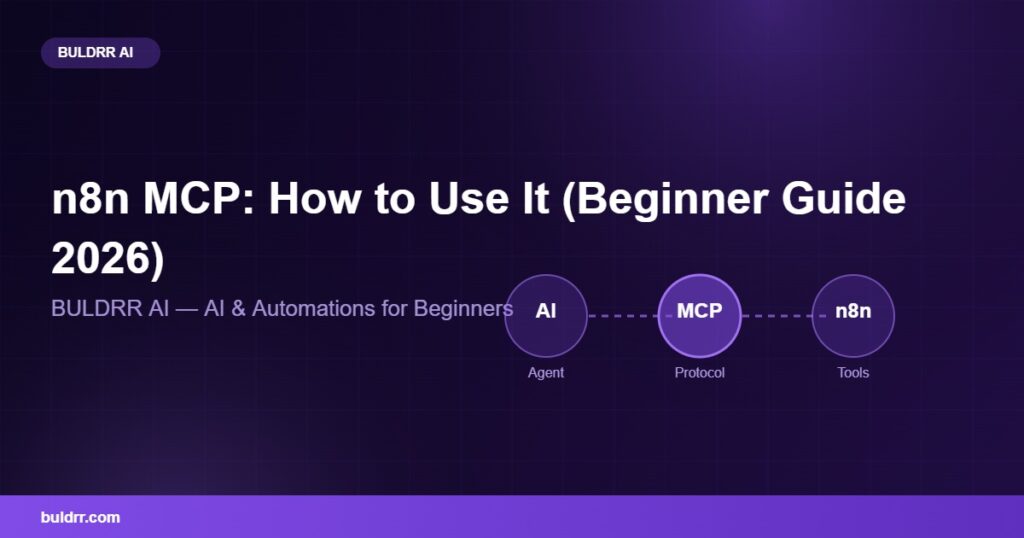
You have probably seen the letters MCP pop up everywhere lately. People say it makes AI agents way more powerful inside n8n. But nobody explains it in plain words. That stops today. n8n MCP is simpler than it looks, and you do not need to be a coder to get it. In this guide you will learn what MCP is, why it matters, and how to set it up in n8n step by step. By the end, your AI agent will be able to use your tools like a smart helper.
What You’ll Learn
What MCP means in simple, everyday language
The two n8n nodes that make MCP work
How to expose your workflows to an AI agent
A step-by-step setup you can copy today
What changed with n8n MCP in 2026
What Is n8n MCP in Plain English?
MCP stands for Model Context Protocol. It is an open standard from Anthropic, the makers of Claude. In plain words, MCP is a shared language that lets AI models plug into tools and data without custom code every time.
Think of MCP like a USB-C port. Before USB-C, every device had its own weird plug. You needed a drawer full of cables. Then one plug worked for almost everything. MCP is that one plug, but for connecting AI to tools.
Inside n8n, MCP lets your AI agent reach out and actually do things. Instead of just talking, it can trigger your workflows, pull data, and take action. It turns a chatty AI into a helpful worker.
The Two n8n Nodes You Need to Know
When you use MCP in n8n, you mostly work with two nodes. Each one has a clear job.
The MCP Server Trigger opens a door. It shares parts of your n8n workflows so an AI agent can find and use them. You pick which tools to expose, and n8n gives you a special web address for the AI to connect to.
The MCP Client Tool works the other way. It lets your n8n AI agent connect out to other MCP servers and borrow their tools. So your agent can use outside services as if they were its own.
Here is an easy way to picture it. The MCP Server Trigger is like a restaurant kitchen offering dishes on a menu. The MCP Client Tool is like a waiter who can go order from other kitchens too. Together, your AI gets a much bigger menu of things it can do.
How to Set Up MCP in n8n: Step by Step
Right, let us build it. This is the classic setup where you expose your own tools to an AI agent. You can do this on n8n Cloud or on a self-hosted setup.
Create a new workflow. Open n8n and start a fresh, empty workflow. Confirm: you see a blank canvas ready for nodes.
Add the MCP Server Trigger node. Search for it and drop it on the canvas. This node is the front door for your AI agent. Tip: it sits at the very start, like any trigger.
Pick the tools to expose. Attach the actions or sub-workflows you want the AI to use, such as sending an email or updating a sheet. Confirm: only the tools you choose get shared, nothing else.
Turn on authentication. Set a Bearer token so only your AI can connect. This is like putting a lock on that front door. Tip: keep your token private, like a house key.
Copy the endpoint URL. The node gives you a test URL and a production URL. This is the address your AI tool will call.
Connect your AI tool. Paste the URL and token into your AI client, like Claude Desktop or another MCP-ready app. Confirm: the AI now lists your n8n tools as available.
When you set the authentication header, it looks something like this:
That header is what proves the AI is allowed in. Without it, the door stays shut. For the exact fields and options, the official n8n MCP Server Trigger docs are the best reference.
What Changed With n8n MCP in 2026
Here is the big news. As of 2026, n8n now ships its own built-in MCP server at the instance level. It went into Public Preview around April 2026.
What does that mean for you? Tools like Claude Desktop, ChatGPT, or Cursor can now build, test, and publish n8n workflows directly, from inside a chat. You describe what you want, and the AI builds the workflow in your n8n for you.
This first-party feature works on n8n Cloud, Enterprise, and self-hosted Community Edition on version 2.18.4 and newer. If you self-host, make sure you are updated. Our beginner guide to self-hosting n8n shows how to keep your version current, and you can run it all on a small hosting plan.
Before and After: A Real Example
Meet Sam. Sam runs a small agency and wanted an AI that could actually update client records, not just chat about them.
Before: Sam typed requests into an AI, then copied the answers by hand into different apps. It was slow. Every task meant switching windows, copying, and pasting. A simple update took ten minutes of clicking.
After: Sam added an MCP Server Trigger in n8n and exposed three tools. Now the AI does the work itself. Sam just says what is needed, and the agent updates the sheet, sends the email, and logs the note. Ten minutes dropped to ten seconds.
Sam described it like hiring an assistant who already knows where everything is. No more explaining, no more copy and paste.
Common Questions
Do I need to know how to code to use n8n MCP?
No. The MCP nodes use simple menus and fields. You point and click to pick tools and set a token. There is no code to write for a basic setup.
Is MCP only for advanced users?
Not at all. MCP was made to remove complexity. The 2026 built-in server makes it even easier. A beginner can connect an AI to n8n tools in one short sitting.
Can I use free AI models with n8n MCP?
Yes. You can pair MCP with free models to keep costs down. See our guide to the best free OpenRouter models in 2026 for good options that work well with n8n.
Is MCP safe to turn on?
Yes, when you use authentication. The Bearer token makes sure only your approved AI can connect. Keep the token secret, and only expose the tools you actually want the AI to use.
You Can Handle This, Really
MCP sounds like heavy tech jargon, and that scares a lot of beginners off. But you just read the whole thing and it made sense, right? That is the point. MCP is a plug, two nodes, and a token. You do not need a computer science degree. Start small, expose one safe tool, and watch your AI actually do the job. You have got this.
Quick Recap
MCP is a shared language that lets AI plug into tools, like a USB-C port
The MCP Server Trigger exposes your n8n tools to an AI agent
The MCP Client Tool lets your agent use outside tools
A Bearer token keeps the connection safe
In 2026, n8n added a built-in MCP server so AI can build workflows for you
What to Do Next
Open n8n and add one MCP Server Trigger node to a test workflow. Expose a single harmless tool, like reading a sheet. Getting that one connection working will make the whole idea click. Next, pair it with the n8n AI Agent node to build a full assistant.
FAQ
What is n8n MCP?
n8n MCP is the use of the Model Context Protocol inside n8n. It lets AI agents connect to your workflows and tools using a shared standard. This means your AI can trigger actions and use data without custom code for each connection.
What are the main MCP nodes in n8n?
The two main nodes are the MCP Server Trigger and the MCP Client Tool. The trigger exposes your n8n tools to an AI agent. The client tool lets your n8n agent connect out and use other MCP servers as tools.
How do I connect Claude to n8n with MCP?
Add an MCP Server Trigger node, choose your tools, and set a Bearer token. Copy the endpoint URL the node gives you. Then paste that URL and token into Claude Desktop as an MCP server. Claude will then list your n8n tools.
Is n8n MCP free to use?
The MCP nodes are part of n8n itself, so there is no extra fee. Self-hosted Community Edition includes them for free. You only pay your normal server or Cloud plan cost, not a separate charge for MCP.
What n8n version do I need for the built-in MCP server?
The built-in instance-level MCP server needs self-hosted Community Edition version 2.18.4 or newer. It is also available on n8n Cloud and Enterprise. Update your self-hosted instance if you are on an older version.
What can I do with n8n MCP as a beginner?
You can let an AI agent send emails, update sheets, and run simple workflows for you. You can also have AI tools build workflows inside n8n. Start with one exposed tool, then add more as you get comfortable.
You have probably seen the letters MCP pop up everywhere lately. People say it makes AI agents way more powerful inside n8n. But nobody explains it in plain words. That stops today. n8n MCP is simpler than it looks, and you do not need to be a coder to get it. In this guide you will learn what MCP is, why it matters, and how to set it up in n8n step by step. By the end, your AI agent will be able to use your tools like a smart helper.
What You’ll Learn
What MCP means in simple, everyday language
The two n8n nodes that make MCP work
How to expose your workflows to an AI agent
A step-by-step setup you can copy today
What changed with n8n MCP in 2026
What Is n8n MCP in Plain English?
MCP stands for Model Context Protocol. It is an open standard from Anthropic, the makers of Claude. In plain words, MCP is a shared language that lets AI models plug into tools and data without custom code every time.
Think of MCP like a USB-C port. Before USB-C, every device had its own weird plug. You needed a drawer full of cables. Then one plug worked for almost everything. MCP is that one plug, but for connecting AI to tools.
Inside n8n, MCP lets your AI agent reach out and actually do things. Instead of just talking, it can trigger your workflows, pull data, and take action. It turns a chatty AI into a helpful worker.
The Two n8n Nodes You Need to Know
When you use MCP in n8n, you mostly work with two nodes. Each one has a clear job.
The MCP Server Trigger opens a door. It shares parts of your n8n workflows so an AI agent can find and use them. You pick which tools to expose, and n8n gives you a special web address for the AI to connect to.
The MCP Client Tool works the other way. It lets your n8n AI agent connect out to other MCP servers and borrow their tools. So your agent can use outside services as if they were its own.
Here is an easy way to picture it. The MCP Server Trigger is like a restaurant kitchen offering dishes on a menu. The MCP Client Tool is like a waiter who can go order from other kitchens too. Together, your AI gets a much bigger menu of things it can do.
How to Set Up MCP in n8n: Step by Step
Right, let us build it. This is the classic setup where you expose your own tools to an AI agent. You can do this on n8n Cloud or on a self-hosted setup.
Create a new workflow. Open n8n and start a fresh, empty workflow. Confirm: you see a blank canvas ready for nodes.
Add the MCP Server Trigger node. Search for it and drop it on the canvas. This node is the front door for your AI agent. Tip: it sits at the very start, like any trigger.
Pick the tools to expose. Attach the actions or sub-workflows you want the AI to use, such as sending an email or updating a sheet. Confirm: only the tools you choose get shared, nothing else.
Turn on authentication. Set a Bearer token so only your AI can connect. This is like putting a lock on that front door. Tip: keep your token private, like a house key.
Copy the endpoint URL. The node gives you a test URL and a production URL. This is the address your AI tool will call.
Connect your AI tool. Paste the URL and token into your AI client, like Claude Desktop or another MCP-ready app. Confirm: the AI now lists your n8n tools as available.
When you set the authentication header, it looks something like this:
That header is what proves the AI is allowed in. Without it, the door stays shut. For the exact fields and options, the official n8n MCP Server Trigger docs are the best reference.
What Changed With n8n MCP in 2026
Here is the big news. As of 2026, n8n now ships its own built-in MCP server at the instance level. It went into Public Preview around April 2026.
What does that mean for you? Tools like Claude Desktop, ChatGPT, or Cursor can now build, test, and publish n8n workflows directly, from inside a chat. You describe what you want, and the AI builds the workflow in your n8n for you.
This first-party feature works on n8n Cloud, Enterprise, and self-hosted Community Edition on version 2.18.4 and newer. If you self-host, make sure you are updated. Our beginner guide to self-hosting n8n shows how to keep your version current, and you can run it all on a small hosting plan.
Before and After: A Real Example
Meet Sam. Sam runs a small agency and wanted an AI that could actually update client records, not just chat about them.
Before: Sam typed requests into an AI, then copied the answers by hand into different apps. It was slow. Every task meant switching windows, copying, and pasting. A simple update took ten minutes of clicking.
After: Sam added an MCP Server Trigger in n8n and exposed three tools. Now the AI does the work itself. Sam just says what is needed, and the agent updates the sheet, sends the email, and logs the note. Ten minutes dropped to ten seconds.
Sam described it like hiring an assistant who already knows where everything is. No more explaining, no more copy and paste.
Common Questions
Do I need to know how to code to use n8n MCP?
No. The MCP nodes use simple menus and fields. You point and click to pick tools and set a token. There is no code to write for a basic setup.
Is MCP only for advanced users?
Not at all. MCP was made to remove complexity. The 2026 built-in server makes it even easier. A beginner can connect an AI to n8n tools in one short sitting.
Can I use free AI models with n8n MCP?
Yes. You can pair MCP with free models to keep costs down. See our guide to the best free OpenRouter models in 2026 for good options that work well with n8n.
Is MCP safe to turn on?
Yes, when you use authentication. The Bearer token makes sure only your approved AI can connect. Keep the token secret, and only expose the tools you actually want the AI to use.
You Can Handle This, Really
MCP sounds like heavy tech jargon, and that scares a lot of beginners off. But you just read the whole thing and it made sense, right? That is the point. MCP is a plug, two nodes, and a token. You do not need a computer science degree. Start small, expose one safe tool, and watch your AI actually do the job. You have got this.
Quick Recap
MCP is a shared language that lets AI plug into tools, like a USB-C port
The MCP Server Trigger exposes your n8n tools to an AI agent
The MCP Client Tool lets your agent use outside tools
A Bearer token keeps the connection safe
In 2026, n8n added a built-in MCP server so AI can build workflows for you
What to Do Next
Open n8n and add one MCP Server Trigger node to a test workflow. Expose a single harmless tool, like reading a sheet. Getting that one connection working will make the whole idea click. Next, pair it with the n8n AI Agent node to build a full assistant.
FAQ
What is n8n MCP?
n8n MCP is the use of the Model Context Protocol inside n8n. It lets AI agents connect to your workflows and tools using a shared standard. This means your AI can trigger actions and use data without custom code for each connection.
What are the main MCP nodes in n8n?
The two main nodes are the MCP Server Trigger and the MCP Client Tool. The trigger exposes your n8n tools to an AI agent. The client tool lets your n8n agent connect out and use other MCP servers as tools.
How do I connect Claude to n8n with MCP?
Add an MCP Server Trigger node, choose your tools, and set a Bearer token. Copy the endpoint URL the node gives you. Then paste that URL and token into Claude Desktop as an MCP server. Claude will then list your n8n tools.
Is n8n MCP free to use?
The MCP nodes are part of n8n itself, so there is no extra fee. Self-hosted Community Edition includes them for free. You only pay your normal server or Cloud plan cost, not a separate charge for MCP.
What n8n version do I need for the built-in MCP server?
The built-in instance-level MCP server needs self-hosted Community Edition version 2.18.4 or newer. It is also available on n8n Cloud and Enterprise. Update your self-hosted instance if you are on an older version.
What can I do with n8n MCP as a beginner?
You can let an AI agent send emails, update sheets, and run simple workflows for you. You can also have AI tools build workflows inside n8n. Start with one exposed tool, then add more as you get comfortable.
Author
Written By
Vikash Kumar
Building AI agents, n8n workflows and end-to-end automation for 30+ Brands across India, the US, Europe, Dubai & Australia. 7+ years of Experience saving founders real hours every week - no code required.