
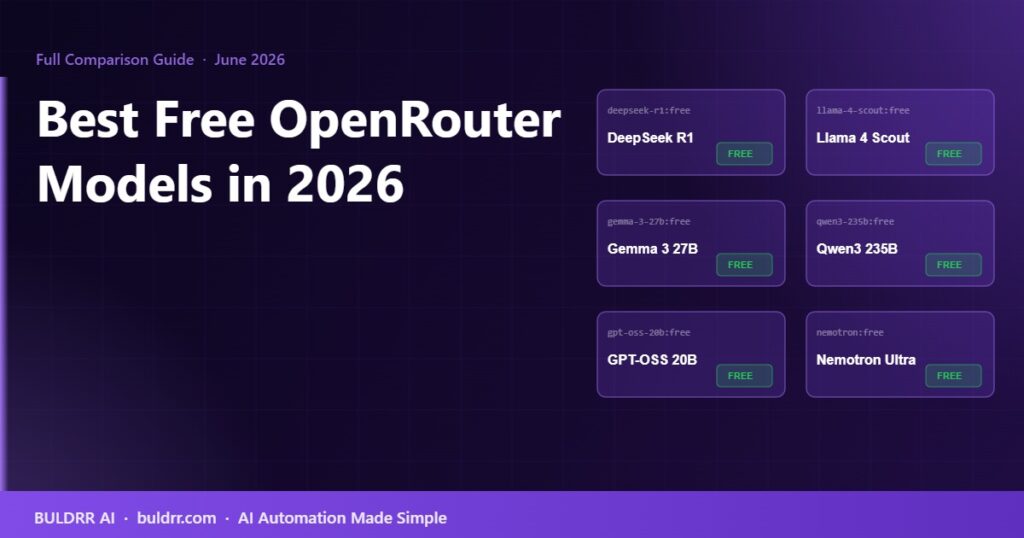
Best Free OpenRouter Models in 2026: Which One Should You Use?

OpenRouter Models in 2026

OpenRouter has 29 free AI models as of June 2026. Picking the wrong one for your task wastes your daily request budget and slows down your automations. Picking the right one means faster results, better output, and fewer retries.

This guide breaks down every major free model on OpenRouter, what each one is best at, and exactly which one to use depending on what you are building.

How Free Models on OpenRouter Actually Work

Free models on OpenRouter are not a trick. They are real AI models, the same underlying ones you would pay for on other platforms, made available at zero cost by the companies that built them.

Why do they do that? Model providers pay OpenRouter to host and distribute their models because they want usage data, developer adoption, and visibility. You get free access. They get real-world feedback on how their models perform. Both sides win.

The trade-off is rate limits. Every free model account gets 50 requests per day by default. If you add $10 or more in credits to your OpenRouter account (a one-time top-up, not a subscription), that limit jumps to 1,000 free requests per day. The rate limit per minute is 20 requests regardless of your credit status.

All free models use the :free suffix at the end of their model ID. Example: deepseek/deepseek-chat-v3-0324:free. Leaving off :free routes you to the paid version and charges your credits.

The Full List: Best Free OpenRouter Models in 2026

Here are the top free models worth knowing, organized by what they are best at:

Model IDBest ForSpeedContext WindowReasoning
deepseek/deepseek-chat-v3-0324:freeGeneral writing, summarizing, Q&A, automationsFast64KGood
meta-llama/llama-4-scout:freeFast chat, simple extraction, high-volume tasksVery fast10MBasic
deepseek/deepseek-r1:freeStep-by-step reasoning, math, complex decisionsSlow64KExcellent
google/gemma-3-27b-it:freeLow-latency tasks, lightweight extractionVery fast131KBasic
qwen/qwen3-235b-a22b:freeComplex analysis, research, detailed thinkingMedium40KVery good
openai/gpt-oss-20b:freeCoding, code generation, debuggingFast128KGood
nvidia/llama-3.1-nemotron-ultra-253b:freeLong-context tasks, agent workflowsSlow1MExcellent
openrouter/freeAuto-routes to best available free modelVariesVariesVaries

Which Model Should You Use? (Decision Guide)

Here is how to pick the right model based on what you are actually trying to do:

For Beginners Building Their First Workflow

Start with deepseek/deepseek-chat-v3-0324:free.

It is fast, handles almost any text task well, and rarely gives confusing output. Think of it as the Swiss Army knife of free models. It summarizes, classifies, writes, extracts, and answers questions without you having to think too hard about prompt engineering. 90% of beginner workflows run perfectly on this model.

For High-Volume Tasks Where Speed Matters

Use meta-llama/llama-4-scout:free.

Llama 4 Scout responds faster than almost any other free model. It also has a 10 million token context window, which is enormous. If you are running a workflow that needs to process long documents or handle many messages quickly, Scout handles that without slowing down. The trade-off: it reasons less deeply than DeepSeek. For simple extraction or chat tasks, that does not matter.

For Tasks That Require Thinking Step by Step

Use deepseek/deepseek-r1:free.

DeepSeek R1 is a reasoning model. That means instead of immediately spitting out an answer, it thinks through the problem first, step by step, then gives you a result. This makes it much better at math problems, logical decisions, complex planning, and anything where a quick answer might be wrong. The downside is speed: it takes longer to respond than other free models. For workflows where accuracy matters more than fast response time, R1 is the right pick.

For Coding and Technical Tasks

Use openai/gpt-oss-20b:free.

GPT-OSS 20B matches or beats many paid models on coding benchmarks. If your workflow involves generating code, analyzing scripts, reviewing SQL queries, or anything technical, this is the free model to reach for. It scores well on the HumanEval benchmark and handles instruction-following reliably.

For Long-Document Processing

Use nvidia/llama-3.1-nemotron-ultra-253b:free.

This model has a 1 million token context window, which means it can process an entire book in a single prompt. If your automation handles lengthy reports, research papers, or long email chains, Nemotron Ultra handles context that would overflow any other free model. It is slow, but for long-document tasks, you are not in a hurry anyway.

When You Do Not Know Which Model to Use

Use openrouter/free.

This is a special router model built by OpenRouter itself. It analyzes your request and automatically routes it to whichever available free model it thinks will handle it best. You do not have to pick a model at all. The limitation: you cannot predict exactly which model will respond on any given request, so output style can be inconsistent across runs.

The Free Model Rotation Strategy

Here is something most beginners miss: you do not have to pick just one model and stick with it forever.

Because each free model has its own 50-request daily pool, you can rotate between 4 or 5 models to effectively multiply your free quota. If DeepSeek Chat hits its daily limit, your n8n workflow automatically falls over to Llama 4 Scout, which has its own fresh 50 requests. Then Gemma. Then Qwen3.

Set up in n8n with a simple retry-on-error rule per model. Total free requests per day with 5 models in rotation: 250. With the $10 credit top-up applied: 5,000 per day.

This is the strategy professional automation builders use to run full production workflows at zero cost.

Free Model Rotation Setup (5 Models)

DeepSeek Chat
50 req/day
Llama 4 Scout
50 req/day
Gemma 3 27B
50 req/day
Qwen3 235B
50 req/day
DeepSeek R1
50 req/day

Each arrow = automatic fallback in n8n when previous model hits daily limit. Total: 250 free requests per day from 5 models.

What Free Models Are NOT Good For

Free models on OpenRouter are solid for most beginner and intermediate use cases. But there are situations where you should expect limitations:

  • Real-time, high-volume production traffic. If your automation runs more than 50 requests per day and you cannot afford to hit the limit, paid models are the right call. The cost is low (most models charge around $0.01 to $0.10 per 1,000 tokens), but it is not free.
  • Tasks that need consistent, predictable output style. Free models can change or be updated by their providers at any time. If your workflow needs output in a very specific format every single run, test thoroughly before relying on a free model in production.
  • Image generation. OpenRouter does not support image generation on any tier. It is a text-only platform.
  • Tasks needing fine-tuned or custom models. You cannot train or modify free models on OpenRouter. They run as-is from the provider.

How to See All Current Free Models

OpenRouter updates its free model list as providers add and remove free tiers. The most reliable way to see the current full list is to go to openrouter.ai/models and filter by “Free” in the pricing dropdown.

You can also use the OpenRouter API to list all models programmatically:

GET https://openrouter.ai/api/v1/models
Authorization: Bearer YOUR_API_KEY

Filter the response for models where pricing.prompt === "0" to get only the free ones. As of June 2026, that returns 29 models.

Common Questions About Free OpenRouter Models

How many free models does OpenRouter have in 2026?

OpenRouter has 29 models available at zero cost as of June 2026. The number changes as model providers add and remove free-tier access. You can always check the current list at openrouter.ai/models filtered by “Free.”

Do free models give worse results than paid ones?

Not always. Several free models, including DeepSeek R1 and Llama 4 Scout, perform at or above the level of paid models from 12 to 18 months ago. The main limitations are rate limits (50 requests per day by default) and slower response times during peak hours, not output quality.

Can I switch between free models in the middle of a workflow?

Yes. In n8n, you can configure each AI node independently with a different model. You can also use n8n’s error-handling logic to automatically fall over to a different model if the first one returns a 429 (rate limit) error.

What is the openrouter/free model?

It is a special router built by OpenRouter that automatically selects from available free models based on your request. You do not have to pick a model yourself. The trade-off is less consistent output style since different underlying models may handle your request on different runs.

Will the free models always be free?

No guarantees. Model providers can remove free-tier access at any time. OpenRouter has no control over this. Models that were free in early 2026 may not still be free in late 2026. Build your workflows with a fallback model configured so you are not locked into one free option.

Is there a quality difference between the same model on a free tier versus a paid tier?

The model weights are identical. The difference is in priority and speed. Paid requests are processed before free ones during peak traffic periods. The output quality, given the same prompt and model, should be the same.

Start Here

If you have not already, go to openrouter.ai and create a free account. You get immediate access to all 29 free models with no payment information required. Your first test can be running in under 5 minutes.

Once you pick your model, the next step is connecting it to an automation tool. BULDRR AI’s guide on using OpenRouter with n8n walks you through the full setup step by step, from API key creation to a working first workflow.

OpenRouter has 29 free AI models as of June 2026. Picking the wrong one for your task wastes your daily request budget and slows down your automations. Picking the right one means faster results, better output, and fewer retries.

This guide breaks down every major free model on OpenRouter, what each one is best at, and exactly which one to use depending on what you are building.

How Free Models on OpenRouter Actually Work

Free models on OpenRouter are not a trick. They are real AI models, the same underlying ones you would pay for on other platforms, made available at zero cost by the companies that built them.

Why do they do that? Model providers pay OpenRouter to host and distribute their models because they want usage data, developer adoption, and visibility. You get free access. They get real-world feedback on how their models perform. Both sides win.

The trade-off is rate limits. Every free model account gets 50 requests per day by default. If you add $10 or more in credits to your OpenRouter account (a one-time top-up, not a subscription), that limit jumps to 1,000 free requests per day. The rate limit per minute is 20 requests regardless of your credit status.

All free models use the :free suffix at the end of their model ID. Example: deepseek/deepseek-chat-v3-0324:free. Leaving off :free routes you to the paid version and charges your credits.

The Full List: Best Free OpenRouter Models in 2026

Here are the top free models worth knowing, organized by what they are best at:

Model IDBest ForSpeedContext WindowReasoning
deepseek/deepseek-chat-v3-0324:freeGeneral writing, summarizing, Q&A, automationsFast64KGood
meta-llama/llama-4-scout:freeFast chat, simple extraction, high-volume tasksVery fast10MBasic
deepseek/deepseek-r1:freeStep-by-step reasoning, math, complex decisionsSlow64KExcellent
google/gemma-3-27b-it:freeLow-latency tasks, lightweight extractionVery fast131KBasic
qwen/qwen3-235b-a22b:freeComplex analysis, research, detailed thinkingMedium40KVery good
openai/gpt-oss-20b:freeCoding, code generation, debuggingFast128KGood
nvidia/llama-3.1-nemotron-ultra-253b:freeLong-context tasks, agent workflowsSlow1MExcellent
openrouter/freeAuto-routes to best available free modelVariesVariesVaries

Which Model Should You Use? (Decision Guide)

Here is how to pick the right model based on what you are actually trying to do:

For Beginners Building Their First Workflow

Start with deepseek/deepseek-chat-v3-0324:free.

It is fast, handles almost any text task well, and rarely gives confusing output. Think of it as the Swiss Army knife of free models. It summarizes, classifies, writes, extracts, and answers questions without you having to think too hard about prompt engineering. 90% of beginner workflows run perfectly on this model.

For High-Volume Tasks Where Speed Matters

Use meta-llama/llama-4-scout:free.

Llama 4 Scout responds faster than almost any other free model. It also has a 10 million token context window, which is enormous. If you are running a workflow that needs to process long documents or handle many messages quickly, Scout handles that without slowing down. The trade-off: it reasons less deeply than DeepSeek. For simple extraction or chat tasks, that does not matter.

For Tasks That Require Thinking Step by Step

Use deepseek/deepseek-r1:free.

DeepSeek R1 is a reasoning model. That means instead of immediately spitting out an answer, it thinks through the problem first, step by step, then gives you a result. This makes it much better at math problems, logical decisions, complex planning, and anything where a quick answer might be wrong. The downside is speed: it takes longer to respond than other free models. For workflows where accuracy matters more than fast response time, R1 is the right pick.

For Coding and Technical Tasks

Use openai/gpt-oss-20b:free.

GPT-OSS 20B matches or beats many paid models on coding benchmarks. If your workflow involves generating code, analyzing scripts, reviewing SQL queries, or anything technical, this is the free model to reach for. It scores well on the HumanEval benchmark and handles instruction-following reliably.

For Long-Document Processing

Use nvidia/llama-3.1-nemotron-ultra-253b:free.

This model has a 1 million token context window, which means it can process an entire book in a single prompt. If your automation handles lengthy reports, research papers, or long email chains, Nemotron Ultra handles context that would overflow any other free model. It is slow, but for long-document tasks, you are not in a hurry anyway.

When You Do Not Know Which Model to Use

Use openrouter/free.

This is a special router model built by OpenRouter itself. It analyzes your request and automatically routes it to whichever available free model it thinks will handle it best. You do not have to pick a model at all. The limitation: you cannot predict exactly which model will respond on any given request, so output style can be inconsistent across runs.

The Free Model Rotation Strategy

Here is something most beginners miss: you do not have to pick just one model and stick with it forever.

Because each free model has its own 50-request daily pool, you can rotate between 4 or 5 models to effectively multiply your free quota. If DeepSeek Chat hits its daily limit, your n8n workflow automatically falls over to Llama 4 Scout, which has its own fresh 50 requests. Then Gemma. Then Qwen3.

Set up in n8n with a simple retry-on-error rule per model. Total free requests per day with 5 models in rotation: 250. With the $10 credit top-up applied: 5,000 per day.

This is the strategy professional automation builders use to run full production workflows at zero cost.

Free Model Rotation Setup (5 Models)

DeepSeek Chat
50 req/day
Llama 4 Scout
50 req/day
Gemma 3 27B
50 req/day
Qwen3 235B
50 req/day
DeepSeek R1
50 req/day

Each arrow = automatic fallback in n8n when previous model hits daily limit. Total: 250 free requests per day from 5 models.

What Free Models Are NOT Good For

Free models on OpenRouter are solid for most beginner and intermediate use cases. But there are situations where you should expect limitations:

  • Real-time, high-volume production traffic. If your automation runs more than 50 requests per day and you cannot afford to hit the limit, paid models are the right call. The cost is low (most models charge around $0.01 to $0.10 per 1,000 tokens), but it is not free.
  • Tasks that need consistent, predictable output style. Free models can change or be updated by their providers at any time. If your workflow needs output in a very specific format every single run, test thoroughly before relying on a free model in production.
  • Image generation. OpenRouter does not support image generation on any tier. It is a text-only platform.
  • Tasks needing fine-tuned or custom models. You cannot train or modify free models on OpenRouter. They run as-is from the provider.

How to See All Current Free Models

OpenRouter updates its free model list as providers add and remove free tiers. The most reliable way to see the current full list is to go to openrouter.ai/models and filter by “Free” in the pricing dropdown.

You can also use the OpenRouter API to list all models programmatically:

GET https://openrouter.ai/api/v1/models
Authorization: Bearer YOUR_API_KEY

Filter the response for models where pricing.prompt === "0" to get only the free ones. As of June 2026, that returns 29 models.

Common Questions About Free OpenRouter Models

How many free models does OpenRouter have in 2026?

OpenRouter has 29 models available at zero cost as of June 2026. The number changes as model providers add and remove free-tier access. You can always check the current list at openrouter.ai/models filtered by “Free.”

Do free models give worse results than paid ones?

Not always. Several free models, including DeepSeek R1 and Llama 4 Scout, perform at or above the level of paid models from 12 to 18 months ago. The main limitations are rate limits (50 requests per day by default) and slower response times during peak hours, not output quality.

Can I switch between free models in the middle of a workflow?

Yes. In n8n, you can configure each AI node independently with a different model. You can also use n8n’s error-handling logic to automatically fall over to a different model if the first one returns a 429 (rate limit) error.

What is the openrouter/free model?

It is a special router built by OpenRouter that automatically selects from available free models based on your request. You do not have to pick a model yourself. The trade-off is less consistent output style since different underlying models may handle your request on different runs.

Will the free models always be free?

No guarantees. Model providers can remove free-tier access at any time. OpenRouter has no control over this. Models that were free in early 2026 may not still be free in late 2026. Build your workflows with a fallback model configured so you are not locked into one free option.

Is there a quality difference between the same model on a free tier versus a paid tier?

The model weights are identical. The difference is in priority and speed. Paid requests are processed before free ones during peak traffic periods. The output quality, given the same prompt and model, should be the same.

Start Here

If you have not already, go to openrouter.ai and create a free account. You get immediate access to all 29 free models with no payment information required. Your first test can be running in under 5 minutes.

Once you pick your model, the next step is connecting it to an automation tool. BULDRR AI’s guide on using OpenRouter with n8n walks you through the full setup step by step, from API key creation to a working first workflow.

Author
Written By
Vikash Kumar
Building AI agents, n8n workflows and end-to-end automation for 30+ Brands across India, the US, Europe, Dubai & Australia. 7+ years of Experience saving founders real hours every week - no code required.
Author
Written By
Vikash Kumar
Building AI agents, n8n workflows and end-to-end automation for 30+ Brands across India, the US, Europe, Dubai & Australia. 7+ years of Experience saving founders real hours every week - no code required.
Ask more Questions about this Blog with AI:

Our AI Articles

Learn from our AI Articles to excel in your profession ;)

n8n AI Agent Node: Build Your First AI Agent in 15 Minutes

Learn how the n8n AI Agent node works and build your first AI agent in 15 minutes. Step-by-step beginner guide...

ClawdBot Tutorial 2026: Complete Beginner Guide to Install, Configure & Run Your First AI Agent

The complete beginner guide to Clawdbot in 2026 — from installation to your first running AI agent, with config templates,...

What Are Claude Skills? A Beginner’s Guide to AI Skills in 2026

Every time you start a new conversation with Claude, it forgets everything from the last one. Your preferences, your writing...

Claude vs ChatGPT in 2026: I Tested Both on the Same 10 Real Tasks

You’re probably paying $20 a month for one of these tools and quietly wondering if the other one is better....

HOW TO GET CLAUDE TO TEACH YOU STEP BY STEP

This framework turns any “I want to do X with Claude but have no idea where to start” into a...

Claude Code Without a Subscription: 3 Free Ways to Run It in 2026

Claude Code is Anthropic’s terminal-based AI coding assistant. It edits files, runs commands, plans projects, and debugs errors — entirely...

Best Claude Prompts 2026: 75 Templates That Actually Work

If your Claude outputs feel generic, the fix isn’t switching models — it’s fixing the prompt. Most people send a...

Build n8n Workflows Without Coding Using Claude Code: Step-by-Step (2026)

For years, building an n8n automation meant dragging nodes around a canvas, guessing field names, and bouncing between docs and...

7 Claude Code prompts

7 simple Claude Code prompts to get you started...

How to Actually Grow on LinkedIn

The real strategy behind 500,000+ impressions in two months — no fluff, just what works. Most people think LinkedIn growth...

1:1 Free Strategy Session
Your competitors are already automating. Are you still paying for it manually?

Do you want to adopt AI Automation?

Every hour your team does repetitive work, you're burning real money.
While you wait, faster businesses are cutting costs and moving quicker.
AI and automations aren't the future anymore — they're the present.

Book a live 1-on-1 session where we show you exactly which of your daily tasks can be automated — and what it’s costing you not to.