
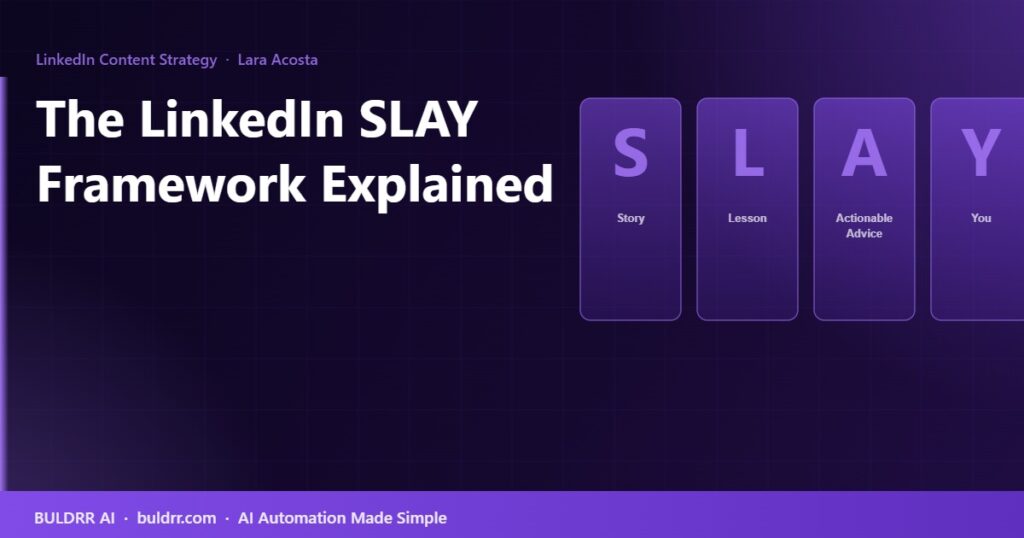
The LinkedIn SLAY Framework Explained Step by Step (With Real Post Examples)

Lara Acosta SLAY framework for writing engaging LinkedIn posts
Updated: August 29, 2026

Most LinkedIn posts fail for the same reason. They either read like a press release, sound like a motivational poster, or dump information on the reader with no story attached to it.

Lara Acosta cracked the code on this. She went from zero to over 500,000 LinkedIn followers using a single repeatable writing framework called SLAY. It has generated hundreds of millions of impressions and is now used by thousands of creators on the platform.

This guide breaks down the full SLAY framework, explains what each step actually means, and shows you how to apply it to any topic in under 15 minutes.

Who Created the SLAY Framework?

Lara Acosta is a personal branding consultant and LinkedIn creator who built one of the fastest-growing audiences on the platform. She did not start with a large following. She started by posting consistently, testing what worked, and documenting the patterns behind her best-performing posts.

The SLAY framework is the result of that testing. It is not a random acronym. Each letter maps to a specific part of a LinkedIn post that serves a different job for the reader. Miss one part and the post falls flat. Use all four and you have a structure that regularly outperforms unformatted content on LinkedIn’s algorithm.

What Does SLAY Stand For?

LetterStands ForJob In the PostWhat It Does for the Reader
SStoryOpens a loop in the reader’s mindCreates emotional connection, makes them want to keep reading
LLessonConnects the emotional hook to a learningGives meaning to the story, makes it feel worth reading
AActionable AdviceGives the reader something they can doDelivers real value, justifies the time spent reading
YYouInvites the reader to engageDrives comments, shares, and saves that signal the algorithm

Each part of the framework does a different job. The Story gets them in. The Lesson makes them feel something. The Actionable Advice gives them a reason to save the post. The You turns passive readers into commenters. Cut any of these and the post loses a key function.

S: Story (How to Open a Loop)

The Story is not a long narrative. It is a short, specific moment that the reader can see themselves in or find surprising enough to keep reading.

Think of it like the first sentence of a movie. You do not need the whole plot. You need one moment that makes the audience lean forward.

What works in the Story section:

  • A specific failure or mistake with a result attached to it (“Lost my first 3 clients in the same week. Here is what I did wrong.”)
  • A surprising number or contrast (“Spent $0 on ads. Got 4,200 followers in 90 days.”)
  • A relatable frustration (“For 2 years, every LinkedIn post I wrote got fewer than 20 likes. Then one thing changed.”)
  • A bold, counterintuitive statement that feels wrong at first read

What does NOT work in the Story section:

  • Starting with “I am excited to share…” (no tension, no loop)
  • Starting with a generic statement anyone could write (“LinkedIn is a powerful platform for professionals.”)
  • Starting with a long intro that does not get to the point in the first 3 lines (LinkedIn cuts off after 3 lines, requiring a click to expand)

Real example of a Story hook that works:

“Turned down a $40k job offer at 22.
My parents thought I had lost my mind.
3 years later, that decision made me $400k.
Here is what they did not understand:”

This works because it creates an open loop (what did they not understand?), uses a real number, and hints at a story worth finishing.

L: Lesson (What You Learned and Why It Matters)

The Lesson bridges the Story and the Advice. It is the “so what” moment. You had an experience. Now what did it teach you that is worth sharing?

The Lesson does not have to be long. One to three sentences is usually enough. Its job is to convert the emotional hook from the Story into an intellectual idea the reader wants to understand more deeply.

Lesson section examples:

“The lesson was not that I was special.
It was that consistency compounds.
Small daily actions turn into results that look sudden from the outside.”

Avoid making the Lesson preachy or overly philosophical. The more specific and grounded in your actual experience, the better it lands.

A: Actionable Advice (The Part They Will Save)

This is the most important section for reach. People save posts that give them something concrete to use later. LinkedIn’s algorithm treats saves and shares as stronger signals than likes.

The Actionable Advice section should give the reader 3 to 7 specific things they can do. Not vague tips. Not general wisdom. Specific, repeatable actions.

Formats that work well for this section:

  • Numbered list: “Here are 5 things that worked:” followed by specific steps
  • Before/after comparison: What the old approach looked like vs. the new one
  • Framework breakdown: Name a simple framework and explain each part
  • Checklist style: “Do this. Then this. Then this. In that order.”

Example of weak Actionable Advice (too vague):

“Post consistently and engage with your audience.”

Example of strong Actionable Advice (specific and usable):

“Post 3x per week for 90 days. Comment on 10 posts per day in your niche within 30 minutes of posting (that is when LinkedIn boosts your account). Reply to every comment in the first hour. Track your top 5 posts each month and write 3 variations of each.”

See the difference? The second version gives you a schedule, a specific action, a time window, and a measurement method. That is something a reader can screenshot, save, and act on tomorrow.

Y: You (Turn Readers into Commenters)

The “You” section is the call to action. It invites the reader to respond, share, or engage. Comments are the highest-value engagement signal on LinkedIn. They tell the algorithm that your post is worth showing to more people.

The CTA needs to be easy to answer. “What do you think?” is too broad. “Drop a comment below” is too generic. A good CTA asks a specific question or gives the reader a binary choice.

Examples of weak CTAs:

  • “What are your thoughts?”
  • “Let me know in the comments.”
  • “Tag someone who needs to see this.”

Examples of strong CTAs:

  • “What was your biggest LinkedIn mistake in year one? Drop it below.”
  • “Have you tried this approach? What happened?”
  • “Which of these 5 steps is hardest for you right now? Number in the comments.”

The more specific the question, the easier it is for someone to answer. Easy to answer means more comments. More comments means more reach.

Full SLAY Framework Example (Real Post)

Here is what a full SLAY post looks like when all four parts come together:

Story

Missed my first 10 LinkedIn posts so badly they got 3 likes each.
Thought LinkedIn was broken. It was not.

Lesson

The problem was not the platform. It was that every post was about me. Not about what the reader needed. That single shift changed everything.

Actionable Advice

Before writing your next post, answer these 3 questions:
1. What problem does my reader have right now?
2. What do they wish someone had told them 2 years ago?
3. What specific action can they take before tomorrow?

Write your post around those answers. Not around yourself.

You

What made your first 10 LinkedIn posts fail? One sentence in the comments. Curious to see if the pattern holds.

The SLAY Checklist: Before You Post

Run every LinkedIn post through this checklist before publishing:

SLAY Pre-Post Checklist

  • S: First 3 lines create an open loop or surprise
  • S: Story is specific (not generic), uses real numbers or details
  • L: Lesson is 1 to 3 sentences and connects clearly to the story
  • L: The lesson is not just “work hard” or other vague advice
  • A: Advice includes at least 3 specific steps or actions
  • A: Someone could act on this advice tomorrow without asking any questions
  • Y: CTA asks a specific question (not just “what do you think?”)
  • Y: CTA is easy to answer in one or two sentences

Common Mistakes When Using SLAY

Skipping the Story and jumping straight to advice. This is the most common mistake. The advice might be valuable, but without a story to anchor it emotionally, it reads like a generic tip list. Nobody saves a generic tip list.

Making the Story too long. The Story should be 2 to 5 lines. Not a paragraph. Not three paragraphs. Long stories lose readers before the Lesson.

Making the Lesson too broad. “Consistency is key” is not a lesson. It is a bumper sticker. The Lesson needs to connect to the specific story, not just be a general observation about life.

Giving advice without specifics. Saying “network more” or “post better content” is not actionable. Actionable means specific enough to do without additional instructions.

Using a weak or lazy CTA. The Y section is where a lot of posts lose momentum. A weak CTA gets no response. No response means no comment signal. No comment signal means lower reach. A one-sentence specific question at the end can double your comment count on the same post.

How Often Should You Post Using SLAY?

Lara Acosta’s approach when building her following was 5 posts per week. That cadence is aggressive for most people starting out. A more sustainable starting point is 3 posts per week, each using the SLAY framework.

At 3 posts per week, you post 12 times per month and 144 times per year. Even if only 10% of those posts perform above average, that is 14 posts per year that expand your reach significantly.

The creators who grow fastest on LinkedIn are not necessarily the best writers. They are the most consistent ones who keep a repeatable structure in every post so their output does not depend on inspiration.

Frequently Asked Questions About the SLAY Framework

Does the SLAY framework only work for personal branding content?

No. The SLAY framework works for any topic you can tell a personal story about: marketing, sales, operations, finance, technology, hiring, leadership, and more. The key is that the Story must come from real experience, not invented scenarios. The more specific and personal the story, the better the framework performs.

How long should a full SLAY post be?

Lara Acosta’s highest-performing posts tend to be between 150 and 400 words. Long enough to deliver real value. Short enough to read without losing attention. The Story is 2 to 4 lines. The Lesson is 1 to 3 lines. The Actionable Advice is 5 to 10 lines. The You section is 1 to 2 lines.

What type of stories work best in the S section?

Stories that worked best across thousands of SLAY-format posts share three traits: they are specific (not vague), they involve a real tension or mistake, and they hint at a resolution the reader has not seen yet. Failure stories consistently outperform success stories because more readers can relate to the struggle than to the win.

Can the SLAY framework be used for content types other than text posts?

Yes. The same four-part structure works for carousels (each slide covers one letter), short videos (SLAY becomes your script structure), and newsletters. The format changes but the logic stays the same: hook, meaning, value, engagement.

Do you have to use all four parts every time?

Yes, if you want the framework to do its full job. Skipping S means no emotional hook. Skipping L means the advice feels disconnected. Skipping A means no reason to save the post. Skipping Y means no engagement signal. Each part serves a specific function and removing any one of them reduces performance.

Start with One Post Today

Pick one topic you have real experience with. Write a 3-line Story about a specific moment related to that topic. Add a 2-line Lesson. List 5 specific things someone could do based on what you learned. Close with one specific question.

That is a complete SLAY post. The whole thing takes about 15 minutes once you know the structure. The goal is not a perfect first post. The goal is a first post that follows the structure so you can see what happens and improve from there.

Most LinkedIn posts fail for the same reason. They either read like a press release, sound like a motivational poster, or dump information on the reader with no story attached to it.

Lara Acosta cracked the code on this. She went from zero to over 500,000 LinkedIn followers using a single repeatable writing framework called SLAY. It has generated hundreds of millions of impressions and is now used by thousands of creators on the platform.

This guide breaks down the full SLAY framework, explains what each step actually means, and shows you how to apply it to any topic in under 15 minutes.

Who Created the SLAY Framework?

Lara Acosta is a personal branding consultant and LinkedIn creator who built one of the fastest-growing audiences on the platform. She did not start with a large following. She started by posting consistently, testing what worked, and documenting the patterns behind her best-performing posts.

The SLAY framework is the result of that testing. It is not a random acronym. Each letter maps to a specific part of a LinkedIn post that serves a different job for the reader. Miss one part and the post falls flat. Use all four and you have a structure that regularly outperforms unformatted content on LinkedIn’s algorithm.

What Does SLAY Stand For?

LetterStands ForJob In the PostWhat It Does for the Reader
SStoryOpens a loop in the reader’s mindCreates emotional connection, makes them want to keep reading
LLessonConnects the emotional hook to a learningGives meaning to the story, makes it feel worth reading
AActionable AdviceGives the reader something they can doDelivers real value, justifies the time spent reading
YYouInvites the reader to engageDrives comments, shares, and saves that signal the algorithm

Each part of the framework does a different job. The Story gets them in. The Lesson makes them feel something. The Actionable Advice gives them a reason to save the post. The You turns passive readers into commenters. Cut any of these and the post loses a key function.

S: Story (How to Open a Loop)

The Story is not a long narrative. It is a short, specific moment that the reader can see themselves in or find surprising enough to keep reading.

Think of it like the first sentence of a movie. You do not need the whole plot. You need one moment that makes the audience lean forward.

What works in the Story section:

  • A specific failure or mistake with a result attached to it (“Lost my first 3 clients in the same week. Here is what I did wrong.”)
  • A surprising number or contrast (“Spent $0 on ads. Got 4,200 followers in 90 days.”)
  • A relatable frustration (“For 2 years, every LinkedIn post I wrote got fewer than 20 likes. Then one thing changed.”)
  • A bold, counterintuitive statement that feels wrong at first read

What does NOT work in the Story section:

  • Starting with “I am excited to share…” (no tension, no loop)
  • Starting with a generic statement anyone could write (“LinkedIn is a powerful platform for professionals.”)
  • Starting with a long intro that does not get to the point in the first 3 lines (LinkedIn cuts off after 3 lines, requiring a click to expand)

Real example of a Story hook that works:

“Turned down a $40k job offer at 22.
My parents thought I had lost my mind.
3 years later, that decision made me $400k.
Here is what they did not understand:”

This works because it creates an open loop (what did they not understand?), uses a real number, and hints at a story worth finishing.

L: Lesson (What You Learned and Why It Matters)

The Lesson bridges the Story and the Advice. It is the “so what” moment. You had an experience. Now what did it teach you that is worth sharing?

The Lesson does not have to be long. One to three sentences is usually enough. Its job is to convert the emotional hook from the Story into an intellectual idea the reader wants to understand more deeply.

Lesson section examples:

“The lesson was not that I was special.
It was that consistency compounds.
Small daily actions turn into results that look sudden from the outside.”

Avoid making the Lesson preachy or overly philosophical. The more specific and grounded in your actual experience, the better it lands.

A: Actionable Advice (The Part They Will Save)

This is the most important section for reach. People save posts that give them something concrete to use later. LinkedIn’s algorithm treats saves and shares as stronger signals than likes.

The Actionable Advice section should give the reader 3 to 7 specific things they can do. Not vague tips. Not general wisdom. Specific, repeatable actions.

Formats that work well for this section:

  • Numbered list: “Here are 5 things that worked:” followed by specific steps
  • Before/after comparison: What the old approach looked like vs. the new one
  • Framework breakdown: Name a simple framework and explain each part
  • Checklist style: “Do this. Then this. Then this. In that order.”

Example of weak Actionable Advice (too vague):

“Post consistently and engage with your audience.”

Example of strong Actionable Advice (specific and usable):

“Post 3x per week for 90 days. Comment on 10 posts per day in your niche within 30 minutes of posting (that is when LinkedIn boosts your account). Reply to every comment in the first hour. Track your top 5 posts each month and write 3 variations of each.”

See the difference? The second version gives you a schedule, a specific action, a time window, and a measurement method. That is something a reader can screenshot, save, and act on tomorrow.

Y: You (Turn Readers into Commenters)

The “You” section is the call to action. It invites the reader to respond, share, or engage. Comments are the highest-value engagement signal on LinkedIn. They tell the algorithm that your post is worth showing to more people.

The CTA needs to be easy to answer. “What do you think?” is too broad. “Drop a comment below” is too generic. A good CTA asks a specific question or gives the reader a binary choice.

Examples of weak CTAs:

  • “What are your thoughts?”
  • “Let me know in the comments.”
  • “Tag someone who needs to see this.”

Examples of strong CTAs:

  • “What was your biggest LinkedIn mistake in year one? Drop it below.”
  • “Have you tried this approach? What happened?”
  • “Which of these 5 steps is hardest for you right now? Number in the comments.”

The more specific the question, the easier it is for someone to answer. Easy to answer means more comments. More comments means more reach.

Full SLAY Framework Example (Real Post)

Here is what a full SLAY post looks like when all four parts come together:

Story

Missed my first 10 LinkedIn posts so badly they got 3 likes each.
Thought LinkedIn was broken. It was not.

Lesson

The problem was not the platform. It was that every post was about me. Not about what the reader needed. That single shift changed everything.

Actionable Advice

Before writing your next post, answer these 3 questions:
1. What problem does my reader have right now?
2. What do they wish someone had told them 2 years ago?
3. What specific action can they take before tomorrow?

Write your post around those answers. Not around yourself.

You

What made your first 10 LinkedIn posts fail? One sentence in the comments. Curious to see if the pattern holds.

The SLAY Checklist: Before You Post

Run every LinkedIn post through this checklist before publishing:

SLAY Pre-Post Checklist

  • S: First 3 lines create an open loop or surprise
  • S: Story is specific (not generic), uses real numbers or details
  • L: Lesson is 1 to 3 sentences and connects clearly to the story
  • L: The lesson is not just “work hard” or other vague advice
  • A: Advice includes at least 3 specific steps or actions
  • A: Someone could act on this advice tomorrow without asking any questions
  • Y: CTA asks a specific question (not just “what do you think?”)
  • Y: CTA is easy to answer in one or two sentences

Common Mistakes When Using SLAY

Skipping the Story and jumping straight to advice. This is the most common mistake. The advice might be valuable, but without a story to anchor it emotionally, it reads like a generic tip list. Nobody saves a generic tip list.

Making the Story too long. The Story should be 2 to 5 lines. Not a paragraph. Not three paragraphs. Long stories lose readers before the Lesson.

Making the Lesson too broad. “Consistency is key” is not a lesson. It is a bumper sticker. The Lesson needs to connect to the specific story, not just be a general observation about life.

Giving advice without specifics. Saying “network more” or “post better content” is not actionable. Actionable means specific enough to do without additional instructions.

Using a weak or lazy CTA. The Y section is where a lot of posts lose momentum. A weak CTA gets no response. No response means no comment signal. No comment signal means lower reach. A one-sentence specific question at the end can double your comment count on the same post.

How Often Should You Post Using SLAY?

Lara Acosta’s approach when building her following was 5 posts per week. That cadence is aggressive for most people starting out. A more sustainable starting point is 3 posts per week, each using the SLAY framework.

At 3 posts per week, you post 12 times per month and 144 times per year. Even if only 10% of those posts perform above average, that is 14 posts per year that expand your reach significantly.

The creators who grow fastest on LinkedIn are not necessarily the best writers. They are the most consistent ones who keep a repeatable structure in every post so their output does not depend on inspiration.

Frequently Asked Questions About the SLAY Framework

Does the SLAY framework only work for personal branding content?

No. The SLAY framework works for any topic you can tell a personal story about: marketing, sales, operations, finance, technology, hiring, leadership, and more. The key is that the Story must come from real experience, not invented scenarios. The more specific and personal the story, the better the framework performs.

How long should a full SLAY post be?

Lara Acosta’s highest-performing posts tend to be between 150 and 400 words. Long enough to deliver real value. Short enough to read without losing attention. The Story is 2 to 4 lines. The Lesson is 1 to 3 lines. The Actionable Advice is 5 to 10 lines. The You section is 1 to 2 lines.

What type of stories work best in the S section?

Stories that worked best across thousands of SLAY-format posts share three traits: they are specific (not vague), they involve a real tension or mistake, and they hint at a resolution the reader has not seen yet. Failure stories consistently outperform success stories because more readers can relate to the struggle than to the win.

Can the SLAY framework be used for content types other than text posts?

Yes. The same four-part structure works for carousels (each slide covers one letter), short videos (SLAY becomes your script structure), and newsletters. The format changes but the logic stays the same: hook, meaning, value, engagement.

Do you have to use all four parts every time?

Yes, if you want the framework to do its full job. Skipping S means no emotional hook. Skipping L means the advice feels disconnected. Skipping A means no reason to save the post. Skipping Y means no engagement signal. Each part serves a specific function and removing any one of them reduces performance.

Start with One Post Today

Pick one topic you have real experience with. Write a 3-line Story about a specific moment related to that topic. Add a 2-line Lesson. List 5 specific things someone could do based on what you learned. Close with one specific question.

That is a complete SLAY post. The whole thing takes about 15 minutes once you know the structure. The goal is not a perfect first post. The goal is a first post that follows the structure so you can see what happens and improve from there.

Author
Written By
Vikash Kumar
Building AI agents, n8n workflows and end-to-end automation for 30+ Brands across India, the US, Europe, Dubai & Australia. 7+ years of Experience saving founders real hours every week - no code required.
Ask more Questions about this Blog with AI:

Our AI Articles

Learn from our AI Articles to excel in your profession ;)

What Is n8n? A Simplest-English Guide for Non-Technical People

What is n8n? This plain-English guide explains it simply for beginners — what it does, how it works, and why...

Build an AI Agent in n8n: Beginner Step-by-Step Guide (2026)

Learn to build your first n8n AI agent step by step with no code. This beginner guide covers the AI...

n8n on Hostinger VPS: The Complete Beginner Setup Guide (2026)

Learn how to deploy n8n on a Hostinger VPS step by step. A beginner-friendly 2026 guide with no Linux or...

n8n Webhook Tutorial: Trigger Any Automation from Anywhere (2026)

Learn how to set up n8n webhooks step by step. This beginner guide covers triggers, test vs production mode, security...

n8n Pricing 2026: Free Self-Hosted vs Cloud Costs Explained

n8n pricing broken down for 2026: every Cloud plan cost, real self-hosted server prices, and how to pick the option...

n8n MCP: How to Connect AI Agents to Any Tool (2026)

n8n MCP lets your AI agent connect to any tool through one shared standard, no custom code needed. Here is...

Lara Acosta LinkedIn Templates and Hooks (2026 Examples)

Copy Lara Acosta LinkedIn templates and hook examples, plus the SLAY framework, to write posts that get read. A simple...

n8n Docker Setup: Install n8n the Easy Way (2026 Guide)

Learn how to install n8n with Docker step by step. A beginner-friendly 2026 guide to run n8n on your own...

How to Self Host n8n for Free: The Beginner VPS Setup Guide (2026)

The n8n cloud version has a free trial that runs out. After that, you pay a monthly fee for every...

10 Best n8n Workflows Every Business Should Automate

Manual work is killing business speed. In 2026, companies that still copy-paste data between apps are already behind. This is...

Automating the First 14 Days After Someone Buys From You

How to automate the first 14 days after a sale closes — welcome messages, account setup, kickoff booking, and day-7/day-14...

10 Questions to Ask Before Hiring an n8n Automation Agency

Before hiring an n8n automation agency, ask about their pricing model (per-workflow vs retainer), who owns the finished workflows, how...

1:1 Free Strategy Session
Your competitors are already automating. Are you still paying for it manually?

Do you want to adopt AI Automation?

Every hour your team does repetitive work, you're burning real money.
While you wait, faster businesses are cutting costs and moving quicker.
AI and automations aren't the future anymore — they're the present.

Book a live 1-on-1 session where we show you exactly which of your daily tasks can be automated — and what it’s costing you not to.