
AI Voice Receptionist Guide For Clinics

Updated: July 25, 2026

Most clinics don’t lose patients because doctors are bad.

They lose patients because nobody picked up the phone.

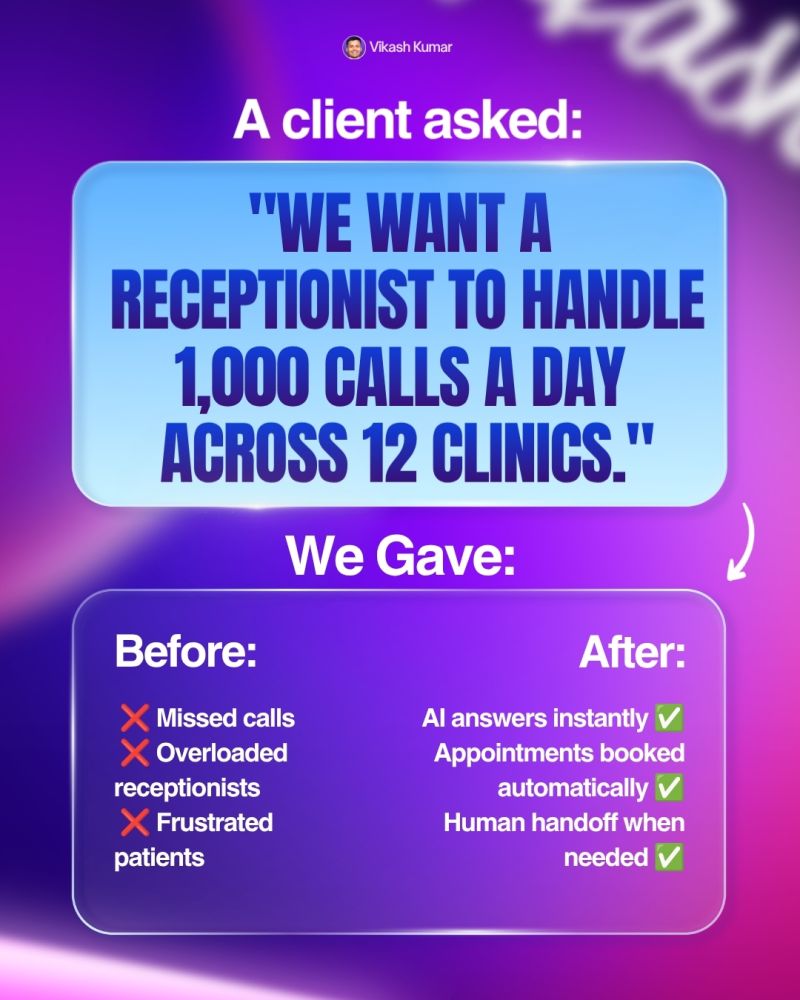
This Chennai based medical group had:

• 12 clinics

• 1,000+ daily calls

• overloaded receptionists

• angry patients

• missed bookings

• revenue leakage

Nearly 30% of incoming calls went unanswered.

So instead of hiring more receptionists, they built an AI voice receptionist system.

This guide breaks down the exact workflow they used.


The Real Lesson

This project was not about:

• AI tools

• fancy dashboards

• trendy automation

It was about building a workflow that solved a real business problem.

That matters far more than the tool itself.


Step 1: Study Real Customer Calls

Before building anything, the operations team listened to:

• 200 real patient call recordings

This was the most important step.

Most people build AI agents based on assumptions.

That creates useless systems.

Instead, they identified:

• common questions

• booking behavior

• language preferences

• complaint patterns

• rescheduling requests

They mapped exactly why patients called.


Step 2: Build The AI Receptionist Prompt

Once they understood the workflow, they created the voice agent.

The system prompt looked something like this:

“You are a receptionist for a medical clinic.

You speak:

• English

• Hindi

• Tamil

• Telugu

Your responsibilities:

• appointment booking

• appointment rescheduling

• answering basic questions

If the patient has a complaint, immediately transfer to a human.”

This prompt defined:

• the role

• the languages

• the responsibilities

• the escalation rules

Good prompts create reliable agents.


Step 3: Add Indian Language Voice Support

This was one of the biggest improvements.

Most default AI voices sound unnatural in Indian languages.

Especially Tamil and Telugu.

So they used:

• Saram AI

Saram AI handled:

• natural Indian accents

• regional pronunciation

• multilingual conversations

This made the system sound human instead of robotic.

That matters a lot in healthcare.

Patients trust natural communication.


Step 4: Connect The Agent To The Clinic Calendar

The voice agent was connected directly to the clinic booking system using:

• MCP integrations

This allowed the AI to:

• check availability

• create appointments

• reschedule bookings

• update calendars in real time

Without integrations, the AI would only say:

“Okay noted.”

With integrations, the booking became real instantly.


Step 5: Add Human Escalation Rules

The clinic did not allow the AI to handle sensitive situations.

So they created escalation triggers.

If patients mentioned:

• complaints

• emergencies

• frustration

• negative keywords

the call transferred immediately to a human receptionist.

Even better:

the AI passed the conversation context before transfer.

So patients did not need to repeat themselves.

This improved:

• patient experience

• call handling speed

• support quality


Final Workflow

The complete workflow looked like this:

  1. Patient calls clinic
  2. AI receptionist answers instantly
  3. AI detects language
  4. AI handles booking or rescheduling
  5. AI updates real calendar
  6. Complaints escalate to humans
  7. Human receives full context

Simple workflow.

Massive business impact.


Results

The numbers were huge.

Daily Operations

  • 1,000+ calls handled daily

• 24/7 availability

• 0.8 second pickup speed


Resolution Rate

  • 70% resolved completely by AI

• 30% escalated to humans

Humans only handled complex cases.


Cost Savings

The clinic saved:

• 3 receptionist salaries in month one


Patient Experience

Patients experienced:

• faster response times

• multilingual support

• fewer missed calls

• smoother booking experience


Why This Worked

The success came from:

• understanding real workflows

• solving actual pain points

• integrating with real systems

• keeping humans involved for edge cases

Most failed AI projects skip these steps.


Key Lessons

1. Workflows Matter More Than Tools

The tool itself is secondary.

The workflow is what creates value.


2. Train Using Real Data

Never guess customer behavior.

Use:

• call recordings

• support tickets

• real conversations


3. Human Escalation Is Critical

AI should not handle:

• emotional situations

• complaints

• sensitive healthcare discussions

Humans still matter.


4. Integrations Change Everything

Without integrations:

AI becomes a chatbot.

With integrations:

AI becomes an employee.


Best Use Cases For AI Voice Receptionists

This workflow works extremely well for:

• clinics

• hospitals

• dental centers

• salons

• real estate offices

• restaurants

• customer support teams

Anywhere repetitive calls happen daily.


Final Takeaway

The clinic did not automate humans away.

They automated repetitive work:

• bookings

• reschedules

• FAQs

• language handling

Humans focused on:

• complaints

• emotional situations

• complex cases

That is the real future of AI voice systems.

Not replacing people.

Filtering repetitive work so humans handle what matters most.

Most clinics don’t lose patients because doctors are bad.

They lose patients because nobody picked up the phone.

This Chennai based medical group had:

• 12 clinics

• 1,000+ daily calls

• overloaded receptionists

• angry patients

• missed bookings

• revenue leakage

Nearly 30% of incoming calls went unanswered.

So instead of hiring more receptionists, they built an AI voice receptionist system.

This guide breaks down the exact workflow they used.


The Real Lesson

This project was not about:

• AI tools

• fancy dashboards

• trendy automation

It was about building a workflow that solved a real business problem.

That matters far more than the tool itself.


Step 1: Study Real Customer Calls

Before building anything, the operations team listened to:

• 200 real patient call recordings

This was the most important step.

Most people build AI agents based on assumptions.

That creates useless systems.

Instead, they identified:

• common questions

• booking behavior

• language preferences

• complaint patterns

• rescheduling requests

They mapped exactly why patients called.


Step 2: Build The AI Receptionist Prompt

Once they understood the workflow, they created the voice agent.

The system prompt looked something like this:

“You are a receptionist for a medical clinic.

You speak:

• English

• Hindi

• Tamil

• Telugu

Your responsibilities:

• appointment booking

• appointment rescheduling

• answering basic questions

If the patient has a complaint, immediately transfer to a human.”

This prompt defined:

• the role

• the languages

• the responsibilities

• the escalation rules

Good prompts create reliable agents.


Step 3: Add Indian Language Voice Support

This was one of the biggest improvements.

Most default AI voices sound unnatural in Indian languages.

Especially Tamil and Telugu.

So they used:

• Saram AI

Saram AI handled:

• natural Indian accents

• regional pronunciation

• multilingual conversations

This made the system sound human instead of robotic.

That matters a lot in healthcare.

Patients trust natural communication.


Step 4: Connect The Agent To The Clinic Calendar

The voice agent was connected directly to the clinic booking system using:

• MCP integrations

This allowed the AI to:

• check availability

• create appointments

• reschedule bookings

• update calendars in real time

Without integrations, the AI would only say:

“Okay noted.”

With integrations, the booking became real instantly.


Step 5: Add Human Escalation Rules

The clinic did not allow the AI to handle sensitive situations.

So they created escalation triggers.

If patients mentioned:

• complaints

• emergencies

• frustration

• negative keywords

the call transferred immediately to a human receptionist.

Even better:

the AI passed the conversation context before transfer.

So patients did not need to repeat themselves.

This improved:

• patient experience

• call handling speed

• support quality


Final Workflow

The complete workflow looked like this:

  1. Patient calls clinic
  2. AI receptionist answers instantly
  3. AI detects language
  4. AI handles booking or rescheduling
  5. AI updates real calendar
  6. Complaints escalate to humans
  7. Human receives full context

Simple workflow.

Massive business impact.


Results

The numbers were huge.

Daily Operations

  • 1,000+ calls handled daily

• 24/7 availability

• 0.8 second pickup speed


Resolution Rate

  • 70% resolved completely by AI

• 30% escalated to humans

Humans only handled complex cases.


Cost Savings

The clinic saved:

• 3 receptionist salaries in month one


Patient Experience

Patients experienced:

• faster response times

• multilingual support

• fewer missed calls

• smoother booking experience


Why This Worked

The success came from:

• understanding real workflows

• solving actual pain points

• integrating with real systems

• keeping humans involved for edge cases

Most failed AI projects skip these steps.


Key Lessons

1. Workflows Matter More Than Tools

The tool itself is secondary.

The workflow is what creates value.


2. Train Using Real Data

Never guess customer behavior.

Use:

• call recordings

• support tickets

• real conversations


3. Human Escalation Is Critical

AI should not handle:

• emotional situations

• complaints

• sensitive healthcare discussions

Humans still matter.


4. Integrations Change Everything

Without integrations:

AI becomes a chatbot.

With integrations:

AI becomes an employee.


Best Use Cases For AI Voice Receptionists

This workflow works extremely well for:

• clinics

• hospitals

• dental centers

• salons

• real estate offices

• restaurants

• customer support teams

Anywhere repetitive calls happen daily.


Final Takeaway

The clinic did not automate humans away.

They automated repetitive work:

• bookings

• reschedules

• FAQs

• language handling

Humans focused on:

• complaints

• emotional situations

• complex cases

That is the real future of AI voice systems.

Not replacing people.

Filtering repetitive work so humans handle what matters most.

Author
Written By
Vikash Kumar
Building AI agents, n8n workflows and end-to-end automation for 30+ Brands across India, the US, Europe, Dubai & Australia. 7+ years of Experience saving founders real hours every week - no code required.
Ask more Questions about this Blog with AI:

Our AI Articles

Learn from our AI Articles to excel in your profession ;)

n8n MCP: How to Connect AI Agents to Any Tool (2026)

n8n MCP lets your AI agent connect to any tool through one shared standard, no custom code needed. Here is...

Lara Acosta LinkedIn Templates and Hooks (2026 Examples)

Copy Lara Acosta LinkedIn templates and hook examples, plus the SLAY framework, to write posts that get read. A simple...

n8n Docker Setup: Install n8n the Easy Way (2026 Guide)

Learn how to install n8n with Docker step by step. A beginner-friendly 2026 guide to run n8n on your own...

How to Self Host n8n for Free: The Beginner VPS Setup Guide (2026)

The n8n cloud version has a free trial that runs out. After that, you pay a monthly fee for every...

10 Best n8n Workflows Every Business Should Automate

Manual work is killing business speed. In 2026, companies that still copy-paste data between apps are already behind. This is...

Automating the First 14 Days After Someone Buys From You

How to automate the first 14 days after a sale closes — welcome messages, account setup, kickoff booking, and day-7/day-14...

10 Questions to Ask Before Hiring an n8n Automation Agency

Before hiring an n8n automation agency, ask about their pricing model (per-workflow vs retainer), who owns the finished workflows, how...

n8n vs Zapier vs Make: Which Automation Tool is Best for Business

n8n is the best fit for businesses that want self-hosting, unlimited executions, and deep AI-agent capability and have some technical...

How to Use OpenRouter with n8n: Free AI Workflows (No Card Needed)

You keep hearing about AI automation but every option seems to cost money. ChatGPT Plus is $20 a month. Claude...

How to Automate Lead Follow-Up Calls with AI: A Step-by-Step Guide

Here is a number that should worry every business owner: leads that are called within five minutes of showing interest...

10 Claude Tips: From Using 10% of Claude to Actually Using It

A practical guide to getting more out of Claude, this post shares 10 tips from beginner to advanced, including choosing...

How Claude Killed Prompt Engineering (And What To Do Instead)

Anthropic’s latest Claude updates suggest a shift away from long, rule-heavy prompts toward minimal, goal-first context. This post explains Record...
1:1 Free Strategy Session
Your competitors are already automating. Are you still paying for it manually?

Do you want to adopt AI Automation?

Every hour your team does repetitive work, you're burning real money.
While you wait, faster businesses are cutting costs and moving quicker.
AI and automations aren't the future anymore — they're the present.

Book a live 1-on-1 session where we show you exactly which of your daily tasks can be automated — and what it’s costing you not to.