
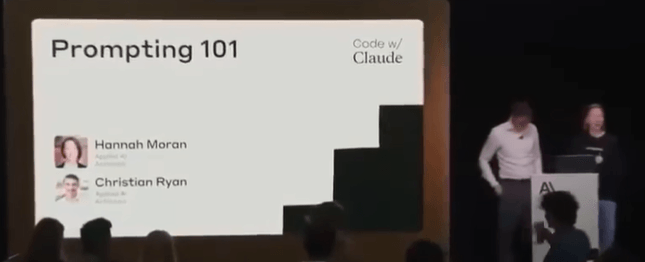
This workshop from Anthropic breaks prompt engineering into practical systems instead of “prompt tricks”.
The core lesson:
Better prompts come from better context, structure, and iteration.
Not from magic phrases.
What Prompt Engineering Actually Is
Prompt engineering is:
→ Giving the model clear instructions
→ Providing enough context
→ Structuring information correctly
→ Guiding the reasoning process
→ Reducing ambiguity
The goal is simple:
Help the model understand:
- What the task is
- What information matters
- How to think through the problem
- What output format is expected
The Real Example Anthropic Used
The workshop used a Swedish insurance claims workflow.
Input data:
→ A car accident report form
→ A hand drawn accident sketch
The model needed to:
→ Analyze the documents
→ Understand what happened
→ Determine fault confidently
The First Prompt Failed
Their first prompt was extremely simple.
Something like:
“Review this accident report and determine what happened.”
Result:
Claude incorrectly assumed the report was about a skiing accident.
Why?
Because the model lacked context.
The prompt never explained:
→ This was car insurance
→ The documents were accident forms
→ The sketch represented vehicle movement
→ The goal was insurance claim analysis
The model filled missing gaps with assumptions.
This is one of the biggest lessons in prompting.
If context is missing, the model starts guessing.
Prompt Engineering Is Iterative
Anthropic repeatedly emphasized this.
Good prompts are built through testing.
The workflow looks like this:
- Write initial prompt
- Test output
- Identify failures
- Add missing context
- Clarify instructions
- Test again
- Repeat
Prompt engineering is not theory.
It is iterative debugging.
The Structure Anthropic Recommends
Anthropic shared a structured prompt format for production systems.
Their recommended order:
1. Task Description
Tell the model:
→ What role it has
→ What job it needs to perform
→ What success looks like
Example:
“You are an AI assistant helping a Swedish insurance claims adjuster review vehicle accident reports.”
This immediately reduces ambiguity.
2. Dynamic Content
Next comes the actual input data.
Examples:
→ Images
→ PDFs
→ Forms
→ User messages
→ Retrieved documents
→ API data
In their case:
→ Accident forms
→ Hand drawn sketches
This section changes every request.
3. Detailed Instructions
Anthropic strongly recommends explicit reasoning instructions.
Instead of:
“Analyze this”
Use:
→ Review form first
→ Identify vehicle actions
→ Compare sketch against form
→ Evaluate confidence level
→ Determine fault only if evidence is sufficient
The more operational the instructions, the better.
4. Examples
Examples help align behavior.
You show:
→ Sample input
→ Ideal output
This teaches:
→ Output formatting
→ Tone
→ Reasoning depth
→ Confidence handling
Examples are especially useful for:
→ Extraction
→ Classification
→ Structured outputs
→ Decision systems
5. Final Reminders
Anthropic repeats critical constraints at the end.
Example:
→ Do not guess
→ Only make conclusions supported by evidence
→ Clearly state uncertainty
→ Stay factual
This reinforces model behavior before inference begins.
Why Context Matters So Much
The first failure happened because the model lacked environmental context.
After they added:
→ Insurance workflow details
→ Swedish accident reporting explanation
→ Human claims adjuster role
→ Vehicle context
Claude immediately stopped talking about skiing accidents.
The model behavior changed dramatically from context alone.
Anthropic’s Key Prompting Principle
The model should never need to “figure out the environment”.
You should define:
→ The setting
→ The task
→ The domain
→ The rules
→ The expectations
The less guessing required, the better the output.
Tone Context Is Important
Anthropic also discussed tone constraints.
For insurance workflows:
→ Accuracy matters more than creativity
→ Confidence matters more than fluency
So they instructed Claude to:
→ Stay factual
→ Avoid unsupported claims
→ Only conclude when confident
Without these constraints:
models often sound confident even when uncertain.
Confidence Handling Is Critical
One of the best practices from the workshop:
Teach the model how uncertainty should work.
Example:
→ If evidence is weak, say uncertain
→ If data conflicts, explain conflict
→ If information is missing, request clarification
This is extremely important for:
→ AI agents
→ automation systems
→ multimodal analysis
→ enterprise workflows
Their Prompt Improvement Process
Version 1:
→ Minimal context
→ Poor understanding
→ Incorrect assumptions
Version 2:
→ Added task context
→ Added role definition
→ Added tone rules
→ Added confidence requirements
Result:
→ Better reasoning
→ Better extraction
→ Better classification
→ Better reliability
This shows how small prompt changes compound heavily.
Key Lessons From The Workshop
1. Models Need Context
Do not assume the model understands:
→ your workflow
→ your business
→ your domain
→ your data structure
Explain everything clearly.
2. Prompting Is System Design
Good prompts are structured systems.
Not random instructions.
The structure matters:
→ role
→ context
→ instructions
→ examples
→ constraints
3. Explicit Instructions Beat Ambiguity
Weak:
“Analyze this”
Strong:
“Review the accident form first. Compare the sketch. Determine fault only if evidence supports a conclusion.”
Specific instructions improve reasoning quality.
4. The Model Reflects The Prompt
Bad prompt:
→ vague output
→ hallucinations
→ assumptions
Good prompt:
→ grounded reasoning
→ structured thinking
→ confidence awareness
5. Enterprise AI Needs Guardrails
Anthropic repeatedly emphasized:
→ factuality
→ confidence calibration
→ uncertainty handling
Especially for:
→ legal systems
→ insurance
→ healthcare
→ finance
→ automation pipelines
Practical Prompt Template
Here’s the simplified structure based on the workshop:
Role
“You are an AI assistant helping insurance adjusters review vehicle accident reports.”
Task
“Analyze the provided documents and determine what happened.”
Context
“The documents contain Swedish accident forms and hand drawn incident sketches.”
Instructions
→ Review form carefully
→ Compare sketch against form
→ Extract relevant evidence
→ State confidence clearly
→ Do not guess
Output Format
→ Summary
→ Key findings
→ Confidence assessment
→ Fault determination
Final Reminder
“Only make conclusions supported by evidence.”
Best Takeaway From The Entire Workshop
Prompt engineering is not about clever wording.
It is about:
→ clarity
→ structure
→ context
→ iteration
→ constraints
→ reasoning guidance
The better your system design, the better your AI output.
