
Why Pay $20/month, When you can Self Host n8n @ $3.99 only

50+ InMails. Advanced Lead search. First 2 Users only

Promoted by BULDRR AI

How to Use OpenClaw Skills — A Complete Beginner’s Guide

OpenClaw

What is OpenClaw?

OpenClaw is an open-source AI assistant designed as “AI that actually does things.”

It doesn’t just chat. It takes real actions — browsing the web, running code, managing files, sending messages, and automating workflows across your apps.

Skills are what make it powerful. They are instruction packages that teach OpenClaw how to perform specific tasks — browser automation, coding, memory, multi-agent workflows, and much more.

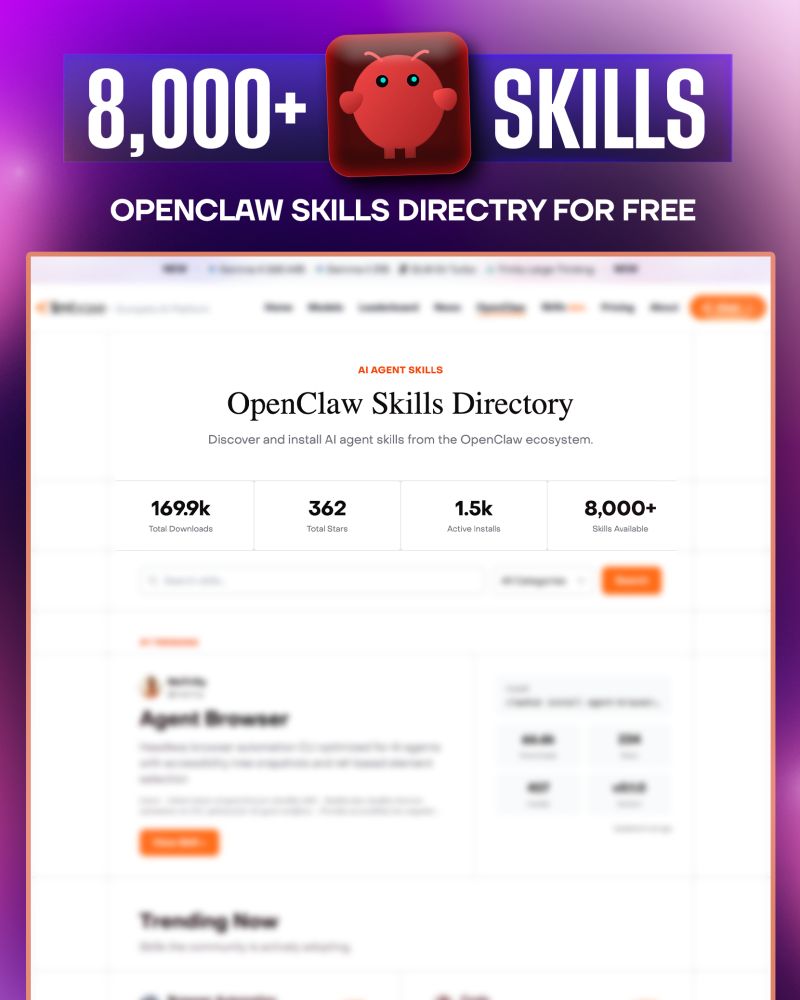
You can browse 8,000+ free skills here: 👉 https://llmbase.ai/openclaw/


Step 1 — Install OpenClaw

The fastest way to install is the installer script. It detects your OS, installs Node if needed, installs OpenClaw, and launches onboarding automatically.

On macOS / Linux / WSL2:

curl -fsSL <https://openclaw.ai/install.sh> | bash

On Windows (PowerShell):

iwr -useb <https://openclaw.ai/install.ps1> | iex

Or via npm:

npm install -g openclaw@latest
openclaw onboard --install-daemon

System requirements: Node 24 (recommended) or Node 22.14+. Works on macOS, Linux, and Windows (WSL2 recommended on Windows).

Verify your install:

openclaw --version
openclaw doctor
openclaw gateway status

Step 2 — Install the ClawHub CLI

ClawHub is the public skill registry for OpenClaw. It’s a free service — all skills are public, open, and visible to everyone for sharing and reuse.

Install the ClawHub CLI with one command:

npm i -g clawhub

Or with pnpm:

pnpm add -g clawhub

Step 3 — Browse Skills

You have two ways to find skills:

Option A — Browse the web directory: Go to https://llmbase.ai/openclaw/ and search by name or category.

Option B — Search from the terminal:

clawhub search "browser automation"
clawhub search "postgres"
clawhub search "calendar"

Search is powered by vector embeddings, not just keywords — so plain language works fine.


Step 4 — Install a Skill

Once you find a skill you want, install it with:

clawhub install <skill-slug>

Example:

clawhub install agent-browser

By default, the CLI installs skills into ./skills under your current working directory. OpenClaw picks them up as workspace skills in the next session.

You can also install a specific version:

clawhub install agent-browser --version 1.2.0

Or force overwrite an existing install:

clawhub install agent-browser --force

After installing — restart your OpenClaw session so it picks up the new skill.


Step 5 — Use the Skill

Once installed, you don’t need to do anything special. Just talk to OpenClaw in plain language:

“Use the agent-browser skill to open Twitter and take a screenshot.”

“Use the postgres skill to run a query on my database.”

OpenClaw automatically detects installed skills and uses them as context when handling your requests. No configuration needed.

You can also invoke skills directly with slash commands:

/agent-browser
/coding-workflow
/rag-memory

Step 6 — Update Your Skills

Keep skills up to date with:

clawhub update --all

Or update a specific skill:

clawhub update agent-browser

Step 7 — Manage Your Skills

List all installed skills:

clawhub list

Disable a skill without deleting it — edit your OpenClaw config at ~/.openclaw/openclaw.json:

{
  "skills": {
    "entries": {
      "skill-name": { "enabled": false }
    }
  }
}

Enable a skill that’s off by default:

{
  "skills": {
    "entries": {
      "skill-name": { "enabled": true }
    }
  }
}

How Skills Work (Under the Hood)

Skills are plain-text instruction files — not executable code. They encode expert knowledge about frameworks, tools, or workflows that OpenClaw reads to improve its output. Zero runtime overhead, no dependency conflicts, and full transparency — you can read every instruction before installing.

Each skill is a directory containing a SKILL.md file with YAML frontmatter and instructions. OpenClaw loads bundled skills plus optional local overrides, and filters them at load time based on environment, config, and binary presence.

Skill priority order (highest to lowest):

  1. Workspace skills (<workspace>/skills)
  2. Project agent skills (<workspace>/.agents/skills)
  3. Personal agent skills (~/.agents/skills)
  4. Managed/local skills (~/.openclaw/skills)
  5. Bundled skills (shipped with OpenClaw)

Security — Read Before Installing

Treat third-party skills as untrusted code. Read them before enabling. Prefer sandboxed runs for untrusted inputs and risky tools.

Skills with more than 3 unique community reports are auto-hidden by default. Moderators can review, unhide, or delete flagged skills.

Every skill on LLMBase shows a risk rating: Safe / Medium / Critical — always check this before installing.


Want to Publish Your Own Skill?

If you build a workflow that works well, you can publish it for the community:

clawhub publish ./my-skill --slug my-skill --name "My Skill" --version 1.0.0 --tags latest

A GitHub account must be at least one week old to publish — this helps slow down abuse without blocking legitimate contributors.


Quick Reference

TaskCommand
Search skillsclawhub search "query"
Install a skillclawhub install <slug>
Update all skillsclawhub update --all
List installedclawhub list
Publish a skillclawhub publish ./folder --slug name
Back up all skillsclawhub sync --all

Resources

Learn how to Build this Workflow with AI:

Follow us:

There’s no automation you can’t learn to build with BULDRR AI.

I'll show how you can implement AI AGENTS to take over repetitive tasks.

Promoted by BULDRR AI

How to Use OpenClaw Skills — A Complete Beginner’s Guide

OpenClaw

What is OpenClaw?

OpenClaw is an open-source AI assistant designed as “AI that actually does things.”

It doesn’t just chat. It takes real actions — browsing the web, running code, managing files, sending messages, and automating workflows across your apps.

Skills are what make it powerful. They are instruction packages that teach OpenClaw how to perform specific tasks — browser automation, coding, memory, multi-agent workflows, and much more.

You can browse 8,000+ free skills here: 👉 https://llmbase.ai/openclaw/


Step 1 — Install OpenClaw

The fastest way to install is the installer script. It detects your OS, installs Node if needed, installs OpenClaw, and launches onboarding automatically.

On macOS / Linux / WSL2:

curl -fsSL <https://openclaw.ai/install.sh> | bash

On Windows (PowerShell):

iwr -useb <https://openclaw.ai/install.ps1> | iex

Or via npm:

npm install -g openclaw@latest
openclaw onboard --install-daemon

System requirements: Node 24 (recommended) or Node 22.14+. Works on macOS, Linux, and Windows (WSL2 recommended on Windows).

Verify your install:

openclaw --version
openclaw doctor
openclaw gateway status

Step 2 — Install the ClawHub CLI

ClawHub is the public skill registry for OpenClaw. It’s a free service — all skills are public, open, and visible to everyone for sharing and reuse.

Install the ClawHub CLI with one command:

npm i -g clawhub

Or with pnpm:

pnpm add -g clawhub

Step 3 — Browse Skills

You have two ways to find skills:

Option A — Browse the web directory: Go to https://llmbase.ai/openclaw/ and search by name or category.

Option B — Search from the terminal:

clawhub search "browser automation"
clawhub search "postgres"
clawhub search "calendar"

Search is powered by vector embeddings, not just keywords — so plain language works fine.


Step 4 — Install a Skill

Once you find a skill you want, install it with:

clawhub install <skill-slug>

Example:

clawhub install agent-browser

By default, the CLI installs skills into ./skills under your current working directory. OpenClaw picks them up as workspace skills in the next session.

You can also install a specific version:

clawhub install agent-browser --version 1.2.0

Or force overwrite an existing install:

clawhub install agent-browser --force

After installing — restart your OpenClaw session so it picks up the new skill.


Step 5 — Use the Skill

Once installed, you don’t need to do anything special. Just talk to OpenClaw in plain language:

“Use the agent-browser skill to open Twitter and take a screenshot.”

“Use the postgres skill to run a query on my database.”

OpenClaw automatically detects installed skills and uses them as context when handling your requests. No configuration needed.

You can also invoke skills directly with slash commands:

/agent-browser
/coding-workflow
/rag-memory

Step 6 — Update Your Skills

Keep skills up to date with:

clawhub update --all

Or update a specific skill:

clawhub update agent-browser

Step 7 — Manage Your Skills

List all installed skills:

clawhub list

Disable a skill without deleting it — edit your OpenClaw config at ~/.openclaw/openclaw.json:

{
  "skills": {
    "entries": {
      "skill-name": { "enabled": false }
    }
  }
}

Enable a skill that’s off by default:

{
  "skills": {
    "entries": {
      "skill-name": { "enabled": true }
    }
  }
}

How Skills Work (Under the Hood)

Skills are plain-text instruction files — not executable code. They encode expert knowledge about frameworks, tools, or workflows that OpenClaw reads to improve its output. Zero runtime overhead, no dependency conflicts, and full transparency — you can read every instruction before installing.

Each skill is a directory containing a SKILL.md file with YAML frontmatter and instructions. OpenClaw loads bundled skills plus optional local overrides, and filters them at load time based on environment, config, and binary presence.

Skill priority order (highest to lowest):

  1. Workspace skills (<workspace>/skills)
  2. Project agent skills (<workspace>/.agents/skills)
  3. Personal agent skills (~/.agents/skills)
  4. Managed/local skills (~/.openclaw/skills)
  5. Bundled skills (shipped with OpenClaw)

Security — Read Before Installing

Treat third-party skills as untrusted code. Read them before enabling. Prefer sandboxed runs for untrusted inputs and risky tools.

Skills with more than 3 unique community reports are auto-hidden by default. Moderators can review, unhide, or delete flagged skills.

Every skill on LLMBase shows a risk rating: Safe / Medium / Critical — always check this before installing.


Want to Publish Your Own Skill?

If you build a workflow that works well, you can publish it for the community:

clawhub publish ./my-skill --slug my-skill --name "My Skill" --version 1.0.0 --tags latest

A GitHub account must be at least one week old to publish — this helps slow down abuse without blocking legitimate contributors.


Quick Reference

TaskCommand
Search skillsclawhub search "query"
Install a skillclawhub install <slug>
Update all skillsclawhub update --all
List installedclawhub list
Publish a skillclawhub publish ./folder --slug name
Back up all skillsclawhub sync --all

Resources

Learn how to Build this Workflow with AI:

Follow us:

Promoted by BULDRR AI

Our AI Articles

Learn from our AI Articles to excel in your profession ;)

Workflow Orchestration

1. Plan Node Default 2. Subagent Strategy 3. Self-Improvement Loop 4. Verification Before Done 5. Demand Elegance (Balanced) 6. Autonomous...

How to Use OpenClaw Skills — A Complete Beginner’s Guide

What is OpenClaw? OpenClaw is an open-source AI assistant designed as “AI that actually does things.” It doesn’t just chat....

Build a $10,000 RAG system using Gemini + Claude Code

This ‘$10,000 RAG system’ isn’t about expensive infrastructure—it’s about how you structure retrieval....

Free OpenRouter API Keys & Free Models List [Updated April 2026]

Get a free OpenRouter API key in minutes. See all free models available in 2026, rate limits, and how to...

7 AI Agents Clients Are Paying $2,000+/Month For in 2026 [Real Examples]

Discover the 7 AI agents businesses are actively buying in 2026 — with real pricing, use cases, and how to...

Comprehensive Channel Analysis: Alex Hormozi

Alex Hormozi gives away what others sell for $10K—not to make money from content, but to manufacture million-dollar businesses at...

Beginner to Pro Guide: Using the Agentic SEO Claude Skill

This isn’t just an SEO audit—it’s a feedback loop where your system analyzes, prioritizes, and answers based on your data,...

Top 60 Claude Skills, Workflows & GitHub Repos for AI

This isn’t just a list. It’s a full-stack AI toolkit: from coding agents → to frameworks → to workflows →...

How to Use Claude Code for Free in 2026 (No Subscription Needed)

Yes, you can use Claude Code for free. This guide shows exactly how — free tier limits, local model workarounds,...

The Billion-Dollar AI Board: Build Your Free AI Board of Directors with 8 Business Legends

What if you could ask Alex Hormozi about your pricing, Grant Cardone about your sales volume, and Gary Vee about...

Frequently Asked Questions

We share all our insights and resources for free, but building them isn’t cheap. Ads help us recover those costs so we can keep offering everything at no charge forever.

Yes, Ofcourse. Contact us and we’ll set it up. We also offer 100+ hours of free visibility to select brands.

No, nothing at all. In fact, many ads come with extra discounts for you.

Yes, sometimes. If you buy through our links, we may earn a small commission at no extra cost to you.

1:1 Free Strategy Session
Your competitors are already automating. Are you still paying for it manually?

Do you want to adopt AI Automation?

Every hour your team does repetitive work, you're burning real money.
While you wait, faster businesses are cutting costs and moving quicker.
AI and automations aren't the future anymore — they're the present.

Book a live 1-on-1 session where we show you exactly which of your daily tasks can be automated — and what it’s costing you not to.