

What This Automation Does
This bot handles everything your Telegram group or channel throws at it
— automatically, without you touching a thing.
Here’s what it does the moment a message arrives:
→ Reads texts, photos, voice notes, and files — and sorts them instantly
→ Detects slash commands like /start, /pay, or /help and routes them
to the right workflow
→ Registers new members into Google Sheets automatically
→ Processes payments and triggers invoice workflows
→ Sends fast, accurate replies back to users — no manual effort needed
One n8n workflow. Every message type. Fully handled.
How the Workflow Works: Input → Process → Output
Inputs
- Telegram updates: Messages, files, callback queries, payments, and membership events.
Processing Steps
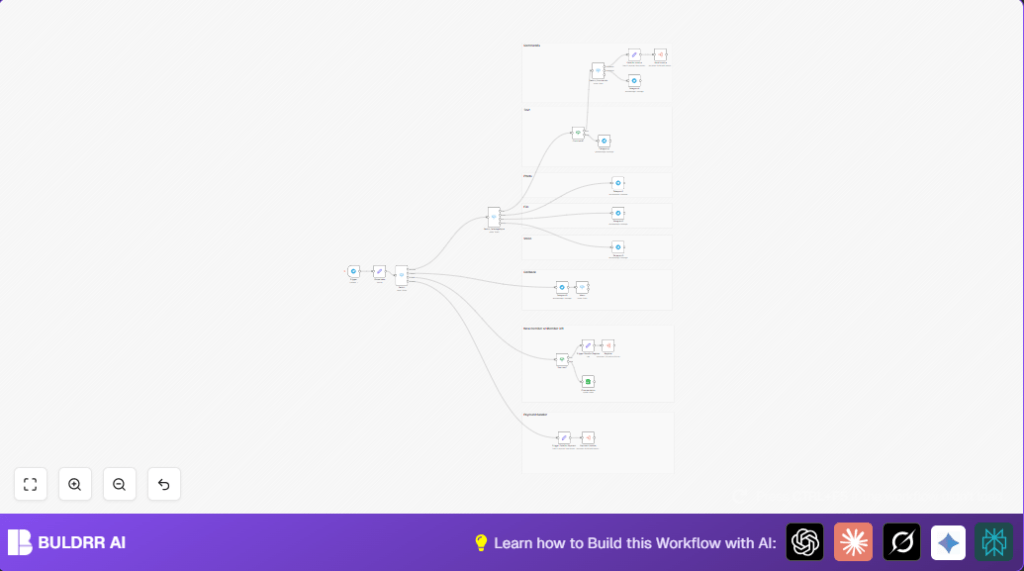
- A Telegram Trigger node receives all updates.
- A Set node prepares data.
- A main Switch node sorts input into categories: Message, Callback, System, Payment.
- Within Message, another Switch finds if it is text, photo, file, or voice.
- An IF node checks if text is a command starting with a slash.
- A command Switch directs known commands to workflows; unknown commands get a fallback reply.
- System inputs check for new member events; if found, an Execute Workflow updates Google Sheets to register the user.
- Payment data triggers payment-related workflows after tagging action identifiers.
Outputs
- Replies sent back to Telegram chats confirming message types.
- Google Sheets updated with user status.
- Triggered workflows handle payments and invoices.
Tools and Services Used
- n8n platform: For building and running automation workflows.
- Telegram Bot API: Receives user messages and sends responses.
- Google Sheets API: Stores and updates user info and payment status.
Who Should Use This Workflow
This workflow fits community managers handling large Telegram groups.
It helps with automatic message sorting, fast replies, user membership tracking, and payment processing.
Anyone needing to reduce manual tasks and improve Telegram chat management will find it useful.
Beginner Step-by-Step: How to Use This Workflow in Production
Import Workflow
- Download the workflow file using the Download button on this page.
- In the n8n editor, click the top-left menu and choose “Import from File”.
- Select the downloaded workflow file to load it.
Configure Credentials
- Add Telegram Bot API credentials in n8n’s credentials manager.
- Set up Google Sheets OAuth credentials with write permissions.
Update IDs & Parameters
- Edit any IDs, emails, Google Sheet names, or folder references in nodes if required.
- Make sure the Telegram webhook URL is properly set in the Telegram Bot settings.
Test Workflow
- Send test messages to the Telegram bot: texts, photos, or commands like /pay.
- Check if replies come back correctly.
- Verify Google Sheets update on membership changes.
Activate Workflow
- Turn the workflow on by toggling it in n8n editor to run live.
- Monitor executions in the n8n UI for any errors.
- Optionally consider self-host n8n for better control and privacy.
Customizations
- Add new command words in the existing command Switch node for more bot features.
- Change texts sent back in Telegram send nodes to match preferred wording.
- Extend the Google Sheets schema to track more user fields like subscription or last active date.
- Add new message types like video in the message type Switch for broader media support.
- Connect more sub-workflows for registrations, payments, or special events.
Troubleshooting
- Webhook not triggering: Check correct webhook URL and Telegram permissions.
- Google Sheets update issues: Confirm sheet name, ID, and OAuth access rights.
- Commands ignored: Ensure commands start with slash and IF node conditions are right.
Pre-Production Checklist
- Verify Telegram API credentials and webhook setup.
- Confirm Google Sheets OAuth is authorized.
- Test each message type and feedback response.
- Simulate members joining/leaving to check sheet updates.
- Try payment commands and verify workflows trigger.
Deployment Guide
Activate the workflow on the n8n editor to start.
Use execution logs to watch for errors.
Monitor Telegram bot dashboard for webhook hits.
Regularly check Google Sheets for correct user data.
Summary
✓ Automates sorting of Telegram messages by type and command.
✓ Tracks user memberships and payment events in Google Sheets.
✓ Saves hours by removing manual message handling.
✓ Sends quick, clear replies to users based on their input.
→ You get a more responsive Telegram bot and cleaner community management.
→ Payment processing and user registration happen without delay.
