
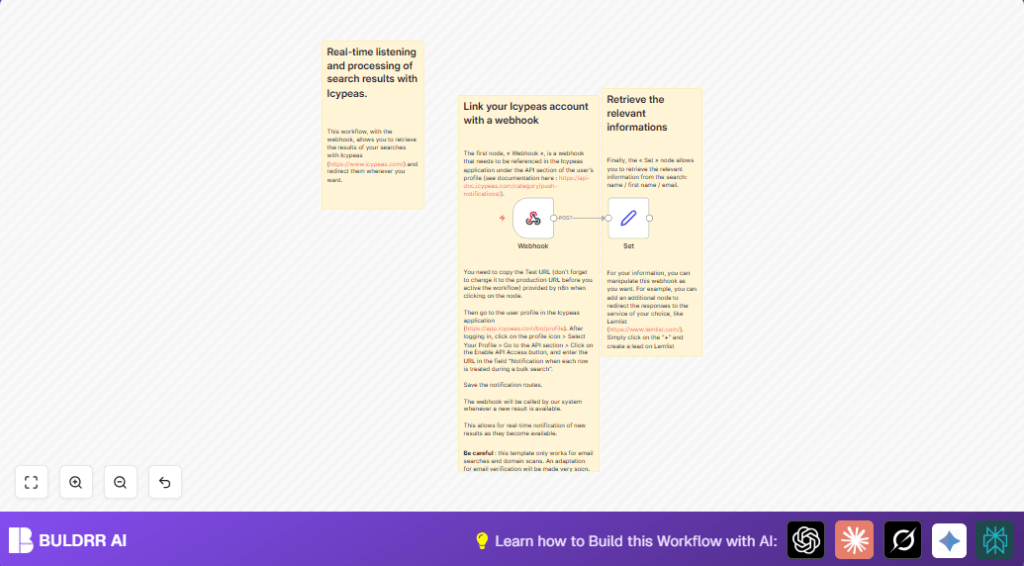

What This Automation Does
This workflow gets notifications from Icypeas when new email search results arrive.
It pulls out email, first name, and last name from the data automatically.
Then it makes this information ready for use anywhere else.
It stops the need to check or download results by hand.
This saves a lot of time and errors in lead handling.
Tools and Services Used
- Icypeas API: Sends real-time search notifications to a webhook.
- n8n platform: Runs the automation workflow with webhooks and data extraction.
- Lemlist (optional): For forwarding leads automatically to email outreach.
Input → Processing → Output
Inputs
- Data from Icypeas webhook about new email search results.
Processing Steps
- Webhook node receives JSON data automatically when new results come.
- Set node extracts the email, firstname, and lastname from JSON using defined expressions.
- Formats extracted data for easy use in later workflow steps or tools.
Output
- A clean JSON record with email and name fields ready to use.
- Data can be sent directly to CRM, email tools, or notifications.
Who Should Use This Workflow
Anyone who runs bulk email searches with Icypeas and wants fast lead updates.
This suits sales managers and marketers who lose time checking results manually.
Ideal for users wanting better speed and accuracy in their lead follow-ups.
Beginner Step-by-Step: How to Use This Workflow in n8n
Step 1: Import the Workflow
- Download the workflow file using the Download button on this page.
- Open the n8n editor and select “Import from File”.
- Select the downloaded workflow to load it.
Step 2: Configure Credentials and Settings
- Add your Icypeas API credentials in n8n’s credential manager.
- Update any IDs, emails, channel names, or table names in the nodes if needed.
- Confirm the webhook URL matches the one registered in the Icypeas profile.
Step 3: Test the Workflow
- Run a test bulk search in Icypeas to trigger the webhook.
- Check that the data reaches the Set node correctly.
Step 4: Activate for Production
- Toggle the workflow’s Active switch in n8n to start receiving real-time notifications.
- Monitor the Executions tab to ensure smooth processing.
If using self-hosted n8n, you may want to check self-host n8n resources for better control.
Customizations
- Add email verification support by adjusting the webhook and Set node JSON paths.
- Send new lead notifications to Slack using a Slack node after the Set node.
- Save leads automatically in Google Sheets by adding a Google Sheets node.
Troubleshooting
Webhook Not Triggered
Check if the webhook URL is saved in Icypeas API settings.
Make sure API access is turned on.
Set Node Outputs Empty Fields
Look at the JSON from the webhook closely.
Adjust the JSON path expressions to correctly find email and names.
Pre-Production Checklist
- Confirm webhook URL is saved in Icypeas API settings.
- Run a test search and check webhook data arrives.
- Verify extracted email and names in the Set node output.
- Test any extra integrations you add.
- Back up the workflow before activating.
Deployment Guide
Turn on the workflow in n8n by setting it to Active.
Icypeas will send live search results to the webhook URL.
Watch the Executions tab in n8n to confirm data arrives and flows correctly.
For bigger use, add logging or CRM update nodes after the Set node.
Summary of Results
✓ Automates receiving email search data instantly
✓ Removes manual downloading and checking
✓ Extracts key contact info automatically
✓ Speeds up lead follow-ups from hours to seconds
✓ Easily connects with other tools for lead outreach
