
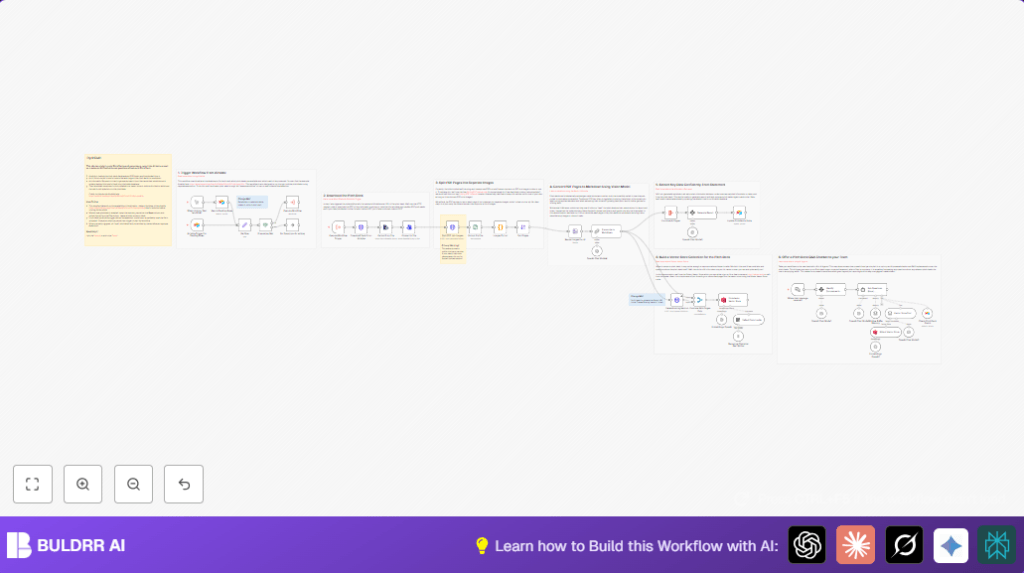

What this workflow does
This n8n workflow reads pitch deck PDFs from Airtable and turns them into clear, detailed reports.
It solves the problem of slow, manual reading and note-taking by automatically extracting key startup details.
Users get accurate data in Airtable and a chatbot that answers questions about any pitch deck fast.
The workflow makes the whole process faster and less error-prone, helping users find important info quickly.
Who should use this workflow
Investment analysts who review many pitch decks.
Startup evaluators needing structured data from documents.
Teams wanting fast answers from large sets of PDF pitch decks.
This workflow fits non-technical users because it runs automatically in n8n once set up.
Tools and services used
- n8n: Workflow automation platform.
- Airtable: Stores pitch decks and extracted data.
- Stirling PDF API: Converts PDFs into page images.
- OpenAI API: AI vision model for transcription and chat.
- Qdrant Vector Store: Stores embeddings for semantic search.
Workflow Inputs → Processing Steps → Outputs
Inputs
- Pitch deck PDFs from Airtable attachments.
Processing Steps
- Trigger on new or pending pitch decks in Airtable.
- Download PDF files using their URLs.
- Convert PDFs into separate page images with Stirling PDF API.
- Extract images from the zip archive.
- Convert page images into ordered list items.
- Sort images by filename to keep correct page order.
- Resize images to 50% for AI processing efficiency.
- Use OpenAI vision to transcribe each page into detailed markdown.
- Combine markdown pages into one document.
- Run AI extraction to create a structured VC report with key metrics.
- Update Airtable with extracted data like founders, funding, and traction.
- Delete old vectors and add new vector embeddings into Qdrant.
- Enable AI chatbot powered by the vector store for instant asking.
Outputs
- Pitch deck data updated in Airtable.
- Searchable vector embeddings in Qdrant.
- Markdown transcriptions of pitch decks.
- AI chatbot ready to answer questions.
Beginner step-by-step: How to build this in n8n
Import the workflow
- Download the provided workflow file using the Download button on this page.
- Open your n8n editor.
- Choose “Import from File” and select the downloaded workflow file.
Configure required credentials
- Add or update your Airtable API Key and set correct Base and Table IDs in Airtable Trigger For Pending Rows and other Airtable nodes.
- Set the Stirling PDF API URL if self-hosting or keep the default public endpoint.
- Enter your OpenAI API Key for all AI-related nodes.
- Provide the Qdrant Vector Store URL and API Key in the relevant HTTP request nodes.
Update workflow parameters if needed
- Check any code or prompt areas for company or model info, copy-paste if necessary.
- Adjust any IDs, emails, or table references to match your workspace.
Test and activate
- Run the workflow once with a sample pitch deck record.
- Check outputs in Airtable and node results to confirm correctness.
- Activate the Airtable Trigger For Pending Rows node for automatic running in production.
If using self-host n8n setups, consider self-host n8n for better privacy.
Edge cases and failures
- If the workflow does not start, check Airtable trigger filters and API Keys.
- Errors uploading or deleting vectors usually indicate wrong Qdrant URLs or credentials.
- Unclear transcription means the images might be too small or the AI prompt needs adjusting.
- Large pitch decks may consume more AI API credits.
Customization ideas
- Use private Stirling PDF API instances for data privacy.
- Tune image resize % in the Resize Images For AI node for better transcription balance.
- Edit the AI prompt in Generate Report to fit your investment style.
- Swap OpenAI models to your preferred version.
- Change Airtable base or Qdrant collection names to your setup.
Summary of results
✓ The workflow automatically extracts and summarizes pitch deck data.
✓ Airtable records update with structured startup info.
✓ Qdrant stores searchable vectors enabling quick lookups.
✓ An AI chatbot provides instant answers about pitch decks.
✓ Saves time and reduces errors in pitch deck analysis.
✓ Runs continuously with new pitch deck entries in Airtable.
