
Why Pay $20/month, When you can Self Host n8n @ $3.99 only

50+ InMails. Advanced Lead search. First 2 Users only

Promoted by BULDRR AI

#2 Create Content That Brings Clients (Not Just Likes) – by Matt Lakajev

PlayBook#2 – (Framework sourced from Matt Lakajev’s strategy)

Why Content Matters

Your content is not the business.
It is the trust accelerant that brings the right people to your inbox.
Matt calls this the “Content Engine”—one part of the Three C’s:
Content → Conversations → Conversions

Your goal is simple:

Be seen → Be trusted → Be contacted

You are not trying to go viral.
You are trying to be relevant to a small group who can buy.


Section A — The 5 High-Impact Post Types

These are the only formats beginners need — validated directly from the research:
Post TypeWhat It BuildsWhy It Works
Personal StoryFamiliarity, relatabilityPasses Relevance Gate
How-To / How-I postAuthority, expertiseShows proof via teaching
ListicleSaves & reachPeople like scanning
Contrarian opinionComments ↗You challenge a belief
Lead Magnet postDirect lead flowComments trigger algorithm

(Structured based on Lakajev’s viral content archetypes)


1) Personal Story Post

When your reader says: “This person gets me.”

Simple structure:

  1. The moment something went wrong
  2. The lesson you learned
  3. The belief you now have
  4. A takeaway for others

Avoid: Trauma dumping — keep it useful.


2) How-To / How-I Post

Show your expertise through action.

Template:
How I helped [client type] achieve [result] — Step by Step
Steps in order
Short sentences
No fluff

This passes the Risk Gate by proving capability.


3) Listicle Post

Fast to consume. Great for beginners.

Examples:

  • 5 costly mistakes ecommerce founders make on their website
  • 7 tools I use to build sites in 7 days

Use numbers in headline → scrolling stops.


4) Contrarian Post

People share opinions more than facts.

Example idea:
“Posting daily isn’t growth — it’s procrastination if you avoid conversations.”

This drives debate → more reach.
Based on “comment-hacking” behaviors.


5) Lead Magnet Post (Lakajev’s most powerful tactic)

Posts engineered to produce leads immediately.

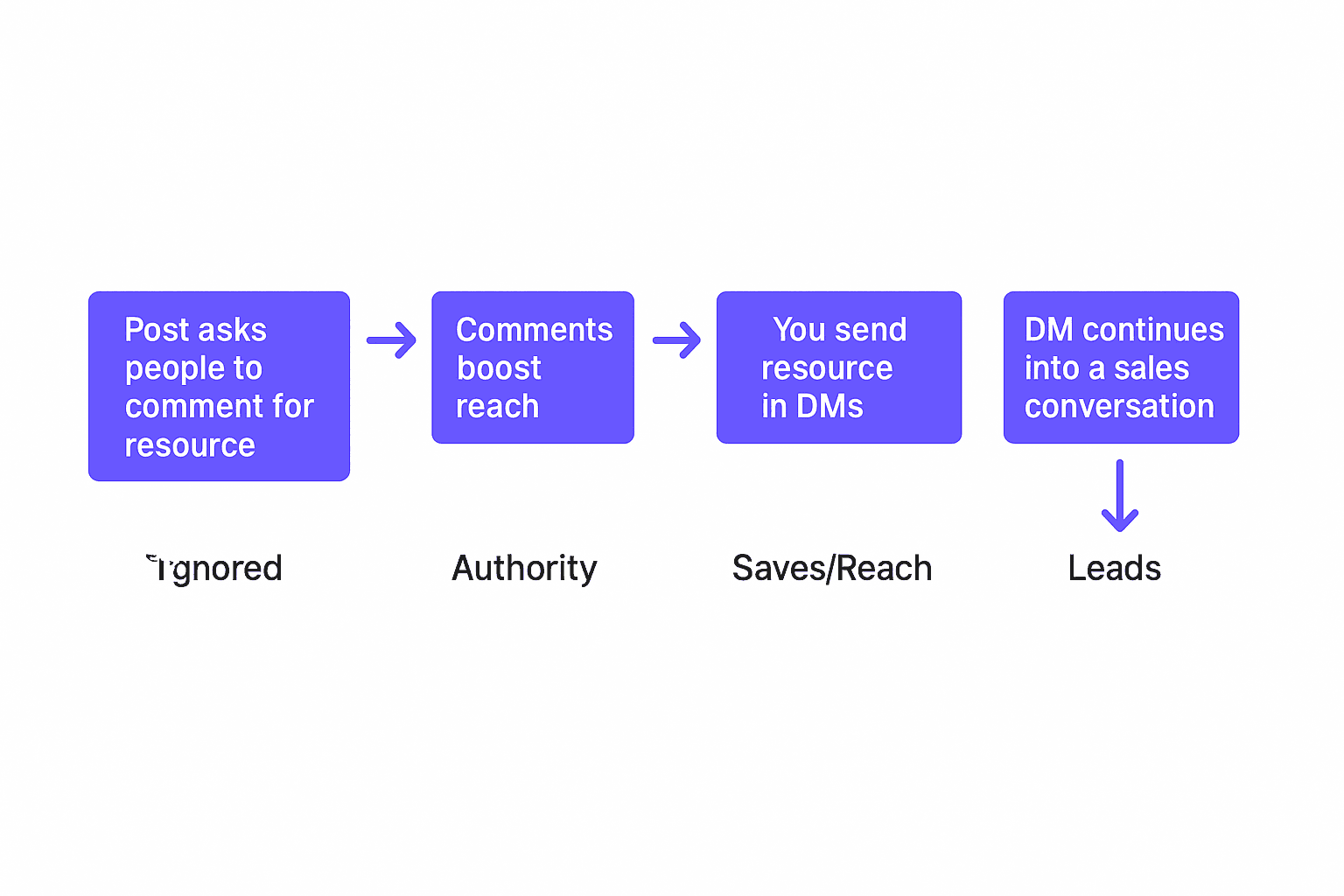
You offer a free resource → people must comment to get it.
LinkedIn boosts posts with replies.
You then send them a link and start a conversation.
This is exactly how Matt validates product demand.

Tip:
Announce the offer first.
Create the resource only if enough people comment (market validation).

Section B — Targeting: Write Only for One Audience

Broad content kills trust.
Narrow content builds “He understands my exact situation.”
This unlocks the Snowflake Gate.

Example comparison:

Writing about…Who it speaks to
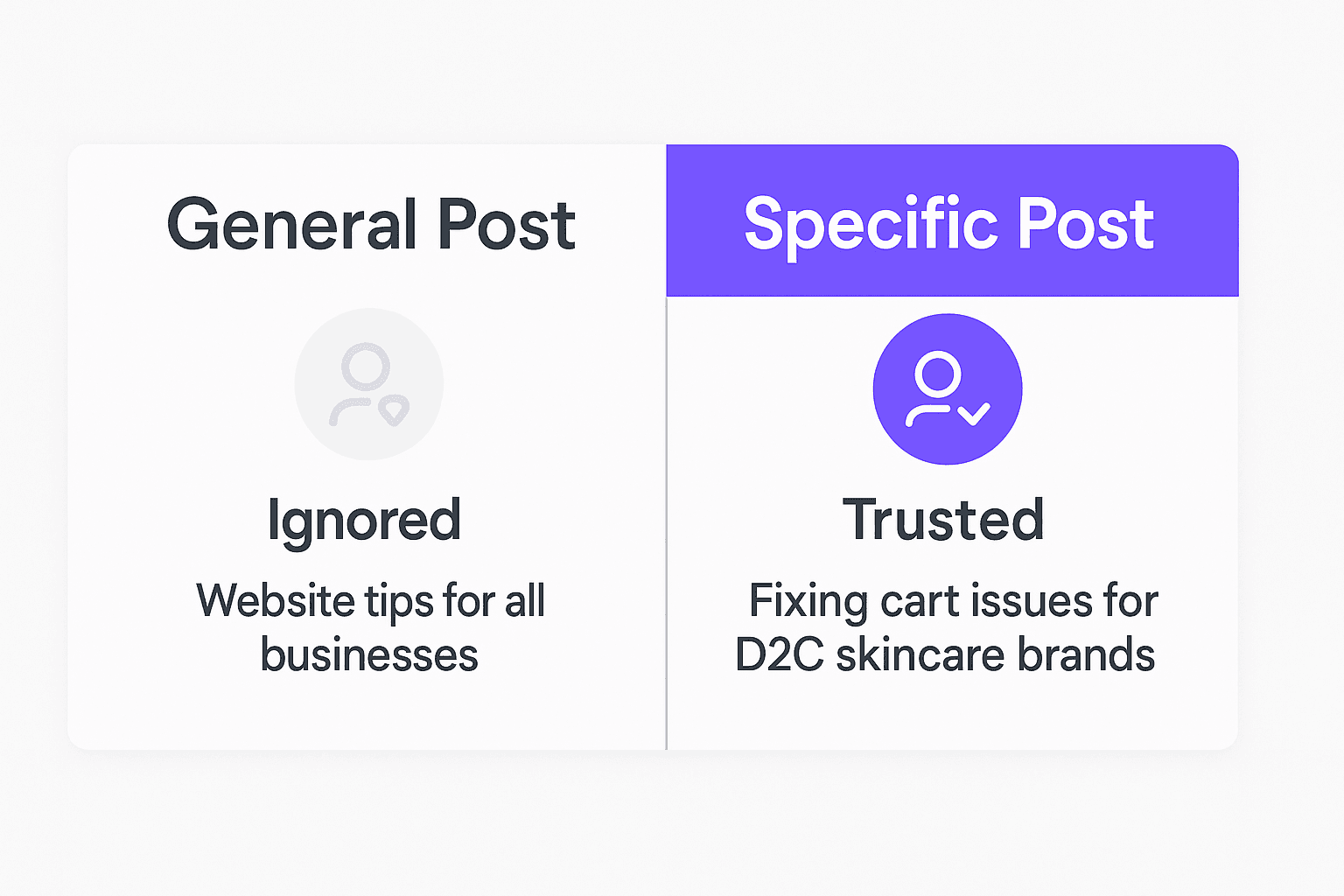
“Website tips for business owners”Nobody
“Website mistakes killing sales for D2C skincare brands”Buyers

Choose one group and write like you are inside their head.


Section C — Video Strategy (2025 Onwards)

LinkedIn now prioritizes vertical short video.

Matt’s structure:

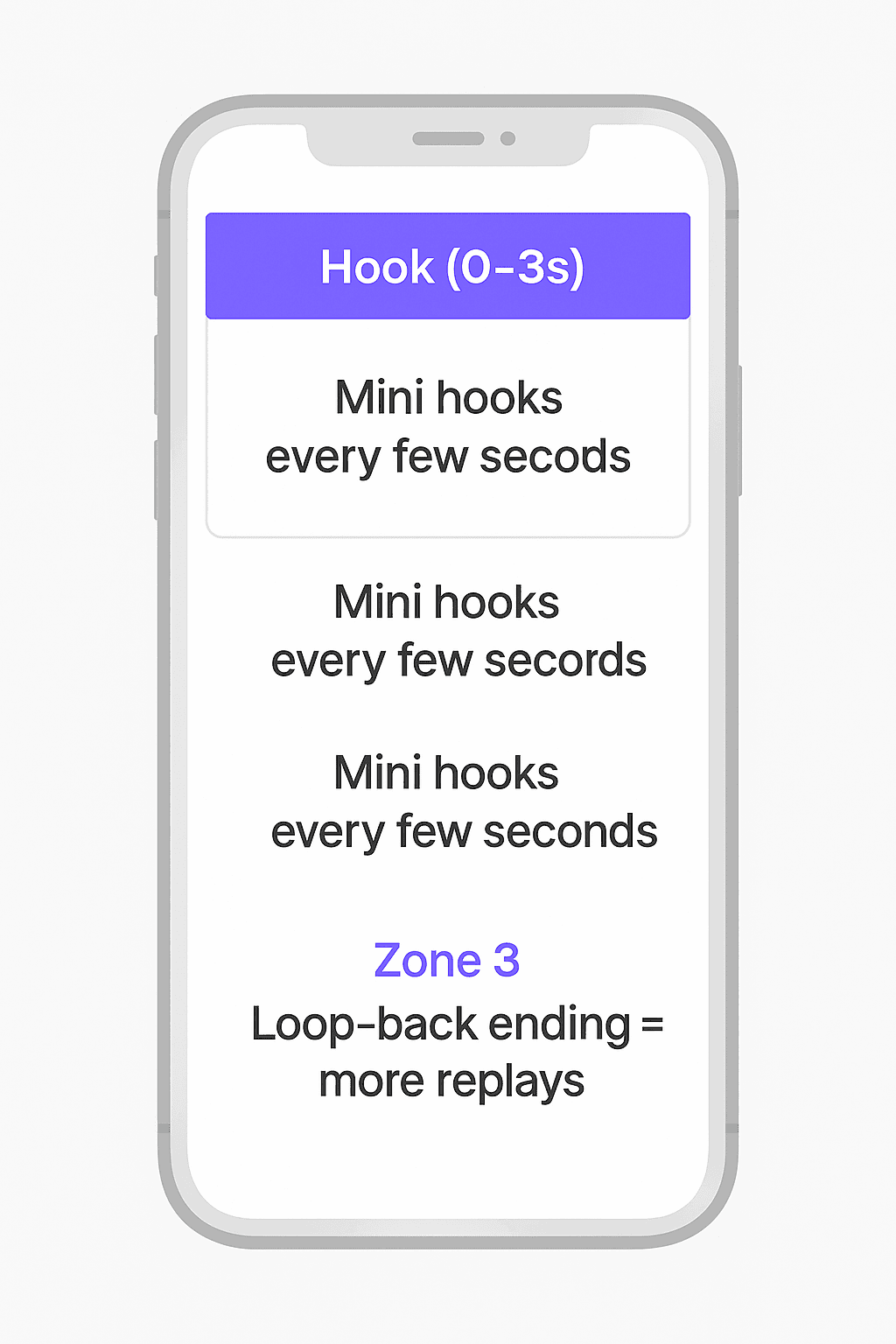
  • First 3 seconds = the hook war
  • Include mini-hooks every few seconds
  • End with a loop-back line so people rewatch
  • The caption starts with the same hook
  • Add text overlay for silent viewers

Hook examples:

  • “Why your LinkedIn posts get ignored.”
  • “One change doubled my replies last month.”

No fancy production needed.
Natural office lighting works best.

Section D — Consistency System

Success does not come from one great post — it comes from momentum.
Matt’s recommendation:
3–5 posts per week
Mix the 5 formats above.

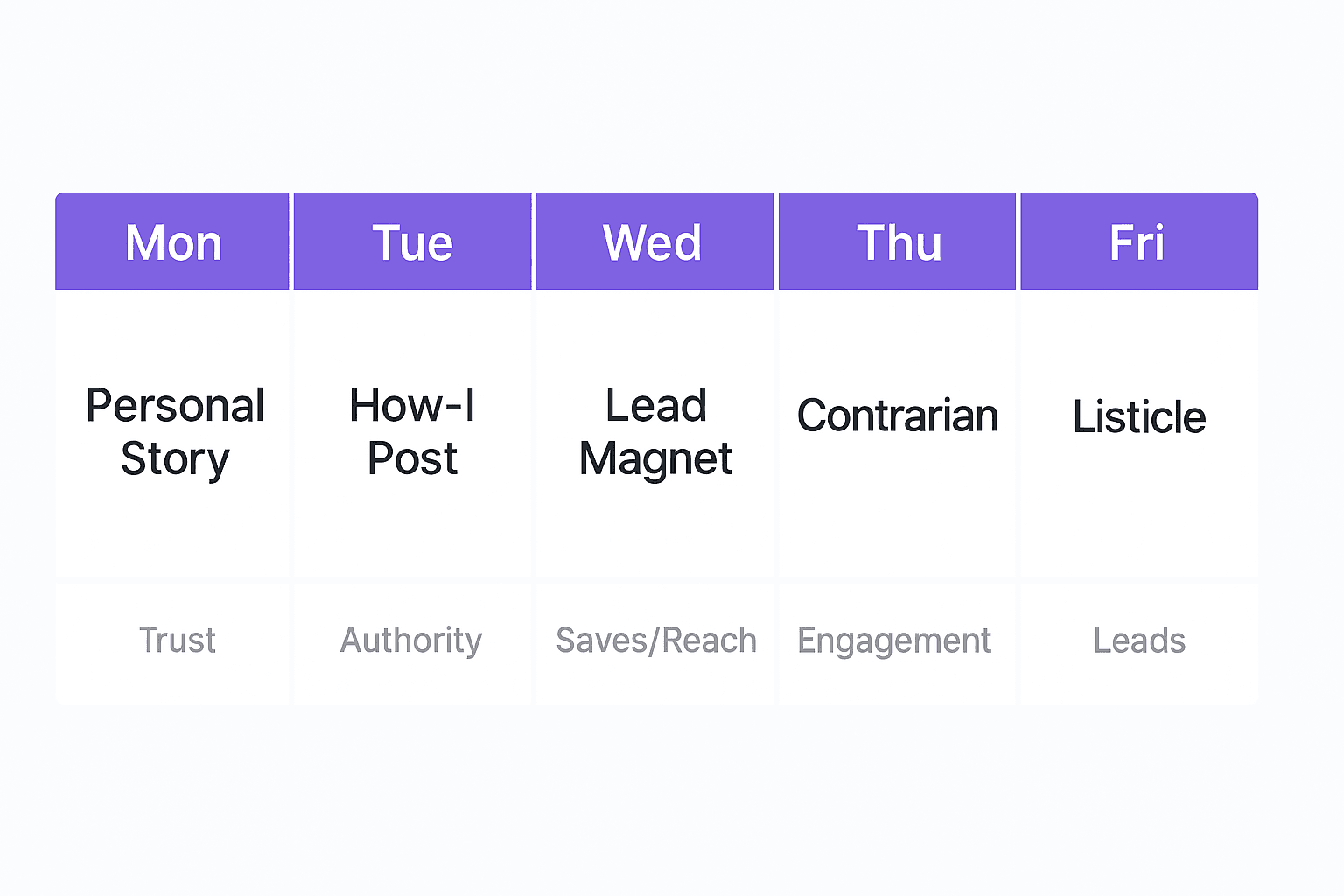
Weekly mix example:

  • Monday → Personal Story
  • Tuesday → How-I Post
  • Wednesday → Lead Magnet
  • Thursday → Contrarian
  • Friday → Listicle

Every post should pull a specific audience closer to a conversation.

Beginner Mistakes to Avoid

MistakeBetter approach
Posting about random topicsOne niche, one problem, one solution
Teaching without proofShow real examples
Asking for calls too quicklyStart with value-first CTA
Focusing on likesFocus on profile visits & conversations

Metrics that matter:

  • Profile views ↑
  • DMs ↑
  • Calls booked ↑

Not views and likes.


Quick Action Checklist

Mark these once completed:

☑️ Define your audience in one sentence
☑️ Write one post using each of the 5 formats
☑️ Create a simple lead magnet (checklist or template)
☑️ Post 3–5 times this week
☑️ Track profile views and replies daily

Once this checklist is complete, your content engine is running.


The Goal of Content

“I trust you. I want to talk to you.”
When this happens → the inbox becomes your sales pipeline.
Which leads us to:

Playbook #3 — Finding and Starting the Right Conversations
(Messaging, DM workflows, Sales Navigator strategy)

Learn how to Build this Workflow with AI:

Follow us:

There’s no automation you can’t learn to build with BULDRR AI.

I'll show how you can implement AI AGENTS to take over repetitive tasks.

Promoted by BULDRR AI

#2 Create Content That Brings Clients (Not Just Likes) – by Matt Lakajev

PlayBook#2 – (Framework sourced from Matt Lakajev’s strategy)

Why Content Matters

Your content is not the business.
It is the trust accelerant that brings the right people to your inbox.
Matt calls this the “Content Engine”—one part of the Three C’s:
Content → Conversations → Conversions

Your goal is simple:

Be seen → Be trusted → Be contacted

You are not trying to go viral.
You are trying to be relevant to a small group who can buy.


Section A — The 5 High-Impact Post Types

These are the only formats beginners need — validated directly from the research:

Post TypeWhat It BuildsWhy It Works
Personal StoryFamiliarity, relatabilityPasses Relevance Gate
How-To / How-I postAuthority, expertiseShows proof via teaching
ListicleSaves & reachPeople like scanning
Contrarian opinionComments ↗You challenge a belief
Lead Magnet postDirect lead flowComments trigger algorithm

(Structured based on Lakajev’s viral content archetypes)


1) Personal Story Post

When your reader says: “This person gets me.”

Simple structure:

  1. The moment something went wrong
  2. The lesson you learned
  3. The belief you now have
  4. A takeaway for others

Avoid: Trauma dumping — keep it useful.


2) How-To / How-I Post

Show your expertise through action.

Template:
How I helped [client type] achieve [result] — Step by Step
Steps in order
Short sentences
No fluff

This passes the Risk Gate by proving capability.


3) Listicle Post

Fast to consume. Great for beginners.

Examples:

  • 5 costly mistakes ecommerce founders make on their website
  • 7 tools I use to build sites in 7 days

Use numbers in headline → scrolling stops.


4) Contrarian Post

People share opinions more than facts.

Example idea:
“Posting daily isn’t growth — it’s procrastination if you avoid conversations.”

This drives debate → more reach.
Based on “comment-hacking” behaviors.


5) Lead Magnet Post (Lakajev’s most powerful tactic)

Posts engineered to produce leads immediately.

You offer a free resource → people must comment to get it.
LinkedIn boosts posts with replies.
You then send them a link and start a conversation.
This is exactly how Matt validates product demand.

Tip:
Announce the offer first.
Create the resource only if enough people comment (market validation).


Section B — Targeting: Write Only for One Audience

Broad content kills trust.
Narrow content builds “He understands my exact situation.”
This unlocks the Snowflake Gate.

Example comparison:

Writing about…Who it speaks to
“Website tips for business owners”Nobody
“Website mistakes killing sales for D2C skincare brands”Buyers

Choose one group and write like you are inside their head.


Section C — Video Strategy (2025 Onwards)

LinkedIn now prioritizes vertical short video.

Matt’s structure:

  • First 3 seconds = the hook war
  • Include mini-hooks every few seconds
  • End with a loop-back line so people rewatch
  • The caption starts with the same hook
  • Add text overlay for silent viewers

Hook examples:

  • “Why your LinkedIn posts get ignored.”
  • “One change doubled my replies last month.”

No fancy production needed.
Natural office lighting works best.


Section D — Consistency System

Success does not come from one great post — it comes from momentum.
Matt’s recommendation:
3–5 posts per week
Mix the 5 formats above.

Weekly mix example:

  • Monday → Personal Story
  • Tuesday → How-I Post
  • Wednesday → Lead Magnet
  • Thursday → Contrarian
  • Friday → Listicle

Every post should pull a specific audience closer to a conversation.


Beginner Mistakes to Avoid

MistakeBetter approach
Posting about random topicsOne niche, one problem, one solution
Teaching without proofShow real examples
Asking for calls too quicklyStart with value-first CTA
Focusing on likesFocus on profile visits & conversations

Metrics that matter:

  • Profile views ↑
  • DMs ↑
  • Calls booked ↑

Not views and likes.


Quick Action Checklist

Mark these once completed:

☑️ Define your audience in one sentence
☑️ Write one post using each of the 5 formats
☑️ Create a simple lead magnet (checklist or template)
☑️ Post 3–5 times this week
☑️ Track profile views and replies daily

Once this checklist is complete, your content engine is running.


The Goal of Content

“I trust you. I want to talk to you.”
When this happens → the inbox becomes your sales pipeline.
Which leads us to:

Playbook #3 — Finding and Starting the Right Conversations
(Messaging, DM workflows, Sales Navigator strategy)

Learn how to Build this Workflow with AI:

Follow us:

Promoted by BULDRR AI

Our AI Articles

Learn from our AI Articles to excel in your profession ;)

THE RUBEN HASSID BLUEPRINT: Complete Creator & Channel Analysis

A comprehensive breakdown of Ruben Hassid’s digital presence, covering actionable insights, proven frameworks, and structured analysis designed for clarity, usability,...

Workflow Orchestration

1. Plan Node Default 2. Subagent Strategy 3. Self-Improvement Loop 4. Verification Before Done 5. Demand Elegance (Balanced) 6. Autonomous...

How to Use OpenClaw Skills — A Complete Beginner’s Guide

What is OpenClaw? OpenClaw is an open-source AI assistant designed as “AI that actually does things.” It doesn’t just chat....

Build a $10,000 RAG system using Gemini + Claude Code

This ‘$10,000 RAG system’ isn’t about expensive infrastructure—it’s about how you structure retrieval....

Free OpenRouter API Keys & Free Models List [Updated April 2026]

Get a free OpenRouter API key in minutes. See all free models available in 2026, rate limits, and how to...

7 AI Agents Clients Are Paying $2,000+/Month For in 2026 [Real Examples]

Discover the 7 AI agents businesses are actively buying in 2026 — with real pricing, use cases, and how to...

Comprehensive Channel Analysis: Alex Hormozi

Alex Hormozi gives away what others sell for $10K—not to make money from content, but to manufacture million-dollar businesses at...

Beginner to Pro Guide: Using the Agentic SEO Claude Skill

This isn’t just an SEO audit—it’s a feedback loop where your system analyzes, prioritizes, and answers based on your data,...

Top 60 Claude Skills, Workflows & GitHub Repos for AI

This isn’t just a list. It’s a full-stack AI toolkit: from coding agents → to frameworks → to workflows →...

How to Use Claude Code for Free in 2026 (No Subscription Needed)

Yes, you can use Claude Code for free. This guide shows exactly how — free tier limits, local model workarounds,...

Frequently Asked Questions

We share all our insights and resources for free, but building them isn’t cheap. Ads help us recover those costs so we can keep offering everything at no charge forever.

Yes, Ofcourse. Contact us and we’ll set it up. We also offer 100+ hours of free visibility to select brands.

No, nothing at all. In fact, many ads come with extra discounts for you.

Yes, sometimes. If you buy through our links, we may earn a small commission at no extra cost to you.

1:1 Free Strategy Session
Your competitors are already automating. Are you still paying for it manually?

Do you want to adopt AI Automation?

Every hour your team does repetitive work, you're burning real money.
While you wait, faster businesses are cutting costs and moving quicker.
AI and automations aren't the future anymore — they're the present.

Book a live 1-on-1 session where we show you exactly which of your daily tasks can be automated — and what it’s costing you not to.