

What this workflow does
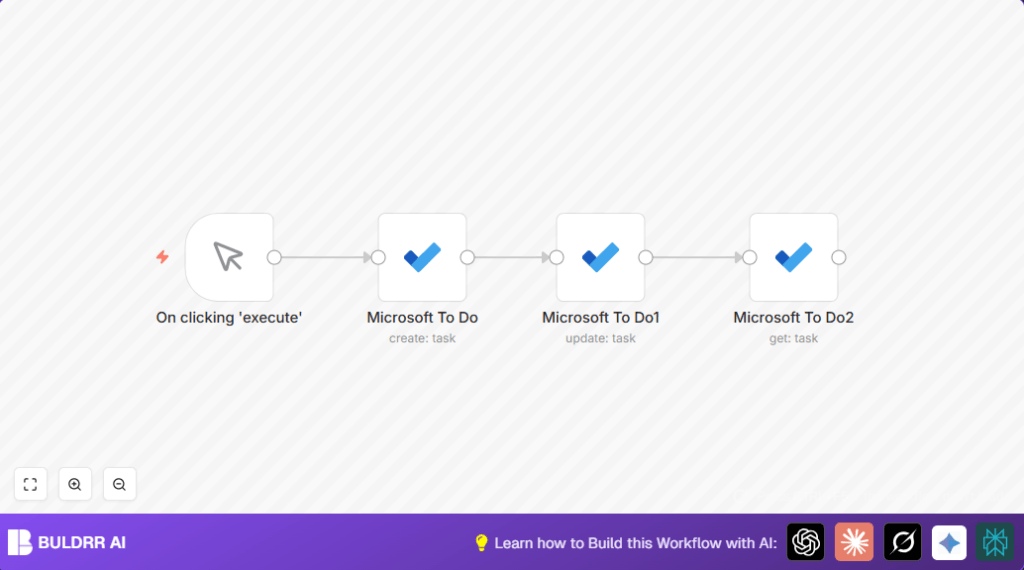
This workflow creates a task in Microsoft To Do automatically.
The task is set with high importance and its status changes to “in progress.”
It then fetches the task details so you can see the updates.
This saves time by removing manual task creation and status updates.
Who should use this workflow
This workflow is good for project managers or users handling many tasks daily.
Anyone who wants to reduce errors and save time updating Microsoft To Do tasks will find it helpful.
Tools and services used
- n8n: Automation platform to build and run workflows.
- Microsoft To Do via OAuth2: For task management actions.
Inputs, processing steps, and output
Inputs
The workflow needs these inputs:
- Microsoft To Do task list ID.
- Valid Microsoft To Do OAuth2 credentials.
Processing steps
- Create a new task with title “Document Microsoft To Do node” and importance set to “high.”
- Update the task status to “inProgress” using the task’s ID.
- Retrieve task details using the task ID and list ID.
Output
The workflow outputs full details of the task after status update.
Beginner step-by-step: How to use this workflow in n8n
Step 1: Import the workflow
- Download the workflow file using the Download button on this page.
- Open n8n editor and select “Import from File” to load the workflow.
Step 2: Configure the workflow
- Add your Microsoft To Do OAuth2 credentials in n8n credentials settings.
- Update the task list ID in the Microsoft To Do nodes to the list where tasks should be created and updated.
Step 3: Test the workflow
- Run the workflow manually using the Manual Trigger node to check task creation and updates.
- Verify the output shows the new task with status “inProgress” and correct importance.
Step 4: Activate workflow for production
- Enable the workflow toggle switch in the n8n editor.
- Optionally replace the Manual Trigger with a scheduled or webhook trigger for automatic runs.
If using self-host n8n, visit self-host n8n for hosting help.
Customization ideas
- Change task importance from “high” to “normal” or “low” in the create task node.
- Add more task fields like due date or notes in the update task node.
- Use other triggers like webhooks or schedules to automate task creation at events or times.
- Integrate other tools such as Google Sheets or Slack after fetching task details.
- Use expressions to select task lists dynamically instead of fixed IDs.
Handling errors and common issues
- OAuth errors: Re-authenticate Microsoft To Do credentials in n8n if “Invalid OAuth credentials” occurs.
- Task ID issues: Make sure the create task node runs successfully and the expression
= {{$json["id"]}}is exactly correct. - Incorrect task list ID: Confirm the same valid task list ID is used in all Microsoft To Do nodes.
- Disconnected nodes: Check all nodes are connected in correct order without breaks.
Summary of results
✓ Time saved by automatic task creation and updates.
✓ Tasks marked as “in progress” instantly after creation.
✓ Task details are fetched for confirmation or further use.
→ Reduced mistakes from manual input.
→ Better task list accuracy and project management.
