
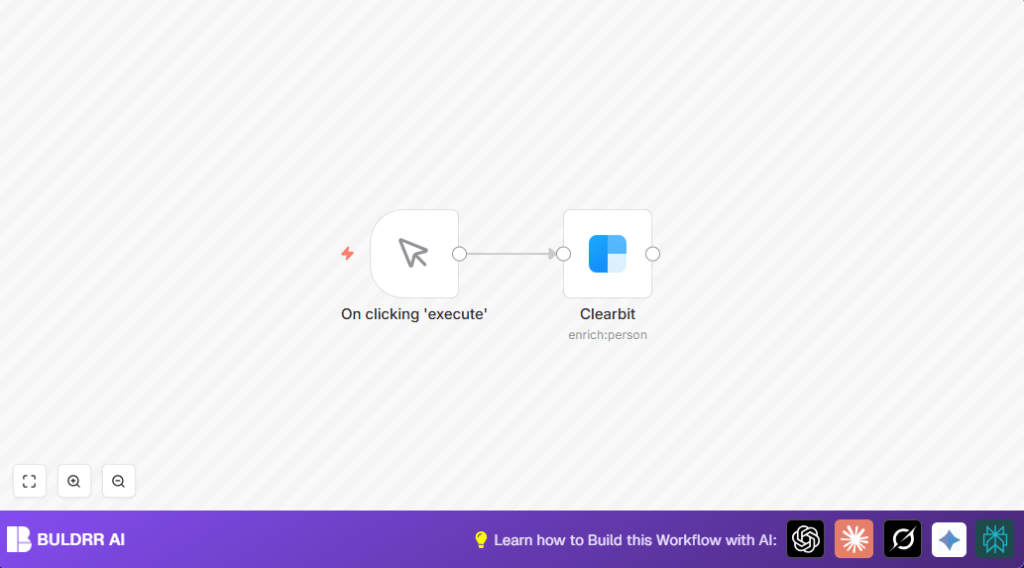

What this workflow does
This workflow gets detailed information about a person using only their email address. It solves the problem of wasting time manually searching for job titles and company info. The result is fast access to updated contact details to help sales or marketing outreach work better and quicker.
It connects to Clearbit’s Person API inside n8n and fetches real-time data like name, job role, company, and social profiles. This saves hours of manual research.
Who should use this workflow
This workflow is useful if you need to enrich lead or contact data from just an email. You don’t have to manually check LinkedIn or company websites.
It is good for sales managers, marketers, recruiters, or anyone who wants reliable contact details fast.
Tools and services used
- n8n automation platform: Runs and connects the workflow nodes.
- Clearbit Person API: Provides person and company details from an email address.
- Clearbit API Key: Used for authentication inside the Clearbit node.
Inputs, processing steps, and outputs
Inputs
The workflow starts with an email address as input. It can be static for tests or later changed to dynamic input.
Processing steps
First, a Manual Trigger node runs the workflow by hand.
Then, the Clearbit node takes the email and calls Clearbit’s Person API to get detailed info about the person.
Outputs
The workflow outputs data about the person’s name, job title, company, location, and social media profiles. This data is ready to use for other automations like saving to Google Sheets or sending emails.
Beginner step-by-step: How to run this workflow in n8n
1. Import the workflow
- Download the workflow file using the Download button on this page.
- Inside the n8n editor, click on “Import from File” in the Workflows section.
- Choose the downloaded workflow file to load it.
2. Configure credentials and settings
- Open the Clearbit node and add your Clearbit API Key under credentials.
- Check if the email address in the Clearbit node needs to be changed to a real test email or dynamic input.
- Update other parameters if needed, like IDs, emails, or table names for other integrated nodes.
3. Test and activate
- Click the “Execute Workflow” button to run the workflow manually.
- Check the Clearbit node output to make sure it returns person details.
- If everything works, save the workflow and turn on activation to use it in production.
Possible issues and errors
Problem: No data or empty response from Clearbit node.
Reason: Email might be wrong or Clearbit has no info.
Fix: Try correct, known emails. Check your Clearbit API usage limits.
Problem: Clearbit node says authentication error.
Reason: API Key may be wrong or expired.
Fix: Re-enter the valid Clearbit API Key in credentials.
Customization ideas
- Change static email input to dynamic input via Webhook node or form inputs.
- Add a Google Sheets or Airtable node to save the enriched data automatically.
- Add a Gmail or SMTP node to send notifications after every successful lookup.
- Connect to CRM software to store or act on fetched person details.
For those hosting n8n themselves, consider using self-host n8n to run workflows privately.
Summary of benefits and results
✓ Saves hours by automating manual contact research.
✓ Delivers updated, accurate person and company data.
✓ Integrates easily in n8n for further automation.
✓ Streamlines sales, marketing, and recruiting tasks.
→ Provides a fast way to enrich email contact data.
→ Supports business growth by improving lead quality.
