
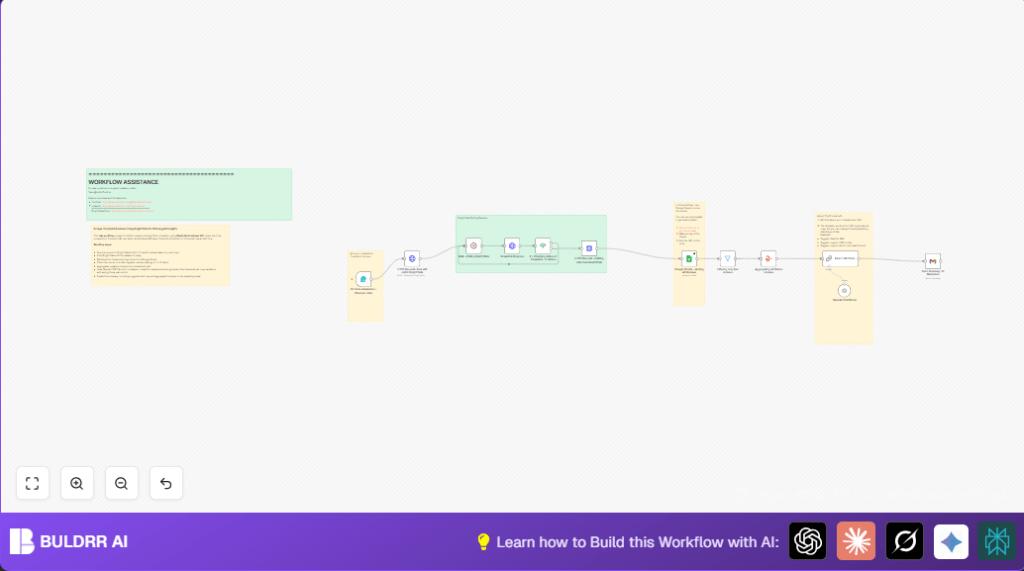

What this workflow does
This workflow gets competitor reviews from Trustpilot automatically. It finds bad reviews to spot problems. Then it writes 3 Facebook ads to talk about those problems. All steps run with little work from you.
You save hours every week by not doing this work manually. The ads you get talk real customer issues.
Who should use this workflow
Marketers who spend time reading competitor reviews. People who want quick, real feedback from customers. Anyone needing fast ad ideas that target competitor weaknesses. It also fits users who want to skip manual data copy and write ads faster.
Tools and services used
- n8n: Runs the automation workflow on cloud or self-host n8n setups.
- Bright Data API: Scrapes Trustpilot reviews using dataset API.
- Google Sheets: Saves all scraped reviews for data tracking.
- OpenAI API: GPT-4o-mini model writes ad copies from reviews.
- Gmail API: Sends results by email securely with OAuth2.
How the workflow works: Inputs • Processing • Outputs
Inputs
User gives a Trustpilot competitor URL. User chooses the review period like last 30 days. These come from the Form Trigger node.
Processing Steps
- Send the given info to HTTP Request – Post API call to Bright Data to start scraping.
- Wait 2 minutes between checks using Wait – Polling Bright Data.
- Check scraping progress with Snapshot Progress and IF node loop until done.
- Get all review data with another HTTP Request after scraping finishes.
- Save all reviews to Google Sheets for records.
- Filter reviews for rating 1 or 2 stars only using Filtering only bad reviews.
- Combine negative reviews text into one big summary using an Aggregate node.
- Send the summary to OpenAI GPT-4o-mini with a prompt to create 3 ad copies addressing complaints.
- Email the complaints summary and ad copies to the marketing team via Gmail node.
Outputs
- Google Sheet with full reviews scraped.
- Email to marketing with a summary of negative reviews and 3 Facebook ads.
Beginner step-by-step: How to run this workflow in n8n
Step 1: Import the workflow
- Download the workflow file using the Download button on this page.
- Go inside the n8n editor to your workspace.
- Click on the menu and select “Import from File”.
- Choose the downloaded workflow file to load it.
Step 2: Configure all needed settings
- Add Bright Data API Key in the HTTP Request nodes where needed.
- Connect Google Sheets credentials with OAuth in n8n if not connected yet.
- Update the Google Sheet Document ID to your spreadsheet where results will save.
- Set the Gmail account credentials and configure OAuth2 so emails send properly.
- Check any URL or IDs in the workflow to match your setup (like Gmail addresses or sheet tabs).
Step 3: Test and activate
- Run the workflow with a test competitor Trustpilot URL and time frame from the Form Trigger.
- Check Google Sheets for new rows and your email inbox for summary and ads.
- When tests look good, activate the workflow by enabling it from the n8n dashboard.
- Workflow will now run automatically when the form submits new data.
Customization ideas ✏️
- Change timeframe dropdown inside Form Trigger to add or remove options.
- Edit the OpenAI prompt in Basic LLM Chain to write other content like emails or FAQ instead of ads.
- Add or remove Google Sheets columns by updating the sheet and node field mapping.
- Use another email provider by swapping Gmail node with Outlook or SendGrid.
- Adjust polling wait time to faster or slower in Wait node.
Common problems and how to fix them ????
Bright Data returns 401 Unauthorized
The API Key is wrong or expired. Double-check your key. Replace old keys if needed in HTTP request headers.
No data added to Google Sheets
Google Sheets credentials may not be connected or document ID is wrong. Test the sheet connection in n8n and update document ID.
OpenAI creates bad or empty ad copy
Maybe not enough reviews to analyze or the prompt is too simple. Change the prompt to give better instructions or gather more review data.
Emails fail to send
Gmail OAuth may not be set up right. Reconnect credentials and test sending mail manually in the node.
Summary of benefits and results
✓ Saves 5+ hours of manual competitor review work every week.
✓ Finds customer pain points automatically from bad reviews.
✓ Generates 3 Facebook ad copies that talk about competitor weaknesses.
✓ Sends data and ads to marketing team without manual copying.
✓ Easy to run and customize inside n8n with simple setup.
→ You get fresh, relevant ads based on real user complaints.
→ Marketers focus only on using ads, not gathering data.
→ Workflow runs reliably with periodic checks until data is ready.
[{
  "url": "{{ $json['Competitor TRUSTPILOT URL (include https://www.trsutpilot.com/review/'] }}",
  "date_posted": "{{ $json['Please select the time frame of reviews you\'d like. If it\'s a big brand go with 30 days'] }}"
}]
Read the following bad reviews, these are reviews of our competitors:
{{ $json.Aggregated_reviews }}

---
After reading them, summarize their weakest points.
Don't mention the competitor name.

Write 3 different ads copy for our Facebook ads campaign, addressing these concerns
