
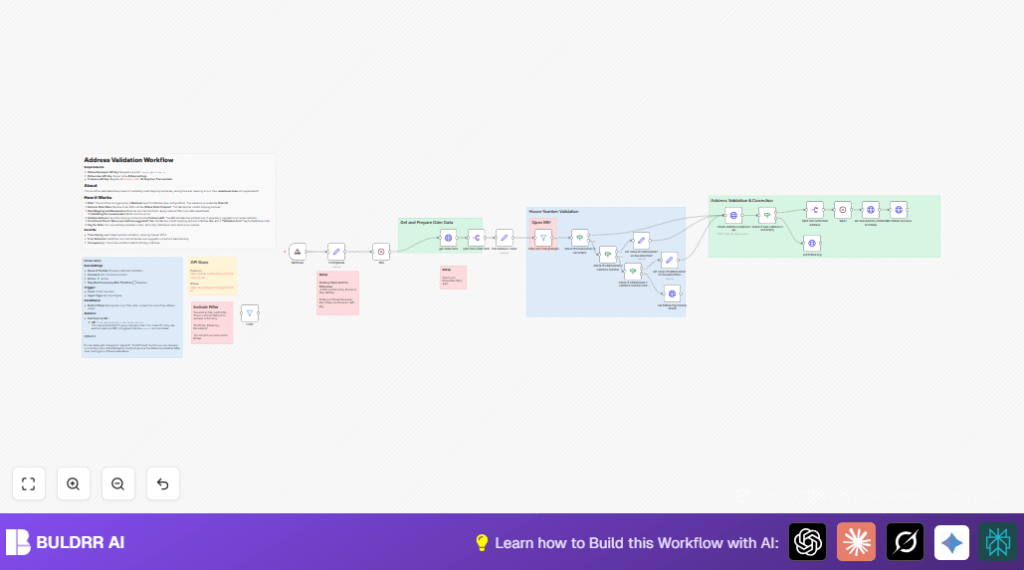

What this workflow does
This workflow automatically checks and fixes shipping addresses from Billbee orders. It gets order data, cleans up the address fields, and sends them to the Endereco API to validate. If the address has mistakes, it corrects them and updates Billbee orders. It also tags orders based on validation results.
This stops shipment errors caused by wrong addresses, saves time spent on manual fixes, and helps handle address problems before shipping.
Who should use this workflow
This is for businesses using Billbee to manage orders and shipping. If manual address checking wastes time and leads to shipment mistakes, this workflow helps fix that.
It suits teams wanting automatic address validation and clear order tagging inside Billbee.
Tools and services used
- Billbee API: To fetch and update order shipping address data.
- Endereco API: To validate and correct addresses.
- n8n automation platform: Orchestrates the whole process with nodes like webhook, HTTP Request, Set, Filter, If, Split Out, and Wait nodes.
Inputs, processing, and outputs
Inputs
- Billbee order ID received from webhook trigger.
- Billbee API keys for authentication.
- Endereco API Key for address validation.
Processing steps
- Webhook node catches new order ID.
- ConfigNode sets API keys and extracts order ID.
- Wait node delays for 1 second to keep flow stable.
- HTTP Request calls Billbee to get full order details.
- Split Out node extracts shipping address fields like first name, last name, street, house number, ZIP code, city, and country code.
- Set node cleans address fields and replaces unnecessary slashes in house numbers.
- Filter node removes orders with pickup locations such as “Postfiliale”, “Packstation”, and “Paketshop”.
- If and Set nodes check if house number is missing and try to get house number from address line 2.
- HTTP Request node sends address data to Endereco API to validate.
- If node checks if API returns a corrected address suggestion.
- If correction found, Split Out node processes new address.
- HTTP Request updates Billbee order with corrected shipping address.
- HTTP Request nodes add tags to Billbee order reflecting address validation status (valid, failed, manual review).
- Wait nodes added between key steps to avoid race conditions.
Outputs
- Billbee orders with validated and corrected shipping addresses.
- Order tags marking validation passed, failed, or needs manual checks.
- Significant saving in manual address verification time.
Beginner step-by-step: How to build this in n8n
Import and setup workflow
- Download the workflow using the Download button on this page.
- Inside the n8n editor, import the workflow using Import from File.
- Open the imported workflow and find the ConfigNode. Put in your Billbee API Key under
X-Billbee-Api-Keyand your Endereco API Key underX-Auth-Key-Endereco. - Check that the Webhook node has the correct path and is active. This URL will be used in Billbee automation.
Adjust settings if needed
- If your Billbee orders use different tags, update them in the HTTP Request nodes that post tags.
- Change any IDs, emails, or other info in nodes to match your Billbee setup.
Test and activate
- Trigger the webhook using a test order ID to see if the flow runs and updates addresses.
- Check API responses from Billbee and Endereco for any errors.
- When tests look good, activate the workflow toggle switch for production use.
- Set your Billbee automation rule to call this webhook URL with order ID on new or updated orders.
If self hosting n8n is preferred, use a trusted provider like self-host n8n.
Edge cases and failures
If the Billbee API shows “401 Unauthorized”, the API keys are incorrect or expired. Fix API keys in the ConfigNode.
If Endereco API gives empty address corrections, likely address fields were wrong or incomplete. Check the address cleaning in the Set node.
If orders get tagged “manual_address_check” too often, the house number regex logic may need adjusting in the If nodes that check address line 2.
Customization ideas
- Change tag names across HTTP Request nodes to fit your tracking system.
- Add extra address parts like NameAddition and AddressLine2 for more detail.
- Include more pickup keywords in the filter node to skip validation on picking station addresses.
- Modify Wait node times to better match your API limits and speed requirements.
- Implement logic to set Endereco API language dynamically based on country codes.
Summary of results
✓ Saves over 10 hours weekly by avoiding manual address fixes.
✓ Fixes shipping address mistakes before they cause delays.
✓ Keeps order status clear in Billbee with validation tags.
✓ Automates address correction for better shipment accuracy.
