
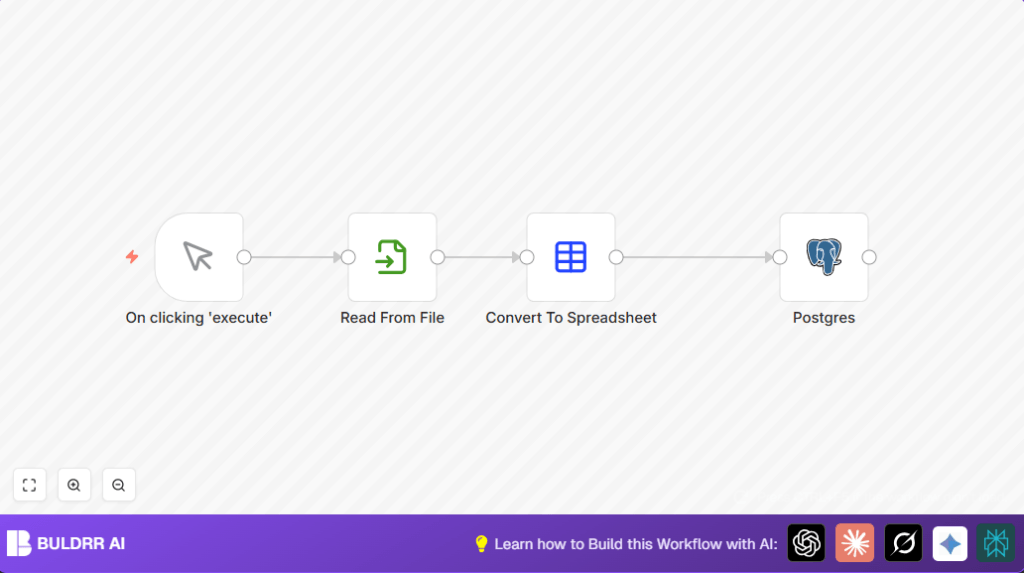

What This Automation Does
This workflow reads CSV files from a server path.
It changes the file into data n8n can work with.
The workflow then inserts or updates rows in a Postgres table using the “id” column to match data.
It runs only when you press a button to start it.
This stops mistakes and saves time every day.
Inputs, Processing & Output
Inputs
- A CSV file saved on the server (for example, at /tmp/t1.csv).
- Postgres database with table named “t1” and columns “id” and “name”.
- Manual trigger from user to start the workflow.
Processing Steps
- Manual Trigger: Begins the flow when clicked.
- Read Binary File: Loads CSV file as binary data.
- Spreadsheet File: Converts binary CSV into a structured table format readable by n8n.
- Postgres node: Adds or updates rows in the “t1” table based on matched “id” values, mapping data automatically.
Output
Data from the CSV appears properly inside the Postgres “t1” table, with no duplicates or missing rows.
Who Should Use This Workflow
Anyone who needs to import CSV files into Postgres regularly without mistakes.
Great for people who want to stop wasting time on manual data entry and cleaning.
This is also helpful if you want more control by triggering imports yourself, not waiting on a timer.
Tools and Services Used
- n8n: Creates and runs the workflow automation.
- Postgres Database: Stores the imported CSV data in a table named “t1” under schema “public”.
- Local File System: Holds the CSV files at specific paths for reading.
- self-host n8n (optional): For users running n8n on their own server or VPS.
Beginner Step-by-Step: How to Use This Workflow in n8n
Importing the Workflow
- Download the workflow using the Download button found on this page.
- In the n8n editor, click “Import from File” and select the downloaded workflow file.
- Check the workflow appears in your workspace ready to use.
Configuring Credentials and Settings
- Add your Postgres database credentials inside the Postgres node if not already set.
- Update the CSV file path in the Read Binary File node if your CSV is stored somewhere else.
- Review the table and schema names in the Postgres node to match your database setup.
Testing and Activating
- Click the “Execute Workflow” button at the top to test the import manually.
- Check your Postgres table to confirm the data has imported properly.
- If all works, activate the workflow by toggling the switch from inactive to active for production use.
Common Issues and Solutions
File Not Found or No Permission Error
This means the CSV path is wrong or n8n can’t read the file.
Make sure the file exists and n8n has access rights.
Postgres Data Type Errors
Errors happen if CSV columns don’t match Postgres column types, such as numbers stored as text.
Clean your CSV or add steps to change data types before import.
Customization Ideas
- Change CSV path in the Read Binary File node to import different files.
- Switch target database table or schema in the Postgres node to import elsewhere.
- Manually set column mappings inside the Postgres node to control which CSV data uploads.
Summary of Benefits and Results
✓ Saves about 30 minutes of manual work each day.
✓ Avoids errors from manual data entry and cleaning.
✓ Gives manual control over when CSV imports start.
→ Produces clean, accurate data inside Postgres automatically.
