
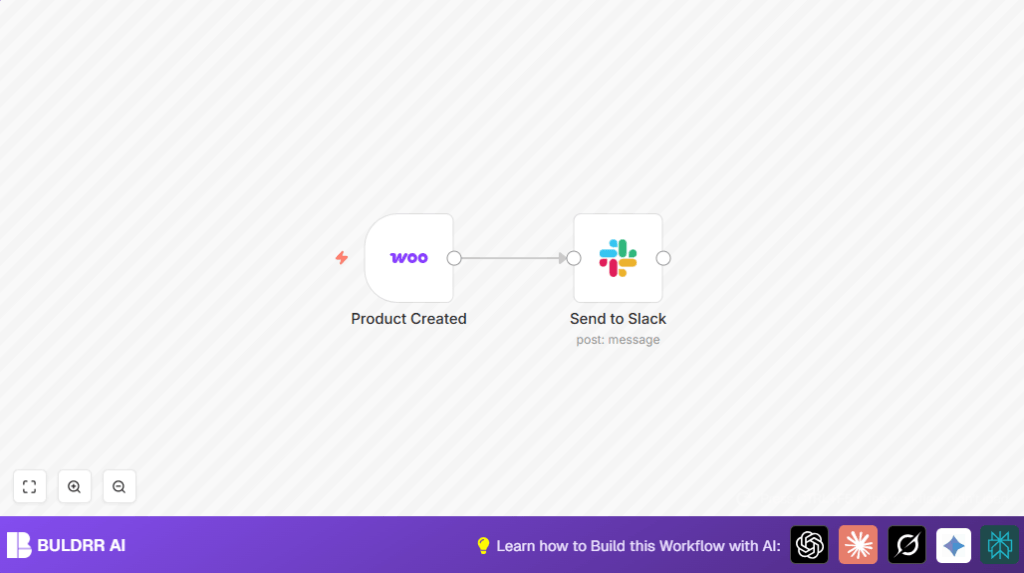

What This Workflow Does
This workflow sends a Slack message every time a new product is created in WooCommerce. It stops the need for manual updates by automatically sharing product details with the team. The message shows the product name, prices, link, and creation date in a clear green-highlighted format.
Who Should Use This Workflow
This is for online store managers or teams using WooCommerce who want quick Slack updates about new products. It fits people who want to save time and avoid missing key product info.
Tools and Services Used
- WooCommerce API: Sends product creation events as webhooks.
- Slack API: Posts messages to a Slack channel with product info.
- n8n: Runs the automation workflow to connect WooCommerce and Slack.
Inputs, Processing, and Output
Inputs
The workflow listens for the WooCommerce product.created webhook. This input includes the new product’s name, regular price, sale price, link, and creation date.
Processing Steps
- The WooCommerce Trigger node waits for a new product event.
- It collects product details from the webhook data.
- The Slack node takes this data and formats a message.
- The message uses green (#66FF00) color for attachments and includes product info with clickable links.
- A footer shows the product’s creation date for reference.
Output
A detailed Slack message posts in a chosen channel notifying the team about the new WooCommerce product.
Beginner Step-by-Step: How to Use This Workflow in n8n
Step 1: Import the Workflow
Click the Download button on this page to get the workflow file.
Open the n8n editor and select “Import from File”.
Upload the downloaded workflow file.
Step 2: Configure Credentials
In the workflow, add your WooCommerce API Key under Credentials → WooCommerce API.
Next, add your Slack API Key under Credentials → Slack API.
Step 3: Customize Settings
Change the Slack channel if needed (default is woo-commerce).
Update product fields or message text if desired.
Step 4: Test the Workflow
Create a new product in WooCommerce to trigger the webhook.
Watch the Slack channel for the notification message.
Step 5: Activate Workflow
Save changes and toggle the workflow to Active.
The workflow will now notify Slack each time a new product is added.
For users running self-host n8n, make sure the webhook URL is publicly accessible.
Common Failures and Edge Cases
- No webhook data received: WooCommerce webhook may be inactive or API key invalid.
- Slack messages not sending: Slack API token may lack
chat:writescope or channel name could be wrong. - Missing product fields in Slack message: Data mapping expressions may be incorrect or data missing from WooCommerce.
Customization Ideas
- Change Slack channel name for different teams.
- Add more product info like
skuordescriptionin Slack attachments. - Use Slack Block Kit UI to add buttons or images to make messages more interactive.
Summary
✓ Saves time by automating product update notifications.
✓ Removes errors from manual messaging.
✓ Keeps teams quickly aware of new WooCommerce products.
→ Simple setup in n8n with WooCommerce and Slack API keys.
→ Customizable messages and channels to fit team needs.
