

What This Automation Does ⚙️
This workflow makes handling security cases in TheHive much faster and less mistake-prone.
It helps you create, update, and check case details automatically without doing these steps by hand.
This saves hours and keeps your incident info accurate and fresh.
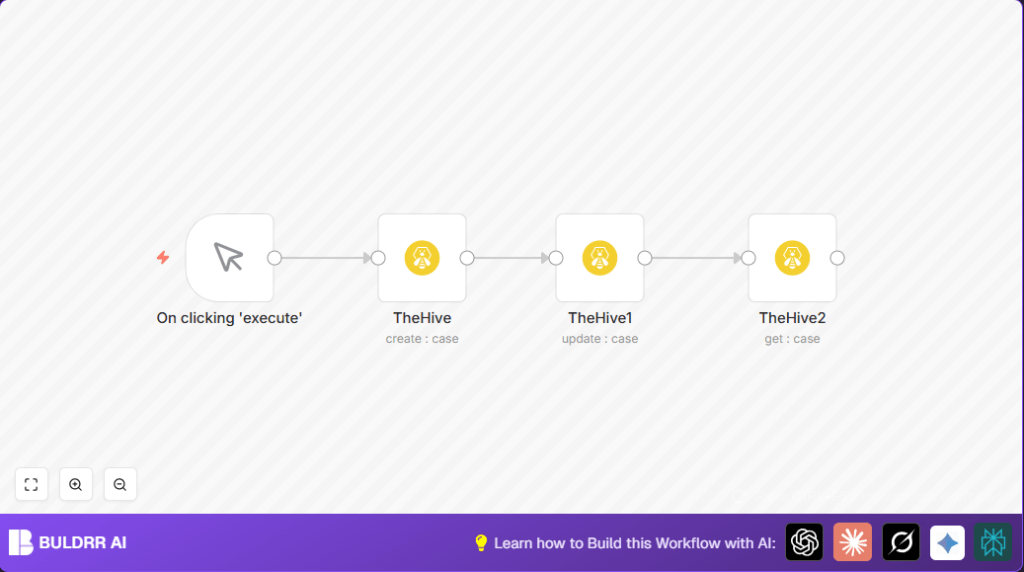
The workflow starts with you clicking a button to run it.
It builds a new case with details like title, description, severity, date, owner, and tags.
Then it changes the case severity if needed.
After that, it fetches the latest case details to confirm the update.
You get the updated case info right away.
No more typing errors or forgetting to update.
Who Should Use This Workflow
This workflow is for anyone who manages security incidents in TheHive and wants to stop doing repetitive, manual case updates.
It fits security analysts who want to save time and be sure their cases always show the latest info.
Tools and Services Used
- n8n: to build and run the automation workflow.
- TheHive API: to create, update, and get case information.
- API Key: needed to safely access TheHive platform functions.
Beginner Step-by-Step: How to Use This Workflow in n8n
Import the Workflow
- Download the supplied workflow file using the Download button on this page.
- Open n8n editor where the workflow runs.
- Use Import from File to load the workflow.
Configure Credentials and Settings
- Set up your TheHive API credentials under the workflow’s TheHive nodes.
- Check any IDs, emails, channels, or tables in the workflow and change them if your setup needs it.
Test and Activate
- Manually run the workflow once to make sure it works without errors.
- Look for the new case in TheHive and see the updates made.
- Turn on the workflow to run whenever you want or connect it to other triggers later.
For users running self-host n8n, the same import and setup applies.
Inputs, Processing, and Outputs
Inputs
- Manual trigger to start the workflow.
Processing Steps
- Create a new case in TheHive with set fields like title, severity, and tags.
- Update the same case’s severity to a higher level.
- Get the most recent case details by ID.
Output
- Returns the updated case information instantly after operations.
Edge Cases and Failures
If authentication to TheHive API fails, check the API Key credentials used in n8n.
They might be wrong or expired. Fix by re-entering correct keys in n8n settings.
If update or get nodes can’t find the case ID, the expression to extract the ID might be wrong.
Confirm the ID references {{$node["TheHive"].json["id"]}} exactly as in creation node output.
Customization Ideas ✏️
- Change severity update rule to other levels or add fields like status or description.
- Make dates and titles dynamic by using expressions from input data or external sources.
- Add extra tags to cases reflecting different team needs or incident types.
Summary
✓ Saves hours daily by automating case creation and updates.
✓ Ends errors caused by manual case handling.
✓ Gives real-time updated case info.
✓ Helps faster and more accurate security incident response.
