
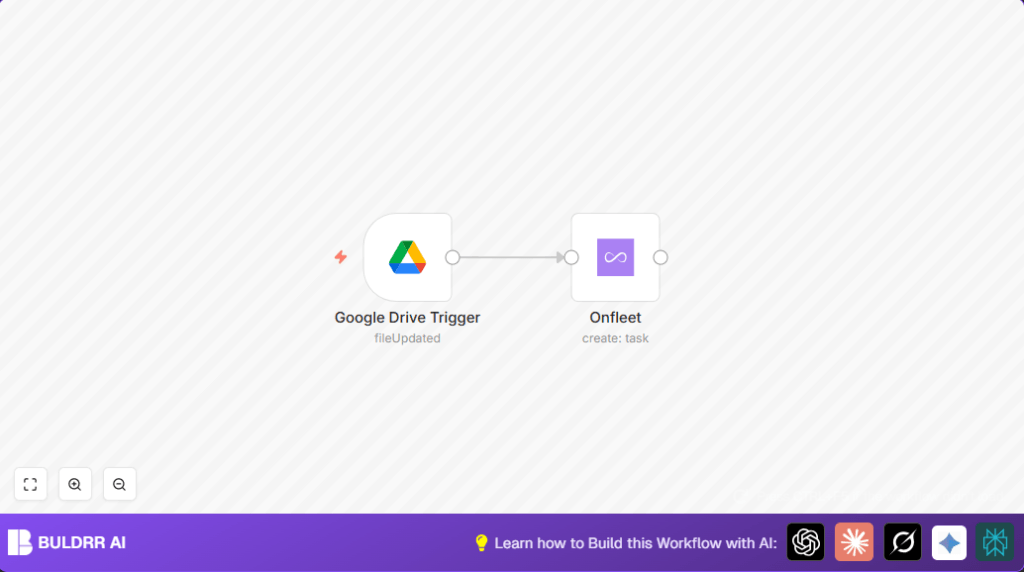

What this workflow does
This workflow watches one Google Drive file for changes. When the file updates, it makes a new task in Onfleet automatically. This stops you from doing the same work by hand every time a file changes. It gets tasks created fast and cuts down mistakes.
The result is less time spent on boring work and fewer errors in your delivery tasks. Your team stays up to date quickly with the latest file info in Onfleet.
Tools and services used
- n8n: Creates and runs the automation workflow.
- Google Drive: Holds the file that triggers the workflow on update.
- Onfleet API: Receives new tasks created from file changes.
Workflow inputs, processing, and outputs
Inputs
- User sets a single Google Drive file to monitor by its file ID.
- The file updates, like a change in order or shipment data.
Processing Steps
- Google Drive Trigger node checks the chosen file every minute.
- When there is a change, it sends the updated data to the Onfleet node.
- The Onfleet node uses the API to make a new task automatically.
Output
- A new delivery task appears in Onfleet matching the updated Google Drive file details.
- The team sees tasks right away without doing manual copying.
Beginner step-by-step: How to use this workflow in n8n
Step 1: Import the workflow
- Download the workflow file using the Download button on this page.
- Open your n8n editor where you want to run the automation.
- Click on the main menu, choose Import from File, and select the downloaded workflow file.
Step 2: Add credentials and update details
- Add your Google Drive API credentials in the Google Drive Trigger node.
- Add Onfleet API Key in the Onfleet node.
- Update the file ID in the Google Drive Trigger node with the exact Google Drive file you want to watch.
- Customize any other fields if needed, such as task descriptions or destination info, by using expressions from the trigger data.
Step 3: Test the workflow
- Save your changes.
- Manually update the Google Drive file and watch if the workflow creates a new task in Onfleet.
- Check the execution logs for errors and fix if any appear.
Step 4: Activate the workflow
- Turn on the Active switch at the top right in n8n.
- The workflow now runs on its own, creating Onfleet tasks automatically when your file updates.
If hosting n8n yourself, more workflow stability can be made by using self-host n8n.
Customization ideas
- Add file info like name or updated time to task notes using expressions in the Onfleet node’s fields.
- Monitor more than one file by copying the trigger node and changing file IDs to track multiple files.
- Adjust how often the Google Drive Trigger checks the file from every minute to every 5 or 10 minutes if needed.
Troubleshooting common problems
- Google Drive Trigger doesn’t run
Cause: File ID is wrong or Google Drive credentials lack permission.
Fix: Double-check file ID. Check n8n Google Drive credentials can access the file. Look at API limits. - No task created in Onfleet
Cause: Onfleet node not configured correctly or API key incorrect.
Fix: Verify API key is valid. Ensure node operation is set to ‘create’. Make sure mapping fields are correct.
Pre-production checklist
- Check the Google Drive Trigger node uses the right file ID and works with valid credentials.
- Try changing the Google Drive file to see if the workflow launches.
- Run the Onfleet node alone to be sure your API access works.
- Back up your workflow before editing or activating.
Summary
✓ Saves time by creating Onfleet tasks automatically when Google Drive files update.
✓ Prevents errors from manual copying of data between apps.
✓ Runs in background checking file updates every minute.
✓ Easy setup by importing, adding credentials, and testing once.
→ You get fast, accurate task creation for delivery management.
