
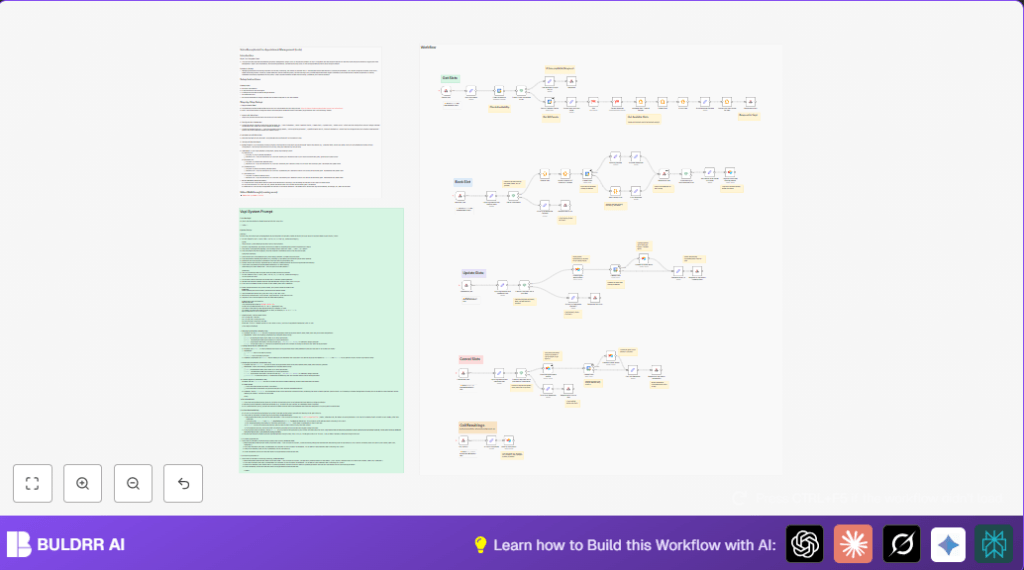

What This Workflow Does
This workflow helps you manage appointment bookings automatically using voice calls, Google Calendar, and Airtable.
It solves the problem of manual scheduling errors, double bookings, and lost time.
The result is fast, accurate appointments booked or changed with less staff work.
When a customer calls, the workflow listens to their request through voice AI.
It checks for free time slots in Google Calendar inside your work hours and timezone.
If the requested time is free, it books the appointment with all details.
If not, it shows other available time options.
It also updates or cancels appointments on request, and logs all call info automatically in Airtable.
This keeps records clean and helps track customer interactions and costs.
Tools and Services Used
- n8n: Runs the automated workflow handling calls and calendar actions.
- Vapi: Voice AI platform taking calls and sending scheduling requests via webhooks.
- Google Calendar: Stores appointments and checks availability.
- Airtable: Logs all booking details, call recordings, and statuses.
Inputs, Processing, and Outputs
Inputs
- Voice call requests received through Vapi and sent as webhook payloads.
- Booking details such as customer name, email, phone number, requested time, and notes.
Processing Steps
- Extract input data from Vapi payload using the Set nodes.
- Check Google Calendar for busy events between requested times.
- If time is free, create new event with all info.
- If time is not free, list future available slots in 30-minute intervals within working hours.
- On reschedule, find existing appointment in Airtable, update times in Google Calendar and Airtable.
- On cancel, delete event from Google Calendar and update Airtable record.
- After each call, save transcripts, recordings, and costs in Airtable.
Outputs
- Confirmation or error messages sent back to Vapi for caller response.
- Updated Google Calendar events for appointments.
- Accurate Airtable records for booking statuses and call logs.
Beginner Step-by-Step: How to Build This in n8n
Import Workflow
- Download the ready-to-use workflow JSON using the Download button on this page.
- Open your n8n editor.
- Use “Import from File” to bring the workflow into n8n.
Configure Connections
- Add your Google Calendar API Key and connect your calendar.
- Add your Airtable API Key and update base IDs and table names if needed.
- Ensure your Google Calendar email is set correctly in all calendar nodes.
- Paste Vapi webhook URLs from n8n Webhook node settings to the Vapi assistant configuration.
Test Workflow
- Trigger test calls or webhook payloads from Vapi to check availability, book, update, and cancel.
- Verify logged records in Airtable.
Activate for Production
- Toggle the workflow to active inside n8n.
- Confirm webhook URLs are reachable and authorized.
- For a stable setup, consider self-host n8n on a server.
Detailed Workflow Mechanics
Checking Availability
The workflow starts by receiving a webhook request with requested start and end time.
The Check Availability Google Calendar node queries events between these times.
An If node tests if any events overlap.
If free, the requested slot proceeds to booking.
If busy, the Get All Calendar Events node fetches events for the next week.
A Code node named “Available Start Times & Ranges” takes events and calculates available 30-minute slots.
It removes weekends and fits slots inside 9 a.m. to 6 p.m. CST.
Booking an Appointment
The bookslots_tool webhook extracts user info and times.
A Code node converts times to America/Chicago timezone.
The Create Event node writes the appointment to Google Calendar with attendees and meet links.
If booking is missing info, a clear error response is sent.
On success, booking details are logged in Airtable.
Updating and Canceling
For updates, the workflow finds the existing Airtable record by phone.
It then changes the event’s start and end times in Google Calendar.
Airtable is updated to reflect new schedule.
Cancellations delete the Google Calendar event.
Airtable records get updated status “Canceled”.
Logging Call Results
After call ends, the workflow receives transcripts, recording URLs, cost, and summaries.
These go into Airtable’s “Call Recording” table.
This helps track call quality and expenses.
Customization Ideas
- Change work hours by editing the
WORKDAY_STARTandWORKDAY_ENDtimes in the “Available Start Times & Ranges” Code node. - Modify
SLOT_DURATIONfor longer or shorter booking slots. - Allow weekend slots by changing the filter excluding weekends.
- Update Google Calendar email address in nodes to your own calendar.
- Expand Airtable fields to store extra call metadata or add SMS notification integration.
Troubleshooting Common Issues
- Error converting time in timezone node: Check if input times are correct ISO strings and the timezone is exactly “America/Chicago”.
- Google Calendar errors: Make sure OAuth token is valid and calendar email correct.
- Airtable searches not finding records: Verify phone number format matches EXACTLY with Airtable stored strings.
- Vapi webhook errors with missing data: Confirm Set nodes for input mapping match your Vapi payload structure.
Pre-Production Checklist
- Ensure all credentials for Google Calendar and Airtable are authorized and active.
- Test every webhook URL using real or sample data from Vapi.
- Confirm availability checks obey business hours and timezone conversions.
- Complete full workflow test: availability check, booking, update, and cancellation.
- Check that call recording data is correctly saved in Airtable.
- Back up Airtable database before any big schema or workflow changes.
Deployment Guide
Turn on the workflow in n8n and keep it running either on n8n Cloud or with self-host n8n on a stable server.
Link Vapi with the n8n webhook URLs to enable live call scheduling.
Watch logs regularly to catch errors or webhook failures.
Reauthorize credentials if you see calendar or Airtable authorization errors.
Summary of Benefits
✓ Saves hours of manual work every day
✓ Reduces booking mistakes like double bookings
✓ Provides quick, voice-activated scheduling during business hours
✓ Keeps accurate, automatic records of all calls and appointments
✓ Supports rescheduling and cancellation without errors
✓ Helps staff focus on other important tasks
Does This Workflow Send Reminders and Prevent Double-Bookings?
Yes — and these are the two questions people ask most before setting this up.
Automated Reminders Once an appointment is booked in Google Calendar, the workflow automatically sends a confirmation back to the caller through Vapi. You can extend this easily by adding an n8n Schedule Trigger that fires 24 hours or 1 hour before the appointment — sending a reminder via email, WhatsApp, or SMS. The client never has to wonder if their booking went through, and you stop chasing no-shows manually.
Zero Double-Bookings Before confirming any slot, the workflow queries Google Calendar for existing events in that exact time range. If the slot is already taken, it does not book — it calculates the next available 30-minute window within business hours and returns those options to the caller instead. This means your calendar stays clean automatically, with no manual checks needed.
n8n + Google Calendar vs Calendly — Which One Is Right for You?
If you have looked into booking automation before, Calendly is probably the first tool you found. Here is how this n8n workflow compares:
| Feature | Calendly | This n8n Workflow |
|---|---|---|
| Monthly cost | $10–$20/month per user | Free (self-hosted) |
| Voice-based booking | ❌ Not supported | ✅ Via Vapi AI |
| Automated reminders | Paid plan only | ✅ Fully customizable |
| Double-booking prevention | ✅ Yes | ✅ Yes |
| WhatsApp / Telegram alerts | ❌ Not available | ✅ Add any channel |
| Data ownership | Calendly’s servers | ✅ Your Google Calendar |
| Reschedule & cancel automation | Limited | ✅ Full workflow support |
| Custom business logic | ❌ Very limited | ✅ Complete control |
