

What This Workflow Does
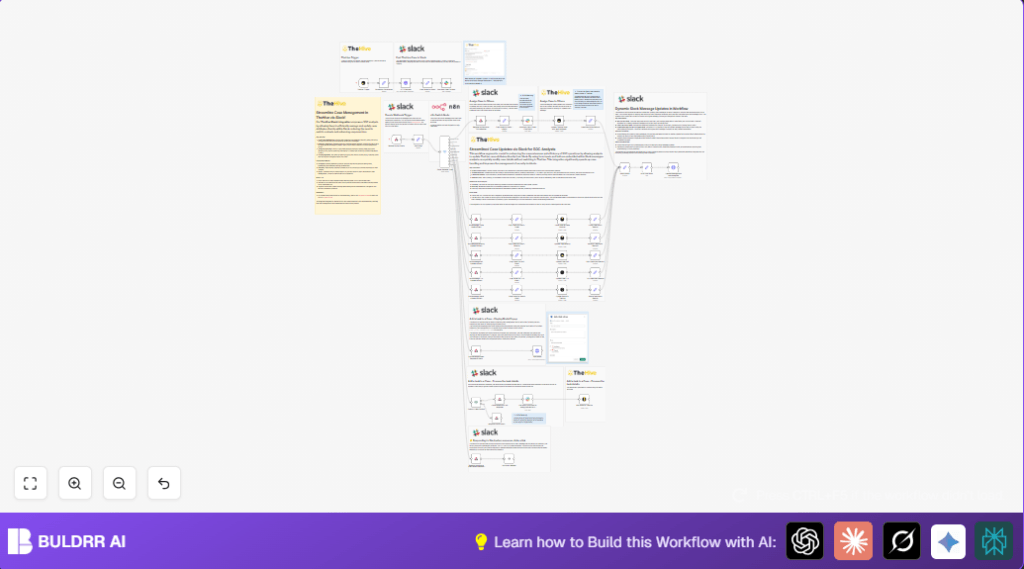
This workflow connects TheHive case management with Slack through n8n automation. It helps SOC analysts see new cases and update them directly inside Slack without switching apps. The workflow sends case details to Slack, lets users update severity, status, TLP, PAP, and assignments, and even add tasks. It gives instant Slack feedback to keep information accurate and speed up incident handling.
Who Should Use This Workflow
SOC teams managing multiple threat cases daily benefit most. Anyone needing to reduce manual updates between TheHive and Slack can use this. It suits firms wanting faster incident response and less data entry errors. Users should have basic n8n and Slack knowledge.
Tools and Services Used
- n8n Automation Platform: Opens and runs the workflow.
- TheHive 5: Source and update case data via API and webhooks.
- Slack API: Sends messages, receives user actions, and shows modals.
- Slack App credentials: Required for API authentication.
Beginner Step-by-Step: How to Use This Workflow in n8n Production
Import The Workflow
- Download the workflow JSON file using the Download button on this page.
- Open n8n editor where you want to run the workflow.
- Use “Import from File” option in n8n to load the downloaded workflow.
Configure Credentials and Details
- Add your TheHive API credentials in n8n credentials section.
- Add Slack App API credentials in n8n to authorize Slack nodes.
- Update IDs, Slack channel names, user emails, or folder IDs in the workflow if different from default.
Test the Workflow
- Create a test case in TheHive to trigger the flow.
- Check if Slack receives the new case message.
- Try updating severity or adding a task to see if changes sync back.
Activate the Workflow
- Turn the workflow status to active in n8n editor.
- Make sure the server running n8n is reachable by TheHive webhook and Slack API.
- Verify logging to catch any errors during live use.
For secure operation, consider self-host n8n on your own server.
Workflow Inputs, Processing Steps, and Outputs
Inputs
- TheHive webhook triggers when a new case is created.
- Slack user actions from buttons, dropdowns, and modal submissions.
Processing Steps
- TheHive Trigger node listens for case creation.
- Set node creates emoji mappings for case attributes.
- HTTP Request node calls Slack API to get assignee info by email.
- Set node builds message parts for Slack.
- Slack node posts formatted message with interactive buttons.
- Webhook node receives Slack user actions.
- Switch node decides action type and next steps.
- Multiple Set nodes prepare updates.
- TheHive Project nodes update cases or add tasks via API.
- HTTP Request node opens Slack modals for task input.
- HTTP Request node updates Slack messages dynamically.
- Respond to Webhook nodes send confirmation to Slack.
Outputs
- New cases appear in Slack channels with details and action buttons.
- Case updates in Slack reflect on TheHive instantly.
- Tasks added via Slack modal create corresponding entries in TheHive.
- User gets immediate feedback after each action via Slack messages.
Handling Edge Cases and Failures
- Slack API errors often come from wrong or missing credentials—always check API keys and app scopes.
- Assignee mismatches happen if emails differ between Slack and TheHive—make sure emails are consistent.
- Slack interactions only work if webhook nodes respond with 200 or 204 HTTP status—confirm proper responses.
Customization Ideas
- Add more case fields such as impact or category by extending the JSON data in Set nodes.
- Change emojis or text to suit your team’s language or color code in the formatting dictionary.
- Add extra inputs in the Slack modal to capture priority or task type.
- Create automatic Slack alerts for cases with certain severity or status.
- Route different case types to specific Slack channels using Switch nodes.
Summary of Results
✓ You get a Slack channel showing new TheHive cases with easy actions.
✓ You can update cases or add tasks without leaving Slack.
✓ TheHive and Slack data stay synced instantly.
✓ Less manual errors and faster incident response.
