

What This Workflow Does
This workflow helps you save time by automating the monthly saving and sorting of your Spotify tracks into playlists.
It stops you from doing manual, slow work like copying track details or misplacing songs in wrong playlists.
The result is an updated, well-organized music collection with fresh tracks added and classified every month.
Tools and Services Used
- Spotify API: Gets playlists, tracks, and audio features, and updates playlists.
- Google Sheets: Stores archived track and playlist data safely.
- n8n: Builds and runs the whole automation workflow.
- Anthropic Claude 3.5 AI model: Classifies music tracks based on playlist descriptions.
Who Should Use This Workflow
This is for Spotify users who want to stop spending hours tracking and sorting their new favorite tracks.
If you want to keep your playlists neat while saving time, this workflow is for you.
Inputs, Processing Steps, and Output
Inputs
- Your Spotify playlists and liked tracks retrieved via Spotify OAuth2.
- Your Google Sheets spreadsheets where archives are logged.
- Playlist and track descriptions used by the AI model for classification.
Processing Steps
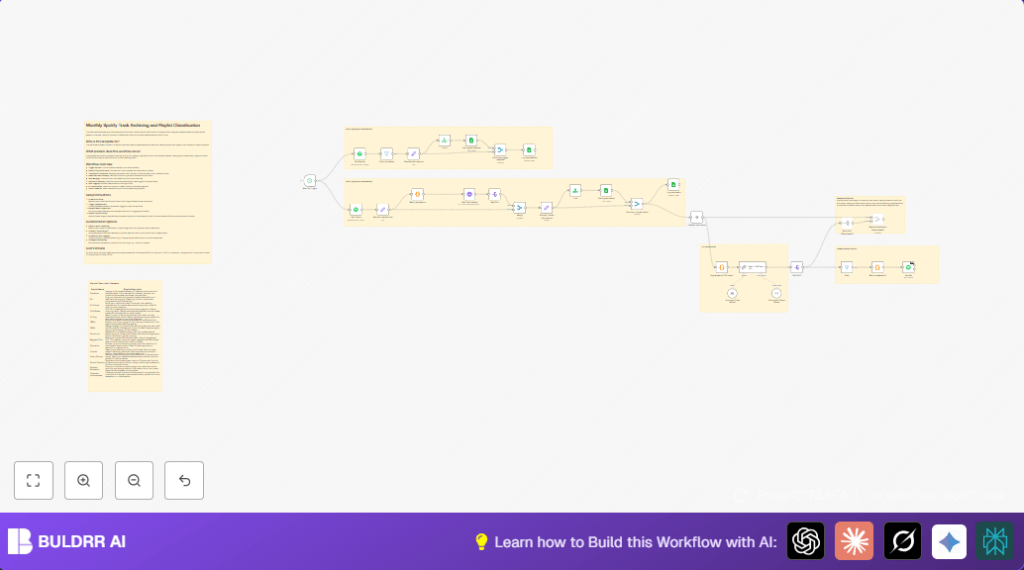
- Trigger the workflow monthly automatically.
- Fetch all your Spotify playlists and filter only those you own.
- Log any new playlists in Google Sheets to avoid duplicates.
- Retrieve all liked or saved tracks from your Spotify library.
- Extract useful info from each track like title, artist, album, and IDs.
- Batch track IDs to get detailed audio features from Spotify API efficiently.
- Merge the audio features back with track details for full metadata.
- Add the current date to each track for log accuracy.
- Check against Google Sheets to remove tracks already archived.
- Log new tracks to Google Sheets to keep an updated monthly archive.
- Group new tracks into smaller chunks to not exceed AI token limits.
- Send these chunks to Anthropic Claude 3.5 AI to classify tracks into playlists based on descriptions.
- Parse AI output from JSON to usable format.
- Split classified playlists and filter out empty ones.
- Batch track URIs for adding them to Spotify playlists in groups of 100 (API limit).
- Update Spotify playlists by adding tracks classified by AI, with retries if some calls fail.
Output
- New tracks archived in Google Sheets with full metadata.
- Spotify playlists updated with correctly classified new tracks.
- Reduced manual work and fewer mistakes in track management.
Beginner Step-by-Step: How to Use This Workflow in n8n
Step 1: Import Workflow
- Download the workflow file from this page.
- In your n8n editor, click “Import from File” to bring in this workflow.
Step 2: Configure Credentials and IDs
- Add your Spotify OAuth2 credentials with correct permissions (playlist read and modify).
- Add your Google Sheets OAuth2 credentials and check spreadsheet IDs and sheet names match your files.
- Add your Anthropic API key for the Claude 3.5 model.
- Review any Code or Prompt nodes and update playlist descriptions or other text if you want custom classification.
Step 3: Test the Workflow
- Run the workflow once manually to check for any errors.
- Check your Google Sheets to confirm new entries are being logged correctly.
- Watch for any API errors or AI output formatting issues.
Step 4: Activate for Production
- Enable the monthly trigger node to let the workflow run automatically every month.
- Monitor workflow runs inside n8n editor to catch any problems early.
- Make adjustments by updating prompts or batch sizes if needed.
For full server control, consider self-host n8n.
Customization Ideas
- Change AI prompt in the Chain LLM node to adjust how tracks get placed in playlists.
- Add more Spotify audio features by calling additional Spotify APIs for richer data.
- Modify Google Sheets columns to add or remove stored track details.
- Adjust the Schedule Trigger node to run weekly or on-demand instead of monthly.
- Add Webhook nodes for manual approvals before playlist updates.
Common Problems and Fixes
- Spotify API returns 401 Unauthorized: OAuth Access token expired or missing playlist scopes. Reauthorize Spotify credentials granting needed scopes.
- Google Sheets append node does not add rows: Check sheet ID, sheet name, and OAuth permissions carefully. Test reading data first to verify connection.
- AI returns bad or empty JSON output: Too many tracks exceeding AI token limits. Lower batch sizes in code node or adjust Anthropic node token limits.
Summary of What You Get
✓ Tracks saved every month automatically to Google Sheets with full data.
✓ Playlists updated with new tracks sorted by AI classification.
✓ Time saved by avoiding manual copying and sorting.
✓ Reduced mistakes in playlist management.
→ A neat, always up-to-date Spotify music library organized by AI analysis.
