
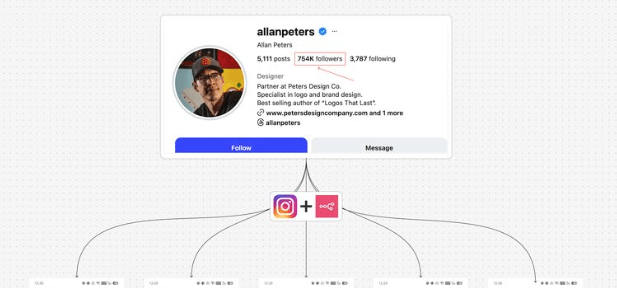
What this system does (in simple terms)
Once triggered, the automation:
- Pulls competitor Instagram usernames from Google Sheets
- Scrapes their latest Reels
- Filters, sorts, and selects top-performing videos
- Transcribes video audio
- Uses AI to extract hooks, power words, summaries, and patterns
- Saves results into structured Google Sheets
- Sends you an email summary automatically
You get clarity, not content overload.
Step 1: Prepare your Google Sheet
Create a Google Sheet with these columns:
- Username
- Status (Pending / Completed)
- Followers
- Posts count
- Reels analysis (summary)
Only the username is required to start.
Set status to Pending for creators you want analyzed.
Tip: This allows the system to skip already-processed creators later.
Step 2: Set up the trigger
Start with a simple trigger:
- Manual trigger (for testing)
- Or scheduled trigger (weekly / daily)
Once tested, switch to a weekly schedule to track competitors consistently.
Step 3: Fetch competitors from Google Sheets
Use a Google Sheets node to:
- Read all rows
- Filter creators with status = Pending
- Loop over each creator one by one
This prevents re-analyzing the same profiles repeatedly.
Step 4: Scrape Instagram data (Apify)
Use Apify’s Instagram Profile Scraper actor.
Configuration basics:
- Input: Instagram username
- Output: Profile data + recent posts
Best practice:
Pin the scraper output while building to avoid wasting credits.
Step 5: Clean old analysis data (optional but recommended)
Before inserting new analysis:
- Batch old Reels data
- Delete previous records from Sheets
This keeps your research clean and avoids duplication.
(Version 2 improvement: skip Reels already analyzed using Reel ID.)
Step 6: Filter Reels only
Instagram profiles include:
- Reels
- Image posts
- Carousels
Add a filter to keep video/Reels only.
Then:
- Sort by view count (descending)
- Limit results (e.g., top 5 Reels)
This focuses analysis on what actually performs.
Step 7: Download videos safely
For each Reel:
- Download video
- Add a wait node (5–10 seconds)
Why this matters:
Avoid API rate limits when transcribing or analyzing content.
Step 8: Transcribe Reel audio
Use an AI transcription service (e.g., OpenAI).
Output:
- Full transcript of each Reel
This transcript becomes the base for all analysis.
Step 9: Extract hooks, power words, and summary (AI Agent)
Configure an AI Agent with:
- System prompt defining what to extract
- User prompt passing transcript
Use a JSON schema output parser to enforce structure:
- Hook (string)
- Power words (array, max 3)
- Summary (short text)
This prevents messy AI outputs.
Step 10: Analyze creator patterns (second AI Agent)
Send all Reel analyses from one creator into another AI Agent.
It answers questions like:
- What topics does this creator focus on?
- What hooks repeat?
- What audience are they targeting?
- What content angle is emerging?
This step converts individual videos into strategy-level insight.
Step 11: Save results to Google Sheets
Store data in two places:
- Top Reels Sheet
- Best-performing Reels
- Hook, summary, transcript
- Competitor Overview Sheet
- Overall creator strategy
- Content patterns
- Audience focus
Mark the creator’s status as Completed.
Step 12: Send email summary
At the end of each loop:
- Compile creator insights
- Send a clean email summary to yourself
Optional:
Add CC/BCC for team members.
This means you don’t even need to open Sheets.
How to use this system effectively
Use it to:
- Study competitor hooks before creating content
- Spot content shifts early
- Avoid copying—focus on patterns instead
- Build ideas from insight, not guesswork
Run it weekly. Review patterns. Decide what to test.
