
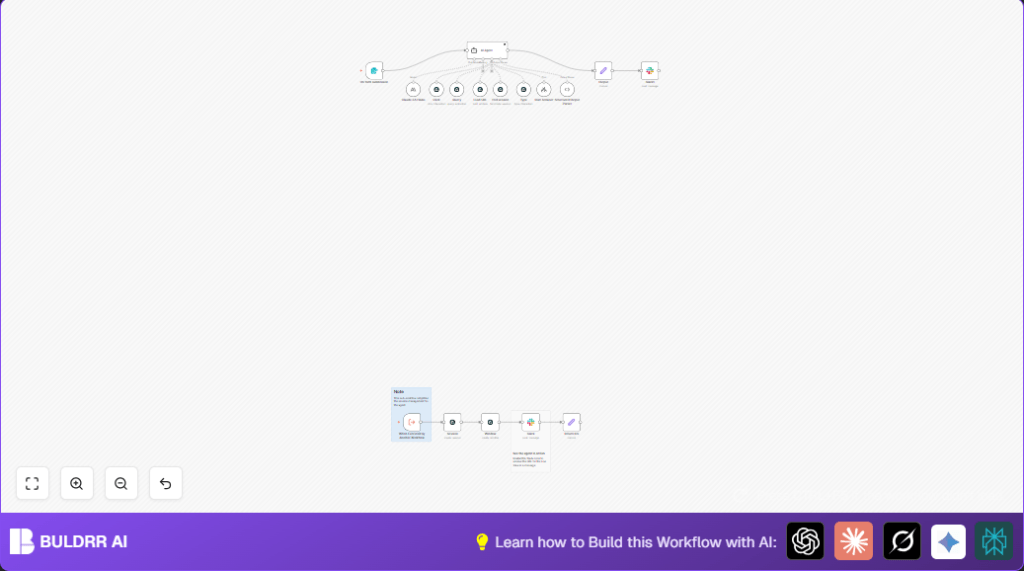

1. What This Automation Does
This workflow opens a browser on a website and listens for your instructions.
It uses AI to understand what you want it to do, like clicking buttons, typing in forms, or getting data.
The AI controls the browser step by step to find information or fill in forms automatically.
You get a clear summary of the results in the end.
This helps save hours from manual work and reduces mistakes by letting an AI agent do all the browsing for you.
2. Inputs, Processing Steps, and Output
Inputs
- Prompt: A set of instructions describing what the AI should do on the website.
- Airtop Profile Name (optional): For websites needing login, specify the profile to use.
- URL: The website address where automation will happen.
Processing Steps
- Create a browser session using Airtop Session node.
- Open a new browser window at the URL through Airtop Window node.
- Pass the user prompt to the AI Agent node, which interprets it into browser actions.
- The AI Agent calls tools (Click, Query, Type, Load URL) to interact with the website.
- After completing tasks, the AI Agent ends the session properly.
Output
- A JSON result with the gathered information or confirmation.
- Optional Slack message with live browser session links for monitoring.
3. Who Should Use This Workflow
This workflow fits users who spend much time browsing websites for data—like comparing prices, checking product features, or monitoring campaigns.
It is for those wanting to cut manual browsing hours and reduce errors by automating web tasks through easy instructions.
No coding skills are needed once the workflow is imported and set up.
4. Tools and Services Used
- n8n: Automation platform running the workflow.
- Airtop API: Controls remote browser sessions and windows.
- Anthropic Claude 3.5 Haiku model: Powers the AI agent’s language understanding.
- Slack: Optional notification channel for live session alerts.
5. Beginner Step-by-Step: How to Use This Workflow in Production
Import the Workflow
- Download the workflow file using the Download button on this page.
- Open n8n editor where you want the workflow.
- Click on “Import from File” and choose the downloaded workflow file.
Setup Credentials and Parameters
- Go to Claude 3.5 Haiku node and add your Anthropic API Key in the credentials section.
- In Airtop Session node, verify Airtop API credentials are added.
- If Slack notifications are used, configure Slack OAuth2 credentials in the Slack node.
- Update any IDs, emails, Slack channels, or URLs with those relevant for your use case.
- Ensure the form input or webhook supplying
Promptandurlfields is ready to use.
Test the Workflow
- Trigger the workflow with a simple prompt like “Open example.com and get the main heading text.”
- Check logs for errors and verify the AI Agent outputs and session creation.
Activate the Workflow for Production
- Turn the workflow status to active in n8n.
- Share the webhook URL or form with users who will submit browsing instructions.
- Monitor the workflow in the n8n dashboard Logs tab during initial use.
Reference self-host n8n for running this workflow on your own server if needed.
6. Customizations
- Change the AI model or tweak settings in the Claude 3.5 Haiku node.
- Add new browser actions by extending the AI Agent tools and system messages.
- Enable Slack messages to get live videos or links of browsing sessions automatically.
- Use different Airtop profiles for logged-in browsing per website by changing form input.
- Adjust
maxIterationsin AI Agent for longer or shorter browsing runs.
7. Troubleshooting
- Missing sessionId or windowId errors in Airtop nodes
Cause: Session IDs not passed correctly.
Fix: Check expressions used to pass session data between nodes. - AI Agent not responding or getting stuck
Cause: API limits or bad system prompts.
Fix: Confirm API keys and quota; simplify system messages if needed. - Click or Type commands fail on webpage
Cause: Page not fully loaded or element targets incorrect.
Fix: Use Query tool first to confirm page state; enable navigation wait options.
8. Summary of Results
✓ You get a remote browser controlled by AI acting on your instructions.
✓ The workflow collects and returns clear web data or confirms actions taken.
✓ It cuts down hours of manual searching and clicking on websites.
→ Reduced errors and overlooked details when gathering web data.
→ Easy to operate after simple import and setup in n8n.
