

Create Animated Stories with GPT-4o-mini, Midjourney & Creatomate APIs

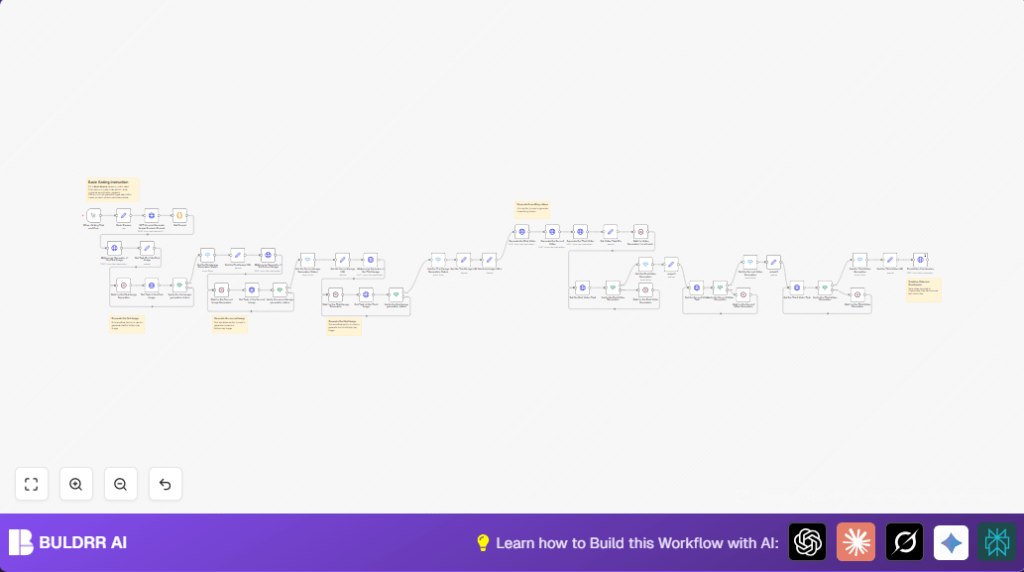
This workflow automates storytelling by generating AI-driven image scenes and animated videos from a text prompt using GPT-4o-mini, Midjourney, Kling, and Creatomate APIs. It streamlines creating animated story content, saving hours of manual work for creatives and marketers.
httpRequest
set
wait
+5
Workflow Identifier: 1297
NODES in Use: set, code, httpRequest, wait, if, switch, stickyNote, manualTrigger

Press CTRL+F5 if the workflow didn't load.

Learn how to Build this Workflow with AI:

Visit through Desktop for Best experience

Opening Problem Statement

Meet Emily, a children0s book author and content creator who spends countless hours designing illustrated story scenes and animating them for her young audience. Every new story requires Emily to write, imagine, find images, and then animate sequences that bring her stories to life visually. This process often takes her days, sometimes weeks, resulting in missed publishing deadlines and lost opportunities to engage her audience consistently. Plus, juggling multiple AI tools manually makes her workflow error-prone and fragmented.

Imagine if Emily could automate the entire pipeline of turning her story concepts into animated story videos with minimal manual effort. This would free her time to focus on writing and refining her narratives, while the automation handles visual generation and video creation seamlessly.

What This Automation Does

This unique n8n workflow integrates four powerful AI tools — GPT-4o-mini, Midjourney, Kling, and Creatomate — that collaborate automatically to produce animated story videos from simple text prompts. When triggered, it:

  • Uses GPT-4o-mini to generate a concise story prompt divided into three distinct scene prompts describing characters, styles, and situational keywords.
  • Sends these prompts to Midjourney API to generate three detailed illustrated images representing key story scenes.
  • Generates three corresponding animated videos for each image using the Kling video generation API with smooth “Natural swing” animations.
  • Fetches the generated video URLs and inputs them into Creatomate to combine them into a single polished story video based on a custom video template.
  • Provides output URLs for individual videos and the final combined story video for easy sharing or further use.

This automation can save Emily hours of manual research, image editing, and video compilation time, delivering ready-to-publish animated story videos reliably.

Prerequisites 

  • n8n account (cloud or self-hosted) 🔑
  • API keys for PiAPI services powering GPT-4o-mini, Midjourney, and Kling 🔐
  • Creatomate API access for video template rendering 🔑

Step-by-Step Guide

1. Configure Basic Parameters

Navigate to the Basic Params node. Enter your API key in the “x-api-key” field. Customize the following JSON fields:
{
"style": "a children0s book cover, ages 6-10. --s 500 --sref 4028286908 --niji 6",
"character": "A gentle girl and a fluffy rabbit explore a sunlit forest together, playing by a sparkling stream",
"situational_keywords": "Butterflies flutter around them as golden sunlight filters through green leaves. Warm and peaceful atmosphere"
}

This defines the visual style, main characters, and scene ambiance to guide AI generations.

Common mistake: Forgetting to enter your API key here will cause the entire workflow to fail authentication.

2. Trigger the Workflow Manually

Click the When clicking Test workflow manual trigger node and run the workflow to start the automation. You should see the workflow progressing to the next nodes automatically.

3. Generate Story Scenario Prompts with GPT-4o-mini

The GPT-4o-mini Generate Image Scenario Prompt node sends your inputs from Basic Params to GPT-4o-mini. The AI returns a JSON-formatted story prompt containing a title and three scene prompts. This text is parsed in the Get Prompt Code node to JSON format for downstream use.

Code node JavaScript snippet:

const content = $input.first().json.choices[0].message.content;
const prompts = JSON.parse(content);
return { prompts };

This isolates the story prompts for use in the next image generation steps.

4. Generate the First Image with Midjourney

The Midjourney Generator of the First Image node sends a POST request to the Midjourney API via PiAPI, combining the character, prompt1, and style fields for the image prompt.

Request body example:

{
  "model": "midjourney",
  "task_type": "imagine",
  "input": {
    "prompt": "A gentle girl and a fluffy rabbit explore a sunlit forest together, playing by a sparkling stream, [prompt1], a children0s book cover, ages 6-10. --s 500 --sref 4028286908 --niji 6",
    "aspect_ratio": "2:3",
    "process_mode": "turbo",
    "skip_prompt_check": false
  }
}

Headers include the x-api-key from Basic Params.

The Get Task ID of the First Image node captures the task ID from this API call to poll for completion later.

5. Wait and Verify First Image Generation

The Wait for the First Image Generation and Get Task of the First Image nodes implement polling by repeatedly checking the image generation task status until it returns “completed” or “failed” via the Verify the first image generation status node.

If successful, Get the First Image Generation Status captures the temporary image URLs for use in the next step.

6. Repeat Steps 4-5 for the Second and Third Images

The workflow duplicates the image request, wait, verify, and URL capture steps for Midjourney Generator of the Second Image and Midjourney Generator of the Third Image, ensuring three unique images for the story’s three scenes.

7. Generate Corresponding Animated Videos with Kling

The three images retrieved are passed to three separate Generate the First Video, Generate the Second Video, and Generate the Third Video nodes. Each calls the Kling API to create a “Natural swing” animated video from the still image.

Request body example:

{
  "model": "kling",
  "task_type": "video_generation",
  "input": {
    "version": "1.6",
    "mode": "pro",
    "image_url": "[image_url_here]",
    "prompt": "Natural swing"
  }
}

Each video task ID is tracked, and the workflow waits for completion just like image jobs.

8. Combine Animated Videos into a Single Story with Creatomate

The Final Video Combination node sends a POST request to the Creatomate API with a predefined video template. It replaces placeholders in the template with the three video URLs and inserts the story title as text overlay.

Request body example:

{
  "template_id": "c10c62b6-d515-4f36-a730-f4646d1b7ee2",
  "modifications": {
    "Video-1.source": "[video1_url]",
    "Video-2.source": "[video2_url]",
    "Video-3.source": "[video3_url]",
    "Text-1.text": "[story_title]"
  }
}

Authentication uses a Bearer token in the Authorization header.

Customizations ✏️

  • Change Story Content: Modify the Basic Params “character”, “style”, and “situational_keywords” JSON to generate different story themes and scenes.
  • Adjust Animation Style: In the Kling video generation nodes, change the “prompt” field to other animation descriptors like “Smooth zoom” or “Flying effect”.
  • Use Different Image Aspect Ratio: In Midjourney HTTP request nodes, update “aspect_ratio” from “2:3” to “16:9” or “1:1” for different framing.
  • Modify Video Template: Swap the Creatomate template_id with your own template to alter final video style and layout.

Troubleshooting 🔧

  • Problem: “Authentication failed” errors from PiAPI HTTP nodes.
    Cause: Invalid or missing API key in Basic Params.
    Solution: Re-check and re-enter your correct x-api-key value in the Basic Params node.
  • Problem: Image or video generation stuck in “pending” or “processing”.
    Cause: API rate limits or server delays.
    Solution: Add longer waits (increase wait time nodes) or retry triggers. Check API usage dashboard.
  • Problem: Final video merging errors in Creatomate.
    Cause: Incorrect video URLs or template placeholders.
    Solution: Verify video URLs passed in the modifications JSON and ensure that template_id is valid and active.

Pre-Production Checklist ✅

  • Confirm your PiAPI API key works by testing individual GPT-4o-mini and Midjourney API calls.
  • Verify Creatomate API key and access to the specified video template.
  • Run the workflow with a simple test scenario using default Basic Params.
  • Check for successful generation of all three images and videos without errors.
  • Backup your n8n workflow JSON and note your API key security.

Deployment Guide

Once your parameters are set and testing is successful, activate the workflow permanently in n8n by toggling it to active. You can trigger it manually or connect to a webhook or schedule node for automation.

Monitor execution via n8n’s running workflow logs. Check for any errors or delays in video generation, particularly as video processing can take several minutes.

To self-host your n8n for more control and security, consider using hosting services like Hostinger https://buldrr.com/hostinger.

FAQs

  • Can I use other AI models instead of GPT-4o-mini?
    Yes, but you would need to adjust the HTTP request node parameters to comply with other APIs.
  • Does this consume API credits?
    Yes, each API call to PiAPI and Creatomate counts toward your usage and billing.
  • Is my data secure?
    PiAPI and Creatomate use encrypted API connections, but keep your API keys confidential.
  • Can this scale for multiple stories?
    Yes, but ensure your API plan supports concurrent requests and sufficient rate limits.

Conclusion

By following this guide, you transformed how story creation is done by automatically generating beautiful scenes and animations from text descriptions. This workflow saves hours of manual design and video editing work, enabling creative professionals like Emily to publish animated stories faster and more efficiently.

Next steps could include integrating voice narration, adding multi-language support, or automating social media story posting for wider reach. Embrace this automation to focus more on your creativity and less on tedious production tasks.

Promoted by BULDRR AI

Related Workflows

Automate Viral UGC Video Creation Using n8n + Degaus (Beginner-Friendly Guide)

Learn how to automate viral UGC video creation using n8n, AI prompts, and Degaus. This beginner-friendly guide shows how to import, configure, and run the workflow without technical complexity.
Form Trigger
Google Sheets
Gmail
+37
Free

AI SEO Blog Writer Automation in n8n (Beginner Guide)

A complete beginner guide to building an AI-powered SEO blog writer automation using n8n.
AI Agent
Google Sheets
httpRequest
+5
Free

Automate CrowdStrike Alerts with VirusTotal, Jira & Slack

This workflow automates processing of CrowdStrike detections by enriching threat data via VirusTotal, creating Jira tickets for incident tracking, and notifying teams on Slack for quick response. Save hours daily by transforming complex threat data into actionable alerts effortlessly.
scheduleTrigger
httpRequest
jira
+5
Free

Automate Telegram Invoices to Notion with AI Summaries & Reports

Save hours on financial tracking by automating invoice extraction from Telegram photos to Notion using Google Gemini AI. This workflow extracts data, records transactions, and generates detailed spending reports with charts sent on schedule via Telegram.
lmChatGoogleGemini
telegramTrigger
notion
+9
Free

Automate Email Replies with n8n and AI-Powered Summarization

Save hours managing your inbox with this n8n workflow that uses IMAP email triggers, AI summarization, and vector search to draft concise replies requiring minimal review. Automate business email processing efficiently with AI guidance and Gmail integration.
emailReadImap
vectorStoreQdrant
emailSend
+12
Free

Automate Email Campaigns Using n8n with Gmail & Google Sheets

This n8n workflow automates personalized email outreach campaigns by integrating Gmail and Google Sheets, saving hours of manual follow-up work and reducing errors in email sequences. It ensures timely follow-ups based on previous email interactions, optimizing communication efficiency.
googleSheets
gmail
code
+5
Free