
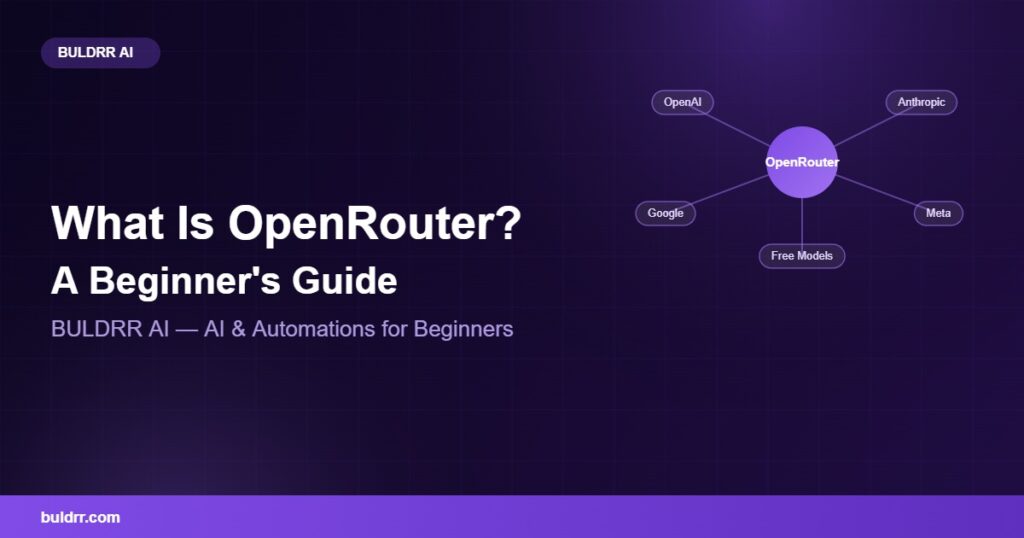
So you keep seeing “OpenRouter” mentioned in every AI tutorial, GitHub README, and n8n workflow you come across. Maybe you even tried to sign up and got stuck wondering what the whole point of it is. Here’s the simple version. OpenRouter is like a single doorway into hundreds of AI models from different companies, so you stop juggling ten different accounts and ten different API keys. You do not need to be a developer to understand it. By the end of this guide, you will know exactly what OpenRouter does, how the free models work, and how to get your first API key running in a few minutes.
What you’ll learn:
- What OpenRouter actually is, in plain English
- How it is different from using OpenAI or Anthropic directly
- Which of its models are free and which cost money
- How to get your API key in under five minutes
- How BULDRR AI uses it inside real automations
What Is OpenRouter, Really?
OpenRouter is a single API that gives you access to hundreds of AI models from different companies, like OpenAI, Anthropic, Google, and Meta, through one account and one API key.
Think of it like a universal remote for your TV, soundbar, and streaming box. Instead of learning three different remotes, you press one button and it works everywhere. OpenRouter does the same thing for AI models.. One key opens the door to hundreds of them.
Instead of signing up for OpenAI, then Anthropic, then Google AI Studio separately, each with its own billing and its own API format, you sign up once. As of 2026, the official documentation shows it connects you to more than 400 models from dozens of providers, and its own usage data shows the platform processes over 20 trillion tokens a week.
Say you want to test five different AI models on the same prompt, like Claude, GPT, Gemini, and a couple of open-source models. You do not need five accounts. You change one line in your code or workflow and switch models instantly.
How Is OpenRouter Different From Using OpenAI or Claude Directly?
Going directly to OpenAI or Anthropic locks you into one company’s models and one pricing structure. OpenRouter sits in front of all of them and lets you pick and switch freely.
It works a bit like a food court instead of one restaurant. At one restaurant, you eat whatever that kitchen makes. At a food court, you walk between stalls and pick what fits your mood and your budget, all under one roof.
It also handles fallbacks automatically. If one provider is down or slow, it can reroute your request to another model that does the same job, so your automation does not just stop working. OpenRouter shows live pricing per model too, so you can compare cost before you commit to one.
Honestly, a lot of BULDRR AI’s own automations run it behind n8n so that if one model provider has an outage, the workflow keeps running instead of breaking at 2am.
Are the Free Models Actually Free?
Yes, several OpenRouter models are free to use, marked with a “:free” tag next to the model name.
Think of it like a shared office printer with a daily page limit. You get real, usable pages for free every day, but there is a fair-use cap so nobody hogs the whole machine.
These free models usually come from open-source labs and carry daily or per-minute rate limits. They work well for testing prompts, learning how an automation behaves, or running small personal projects. Paid models remove the rate limit and usually respond faster.
BULDRR AI keeps a full ranked list of the current free OpenRouter models, updated as new ones get added and old ones get removed.
How Do You Get an OpenRouter API Key?
- Go to openrouter.ai and click Sign Up. ✅ You only need an email address. 💡 Tip: use the same email you use for your automation tools so everything stays organized.
- Verify your email and log in to your new account. ✅ Your dashboard opens automatically. 💡 Tip: bookmark the dashboard, you will come back here often.
- Click “Keys” in the left menu and select “Create Key.” ✅ You now have a working API key. 💡 Tip: never paste this key into a public chat or a public GitHub repo.
- Copy the key and paste it into your tool of choice, like n8n. ✅ Your automation can now call any model on the platform. 💡 Tip: in n8n, store it as a credential instead of typing it directly into a node, so it stays private.
Real-World Before and After
Before: A small agency paid for three separate AI subscriptions just to test which model wrote the best marketing copy, and switching between them meant rewriting the same script three different times.
After: They connected one API key to their n8n workflow, self-hosted on a small VPS (a small online server), and now test five models on the same prompt automatically, picking whichever one hits their quality bar for the lowest cost.
Common Questions
Is it safe to use for business data?
OpenRouter does not train models on your data by default, and it lets you pick providers with stricter data policies if you need them. As of 2026, always check the specific model’s data policy page before sending sensitive information.
Does it work with n8n?
Yes. n8n has a built-in OpenRouter node, and it is one of the easiest ways to test multiple AI models inside a single automation without rebuilding your workflow. BULDRR AI’s n8n AI Agent node tutorial walks through a similar beginner setup.
Do you need to know how to code to use it?
No. If you are using a no-code tool like n8n to connect to it, you just paste your API key into a credential field. Coding is only needed if you are calling the API directly from custom scripts.
If this still feels technical, that is completely normal. You do not need to understand every model or every setting on day one. Start with one free model, one simple task, and build from there. Most people who try it for the first time have it running within ten minutes, and mistakes here almost never cost real money, since free models have no bill attached.
Quick recap:
- OpenRouter is one API key that unlocks hundreds of AI models
- It works like a universal remote for AI instead of juggling separate accounts
- Free models exist and are marked with a “:free” tag
- Getting your API key takes about five minutes
- BULDRR AI uses it inside n8n automations to avoid single-provider outages
What to do next: Head to openrouter.ai, create a free account, and generate your first API key today, then plug it into one of BULDRR AI’s free n8n templates to see it work inside a real automation.
FAQ
What is OpenRouter used for?
OpenRouter gives you one API key to access hundreds of AI models from different providers like OpenAI, Anthropic, and Google, so you can test, compare, and switch models without managing separate accounts.
Is OpenRouter free?
OpenRouter itself is free to join. Some models on the platform are free to use with rate limits, marked with a “:free” tag, while others are paid per use based on the model you choose.
How do you get an OpenRouter API key?
Sign up at openrouter.ai, verify your email, open the Keys tab in your dashboard, and click Create Key. The whole process takes under five minutes and needs no coding.
Can you use OpenRouter with n8n?
Yes. n8n includes a native OpenRouter node, letting you connect your API key and choose from hundreds of models inside your automation without writing custom code.
Is OpenRouter safe for business use?
OpenRouter does not train on your data by default and lets you choose providers with stricter privacy policies. Always confirm the specific model’s data policy before sending sensitive business information.
What is the difference between OpenRouter and OpenAI?
OpenAI gives you access to only OpenAI’s own models. OpenRouter gives you access to OpenAI’s models plus hundreds of others from different companies, all through a single account and API key.
