

What You Need Before Starting
You need only two things:
- A computer (Windows, Mac, or Linux)
- Docker installed
That’s it.
No server
No coding knowledge
No VPS required
Step 1 — Install Docker
Docker runs apps inside containers.
n8n runs as a container.
Windows
- Download Docker Desktop https://www.docker.com/products/docker-desktop/
- Install normally
- Restart PC
- Open Docker Desktop once and wait until it says “Running”
Important:
If Windows asks for WSL installation → allow it.
Mac
- Download Docker Desktop for Mac
- Install
- Open it once
- Wait until the whale icon becomes stable
Linux (Ubuntu example)
Open terminal and run:
sudo apt update
sudo apt install docker.io -y
sudo systemctl enable docker
sudo systemctl start docker
Then verify:
docker --version
If it prints a version → ready.
Step 2 — Create Persistent Storage
We must store workflows permanently.
Otherwise every restart deletes data.
Run:
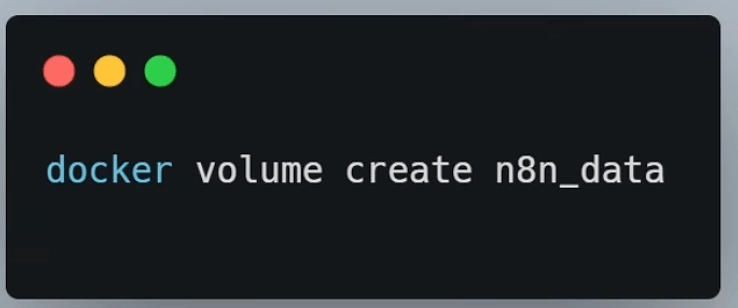
docker volume create n8n_data
What this does:
Creates a storage location where n8n saves
- workflows
- credentials
- settings
- license
You run this only once.
Step 3 — Start n8n
Now run the container.
Copy exactly:
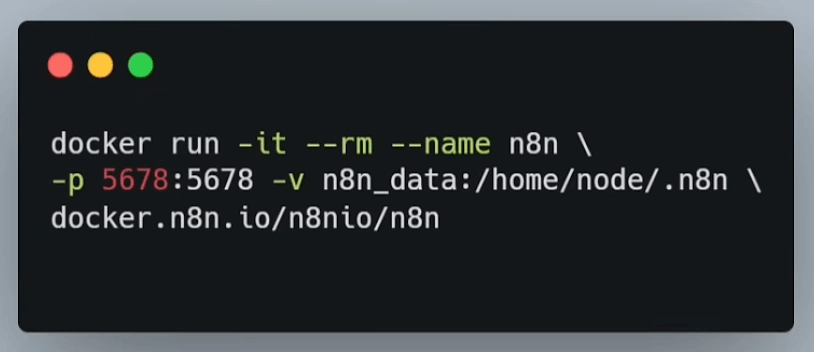
docker run -it --rm --name n8n \\
-p 5678:5678 -v n8n_data:/home/node/.n8n \\
docker.n8n.io/n8nio/n8n
Wait.
First time download takes a few minutes.
You will see logs appearing in terminal.
Do not close it.
When you see something like:
“Editor is now accessible”
You are ready.
Step 4 — Open n8n
Open browser and go to:
<http://localhost:5678>
You will see the setup screen.
Create account:
- password
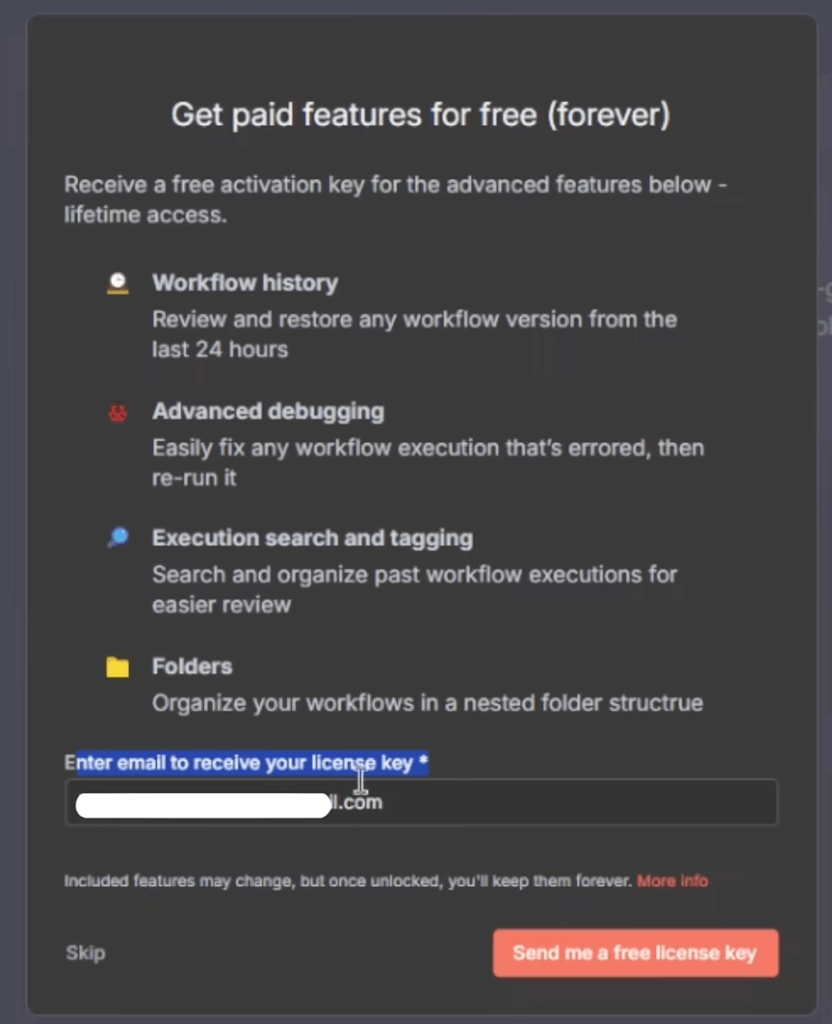
Step 5 — Activate Free License
After login:
- n8n asks for license email
- Enter your email
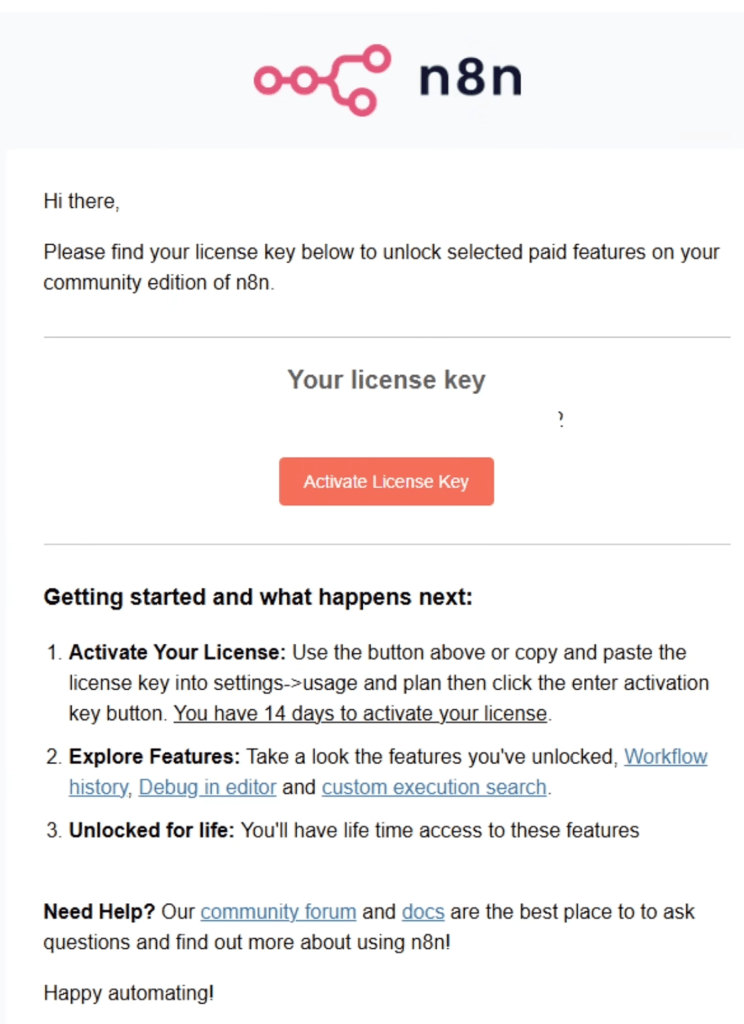
- You receive an email
- Click activate link
Done.
You now have full features unlocked on your self-hosted instance.
What You Just Got
You now have:
- workflows
- credentials
- AI nodes
- advanced features
- full builder
Without paying the hosted subscription.
Important Notes
Keep terminal open while using n8n.
If you close it → n8n stops.
To restart later, run the same docker command again.
Your workflows remain safe because of the volume you created.
Optional Quality of Life Tip
If you don’t want to retype the long command every time:
Create a file named start-n8n.sh (Mac/Linux) or start-n8n.bat (Windows)
Paste the docker command inside.
Now you start n8n with one click.
You Are Done
You now run a full automation platform locally.
No subscription required.
