What Is OpenRouter? The Complete Beginner’s Guide (2026)
Updated: July 25, 2026
Say you want to try Claude for one task and GPT for another. Then you want to test a free model too. Every AI company wants its own account and its own card on file. That gets messy fast.
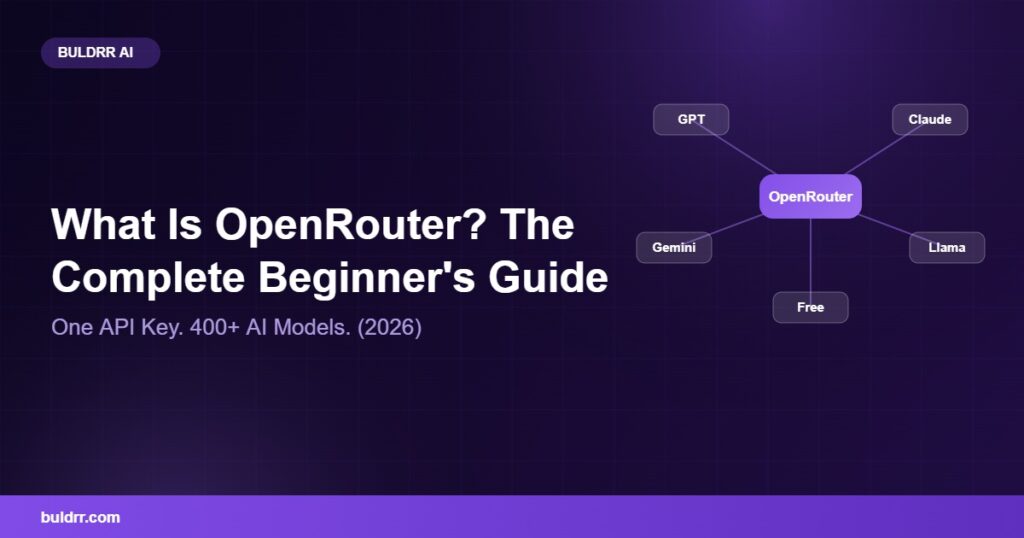
OpenRouter fixes that problem. It gives you one login and one API key. That single key works across hundreds of AI models. No juggling ten different dashboards.
This guide explains what OpenRouter is in plain English. You will learn how it works, what it costs, and how to get your own API key today.
Why so many teams use it instead of going straight to OpenAI or Anthropic
How OpenRouter picks a model and routes your request
What it costs, including the free models
The exact steps to get your first API key
What Is OpenRouter, Exactly?
OpenRouter is a single platform that gives you access to AI models from many companies. You get there through one account and one API key. Companies like OpenAI, Anthropic, Google, and Meta each build their own AI models. Normally, you would need a separate account, card, and key for each one.
Think of it like a food delivery app. You do not download a separate app for every restaurant in town. You open one app, save one card, and order from hundreds of restaurants. OpenRouter works the same way: one account, one payment method, hundreds of models to choose from.
As of 2026, OpenRouter connects to more than 400 AI models from dozens of companies. That count comes straight from OpenRouter’s own documentation. The list includes models from OpenAI, Anthropic, Google, Meta, Mistral, and many smaller labs. OpenRouter itself does not build any of these models, it simply routes your request to whichever one you pick.
Say you build a customer support bot for a client. You can start with a cheap, fast model for simple questions. Then switch to a more powerful model for the tricky ones. You do this inside OpenRouter, without rebuilding your whole setup.
Why Do People Use OpenRouter Instead of Going Straight to the AI Company?
Most people use OpenRouter to save time and stay flexible. New AI models launch almost every week. Testing each one usually means a new sign-up and new code. OpenRouter removes that friction.
One dashboard for billing and usage across every model
Switch models by changing one line of text, not your whole app
Automatic backup models if your first choice is down or slow
Compare price and speed before you commit to a model
At BULDRR AI, this matters when we build automations for clients. If one model changes its price overnight, we point the workflow at a different model instead. The client’s automation keeps running. Nobody has to rebuild anything from scratch.
How Does OpenRouter Work? (Without the Confusing Tech Talk)
OpenRouter sits between your app and the AI companies. You send one request to OpenRouter. OpenRouter decides which company should answer it, then sends the response back to you.
It works a bit like a GPS app in your car. Google Maps does not build the roads. It looks at every road out there and picks the fastest one right now. OpenRouter does the same thing with AI models, rerouting automatically if one gets overloaded.
Behind the scenes, OpenRouter looks at things like cost, speed, and whether a model is even online right now. If your chosen model is down, OpenRouter can fall back to a backup model you picked. Your app keeps working without you doing anything extra.
Say you ask for one model and its servers get briefly overloaded. OpenRouter can fall back to a backup model you approved in advance. Most of the time, your user never even notices.
Is OpenRouter Free? Pricing and Free Models Explained
OpenRouter itself is free to sign up for. You only pay for the AI models you actually use. OpenRouter does not add a markup on top of the model price.
Here is how the money works, based on OpenRouter’s own FAQ page. When you buy credits with a card, there is a 5.5% fee (minimum $0.80). Crypto payments carry a 5% fee. Past that fee, you pay the exact same price the AI company charges, with no hidden markup.
OpenRouter also lists free models, marked with :free in their name. These do not use up any credits. As of 2026, there are usually a couple dozen free models at any time, and the list changes often. BULDRR AI tracks the current list in our full list of OpenRouter free models.
Free models do have limits. According to OpenRouter’s FAQ, you get 50 free requests per day if you have not purchased any credits yet. Once you buy at least $10 in credits, that jumps to 1,000 free requests per day.
Free Models (:free)
Paid Models
Cost
$0 per token
Same price the AI company charges
Daily limit
50/day (1,000/day after $10 in credits)
Set by your own account and budget
Best for
Testing, learning, small side projects
Client work and production apps
Model choice
Only models tagged :free
Every model on OpenRouter
How to Get Started with OpenRouter (In 2026)
Getting your first API key takes about five minutes. Here are the steps.
Go to openrouter.ai and sign up with Google or email. No credit card is needed just to create the account.
Open the “Keys” section inside your dashboard.
Click “Create API Key” and give it a name, like “my-first-project.”
Copy the key somewhere safe. OpenRouter only shows it to you once.
Add a small amount of credits if you want paid models, or start with a free model right away.
That’s really it. Change the model name in that one line, and the same code talks to a completely different AI company.
OpenRouter Before and After: A Real Example
Before OpenRouter: A small agency wants to test three AI models for a new chatbot. That means three sign-ups, three API keys, three billing pages, and three sets of code to maintain.
After OpenRouter: The same agency signs up once. They test all three models using the same code, just by changing one word each time. When one model gets too expensive, they switch in minutes, not days.
Common Questions About OpenRouter
Is OpenRouter safe to use for client work?
For most use cases, yes. OpenRouter states that it does not log your prompts or responses by default. Check the privacy section of OpenRouter’s FAQ for the full details before using it with sensitive client data.
Do you need to know how to code to use OpenRouter?
Not always. If you use OpenRouter through a tool like n8n, you can connect it with clicks instead of code. BULDRR AI’s n8n AI Agent node guide shows exactly how that works.
Can you use OpenRouter models inside n8n?
Yes. OpenRouter has an official integration for n8n. You can drop any OpenRouter model into an n8n workflow like any other AI node.
Which free model should a beginner start with?
There is no single right answer, since free models change often. BULDRR AI tracks the current best options in our Best Free OpenRouter Models guide, updated as new models appear.
If this still feels like a lot, that is completely normal. You do not need to understand every model or every setting on day one. Start with one free model, send one test message, and go from there. Most beginners get their first working request done in under ten minutes.
Quick Recap
OpenRouter gives you one API key for hundreds of AI models
It does not build AI models, it routes your requests to them
Pricing matches the AI company’s own price, plus a small fee only when you buy credits
Free models exist, marked with :free, and come with daily limits
Getting your first key takes about five minutes
What to Do Next
Go to openrouter.ai, create your free account, and generate your first API key today. That one small step turns OpenRouter from an idea you read about into a tool you actually use.
FAQ
What is OpenRouter used for?
OpenRouter is used to reach many different AI models, like GPT and Claude, through one single API key. That replaces separate accounts for every company.
Is OpenRouter free to use?
Signing up for OpenRouter is free. You pay only for the AI models you use, at the same price the AI company charges. There is a small fee only when you buy credits.
Does OpenRouter build its own AI models?
No. OpenRouter does not build AI models. It routes your requests to models built by companies like OpenAI, Anthropic, Google, and Meta.
How many models does OpenRouter support?
OpenRouter connects to more than 400 AI models from dozens of companies, based on OpenRouter’s own documentation. New models are added often.
Can you use OpenRouter with n8n?
Yes. OpenRouter has an official n8n integration, so you can add any OpenRouter model to an automation without writing code.
What happens if your chosen AI model goes down?
OpenRouter can automatically switch to a backup model you approve in advance, so your app or workflow keeps working.
Say you want to try Claude for one task and GPT for another. Then you want to test a free model too. Every AI company wants its own account and its own card on file. That gets messy fast.
OpenRouter fixes that problem. It gives you one login and one API key. That single key works across hundreds of AI models. No juggling ten different dashboards.
This guide explains what OpenRouter is in plain English. You will learn how it works, what it costs, and how to get your own API key today.
Why so many teams use it instead of going straight to OpenAI or Anthropic
How OpenRouter picks a model and routes your request
What it costs, including the free models
The exact steps to get your first API key
What Is OpenRouter, Exactly?
OpenRouter is a single platform that gives you access to AI models from many companies. You get there through one account and one API key. Companies like OpenAI, Anthropic, Google, and Meta each build their own AI models. Normally, you would need a separate account, card, and key for each one.
Think of it like a food delivery app. You do not download a separate app for every restaurant in town. You open one app, save one card, and order from hundreds of restaurants. OpenRouter works the same way: one account, one payment method, hundreds of models to choose from.
As of 2026, OpenRouter connects to more than 400 AI models from dozens of companies. That count comes straight from OpenRouter’s own documentation. The list includes models from OpenAI, Anthropic, Google, Meta, Mistral, and many smaller labs. OpenRouter itself does not build any of these models, it simply routes your request to whichever one you pick.
Say you build a customer support bot for a client. You can start with a cheap, fast model for simple questions. Then switch to a more powerful model for the tricky ones. You do this inside OpenRouter, without rebuilding your whole setup.
Why Do People Use OpenRouter Instead of Going Straight to the AI Company?
Most people use OpenRouter to save time and stay flexible. New AI models launch almost every week. Testing each one usually means a new sign-up and new code. OpenRouter removes that friction.
One dashboard for billing and usage across every model
Switch models by changing one line of text, not your whole app
Automatic backup models if your first choice is down or slow
Compare price and speed before you commit to a model
At BULDRR AI, this matters when we build automations for clients. If one model changes its price overnight, we point the workflow at a different model instead. The client’s automation keeps running. Nobody has to rebuild anything from scratch.
How Does OpenRouter Work? (Without the Confusing Tech Talk)
OpenRouter sits between your app and the AI companies. You send one request to OpenRouter. OpenRouter decides which company should answer it, then sends the response back to you.
It works a bit like a GPS app in your car. Google Maps does not build the roads. It looks at every road out there and picks the fastest one right now. OpenRouter does the same thing with AI models, rerouting automatically if one gets overloaded.
Behind the scenes, OpenRouter looks at things like cost, speed, and whether a model is even online right now. If your chosen model is down, OpenRouter can fall back to a backup model you picked. Your app keeps working without you doing anything extra.
Say you ask for one model and its servers get briefly overloaded. OpenRouter can fall back to a backup model you approved in advance. Most of the time, your user never even notices.
Is OpenRouter Free? Pricing and Free Models Explained
OpenRouter itself is free to sign up for. You only pay for the AI models you actually use. OpenRouter does not add a markup on top of the model price.
Here is how the money works, based on OpenRouter’s own FAQ page. When you buy credits with a card, there is a 5.5% fee (minimum $0.80). Crypto payments carry a 5% fee. Past that fee, you pay the exact same price the AI company charges, with no hidden markup.
OpenRouter also lists free models, marked with :free in their name. These do not use up any credits. As of 2026, there are usually a couple dozen free models at any time, and the list changes often. BULDRR AI tracks the current list in our full list of OpenRouter free models.
Free models do have limits. According to OpenRouter’s FAQ, you get 50 free requests per day if you have not purchased any credits yet. Once you buy at least $10 in credits, that jumps to 1,000 free requests per day.
Free Models (:free)
Paid Models
Cost
$0 per token
Same price the AI company charges
Daily limit
50/day (1,000/day after $10 in credits)
Set by your own account and budget
Best for
Testing, learning, small side projects
Client work and production apps
Model choice
Only models tagged :free
Every model on OpenRouter
How to Get Started with OpenRouter (In 2026)
Getting your first API key takes about five minutes. Here are the steps.
Go to openrouter.ai and sign up with Google or email. No credit card is needed just to create the account.
Open the “Keys” section inside your dashboard.
Click “Create API Key” and give it a name, like “my-first-project.”
Copy the key somewhere safe. OpenRouter only shows it to you once.
Add a small amount of credits if you want paid models, or start with a free model right away.
That’s really it. Change the model name in that one line, and the same code talks to a completely different AI company.
OpenRouter Before and After: A Real Example
Before OpenRouter: A small agency wants to test three AI models for a new chatbot. That means three sign-ups, three API keys, three billing pages, and three sets of code to maintain.
After OpenRouter: The same agency signs up once. They test all three models using the same code, just by changing one word each time. When one model gets too expensive, they switch in minutes, not days.
Common Questions About OpenRouter
Is OpenRouter safe to use for client work?
For most use cases, yes. OpenRouter states that it does not log your prompts or responses by default. Check the privacy section of OpenRouter’s FAQ for the full details before using it with sensitive client data.
Do you need to know how to code to use OpenRouter?
Not always. If you use OpenRouter through a tool like n8n, you can connect it with clicks instead of code. BULDRR AI’s n8n AI Agent node guide shows exactly how that works.
Can you use OpenRouter models inside n8n?
Yes. OpenRouter has an official integration for n8n. You can drop any OpenRouter model into an n8n workflow like any other AI node.
Which free model should a beginner start with?
There is no single right answer, since free models change often. BULDRR AI tracks the current best options in our Best Free OpenRouter Models guide, updated as new models appear.
If this still feels like a lot, that is completely normal. You do not need to understand every model or every setting on day one. Start with one free model, send one test message, and go from there. Most beginners get their first working request done in under ten minutes.
Quick Recap
OpenRouter gives you one API key for hundreds of AI models
It does not build AI models, it routes your requests to them
Pricing matches the AI company’s own price, plus a small fee only when you buy credits
Free models exist, marked with :free, and come with daily limits
Getting your first key takes about five minutes
What to Do Next
Go to openrouter.ai, create your free account, and generate your first API key today. That one small step turns OpenRouter from an idea you read about into a tool you actually use.
FAQ
What is OpenRouter used for?
OpenRouter is used to reach many different AI models, like GPT and Claude, through one single API key. That replaces separate accounts for every company.
Is OpenRouter free to use?
Signing up for OpenRouter is free. You pay only for the AI models you use, at the same price the AI company charges. There is a small fee only when you buy credits.
Does OpenRouter build its own AI models?
No. OpenRouter does not build AI models. It routes your requests to models built by companies like OpenAI, Anthropic, Google, and Meta.
How many models does OpenRouter support?
OpenRouter connects to more than 400 AI models from dozens of companies, based on OpenRouter’s own documentation. New models are added often.
Can you use OpenRouter with n8n?
Yes. OpenRouter has an official n8n integration, so you can add any OpenRouter model to an automation without writing code.
What happens if your chosen AI model goes down?
OpenRouter can automatically switch to a backup model you approve in advance, so your app or workflow keeps working.
Author
Written By
Vikash Kumar
Building AI agents, n8n workflows and end-to-end automation for 30+ Brands across India, the US, Europe, Dubai & Australia. 7+ years of Experience saving founders real hours every week - no code required.