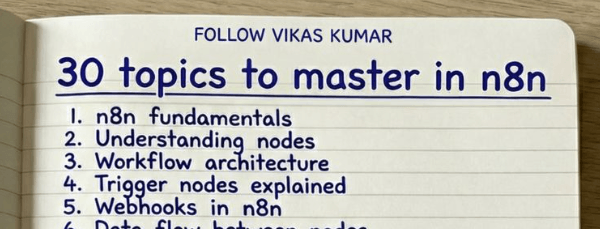
Roadmap to Master n8n Automation

Stage 1. Core Foundations

Before building workflows, understand how n8n works internally.

1. n8n Fundamentals

Learn what n8n is and how workflow automation works.

Focus on:

  • Workflow based automation
  • Node based architecture
  • Event driven systems
  • Data passing between nodes

Outcome

You understand how an automation platform operates.


2. n8n Interface and Workflow Builder

Understand the editor environment.

Practice:

  • Creating workflows
  • Adding nodes
  • Connecting nodes
  • Running manual executions
  • Reading execution logs

Outcome

You navigate the builder quickly and debug basic issues.


3. Nodes and Workflow Structure

Every workflow is built with nodes.

Learn:

  • Trigger nodes
  • Action nodes
  • Utility nodes
  • Data nodes

Practice:

  • Build simple 3 node workflows
  • Pass data between nodes

Outcome

You understand workflow architecture.


4. Trigger Nodes

Triggers start workflows.

Important triggers:

  • Webhook trigger
  • Schedule trigger
  • Email trigger
  • App triggers

Practice:

  • Schedule a daily workflow
  • Trigger workflow from webhook

Outcome

You understand event based automation.


5. Webhooks

Webhooks connect external apps.

Learn:

  • Incoming webhooks
  • HTTP requests
  • API payloads
  • Authentication headers

Practice:

  • Send webhook from Postman
  • Trigger workflow from form submission

Outcome

You connect n8n to external systems.


6. Data Flow Between Nodes

Data moves through nodes as JSON.

Learn:

  • Input data
  • Output data
  • Item structure
  • Array handling

Practice:

  • Inspect execution data
  • Modify node outputs

Outcome

You understand how information moves inside workflows.


7. Expressions and Variables

Expressions allow dynamic automation.

Learn:

  • {{ }} expressions
  • Referencing previous nodes
  • Dynamic fields
  • Environment variables

Practice:

  • Extract values from earlier nodes
  • Create dynamic messages

Outcome

You create flexible workflows.


8. JSON Handling

Most APIs return JSON.

Learn:

  • JSON structure
  • Nested objects
  • Arrays
  • Parsing JSON responses

Practice:

  • Extract fields
  • Modify JSON payloads

Outcome

You manipulate API data correctly.


9. HTTP Request Node

This is the most powerful node.

Learn:

  • GET requests
  • POST requests
  • Headers
  • Query parameters
  • Authentication methods

Practice:

  • Call a public API
  • Send data to a webhook

Outcome

You integrate any external API.


10. API Integrations

Connect real applications.

Practice integrations with:

  • Google APIs
  • Slack
  • Notion
  • Airtable
  • CRM systems

Outcome

You build practical automations.


Stage 2. Workflow Logic

Once foundations are clear, learn automation logic.


11. Conditional Logic

Automations need decisions.

Learn:

  • IF node
  • Boolean logic
  • Multi condition checks

Practice:

  • Route emails based on content
  • Filter leads

Outcome

Workflows become intelligent.


12. Switch Nodes

Handle multiple conditions.

Learn:

  • Multi path routing
  • Data based switching

Practice:

  • Classify inputs into categories

Outcome

You design scalable workflows.


13. Error Handling

Automations fail. Handle failures.

Learn:

  • Error workflows
  • Retry strategies
  • Logging

Practice:

  • Create fallback notifications

Outcome

Reliable automation systems.


14. Loops and Iterations

Automate bulk operations.

Learn:

  • Split in batches
  • Loop over arrays
  • Process multiple items

Practice:

  • Process lists of leads
  • Send multiple API requests

Outcome

Automation works with large datasets.


15. Data Transformation

Data often needs restructuring.

Learn:

  • Set node
  • Function node
  • Mapping fields

Practice:

  • Clean API responses
  • Format outputs

Outcome

Data flows correctly between tools.


16. Authentication and Credentials

Secure API access.

Learn:

  • API keys
  • OAuth
  • Bearer tokens

Practice:

  • Authenticate Google API
  • Connect Slack bot

Outcome

Secure integrations.


Stage 3. Real Automation Systems

Now build practical workflows.


17. Scheduling Workflows

Automate recurring tasks.

Practice:

  • Daily report generator
  • Weekly CRM sync
  • Monthly analytics export

Outcome

Time based automation.


18. Database Integrations

Store and retrieve data.

Practice with:

  • PostgreSQL
  • MySQL
  • Airtable

Projects:

  • Lead database
  • Automation logs

Outcome

Data persistence.


19. Google Sheets Automation

Sheets are common automation databases.

Build workflows for:

  • Lead capture
  • Data enrichment
  • Report generation

Outcome

Spreadsheet automation.


20. Email Automation

Automate communication.

Examples:

  • Send onboarding emails
  • Trigger support notifications
  • Send reports

Outcome

Automated messaging systems.


21. AI Agents in n8n

Use AI inside workflows.

Learn:

  • AI powered classification
  • Data summarization
  • Content generation

Outcome

Intelligent automations.


22. OpenAI Integrations

Use AI models in workflows.

Examples:

  • Email summarization
  • Lead scoring
  • Content generation
  • Customer support automation

Outcome

AI driven workflows.


23. Self Hosting with Docker

Run n8n locally or on servers.

Learn:

  • Docker setup
  • Volume storage
  • Environment variables
  • Reverse proxies

Outcome

Full control over automation infrastructure.


24. Production Automation Systems

Move from simple workflows to systems.

Learn:

  • Modular workflows
  • Reusable components
  • Monitoring

Outcome

Enterprise grade automation.


25. Workflow Optimization

Improve performance.

Focus on:

  • Reduce API calls
  • Parallel workflows
  • Efficient node usage

Outcome

Faster workflows.


Stage 4. Advanced Automation

Now build large automation systems.


26. Lead Generation Systems

Automate lead pipelines.

Example system:

  • Scrape leads
  • Enrich data
  • Score leads
  • Send outreach

27. AI Content Pipelines

Automate content creation.

Workflow example:

Topic research → AI writing → Formatting → Publishing.


28. CRM Automation Systems

Automate sales workflows.

Examples:

  • Lead scoring
  • Follow up automation
  • Pipeline updates

29. Multi App Automation

Connect many tools together.

Example stack:

Form → n8n → CRM → Email → Slack.


30. Full Business Automation

Build complete systems.

Examples:

  • AI support automation
  • Sales pipelines
  • Marketing automation
  • Internal operations automation

Outcome

You design automation infrastructure.


Final Skill Level

When you complete this roadmap you should be able to:

  • Build complex n8n workflows
  • Integrate APIs
  • Automate business processes
  • Deploy production automations
  • Build AI powered automation systems

At this level, n8n stops being a tool.

It becomes automation infrastructure for businesses.

Stage 1. Core Foundations

Before building workflows, understand how n8n works internally.

1. n8n Fundamentals

Learn what n8n is and how workflow automation works.

Focus on:

  • Workflow based automation
  • Node based architecture
  • Event driven systems
  • Data passing between nodes

Outcome

You understand how an automation platform operates.


2. n8n Interface and Workflow Builder

Understand the editor environment.

Practice:

  • Creating workflows
  • Adding nodes
  • Connecting nodes
  • Running manual executions
  • Reading execution logs

Outcome

You navigate the builder quickly and debug basic issues.


3. Nodes and Workflow Structure

Every workflow is built with nodes.

Learn:

  • Trigger nodes
  • Action nodes
  • Utility nodes
  • Data nodes

Practice:

  • Build simple 3 node workflows
  • Pass data between nodes

Outcome

You understand workflow architecture.


4. Trigger Nodes

Triggers start workflows.

Important triggers:

  • Webhook trigger
  • Schedule trigger
  • Email trigger
  • App triggers

Practice:

  • Schedule a daily workflow
  • Trigger workflow from webhook

Outcome

You understand event based automation.


5. Webhooks

Webhooks connect external apps.

Learn:

  • Incoming webhooks
  • HTTP requests
  • API payloads
  • Authentication headers

Practice:

  • Send webhook from Postman
  • Trigger workflow from form submission

Outcome

You connect n8n to external systems.


6. Data Flow Between Nodes

Data moves through nodes as JSON.

Learn:

  • Input data
  • Output data
  • Item structure
  • Array handling

Practice:

  • Inspect execution data
  • Modify node outputs

Outcome

You understand how information moves inside workflows.


7. Expressions and Variables

Expressions allow dynamic automation.

Learn:

  • {{ }} expressions
  • Referencing previous nodes
  • Dynamic fields
  • Environment variables

Practice:

  • Extract values from earlier nodes
  • Create dynamic messages

Outcome

You create flexible workflows.


8. JSON Handling

Most APIs return JSON.

Learn:

  • JSON structure
  • Nested objects
  • Arrays
  • Parsing JSON responses

Practice:

  • Extract fields
  • Modify JSON payloads

Outcome

You manipulate API data correctly.


9. HTTP Request Node

This is the most powerful node.

Learn:

  • GET requests
  • POST requests
  • Headers
  • Query parameters
  • Authentication methods

Practice:

  • Call a public API
  • Send data to a webhook

Outcome

You integrate any external API.


10. API Integrations

Connect real applications.

Practice integrations with:

  • Google APIs
  • Slack
  • Notion
  • Airtable
  • CRM systems

Outcome

You build practical automations.


Stage 2. Workflow Logic

Once foundations are clear, learn automation logic.


11. Conditional Logic

Automations need decisions.

Learn:

  • IF node
  • Boolean logic
  • Multi condition checks

Practice:

  • Route emails based on content
  • Filter leads

Outcome

Workflows become intelligent.


12. Switch Nodes

Handle multiple conditions.

Learn:

  • Multi path routing
  • Data based switching

Practice:

  • Classify inputs into categories

Outcome

You design scalable workflows.


13. Error Handling

Automations fail. Handle failures.

Learn:

  • Error workflows
  • Retry strategies
  • Logging

Practice:

  • Create fallback notifications

Outcome

Reliable automation systems.


14. Loops and Iterations

Automate bulk operations.

Learn:

  • Split in batches
  • Loop over arrays
  • Process multiple items

Practice:

  • Process lists of leads
  • Send multiple API requests

Outcome

Automation works with large datasets.


15. Data Transformation

Data often needs restructuring.

Learn:

  • Set node
  • Function node
  • Mapping fields

Practice:

  • Clean API responses
  • Format outputs

Outcome

Data flows correctly between tools.


16. Authentication and Credentials

Secure API access.

Learn:

  • API keys
  • OAuth
  • Bearer tokens

Practice:

  • Authenticate Google API
  • Connect Slack bot

Outcome

Secure integrations.


Stage 3. Real Automation Systems

Now build practical workflows.


17. Scheduling Workflows

Automate recurring tasks.

Practice:

  • Daily report generator
  • Weekly CRM sync
  • Monthly analytics export

Outcome

Time based automation.


18. Database Integrations

Store and retrieve data.

Practice with:

  • PostgreSQL
  • MySQL
  • Airtable

Projects:

  • Lead database
  • Automation logs

Outcome

Data persistence.


19. Google Sheets Automation

Sheets are common automation databases.

Build workflows for:

  • Lead capture
  • Data enrichment
  • Report generation

Outcome

Spreadsheet automation.


20. Email Automation

Automate communication.

Examples:

  • Send onboarding emails
  • Trigger support notifications
  • Send reports

Outcome

Automated messaging systems.


21. AI Agents in n8n

Use AI inside workflows.

Learn:

  • AI powered classification
  • Data summarization
  • Content generation

Outcome

Intelligent automations.


22. OpenAI Integrations

Use AI models in workflows.

Examples:

  • Email summarization
  • Lead scoring
  • Content generation
  • Customer support automation

Outcome

AI driven workflows.


23. Self Hosting with Docker

Run n8n locally or on servers.

Learn:

  • Docker setup
  • Volume storage
  • Environment variables
  • Reverse proxies

Outcome

Full control over automation infrastructure.


24. Production Automation Systems

Move from simple workflows to systems.

Learn:

  • Modular workflows
  • Reusable components
  • Monitoring

Outcome

Enterprise grade automation.


25. Workflow Optimization

Improve performance.

Focus on:

  • Reduce API calls
  • Parallel workflows
  • Efficient node usage

Outcome

Faster workflows.


Stage 4. Advanced Automation

Now build large automation systems.


26. Lead Generation Systems

Automate lead pipelines.

Example system:

  • Scrape leads
  • Enrich data
  • Score leads
  • Send outreach

27. AI Content Pipelines

Automate content creation.

Workflow example:

Topic research → AI writing → Formatting → Publishing.


28. CRM Automation Systems

Automate sales workflows.

Examples:

  • Lead scoring
  • Follow up automation
  • Pipeline updates

29. Multi App Automation

Connect many tools together.

Example stack:

Form → n8n → CRM → Email → Slack.


30. Full Business Automation

Build complete systems.

Examples:

  • AI support automation
  • Sales pipelines
  • Marketing automation
  • Internal operations automation

Outcome

You design automation infrastructure.


Final Skill Level

When you complete this roadmap you should be able to:

  • Build complex n8n workflows
  • Integrate APIs
  • Automate business processes
  • Deploy production automations
  • Build AI powered automation systems

At this level, n8n stops being a tool.

It becomes automation infrastructure for businesses.

Author

Written By

Vikash Kumar

Building AI agents, n8n workflows and end-to-end automation for 30+ Brands across India, the US, Europe, Dubai & Australia. 7+ years of Experience saving founders real hours every week - no code required.

Ask more Questions about this Blog with AI:

Our AI Articles

Learn from our AI Articles to excel in your profession ;)

Complete Guide: How To Build A Claude Skill For SEO Content Writing

Reusable Claude workflows that turn generic AI writing into personalized, scalable SEO systems....

Complete Breakdown: How To Build AI Backlink Systems Using Claude Skills + Automation

Complete Breakdown: How To Build AI Backlink Systems Using Claude Skills + Automation...

Claude AI SEO Automation Guide

This AI SEO workflow automates content creation, optimization, publishing, and indexing at scale....

Complete AI Lead Generation Workflow Using Claude AI + ChatGPT

AI workflow to automate lead generation, outreach emails, and scalable client acquisition....

Use Amazon Bedrock To Try Claude, OpenAI, DeepSeek, And More

Beginner guide to using Amazon Bedrock with Claude, OpenAI, DeepSeek, APIs, and AI workflows....

Build n8n Automations With Claude Code

This guide shows how to build AI automation systems using Cursor, Claude Code, n8n, MCP, and agents....

Anthropic’s Prompt Engineering Guide, Explained Simply

Anthropic’s workshop reveals prompt engineering is about context, structure, and iteration — not magic words....

Building Effective AI Agents

A practical breakdown of Barry’s Anthropic talk on AI agents, workflows, orchestration systems, and production deployment....

Tools Stack

A curated AI tools stack covering research, coding, automation, creativity, sales, and learning workflows....

Claude Code MBA

A complete beginner-to-operator guide for mastering [Claude Code](https://www.anthropic.com/claude-code?utm_source=chatgpt.com) without needing a technical background. Learn how to think like an AI...
1:1 Free Strategy Session
Your competitors are already automating. Are you still paying for it manually?

Do you want to adopt AI Automation?

Every hour your team does repetitive work, you're burning real money.
While you wait, faster businesses are cutting costs and moving quicker.
AI and automations aren't the future anymore — they're the present.

Book a live 1-on-1 session where we show you exactly which of your daily tasks can be automated — and what it’s costing you not to.