How to Automate Support Emails with AI in n8n (Step-by-Step Guide)

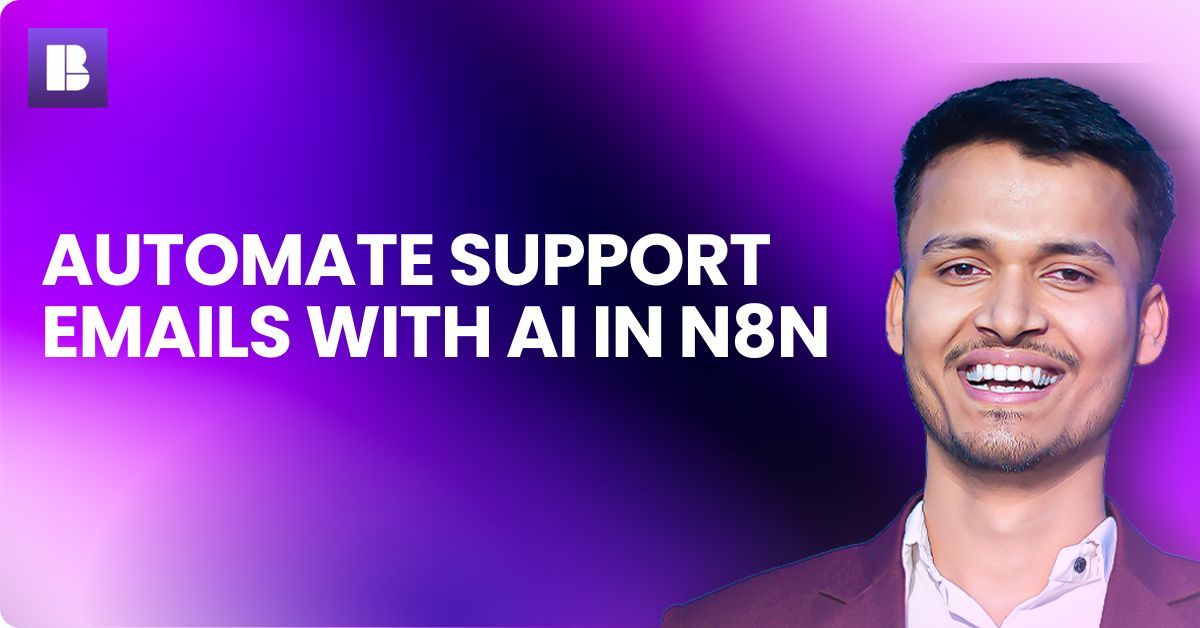
Automate Support Emails with AI in n8n
Updated: June 26, 2026

Handling support emails manually is exhausting.

If you are running any online business, you already know this. Same questions again and again. Late replies. Missed leads. And sometimes, frustrated customers.

Good news is, you can fix this using AI + n8n workflow automation.

Let me show you how it actually works, step by step.


What is AI Support Email Automation?

AI support email automation means using artificial intelligence to read, understand, and reply to customer emails automatically.

Instead of typing every reply manually, system does it for you.

n8n makes this possible by connecting your email inbox with AI tools.

Simple flow looks like this:

  • New email arrives
  • AI reads the content
  • AI generates a reply
  • Email is sent automatically

That’s it.

No complex coding required.


Why You Should Automate Support Emails

Manual support sounds manageable in beginning.

But once emails increase, it becomes a problem very fast.

Here is what usually happens:

  • You reply late
  • You repeat same answers daily
  • You miss important emails
  • Your productivity drops

Now compare that with automation.

With AI + n8n:

  • Replies go instantly
  • 24/7 support without hiring team
  • Consistent answers every time
  • You save hours daily

Honestly, even small businesses are now using this.


Real Use Case (Very Common)

Let’s take a simple example.

You run an e-commerce store.

Customers usually ask:

  • Where is my order?
  • How to track delivery?
  • What is return policy?
  • Refund kab milega?

Now imagine replying to these manually every day.

Instead, AI can detect question type and send proper response instantly.

You only handle complex queries.


How n8n Actually Helps Here

n8n is a workflow automation tool.

It connects apps like Gmail, Outlook, OpenAI, databases, and more.

n8n has 400+ integrations, but real power comes from combining them.

For email automation, n8n acts like the middle brain.

It does three main things:

  • Watches for new emails
  • Sends data to AI
  • Triggers reply automatically

And best part, you can self-host it.

So your data stays private.


Step-by-Step: Build AI Email Auto-Responder in n8n

Let’s keep it simple.

You can set this up in around 20–30 minutes.


Step 1: Set Up Email Trigger

First, you need to detect incoming emails.

Use:

  • Gmail node (if using Gmail)
  • IMAP Email node (for custom emails)

Configure it like this:

  • Trigger on new email
  • Filter only support inbox
  • Optional: filter by subject like “support” or “help”

Now workflow will run whenever new email comes.


Step 2: Extract Email Content

Next step is to clean the data.

You need:

  • Sender email
  • Subject
  • Email body

Use Set Node or Function Node in n8n.

Remove unnecessary formatting.

Keep only useful text.


Step 3: Send Data to AI (OpenAI Node)

Now comes the main part.

Connect OpenAI (or any LLM API).

Pass email content with a prompt like:

“Read this customer support email and generate a helpful, polite reply. Keep it short and clear.”

You can customize tone also:

  • Friendly
  • Professional
  • Casual

AI will generate ready-to-send reply.


Step 4: Add Logic (Optional but Powerful)

This is where things get interesting.

You can add conditions using IF node.

Example:

  • If email contains “refund” → send refund template
  • If email contains “order status” → send tracking info
  • If unclear → send to human

This makes replies more accurate.


Step 5: Send Auto Reply

Now final step.

Use:

  • Gmail Send node
  • SMTP node

Send reply to customer using AI-generated content.

Done.

Your system is now live.


Pro Tips (From Real Usage)

After setting this up, you will notice few things.

So better optimize from start only.

1. Always add fallback
If AI is unsure, route email to human.

2. Limit auto replies
Avoid sending multiple replies to same email thread.

3. Train your prompt properly
Better prompt = better response.

Example:

“Answer like a support agent. Keep under 100 words. Be clear and polite.”

4. Add knowledge base
You can connect FAQ data for better replies.


Common Mistakes to Avoid

Many beginners mess up here.

So keep these in mind:

  • Sending wrong replies without testing
  • Not adding filters (spam emails trigger workflow)
  • Over-automating everything
  • No human backup

Do one thing, test with 5–10 emails first.

Then go live.


What is n8n Workflow Automation?

n8n is a no-code or low-code automation tool that helps you connect different apps and automate tasks.

It works using nodes.

Each node performs one action.

For example:

  • Email trigger
  • AI processing
  • Send response

You connect these nodes into one workflow.

And it runs automatically.


Why This Setup is Powerful

This is not just about replying emails.

This is about building a system.

Once done, you can:

  • Scale support without hiring
  • Reduce response time to seconds
  • Improve customer experience
  • Focus on business growth

Honestly, this is one of the easiest automations with highest impact.


Final Thoughts

If you are still replying to support emails manually, you are wasting time.

This setup is simple.

And impact is huge.

Even if you automate just 50 percent emails, it will save hours every week.

Do one thing, try this workflow once.

You will understand the value yourself.


Looking for free n8n workflows?

Go to BULDRR AI and download from 10,000+ ready-made n8n automation workflows.
Full How-To guides included. No signup. No credit card. Completely free.

Handling support emails manually is exhausting.

If you are running any online business, you already know this. Same questions again and again. Late replies. Missed leads. And sometimes, frustrated customers.

Good news is, you can fix this using AI + n8n workflow automation.

Let me show you how it actually works, step by step.


What is AI Support Email Automation?

AI support email automation means using artificial intelligence to read, understand, and reply to customer emails automatically.

Instead of typing every reply manually, system does it for you.

n8n makes this possible by connecting your email inbox with AI tools.

Simple flow looks like this:

  • New email arrives
  • AI reads the content
  • AI generates a reply
  • Email is sent automatically

That’s it.

No complex coding required.


Why You Should Automate Support Emails

Manual support sounds manageable in beginning.

But once emails increase, it becomes a problem very fast.

Here is what usually happens:

  • You reply late
  • You repeat same answers daily
  • You miss important emails
  • Your productivity drops

Now compare that with automation.

With AI + n8n:

  • Replies go instantly
  • 24/7 support without hiring team
  • Consistent answers every time
  • You save hours daily

Honestly, even small businesses are now using this.


Real Use Case (Very Common)

Let’s take a simple example.

You run an e-commerce store.

Customers usually ask:

  • Where is my order?
  • How to track delivery?
  • What is return policy?
  • Refund kab milega?

Now imagine replying to these manually every day.

Instead, AI can detect question type and send proper response instantly.

You only handle complex queries.


How n8n Actually Helps Here

n8n is a workflow automation tool.

It connects apps like Gmail, Outlook, OpenAI, databases, and more.

n8n has 400+ integrations, but real power comes from combining them.

For email automation, n8n acts like the middle brain.

It does three main things:

  • Watches for new emails
  • Sends data to AI
  • Triggers reply automatically

And best part, you can self-host it.

So your data stays private.


Step-by-Step: Build AI Email Auto-Responder in n8n

Let’s keep it simple.

You can set this up in around 20–30 minutes.


Step 1: Set Up Email Trigger

First, you need to detect incoming emails.

Use:

  • Gmail node (if using Gmail)
  • IMAP Email node (for custom emails)

Configure it like this:

  • Trigger on new email
  • Filter only support inbox
  • Optional: filter by subject like “support” or “help”

Now workflow will run whenever new email comes.


Step 2: Extract Email Content

Next step is to clean the data.

You need:

  • Sender email
  • Subject
  • Email body

Use Set Node or Function Node in n8n.

Remove unnecessary formatting.

Keep only useful text.


Step 3: Send Data to AI (OpenAI Node)

Now comes the main part.

Connect OpenAI (or any LLM API).

Pass email content with a prompt like:

“Read this customer support email and generate a helpful, polite reply. Keep it short and clear.”

You can customize tone also:

  • Friendly
  • Professional
  • Casual

AI will generate ready-to-send reply.


Step 4: Add Logic (Optional but Powerful)

This is where things get interesting.

You can add conditions using IF node.

Example:

  • If email contains “refund” → send refund template
  • If email contains “order status” → send tracking info
  • If unclear → send to human

This makes replies more accurate.


Step 5: Send Auto Reply

Now final step.

Use:

  • Gmail Send node
  • SMTP node

Send reply to customer using AI-generated content.

Done.

Your system is now live.


Pro Tips (From Real Usage)

After setting this up, you will notice few things.

So better optimize from start only.

1. Always add fallback
If AI is unsure, route email to human.

2. Limit auto replies
Avoid sending multiple replies to same email thread.

3. Train your prompt properly
Better prompt = better response.

Example:

“Answer like a support agent. Keep under 100 words. Be clear and polite.”

4. Add knowledge base
You can connect FAQ data for better replies.


Common Mistakes to Avoid

Many beginners mess up here.

So keep these in mind:

  • Sending wrong replies without testing
  • Not adding filters (spam emails trigger workflow)
  • Over-automating everything
  • No human backup

Do one thing, test with 5–10 emails first.

Then go live.


What is n8n Workflow Automation?

n8n is a no-code or low-code automation tool that helps you connect different apps and automate tasks.

It works using nodes.

Each node performs one action.

For example:

  • Email trigger
  • AI processing
  • Send response

You connect these nodes into one workflow.

And it runs automatically.


Why This Setup is Powerful

This is not just about replying emails.

This is about building a system.

Once done, you can:

  • Scale support without hiring
  • Reduce response time to seconds
  • Improve customer experience
  • Focus on business growth

Honestly, this is one of the easiest automations with highest impact.


Final Thoughts

If you are still replying to support emails manually, you are wasting time.

This setup is simple.

And impact is huge.

Even if you automate just 50 percent emails, it will save hours every week.

Do one thing, try this workflow once.

You will understand the value yourself.


Looking for free n8n workflows?

Go to BULDRR AI and download from 10,000+ ready-made n8n automation workflows.
Full How-To guides included. No signup. No credit card. Completely free.

Author
Written By
Vikash Kumar
Building AI agents, n8n workflows and end-to-end automation for 30+ Brands across India, the US, Europe, Dubai & Australia. 7+ years of Experience saving founders real hours every week - no code required.
Ask more Questions about this Blog with AI:

Our AI Articles

Learn from our AI Articles to excel in your profession ;)

Best n8n Templates in 2026: 15 Free Workflows to Copy

Discover the best free n8n templates in 2026. See 15 beginner workflows to copy and learn how to import one...

n8n MCP: How to Use It (Beginner Guide 2026)

What n8n MCP is in plain English, the two nodes that make it work, and a step-by-step beginner setup for...

n8n Pricing 2026: Is It Really Free?

A clear beginner breakdown of n8n pricing in 2026, when it is truly free, what Cloud plans cost, and how...

The AI Business Blueprint

How Claude Code’s Creator Thinks the Next Generation of Companies Will Be Built...

Best AI Agent Builders in 2026 (No-Code Guide)

The best no-code AI agent builders in 2026, compared for beginners. See what each tool costs, who it fits, and...

OpenRouter Free Models List 2026: All 27+ Models Ranked & Tested

Search “best free OpenRouter models” and you’ll find ten different lists, half naming model IDs pulled months ago. One older...

Arcads Collage Motion Skill

A Claude skill that takes a reference image (or just a brief) and produces a matching halftone paper-collage motion clip...

n8n AI Agent Node: Build Your First AI Agent in 15 Minutes

Learn how the n8n AI Agent node works and build your first AI agent in 15 minutes. Step-by-step beginner guide...

Best Free OpenRouter Models in 2026: Which One Should You Use?

OpenRouter has 29 free AI models as of June 2026. Picking the wrong one for your task wastes your daily...

ClawdBot Tutorial 2026: Complete Beginner Guide to Install, Configure & Run Your First AI Agent

The complete beginner guide to Clawdbot in 2026 — from installation to your first running AI agent, with config templates,...
1:1 Free Strategy Session
Your competitors are already automating. Are you still paying for it manually?

Do you want to adopt AI Automation?

Every hour your team does repetitive work, you're burning real money.
While you wait, faster businesses are cutting costs and moving quicker.
AI and automations aren't the future anymore — they're the present.

Book a live 1-on-1 session where we show you exactly which of your daily tasks can be automated — and what it’s costing you not to.