 Schedule a Call

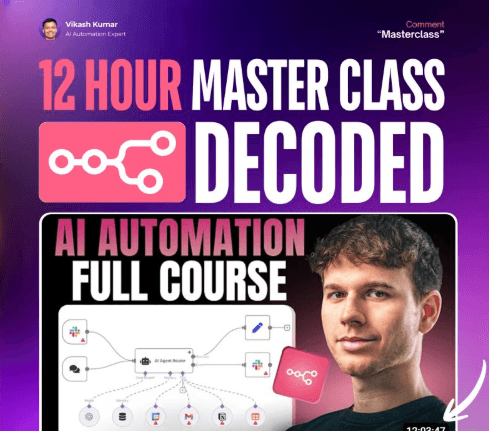
A full breakdown of scraping, looping, agents, prompts, OpenAI assistants, workflows, debugging, and scaling.
01 — The Real Mindset Behind Automation
Most beginners fail because they treat n8n like “another tool.”
It isn’t.
n8n forces you to think in systems:
- Inputs → Processes → Outputs
- Workflows → Data → Logic → State
- APIs → Triggers → Actions
- Scalability → Loops → Error Handling
If you understand these fundamentals, every workflow becomes easier.
02 — Scraping Data with Apify + n8n
The first major system in the masterclass is a LinkedIn lead-generation scraper.
How it works
- Use Apify to run an actor (scraper).
- The actor produces a default dataset ID.
- You pass that dataset ID into the dataset-items node.
- n8n extracts:
- First name
- Last name
- LinkedIn URL
- Titles
- Work history
- Emails (if available)
- Profile photos
- Company data
- Results are processed and used downstream.
Key learning
Apify isn’t the scraper — it’s the actor runner.
The actual data comes from the dataset endpoint, not the “run actor” step.
03 — Looping for Scalability (Most Important Skill)
Processing 100 leads at once = failure.
AI breaks, APIs rate-limit, runs crash.
Solution?
Use “Loop Over Items”
- Send 20 items at a time
- Process them
- Feed them to AI
- Append results to Google Sheets
- Loop back for the next 20
- Works whether you have 100 or 5,000 items
This single node makes workflows scalable and stable.
04 — Building Perfect AI Prompts Inside n8n
The video teaches the exact prompting structure that professionals use:
Structure:
- System Prompt Sets identity → “You are a helpful writing assistant…”
- User Prompt #1 Explains task → “Create a personalized connection message…”
- User Prompt #2 Gives examples → (User + Assistant sample)
- User Prompt #3 Injects real data → (Name, job title, company, LinkedIn URL)
Key rule
Never let AI copy info directly — always paraphrase so it feels human.
05 — Writing Outputs to Google Sheets Automatically
Once AI generates a connection message:
- Use Google Sheets → Append Row
- Map fields manually:
- ID
- First name
- Last name
- LinkedIn URL
- Title
- Photo
- Connection message
- Loop ensures every batch of 20 gets added properly.
This is the “CRM” part of n8n.
06 — Full LinkedIn Outreach Automation (Complete Pipeline)
The whole system:
- Scrape leads with Apify
- Extract dataset
- Batch through n8n loops
- Generate personalized messages using OpenAI
- Store results in Sheets
- Use outreach tools to send 30 connection requests per day
- System repeats daily
The workflow turns raw data → filtered leads → hyper-personalized messages → outreach.
07 — Sales Coach AI (Advanced Agent System)
Next big system in the masterclass:
An AI that listens to your call, analyzes it, and delivers actionable feedback.
Pipeline
- Fireflies joins your call → Creates a transcript → Automatically sends data via webhook to n8n
- n8n receives meeting ID → Uses Fireflies API to fetch transcript
- Transcript arrives in 400+ sentences → Use Edit Fields + Map + Join to merge into one clean text block → This transforms the transcript for AI consumption
- Create a custom OpenAI Assistant (GPT)
- Upload a sales framework PDF
- Generate embeddings
- Vector search: assistant pulls relevant parts of the doc
- Gives feedback using your sales rules
- n8n → OpenAI Assistant → Slack → AI analyzes call → Extracts quotes → Suggests improvements → Sends a structured breakdown to a Slack channel
This is a real $3,000 automation people sell right now.
08 — Differences Between Model Types & Why It Matters
From the masterclass:
- GPT-4.1 / GPT-5-mini Use for short writing, personalization, summarisation
- Claude Sonnet 3.7 Best for deep reasoning + long context
- Perplexity / Tavily Use for research agents
- Model selection via Data Tables Lets clients control prompts & models without touching workflows
09 — Data Tables (The Most Important Feature Released)
The masterclass goes deep on Data Tables.
Use-cases shown:
- Store prompts & models → Change model or prompt without editing workflow → Perfect for clients
- Store agent logs → Actions taken → Tools called → Token usage → Success/failure data
- Store errors → Error workflow → error log table
- Run evaluations (Evals) → Input → Expected output → Actual output → Score Helps improve AI agents over time.
Bonus
Sync tables both ways using Google Sheets.
10 — The Google Maps → Emails Scraper (Full System #3)
Another major workflow:
Pipeline
- User pastes Google Maps URL
- n8n scrapes HTML
- Code node extracts all website URLs using regex
- Filters invalid ones (Google, GStatic, Schema.org, etc.)
- Removes duplicates
- Loops through each website
- Scrapes page HTML
- Extracts emails using regex
- Removes duplicates
- Writes all emails to Google Sheets
Key learning
This system creates 25–100+ verified emails per run.
Add an email sequencing tool → fully automated cold outreach.
11 — Updating Workflows Dynamically
The masterclass teaches a brilliant trick:
Use Google Sheets as your “front-end dashboard.”
Let users add:
- new cities
- new industries
- new business types
- new search keywords
n8n automatically reads the sheet → feeds it into Google Maps scraper → runs the entire pipeline.
No technical skills required.
12 — Testing, Debugging, Logs, Errors
You learned:
- How to use Postman for simulating webhook calls
- How to use Run History to inspect data
- How to pin nodes for faster testing
- How to retry failed nodes
- How to use IF + Continue on Fail to avoid broken runs
- How to isolate errors across workflows
This is how real automation engineers work.
13 — Costs & Limitations (From the Masterclass)
Costs
- n8n → You pay per workflow execution, not per node
- Apify → Scraping costs scale with results
- Fireflies → Limited free plan
- OpenAI → Token cost depending on model
- Google Sheets → Free
- Slack → Free with limits
Limitations
- Data Tables → no dropdowns, limited input types
- Some websites block scraping
- LinkedIn → connection request limit = 30/day
- Long transcripts → must be cleaned before sending to AI
- Need to add waits to avoid rate limiting
14 — The Real Lesson: Systems > Skills
This entire masterclass builds one theme:
“Automation is not about tools. It’s about designing scalable systems.”
Once you understand pipelines, loops, filters, prompts, data tables, and logs…
you can automate any business.
15 — What You Can Build After This Masterclass
You now have everything needed to build:
- Lead gen engines
- Email scrapers
- LinkedIn outreach systems
- Sales coach agents
- Research agents
- Content workflows
- CRM automations
- Data pipelines
- AI-powered dashboards
- Full automation agencies
This is why people pay thousands for these systems.
Each button opens the assistant with the prompt already written, asking it to teach this article step by step, in simple words.
 ChatGPT
 Claude
 Grok
Grok Perplexity
 Add as a preferred source