

What This Automation Does
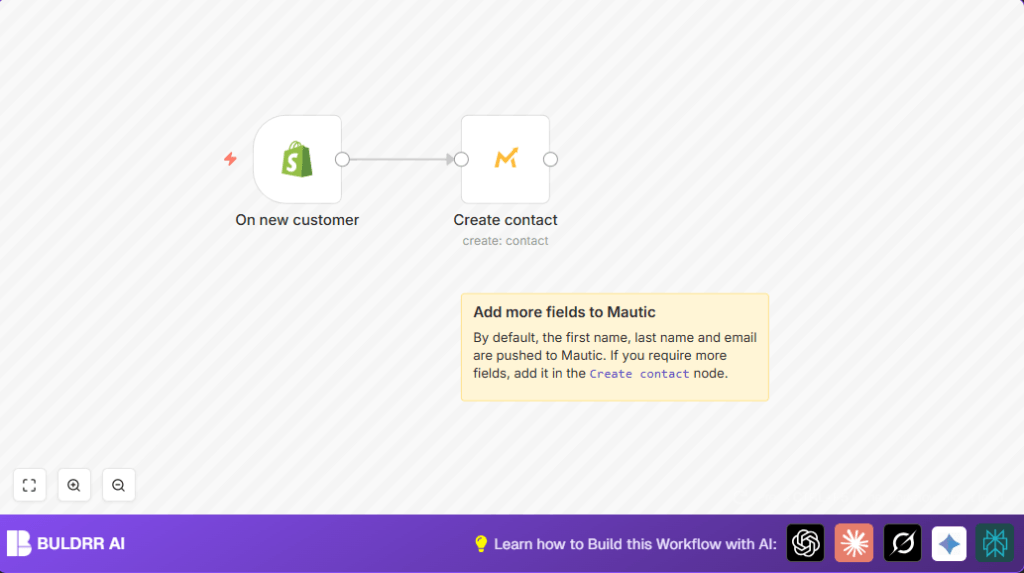
This workflow watches for new customers created in Shopify.
When a new customer signs up, it takes their info and adds a contact in Mautic automatically.
This removes manual work, stops mistakes in typing, and updates contacts faster for marketing.
Tools and Services Used
- Shopify API: Sends data when new customers sign up.
- Mautic API: Receives data to create contacts for email marketing.
- n8n Automation Platform: Runs the workflow connecting Shopify and Mautic.
Inputs → Processing Steps → Output
Inputs
- New customer creation event from Shopify.
- Customer details like first name, last name, and email from Shopify.
Processing Steps
- Shopify Trigger node listens for new customer creation.
- Extract customer info from the Shopify event data.
- Mautic node creates a contact with the extracted info.
Output
- New contact added in Mautic with customer email, first name, and last name.
- Data sync completed without manual entry.
Beginner Step-by-Step: How to Use This Workflow in Production in n8n
1. Import Workflow
- Download the workflow file using the Download button on this page.
- Inside your n8n editor, click “Import from File.”
- Select the downloaded workflow JSON file to import it.
2. Configure Credentials and Settings
- Add your Shopify API Key and access token in the Shopify Trigger node credentials.
- Enter your Mautic API Key and URL details in the Mautic node credentials.
- If needed, update IDs, emails, or any channel settings to match your setup.
3. Test the Workflow
- Activate the workflow temporarily.
- Create a new test customer in Shopify to trigger the workflow.
- Check Mautic to confirm the contact is created with correct data.
- Review execution logs in n8n for any errors.
4. Activate for Production
- Turn on the workflow in the Active mode inside n8n.
- Ensure your n8n instance is accessible to receive webhook calls from Shopify.
- Optionally, set up alerts for errors or failures inside n8n.
This simple import-and-configure lets you run the automation without building nodes manually.
If using self-host n8n, refer to self-host n8n for setup support.
Common Problems and Solutions
Authentication Failure in Shopify Trigger
This happens if the Shopify API Key is missing or expired.
Fix by updating the API Key in the Shopify Trigger credentials.
Contact Creation Error in Mautic
Occurs when required fields are missing or API credentials are wrong.
Check that email, first name, and last name fields map correctly from Shopify data.
Also verify Mautic API keys are valid.
Customization Ideas
- Add more Shopify customer fields in the Mautic node under Additional Fields for richer contacts.
- Insert an email node after Mautic contact creation to send welcome emails automatically.
- Use conditional nodes to tag customers differently in Mautic based on purchase value or source.
Summary of Key Benefits
✓ Saves hours of manual data entry weekly.
✓ Removes errors from typing customer information.
✓ Updates Mautic contacts instantly when customers join Shopify.
✓ Helps marketing reach new customers faster.
✓ Works with minimal API calls triggered only on new signups.
