
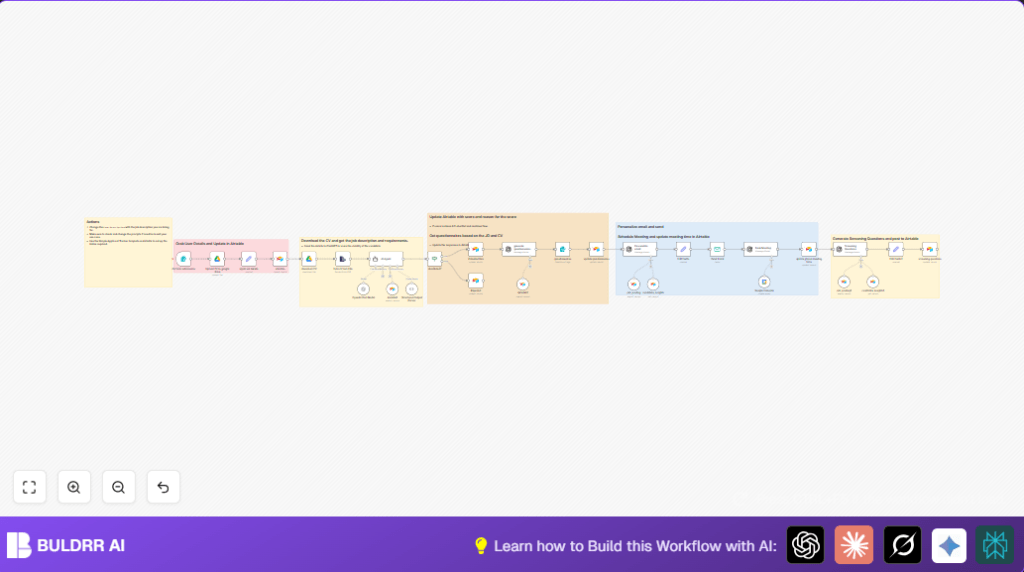

What This Workflow Does
This workflow helps manage job applications from start to finish.
It saves time by uploading CVs, reading them with AI, scoring candidates, and setting up interviews automatically.
Users get organized candidate data and fast hiring decisions without manual work.
The process handles files, uses AI to check fit, sends smart forms, and books interviews on the calendar.
This cuts HR work hours and reduces mistakes.
Tools and Services Used
- n8n: Runs the automation workflow.
- Airtable: Stores job postings and candidate data.
- Google Drive: Keeps CV files organized.
- Google Calendar: Books and checks interview slots.
- OpenAI GPT-4: Reads CV texts, scores candidates, creates questions, and writes emails.
- SMTP Email Account: Sends interview invitation emails.
How the Workflow Works: Inputs, Processing, Outputs
Inputs
- Candidate submits application form with personal info and CV PDF.
- Job description is fetched live from Airtable.
Processing Steps
- CV is uploaded to Google Drive.
- AI extracts text from the CV PDF.
- AI compares CV text to job description, scoring suitability.
- Airtable updates candidate status based on score.
- For good fit candidates, AI creates custom interview questions.
- Candidates complete AI-generated questionnaire.
- AI analyzes questionnaire to create screening questions.
- Personalized invitation email is generated and sent.
- AI checks interviewer calendar; books phone interview; updates Airtable.
Outputs
- Organized candidate records in Airtable with scores and questionnaire data.
- Candidate CVs stored on Google Drive.
- Tailored interview questions and screening prompts ready for interviewer.
- Scheduled interview invitations sent automatically.
Beginner Step-by-Step: How to Use This Workflow in n8n
Step 1: Import the Workflow
- Download the workflow file using the Download button on this page.
- Open your n8n editor, then choose Import from File to load the workflow.
Step 2: Add Credentials and API Keys
- Set up connections for Google Drive, Google Calendar, Airtable, OpenAI, and SMTP email within n8n.
- Enter API Keys and authorize all required services.
Step 3: Update Configuration Details
- Check and update folder IDs for Google Drive where CVs will save.
- Update Airtable base IDs, table names, and fields to match your setup.
- Set your SMTP sender email and recipient details if needed.
- Confirm webhook path for the Webhook node or Form Trigger.
Step 4: Test the Workflow
- Submit a sample application via the form’s webhook URL.
- Watch workflow run in the n8n editor to ensure all nodes execute without errors.
Step 5: Activate for Production
- Enable the workflow in n8n to make it listen for real candidate submissions.
- Integrate the form URL or webhook into your careers page.
If self hosting n8n, consider using self-host n8n for better control.
Common Issues and Their Fixes
- CV upload fails: Check form file mapping and Google Drive permissions.
- AI scoring missing or invalid: Review AI prompt syntax and OpenAI key limits.
- Airtable update errors: Enable typecast and verify field names.
Customization Ideas
- Change candidate score threshold to adjust who gets interviewed.
- Pull job descriptions from different sources or dynamically by role.
- Modify AI prompts to focus questions on particular skills or values.
- Adjust email tone in AI to match company culture.
- Add more interview stages into automation as hiring grows.
Summary of Workflow Benefits
✓ Saves 8-12 hours weekly in resume handling.
✓ Improves consistency and quality of candidate scoring.
✓ Organizes candidate data and documents in one place.
✓ Creates personalized communications automatically.
→ Streamlines interview scheduling and candidate engagement.
